How To Update GPS In Jeep Grand Cherokee should stay tied to the exact Jeep Grand Cherokee, the model year, and the current condition.
This editorial-review draft gives a safe owner-level path for How To Update GPS In Jeep Grand Cherokee and keeps the final model-specific verification step visible before publication.
Quick Answer
For How To Update GPS In Jeep Grand Cherokee, use official guidance for the exact radio and preserve error details before reset or update. Review the exact Jeep Grand Cherokee manual before publishing or performing How To Update GPS In Jeep Grand Cherokee.
What to Check First
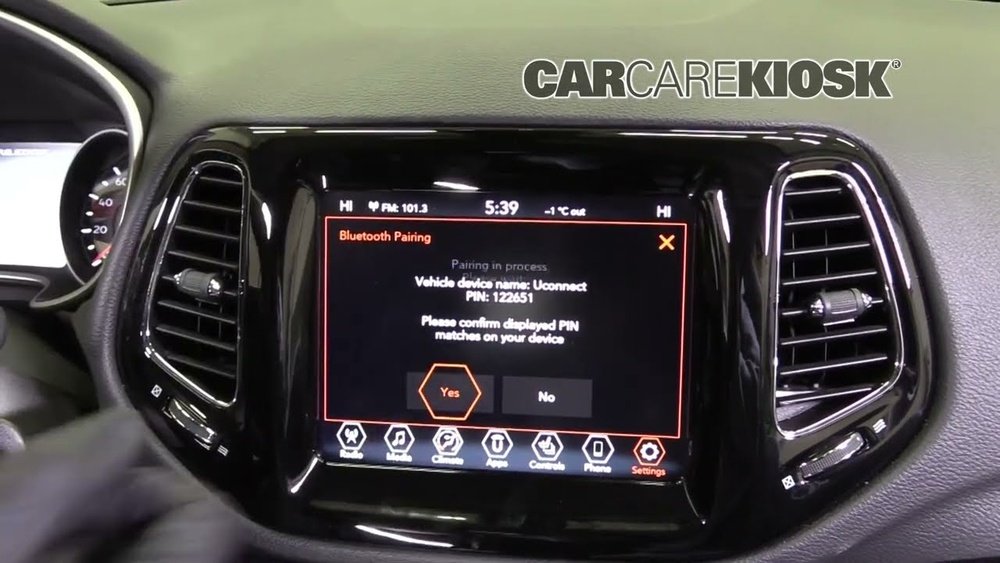
The How To Update GPS In Jeep Grand Cherokee review begins with five points: identify the Uconnect version; save error messages; use official guidance; test after restart; review account access.
These checks keep the How To Update GPS In Jeep Grand Cherokee article focused on a safe and verifiable owner-level process.
| Check | Why it matters |
|---|---|
| Identify the uconnect version | Supports a safer How To Update GPS In Jeep Grand Cherokee decision for the Jeep Grand Cherokee. |
| Save error messages | Supports a safer How To Update GPS In Jeep Grand Cherokee decision for the Jeep Grand Cherokee. |
| Use official guidance | Supports a safer How To Update GPS In Jeep Grand Cherokee decision for the Jeep Grand Cherokee. |
| Test after restart | Supports a safer How To Update GPS In Jeep Grand Cherokee decision for the Jeep Grand Cherokee. |
| Review account access | Supports a safer How To Update GPS In Jeep Grand Cherokee decision for the Jeep Grand Cherokee. |
Step-by-Step Review
- Record the Jeep Grand Cherokee model year, trim, mileage, and recent work related to How To Update GPS In Jeep Grand Cherokee.
- Open the matching manual or official guidance before starting How To Update GPS In Jeep Grand Cherokee.
- Inspect identify the Uconnect version and write down the starting condition for How To Update GPS In Jeep Grand Cherokee.
- Continue with save error messages and use official guidance in a controlled order for How To Update GPS In Jeep Grand Cherokee.
- Complete the owner-level task only when test after restart remains safe during How To Update GPS In Jeep Grand Cherokee.
- Test the result and compare it with the original goal behind How To Update GPS In Jeep Grand Cherokee.
- Save photos, receipts, part numbers, and warning messages from How To Update GPS In Jeep Grand Cherokee.
Common Mistakes to Avoid
- Starting How To Update GPS In Jeep Grand Cherokee without confirming the exact Jeep Grand Cherokee model year.
- Forcing a part, switch, connector, latch, or setting during How To Update GPS In Jeep Grand Cherokee.
- Skipping the final parked function check after How To Update GPS In Jeep Grand Cherokee.
- Ignoring a warning message, leak, loose fastener, or damaged component during How To Update GPS In Jeep Grand Cherokee.
Model-Year and Fitment Check
The phrase “How To Update GPS In Jeep Grand Cherokee” does not prove that one universal procedure fits every Jeep Grand Cherokee.
For How To Update GPS In Jeep Grand Cherokee, confirm the year, engine, drivetrain, radio, roof style, electrical system, or installed accessory whenever those details change the job.
Keep a Useful Vehicle Record
For How To Update GPS In Jeep Grand Cherokee, save the VIN, mileage, date, photos, manual page, receipts, scan results, and part numbers when relevant.
A focused How To Update GPS In Jeep Grand Cherokee record helps the next owner or workshop understand what was checked without repeating the earliest steps.
When to Stop and Get Help
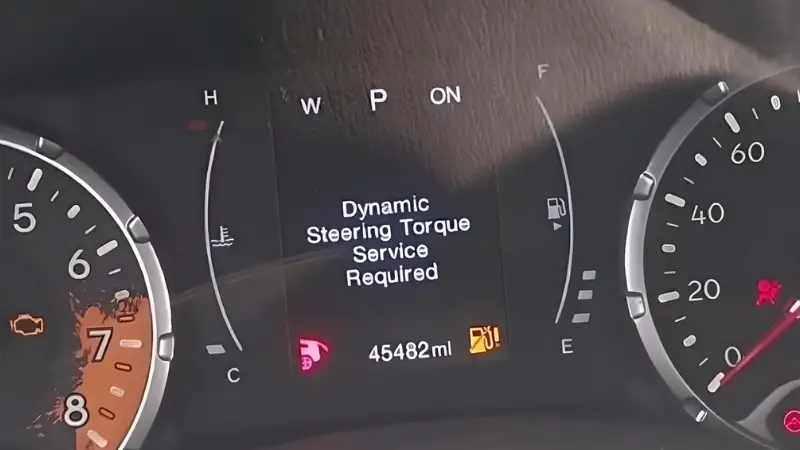
For How To Update GPS In Jeep Grand Cherokee, stop when the screen freezes repeatedly or safety functions fail. Use qualified service whenever the How To Update GPS In Jeep Grand Cherokee owner-level path no longer gives a clear and safe result.
Frequently Asked Questions
Does How To Update GPS In Jeep Grand Cherokee use the same procedure on every Jeep?
No. Match How To Update GPS In Jeep Grand Cherokee to the exact Jeep Grand Cherokee model year, trim, and installed equipment.
What should I check before starting How To Update GPS In Jeep Grand Cherokee?
For How To Update GPS In Jeep Grand Cherokee, begin with identify the Uconnect version, then review save error messages. These How To Update GPS In Jeep Grand Cherokee checks reduce avoidable mistakes.
When should I stop the How To Update GPS In Jeep Grand Cherokee job?
The stopping rule for How To Update GPS In Jeep Grand Cherokee is simple: stop when the screen freezes repeatedly or safety functions fail. The How To Update GPS In Jeep Grand Cherokee process should stop before uncertainty turns into damage or a safety problem.
- How To Update Gps In Jeep Grand Cherokee 2
- How To Update Maps On Jeep Grand Cherokee
- How To Update Jeep Grand Cherokee Software
Final Takeaway
Final takeaway for How To Update GPS In Jeep Grand Cherokee: use official guidance for the exact radio and preserve error details before reset or update.
Keep the final How To Update GPS In Jeep Grand Cherokee article tied to the exact Jeep Grand Cherokee, a safe review order, and an editorial check before publication.