If you’re driving your Jeep and notice the traction control light staying on, you might be wondering how to turn it off. Maybe the system is acting up, or you want to disable it temporarily for a specific reason like off-roading or making those cool donuts.
Whatever your reason, understanding how to control this feature is key to keeping your Jeep running smoothly and safely.
You’ll learn simple, clear steps to turn off the traction control light in your Jeep no confusing jargon, just straightforward advice you can use right away.
Keep reading to take full control of your Jeep’s traction system and enjoy your drive with confidence.

Traction Control Basics
Understanding the basics of traction control helps you manage your Jeep better. Traction control keeps your vehicle stable on slippery roads.
It works by preventing wheels from spinning too fast. This system improves safety and driving confidence in tough conditions.
Purpose Of Traction Control
Traction control stops wheel slip during acceleration. It helps maintain grip on wet, icy, or loose surfaces.
The system applies brake force to spinning wheels. It also reduces engine power to regain traction.
This prevents loss of control and skidding. In a Jeep, traction control is vital for off-road and rough terrain driving.
Common Traction Control Issues
Traction control can sometimes trigger warning lights. This happens when sensors detect a fault.
Common problems include faulty wheel speed sensors and low tire pressure. Dirt or damage to sensors also causes issues.
Sometimes, software glitches make the light stay on. A stuck or malfunctioning traction control button can affect the system.
Regular checks help avoid these problems and keep traction control working well.
Locating the traction control button in your Jeep is the first step to managing the traction control system. This button lets you turn the system off or on as needed.
Knowing where it is saves time and helps you respond quickly to different driving conditions.
The traction control button location varies by Jeep model and year. In many Jeep Wranglers, it sits near the gear shift or on the dashboard. Jeep Compass models often place it on the center console or near the steering wheel. Some newer models may have the button integrated into the touchscreen menu or as a physical switch labeled “TCS” or “ESC OFF.”
Check around the driver’s side area carefully. Look for a small button with a car and squiggly lines icon.
This icon represents the traction control system. The button is usually easy to reach while driving.
Identifying The Traction Control Light
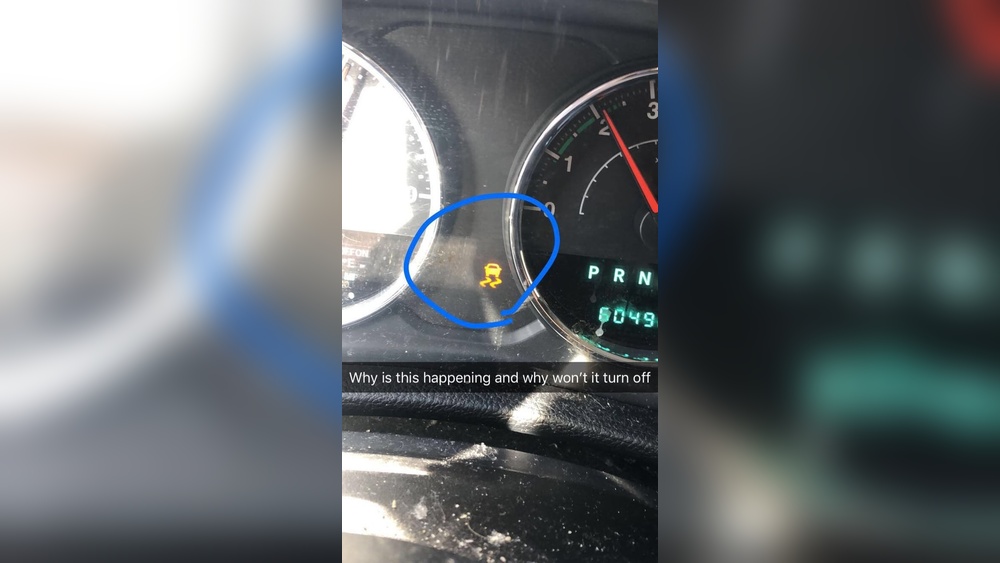
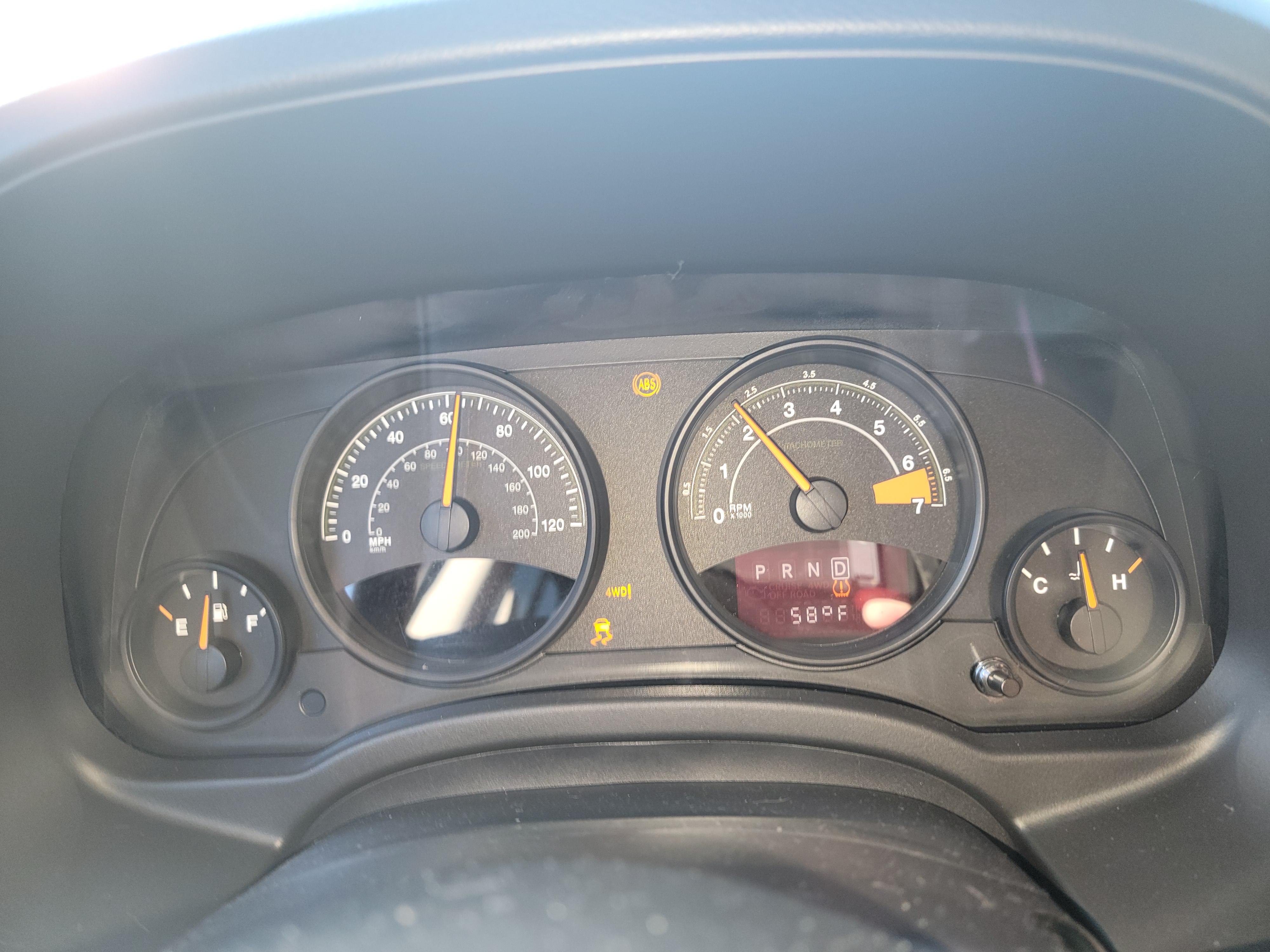
The traction control light on your dashboard shows if the system is active or off. It looks like a car with curved lines beneath it, symbolizing slippery road conditions.
When the light is on, it means the traction control is either active or disabled.
If the light stays on constantly, it could indicate a system problem. Understanding this light helps you decide when to press the traction control button.
It also alerts you to possible issues needing attention.
Turning Off Traction Control
Turning off traction control in your Jeep can help in specific driving situations. It allows more wheel spin, useful on loose surfaces like mud or snow.
Knowing how to disable it safely is important. Follow simple steps to manage traction control effectively.
Most Jeep models have a traction control button on the dashboard or center console. Press this button once to turn off traction control.
A light on the dashboard will show when the system is off. The system turns back on automatically after restarting the vehicle.
Hold the button for a few seconds for some models to fully disable traction control. Check your owner’s manual for the exact button location and instructions.
Avoid turning off traction control on dry, paved roads for safety.
Partial Vs. Full Disable Options
Jeep traction control offers two disable modes: partial and full. Partial disable limits the system but still helps control wheel spin. It works well for moderate off-road driving.
Full disable turns off the traction control completely. This mode is best for serious off-roading or when making donuts in safe areas.
Full disable may require holding the traction control button longer or using specific settings in some Jeep models.
Use full disable carefully to prevent loss of vehicle stability on normal roads.
Resetting The Traction Control Light
Resetting the traction control light on your Jeep helps clear warning signals. This step often resolves minor glitches in the system.
It restores normal function and turns off the light. Resetting can be quick and done without special tools in many cases.
Simple Reset Methods
Turn off the engine and wait a few minutes. Restart the Jeep to see if the light goes off.
Press the traction control button located on the dashboard. Hold it down for a few seconds to reset the system.
Disconnect the battery for about 10 minutes. This can reset the vehicle’s computer and clear the light.
Always check your owner’s manual for exact steps for your Jeep model.
When To Use A Diagnostic Tool
Use a diagnostic tool if simple resets fail. The tool reads error codes stored in the Jeep’s computer.
It identifies specific issues causing the light to stay on. Clearing these codes with the tool often turns off the traction control light.
Mechanics and experienced users typically use this method. Some advanced scanners also provide repair suggestions.
This approach ensures the problem is correctly diagnosed and fixed.
Troubleshooting Persistent Light
The traction control light in your Jeep signals the system’s status. Sometimes the light stays on longer than it should.
This signals a possible issue with the system. Troubleshooting a persistent traction control light helps maintain your Jeep’s safety and performance.
Start by identifying common causes. Then, inspect key components such as wheel sensors and fuses.
This process can save time and avoid unnecessary repairs.
Common Causes For Light Staying On
Several reasons cause the traction control light to remain on. A faulty wheel speed sensor often triggers the warning.
Sensors can get dirty or damaged over time. Another cause is a blown fuse related to the traction system.
Wiring issues or loose connections may also affect the system. Software glitches in the vehicle’s computer sometimes cause the light to stay on.
Understanding these causes helps focus your troubleshooting steps.
Checking Wheel Sensors And Fuses
Begin by inspecting the wheel speed sensors. Look for dirt, damage, or loose wiring near the wheels.
Clean the sensors gently if dirty. Check the sensor’s electrical connections to ensure they are secure.
Next, locate the fuse box in your Jeep. Use the owner’s manual to find the fuse for traction control.
Remove the fuse and check if it is blown. Replace it with a fuse of the same rating if needed.
After checking sensors and fuses, reset the system by turning off the ignition and restarting the Jeep. This can clear the warning light if the issue was minor.
Safety Considerations
Disabling the traction control light in your Jeep can affect vehicle stability. Always ensure safe driving conditions before turning it off.
Know that traction control helps maintain grip and prevents skidding on slippery roads.
Traction control helps keep your Jeep stable and safe on slippery roads. It reduces wheel spin by adjusting engine power and applying brakes.
Before turning off the traction control light, consider why it is on. Sometimes, it signals a problem with your vehicle’s system.
Other times, it might need to be off for specific driving situations.
Turning off traction control can improve vehicle response in some cases. But it can also increase the risk of losing control.
Safety should always be a top priority when deciding to disable this feature. Understanding when to keep it on or off will help you drive more safely.
When To Keep Traction Control Enabled
Traction control should stay on during everyday driving. It helps on wet, icy, or uneven roads.
It supports safe cornering and quick stops. Keeping it enabled reduces the chance of skidding or spinning out.
This is especially important in bad weather or rough terrain.
New drivers and those unfamiliar with off-road driving will benefit from traction control. It acts as an extra safety layer.
It also works well in heavy traffic or on highways. Turning it off is rarely needed in normal conditions.
Risks Of Disabling Traction Control
Disabling traction control raises the chance of losing vehicle control. Wheels can spin more freely, causing slips or slides.
This is dangerous on wet or icy surfaces. It may also lead to accidents during sudden turns or stops.
Off-road drivers sometimes disable traction control to gain more wheel spin. This helps in deep mud or snow.
But on paved roads, it can cause unsafe driving. Traction control also supports other safety systems like ABS. Turning it off may reduce their effectiveness.
Ignoring the traction control warning light can hide mechanical issues. This can lead to costly repairs or unsafe driving conditions.
Always check your Jeep’s manual and consult a mechanic if unsure.
Advanced Tips
Advanced tips help Jeep owners manage traction control beyond basic settings. These methods allow more control in specific driving situations.
They require some technical knowledge and caution. Use these tips wisely to avoid safety risks or damage.
Disabling Traction Control For Off-roading
Traction control can limit wheel spin, which is sometimes needed off-road. To disable it, use the traction control button on your Jeep’s dashboard.
Press and hold it until the light signals the system is off. This lets your wheels spin freely for better grip on mud or rocks.
Remember to turn traction control back on for normal driving. Off-roading without traction control can be risky on paved roads.
Always check your Jeep’s manual for model-specific instructions.
Using Jscan And Other Tools
JScan is a diagnostic tool that connects to your Jeep’s computer. It allows deeper control over traction and ABS settings.
You can disable traction control permanently or reset the traction control light. This method needs a smartphone and the JScan app.
Other tools like OBD-II scanners also offer similar features. They help clear error codes causing the traction control light to stay on.
Use these tools carefully and follow the instructions to avoid system errors.
Frequently Asked Questions
How Do You Reset The Traction Control Light On A Jeep?
Press and hold the traction control (ESC OFF) button until the light turns off. Restart the Jeep to reset the system.
How Do I Clear My Traction Control Light?
Press and hold the traction control button until the light turns off. Restart your vehicle to reset the system.
Why Wont My Traction Control Light Turn Off In My Jeep?
Your Jeep’s traction control light stays on due to a malfunction, faulty wheel sensors, or a damaged ABS system. Check and repair these issues to turn it off.
Can I Still Drive With My Traction Control Light On?
You can drive with the traction control light on, but it may reduce vehicle stability. Have your system checked soon.
Conclusion
Turning off the traction control light in your Jeep can be simple. Press the traction control button while the vehicle is stopped.
This action usually disables the system temporarily. Remember, traction control helps keep your Jeep safe on slippery roads.
Use the off mode only when necessary, like when stuck in mud or snow. If the light stays on, check for sensor issues or visit a mechanic.
Keeping your Jeep’s traction control in good shape improves your driving experience and safety.
Stay alert and drive carefully.


















