Owning a Jeep Cherokee means enjoying smart technology and safety features. One feature many drivers notice is Lane Assist. This tool helps keep your vehicle in its lane, but sometimes, you may want to turn it off. Maybe you find it distracting, or you’re driving in tricky conditions. Turning off Lane Assist in a Jeep Cherokee is simple once you know how. Let’s break down the process, share real tips, and help you understand what this safety system does.
What Is Lane Assist In Jeep Cherokee?
Lane Assist uses cameras and sensors to watch road lines. If your Jeep starts to drift, Lane Assist nudges the steering or warns you. The system works best on highways with clear lines. It’s part of Jeep’s Advanced Safety Group, which includes other features like adaptive cruise control.
Many drivers find Lane Assist helpful. It can reduce accidents caused by distraction or fatigue.
However, it’s not perfect. Lane Assist may react to faded lines, construction zones, or snow-covered roads.
In these cases, turning it off makes sense.
Reasons To Turn Off Lane Assist
- Personal Preference: Some drivers don’t like feeling the steering wheel move on its own.
- Road Conditions: In areas with unclear lines, Lane Assist may beep often or steer unnecessarily.
- Off-Road Driving: Lane Assist is not designed for off-road trails or gravel roads, where lane lines don’t exist.
- Driving in Bad Weather: Rain, snow, and fog can confuse the sensors, leading to false warnings.
Turning off Lane Assist can make driving less stressful in these situations. But remember, you lose a layer of protection when you disable it.

Step-by-step: How To Turn Off Lane Assist In Jeep Cherokee
Turning off Lane Assist depends on your Cherokee’s model year and trim. Most models from 2019 onward have similar controls. Here’s how to do it:
Using The Uconnect Touchscreen
- Start your Jeep Cherokee and make sure it’s in Park.
- On the Uconnect screen, tap Settings.
- Select Safety & Driving Assistance.
- Find LaneSense or Lane Departure Warning.
- Toggle the switch to Off.
Using Steering Wheel Controls
Some models let you adjust Lane Assist from the steering wheel:
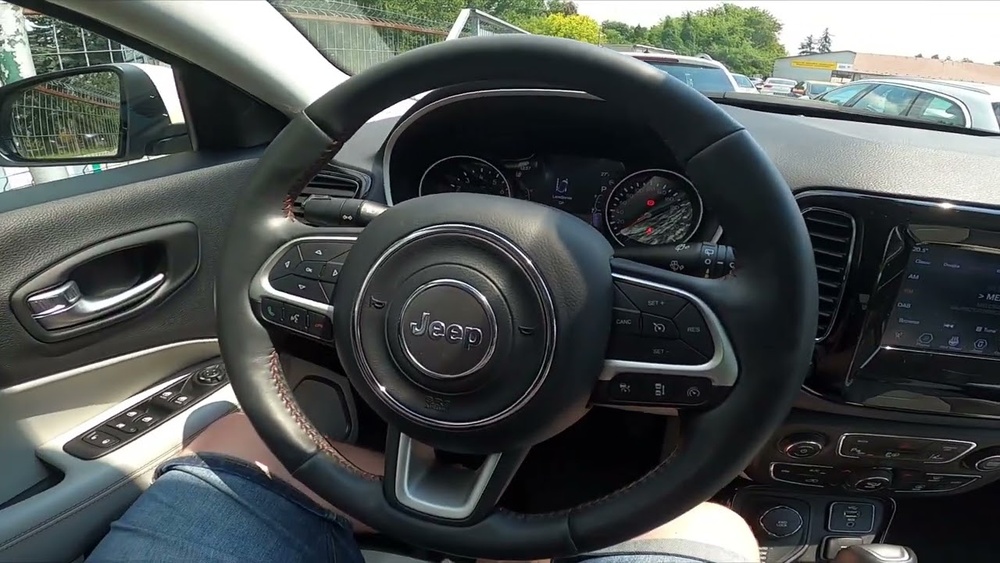
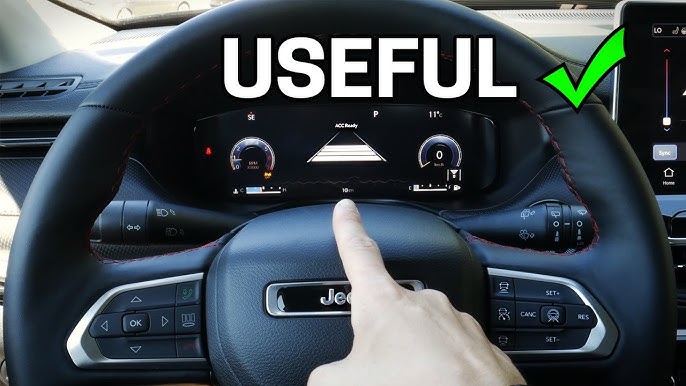
- Press the Menu button on the left side of the steering wheel.
- Scroll to Driver Assistance.
- Select Lane Sense.
- Choose Off.
Quick Comparison: Touchscreen Vs. Steering Wheel Controls
Here’s a simple comparison of the two methods:
| Method | Speed | Ease of Use | Available Models |
|---|---|---|---|
| Touchscreen | Slower | Easy for tech users | Most recent models |
| Steering Wheel | Faster | Easy for all | Limited models |
If you’re unsure, check your owner’s manual or ask your dealership.
Lane Assist Vs. Lane Departure Warning
Some Cherokees have both Lane Assist and Lane Departure Warning. Lane Assist nudges the steering, while Lane Departure Warning only gives alerts.
| Feature | Action | Driver Involvement |
|---|---|---|
| Lane Assist | Steering correction | Automatic + Manual |
| Lane Departure Warning | Audible or visual alert | Manual only |
If you want less intervention but still want alerts, consider turning off Lane Assist but keeping Lane Departure Warning on.
Common Mistakes When Turning Off Lane Assist
- Not Saving Settings: Some Cherokees require you to confirm or save your changes. If you don’t, Lane Assist may turn back on next time.
- Ignoring Warning Lights: After turning off Lane Assist, your dashboard may show a warning icon. This is normal, but don’t confuse it with other alerts.
- Forgetting to Re-enable: If you turn off Lane Assist for a specific trip, remember to turn it back on for regular driving.
Real Examples And Data
Many Jeep Cherokee owners have discussed Lane Assist in forums. Some report the system works well on highways but is less reliable in city traffic. According to a 2023 survey by Consumer Reports, about 33% of SUV drivers prefer turning off lane-keeping features during snow or heavy rain. This shows Lane Assist is not always ideal for every situation.
Practical Tips For Jeep Cherokee Owners
- Check your owner’s manual for model-specific steps.
- Adjust other related settings, like forward collision warning, while you’re in the menu.
- Update your Uconnect system when possible. Software updates may add better controls or fix bugs.
- Test Lane Assist after turning it off by driving slowly. Make sure your Cherokee responds as expected.
Many beginners miss that turning off Lane Assist does not affect other safety features. Your adaptive cruise control, blind spot monitoring, and parking sensors still work.
Another insight: Some Cherokees reset Lane Assist after a software update. Always check your settings after servicing your vehicle.
Safety Considerations
Turning off Lane Assist is safe when you understand the risks. Without it, you must be more alert.
If you drive long distances or feel tired, Lane Assist can help prevent accidents. It’s best to turn it off only when necessary and turn it back on when road conditions improve.
Frequently Asked Questions
How Can I Turn Lane Assist Back On In My Jeep Cherokee?
Simply follow the same steps as turning it off. Go to Settings in the Uconnect screen, select Safety & Driving Assistance, and toggle LaneSense or Lane Departure Warning back to On.
Will Turning Off Lane Assist Affect My Warranty?
No, disabling Lane Assist does not void your warranty. It’s a user-controlled feature.
For more details, visit the official Jeep website or consult your dealership.
Can Lane Assist Be Turned Off While Driving?
Most Cherokees require the vehicle to be in Park for safety reasons. Some older models may allow changes while driving, but it’s safer to adjust settings when stationary.
Why Does Lane Assist Sometimes Turn Back On By Itself?
After a software update or battery reset, some settings go back to default. Always check your Lane Assist status after service or updates.
Is Lane Assist Available On All Jeep Cherokee Trims?
Lane Assist is standard on most Limited, Trailhawk, and Overland trims from 2019 onward. Some base trims may not have this feature. Check your trim specifications for confirmation.
Turning off Lane Assist in your Jeep Cherokee is easy and safe when you know the steps. It’s smart to use this feature in most cases, but you can adjust it to fit your driving style and road conditions. For more technical info, explore the Jeep Official Site. Always stay alert and drive with confidence, knowing you have control over your vehicle’s safety tools.


















