Driving a Jeep Cherokee offers a mix of comfort and rugged adventure. One feature you may notice is the Daytime Running Lights (DRLs). These lights turn on automatically when the engine is running, making your car more visible to others. While DRLs add safety, there are times you might want to turn them off. Maybe you’re camping and want less light, or you’re at a drive-in movie. Some owners also turn off DRLs to preserve the bulbs or for off-road privacy.
But how do you actually disable DRLs on a Jeep Cherokee? It’s not always simple, and the method can change based on your model year, trim, and where your vehicle was sold.
This guide walks you through the steps, explains why it’s not always as easy as flipping a switch, and helps you avoid common mistakes.
Understanding Daytime Running Lights On Jeep Cherokee
Before you try to turn off DRLs, it’s helpful to know how they work. Daytime Running Lights are low-power headlights or separate lamps that stay on when the car is running. They’re designed to make your Jeep more visible during the day.
Why Do Drls Exist?
- Safety: Studies show DRLs can reduce daytime accidents by up to 10%.
- Laws: In some countries, like Canada, DRLs are required by law. In the US, they’re optional but common.
Jeep Cherokee Drl Basics
- Most Jeep Cherokees from 2014 and newer have DRLs as standard.
- The exact system can be different depending on your trim (Latitude, Limited, Trailhawk, etc. ).
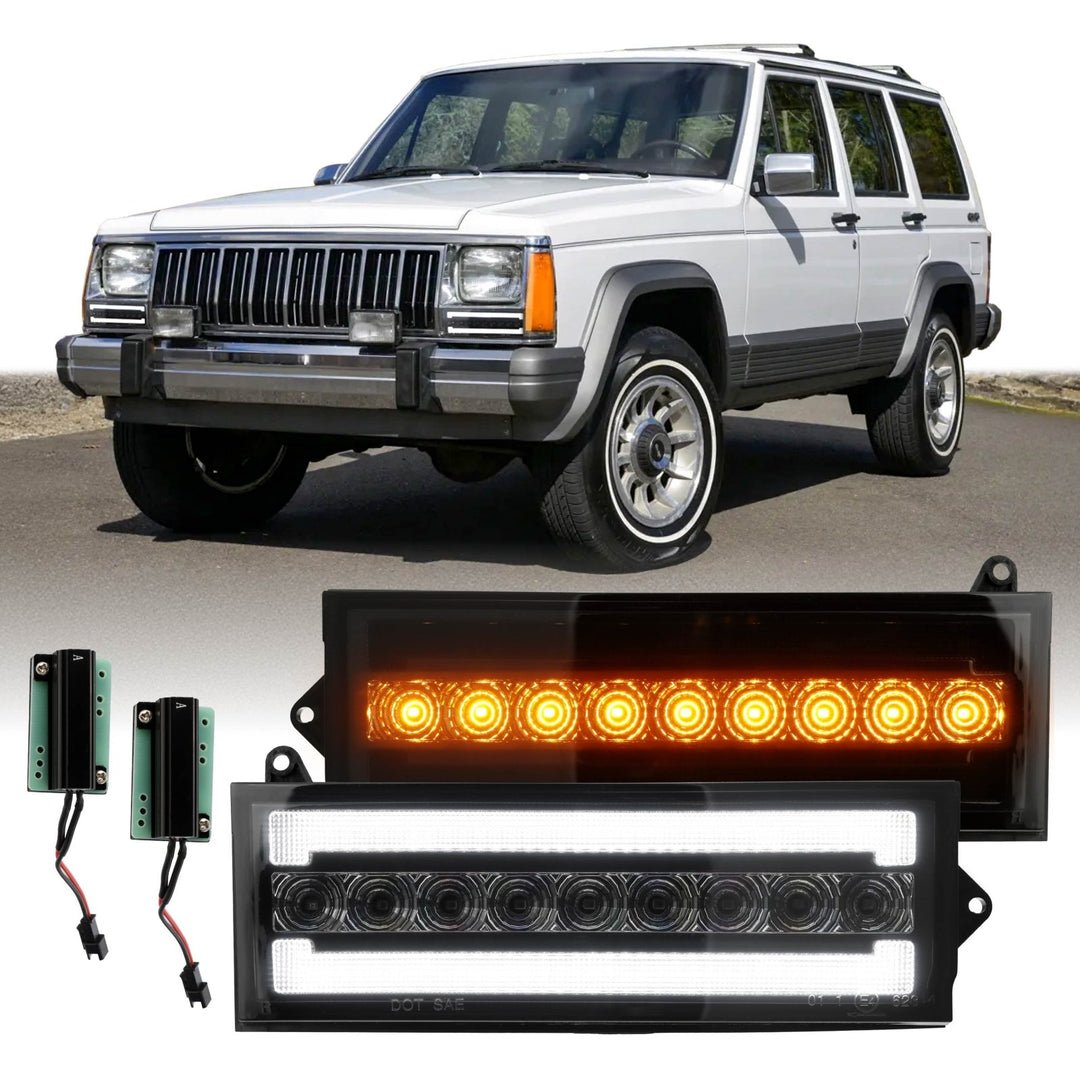
- Some DRLs use the main headlight bulb at reduced power, while others use a separate LED strip.
Key Insight: Some Jeep Cherokees sold in Canada or Northern US states may not allow DRL deactivation for legal reasons. Always check your local laws before making changes.
Methods To Turn Off Daytime Running Lights
There isn’t a one-size-fits-all switch for DRLs in the Jeep Cherokee. Your options depend on your vehicle’s year, trim, and software. Here are the main methods:
1. Using The Uconnect System
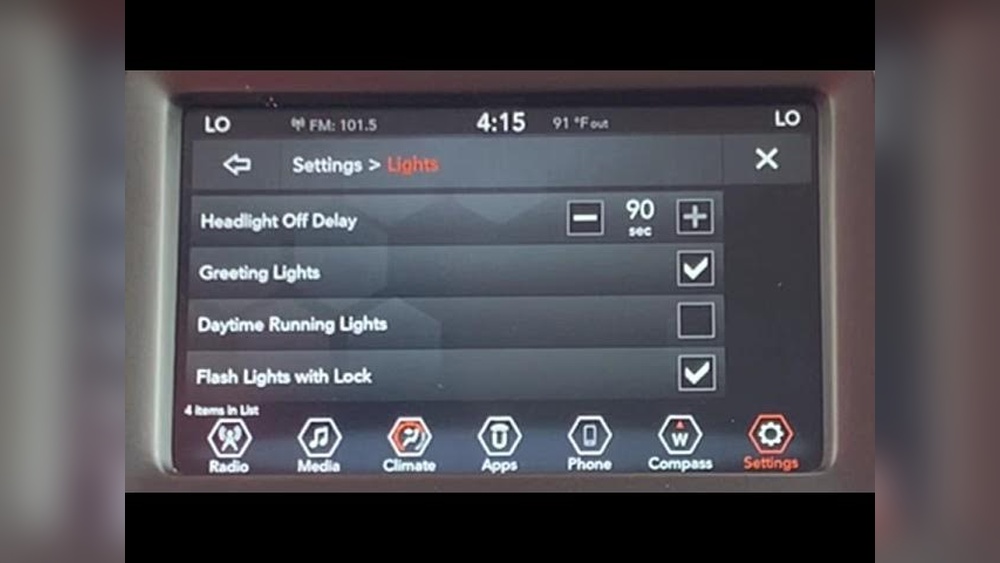
Many newer Jeep Cherokees (especially 2019 and later) allow DRL control through the Uconnect infotainment system.
Steps:
- Start your Jeep and keep it in Park.
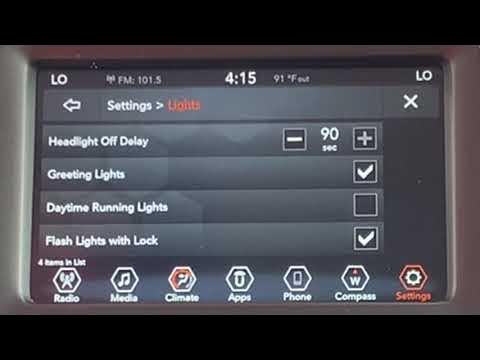
- On the center screen, tap “Settings.”
- Select “Lights.”
- Look for “Daytime Running Lights” or “DRL.” If available, toggle the switch off.
Note: If you don’t see this option, your model may not support it. Some trims and countries lock this feature.
Some older Cherokees (2014 2018) offer DRL settings in the dashboard menus.
Steps:
- Turn the ignition to “Run” (engine on, but Jeep in Park).
- Use the steering wheel buttons to scroll to “Settings.”
- Find “Lights” or “Lighting.”
- Select “Daytime Running Lights” and toggle off.
Common Issue: If the menu is missing, your vehicle doesn’t support DRL control from the cluster.
3. Using Alfaobd Or Dealer-only Tools
For Cherokees without menu options, you’ll need software to change the DRL setting in the computer.
- AlfaOBD: A popular app for Jeep/Chrysler vehicles. You’ll need a compatible OBD2 adapter (like OBDLink MX+), a phone/tablet, and AlfaOBD (Android/Windows only).
- Dealer tools: Some Jeep dealers can disable DRLs using their diagnostic system. There may be a fee, and not all dealers will do it.
Steps with AlfaOBD:
- Connect the OBD2 adapter to your Jeep.
- Pair it with your device.
- Open AlfaOBD, select your vehicle, and go to “Car Configuration Change.”
- Find “Daytime Running Lights” and switch to “Not Present.”
- Save and restart your Jeep.
Warning: Using AlfaOBD incorrectly can cause problems with your vehicle’s electronics. Only change settings you understand.
4. Removing The Drl Fuse Or Bulb
This is a last resort and not recommended unless you are sure what you’re doing. It can trigger warning lights or affect other systems.
- Locate your owner’s manual to find the DRL fuse.
- Remove the fuse and test the lights.
- If DRLs are part of the main headlight, you can’t remove the bulb without losing normal lights.
Important: Removing fuses may affect other features, like automatic headlights.
5. Ask A Professional
If you’re not comfortable with menus or electronics, a Jeep dealer or specialized auto electrician can help. Some will disable DRLs for a fee, especially if local laws allow it.
Pro Tip: Always ask the service department if they have done this before for your model.

Comparison Of Methods
To help you decide, here’s a comparison of the main ways to turn off DRLs:
| Method | Difficulty | Cost | Risk | Availability |
|---|---|---|---|---|
| Uconnect / Cluster Menu | Easy | Free | Low | Some models |
| AlfaOBD / Dealer Tools | Medium | Low to Medium | Medium | All models (usually) |
| Remove Fuse/Bulb | Hard | Free | High | Not always possible |
| Professional Help | Easy | Medium | Low | Depends on location |
What To Watch Out For
Turning off DRLs is not always a simple or safe choice. Here are some important things to consider:
Legal Restrictions
Some regions require DRLs by law. Disabling them could lead to fines or inspection failures.
For example, in Canada, all vehicles made after 1989 must have DRLs.
Warranty Issues
If you change settings with non-dealer tools, you might affect your warranty. Always ask your dealer if you’re unsure.
Safety Concerns
DRLs make your vehicle more visible. Turning them off can reduce safety, especially in rain or fog.
Computer Errors
Pulling fuses or using AlfaOBD incorrectly can cause warning lights, error messages, or affect other systems (like automatic headlights).
Real-world Examples
Let’s look at a few scenarios that Cherokee owners have faced:
- 2016 Jeep Cherokee Trailhawk: Owner found no DRL setting in Uconnect or cluster menu. Used AlfaOBD and OBDLink MX+ to turn off DRLs with no problems.
- 2020 Cherokee Limited: Owner could toggle DRLs in Uconnect but found the option grayed out after a software update. Dealer explained new regulations disabled this feature.
- 2015 Cherokee North (Canada): No way to turn off DRLs due to Canadian law. Dealer refused to change settings.
- 2019 Cherokee Latitude: Owner removed the DRL fuse but lost automatic headlight function and got a dashboard warning.
Tip: Always check Jeep forums and owner groups for real-world advice on your exact trim and region.
Jeep Cherokee Drl Control By Model Year
Since methods can change by year, here’s a quick overview for recent Jeep Cherokees:
| Model Year | DRL Control Location | Notes |
|---|---|---|
| 2014-2018 | Instrument Cluster, AlfaOBD | Some trims lack menu option |
| 2019-2021 | Uconnect, AlfaOBD | Uconnect menu common, not universal |
| 2022+ | Uconnect, Dealer Only | Some options locked by software |
Non-obvious insight: Even if your Jeep has the Uconnect DRL option, a future software update may remove it. Always check after dealer visits or system updates.
Common Mistakes When Turning Off Drls
Many owners make errors that can be avoided with a little planning:
- Skipping the manual: Your owner’s manual can show if DRL control exists in menus.
- Ignoring the law: Disabling DRLs can be illegal in some countries or states.
- Not backing up settings: If using AlfaOBD, always note your original configuration.
- Removing the wrong fuse: Some fuses control multiple systems, not just DRLs.
- Assuming all Cherokees are the same: Features can change each year or trim.
Practical tip: Take a photo of your fuse box before making changes, so you can reverse them if needed.
Should You Turn Off Drls?
While there are valid reasons to disable DRLs, it’s not always the best idea. Here’s a quick look at pros and cons:
Pros
- Less battery and bulb wear in some cases
- More privacy at night (for off-roading or camping)
- Customization for car shows or photos
Cons
- Reduced daytime visibility and safety
- Possible legal issues
- Risk of warning lights or system errors
Expert advice: If you’re disabling DRLs for off-road privacy, consider adding a manual switch or using a temporary cover instead of changing software or hardware.
When Professional Help Is Best
If you’re unsure, or if your Jeep is under warranty, professional help is a good idea. A dealer or auto electrician can:
- Check local laws for you
- Use official tools to safely change settings
- Avoid triggering warning lights or system errors
Insider tip: Some dealerships will not disable DRLs due to policy or legal reasons, so call ahead and ask.
Useful Resources
For more details on DRLs and vehicle lighting standards, see the official Wikipedia Daytime Running Lamp page. This gives a deeper look at how different countries handle DRLs and why they exist.
Frequently Asked Questions
How Do I Know If My Jeep Cherokee Has Drls?
Most Cherokees from 2014 and newer have Daytime Running Lights by default. You’ll see lights come on automatically when the engine starts, even if your headlights are switched off. Check your owner’s manual or watch the front lights when you start the engine during the day.
Is It Legal To Turn Off Drls In The Us?
In most US states, turning off DRLs is legal. However, some states and all of Canada require DRLs.
Always check your local law before disabling any safety feature.
Will Turning Off Drls Affect My Warranty?
Disabling DRLs through menu options usually does not void your warranty. But using third-party tools like AlfaOBD or removing fuses could lead to warranty issues if they cause electrical problems. Always ask your dealer first.
Can I Just Remove The Drl Bulb To Turn Them Off?
Not always. In many Jeep Cherokees, the DRL is part of the main headlight or a shared bulb.
Removing it could affect your regular headlights or cause warning lights on your dash. Always check your manual.
What’s The Safest Way To Turn Off Drls?
The safest option is using the built-in menu (Uconnect or instrument cluster) if available. If not, have a professional do it with official tools.
Avoid removing fuses or using apps if you’re not confident.
Disabling daytime running lights on a Jeep Cherokee can be simple or complex, depending on your model and where you live. Always check your manual first, use built-in menus if you can, and be aware of the law. When in doubt, seek help from a professional. With the right approach, you can control your DRLs safely and without trouble.


















