Owning a Jeep Cherokee means having control over a range of lighting systems. From headlights to interior dome lights, knowing how to turn them off is important for battery life and safety. Many drivers, especially new owners, find the lighting setup confusing due to automatic features and hidden switches. This guide will help you understand how to turn lights off in Jeep Cherokee models, avoid common mistakes, and keep your vehicle running smoothly.
Understanding Jeep Cherokee Lighting Systems
Jeep Cherokee vehicles come with several light types:
- Headlights (standard and automatic)
- Fog lights
- Parking lights
- Interior dome lights
- Cargo area lights
Each light has its own switch or control. Newer Cherokees, especially 2014 and later, include more automated systems, which can make manual control tricky.
| Light Type | Control Location | Automatic Feature |
|---|---|---|
| Headlights | Left of steering wheel | Yes (some models) |
| Fog lights | Headlight dial/push button | No |
| Dome lights | Ceiling button or door switch | Yes (door-triggered) |
| Cargo lights | Near rear hatch | No |
Turning Off Headlights
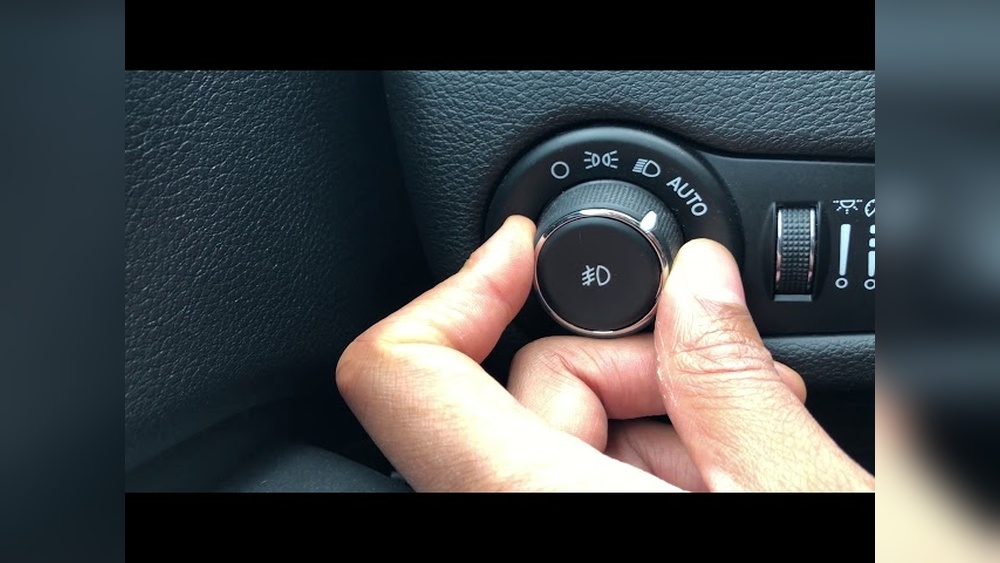
For most Jeep Cherokee models, turning off headlights requires using the dial on the left side of the steering wheel. Here’s how to do it:
- Locate the headlight control dial.
- Turn the dial to the “OFF” position. If your model has automatic headlights, look for a setting marked “AUTO” and switch it away from this.
- Some Cherokees do not allow headlights to turn off while driving, as a safety feature. You can only turn them off when parked.
Tip: On 2014+ models, headlights may stay on for a short period after turning off the engine. This is called the “headlight delay.” You can adjust or disable this in the vehicle’s settings menu.
Automatic Headlight Override
If your Jeep has automatic headlights, these may turn on during low light. To override:
- Switch the dial away from “AUTO.”
- On some models, pull the dial out and rotate to “OFF.”
- If the lights still stay on, check for a sensor near the windshield. Covering this sensor temporarily can trick the system, but this is not recommended for safety.

Turning Off Interior Dome And Cargo Lights
Dome and cargo lights can drain the battery if left on. These lights are often triggered by opening doors or the rear hatch.
- Find the dome light button near the ceiling or above the rear doors.
- Press the button to turn off the light manually.
- If the light stays on, check that all doors are fully closed. The system thinks a door is open, so the light remains on.
| Model Year | Button Location | Door Sensor Trigger |
|---|---|---|
| 2010-2013 | Ceiling | Yes |
| 2014-2023 | Overhead console | Yes |
Cargo lights are usually switched off by pressing the button near the rear hatch or closing the hatch fully.
Turning Off Fog And Parking Lights
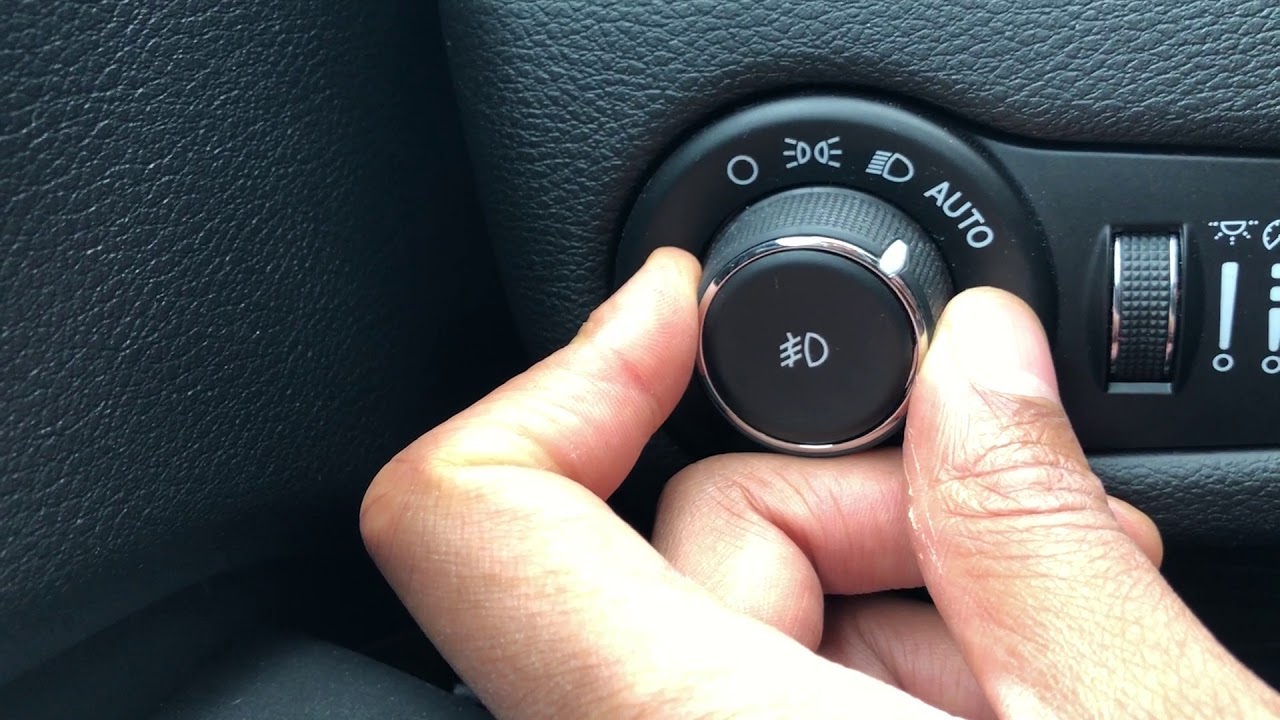
Fog lights and parking lights are controlled by the same dial as headlights, but require an extra step.
- Set the headlight dial to the “OFF” position.
- If fog lights are on, push the dial inward to deactivate.
- Parking lights are often a middle setting on the dial. Turn it all the way to the left to turn off completely.
Non-obvious insight: Some Cherokee owners mistakenly leave parking lights on, draining the battery overnight. Always double-check the dial before leaving your vehicle.
Common Lighting Mistakes
Many drivers accidentally leave lights on due to automatic settings or hidden switches. Here are two mistakes you can easily avoid:
- Not checking door sensors: If a door is slightly ajar, dome lights can stay on. Double-check all doors after parking.
- Assuming all lights are off when dial is on AUTO: Some models keep certain lights on for safety, even in AUTO mode. Always look for indicator lights on the dashboard.
Modern Jeep Cherokees allow you to customize lighting behavior using the digital menu.
- Turn on the ignition without starting the engine.
- Use the steering wheel buttons to access the Settings menu.
- Look for “Lights” or “Headlight Delay.”
- Adjust auto-off times or disable delay features.
This feature is useful if you want to reduce battery drain or prefer manual control.
| Setting | Location in Menu | Effect |
|---|---|---|
| Headlight Delay | Settings > Lights | Changes how long lights stay on after engine off |
| Interior Dimmer | Settings > Lights | Dims or brightens interior lights |
Practical Advice For Battery Protection
Leaving any lights on can drain your battery quickly. If your Jeep won’t start, check for left-on lights first. According to the National Highway Traffic Safety Administration, battery drain is a common cause of roadside assistance calls for SUVs. Always check lights before leaving your vehicle.
Extra tip: If you park for a long time, consider disconnecting the battery or using a battery maintainer.
Frequently Asked Questions
How Do I Turn Off Automatic Headlights In Jeep Cherokee?
Switch the headlight dial from “AUTO” to “OFF. ” If your model does not have an “OFF” setting, use the menu to adjust automatic features.
Why Won’t My Dome Light Turn Off?
Check all doors and the rear hatch. If the light stays on, inspect the door sensors or try pressing the dome light button.
Can I Turn Off Headlights While Driving?
On most Jeep Cherokees, headlights must stay on while driving for safety. You can only turn them off when parked.
How Do I Stop The Headlight Delay Feature?
Go to the “Settings” menu using steering wheel controls. Adjust or disable the “Headlight Delay” option.
Will Leaving Lights On Drain My Battery?
Yes. Even small interior lights can drain the battery if left on overnight. Always check lights before leaving your vehicle.
Owning a Jeep Cherokee means learning how to manage its lighting features. With the right steps, you can avoid battery issues and keep your vehicle safe. For more details on automotive lighting systems, visit NHTSA Lighting Guide. Keep these practical tips in mind, and enjoy worry-free driving in your Cherokee.



















