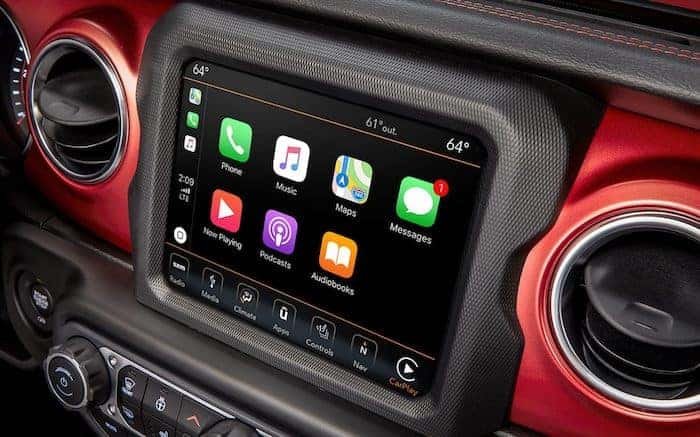
Syncing your iPhone to your Jeep Wrangler can make driving safer and more enjoyable. With the right setup, you can play music, answer calls, and use navigation all hands-free.
Many Jeep Wrangler owners want to connect their iPhones, but sometimes the process is confusing.
This guide will show you step by step how to sync your iPhone to your Jeep Wrangler, explain what to do if you face problems, and share some expert tips most beginners miss.
Understanding Jeep Wrangler’s Connectivity Options
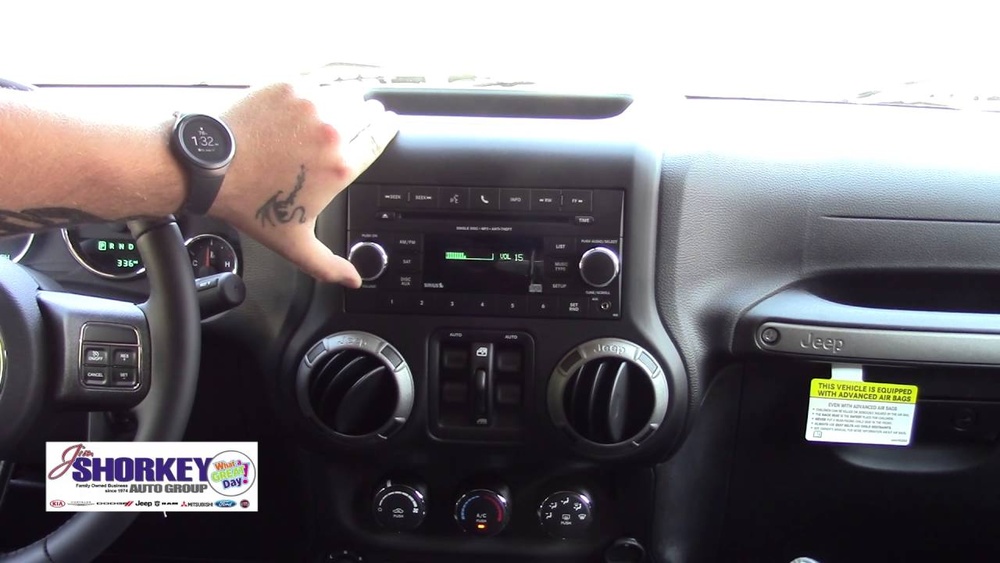
Most modern Jeep Wranglers, especially models from 2017 onward, offer two main ways to connect your iPhone: Bluetooth and Apple CarPlay. Some older models may only support Bluetooth. Knowing which features your Jeep has is important before you start.
Here’s a quick comparison to help you see the differences:
| Feature | Bluetooth | Apple CarPlay |
|---|---|---|
| Hands-Free Calls | Yes | Yes |
| Music Streaming | Yes | Yes |
| Navigation | No | Yes |
| Text Messaging | Limited | Full Siri Support |
| Connection Type | Wireless | Wired or Wireless (varies by model) |
If your Jeep Wrangler has the Uconnect system with a touchscreen, it likely supports Apple CarPlay. If not, you can still use Bluetooth for basic features.
How To Sync Iphone To Jeep Wrangler Via Bluetooth
Bluetooth is the most common and easiest way to connect your iPhone to your Jeep Wrangler.
Step-by-step Bluetooth Pairing
- Start your Jeep and make sure the infotainment system is on.
- On your iPhone, go to Settings > Bluetooth and turn Bluetooth on.
- On the Uconnect screen, press the Phone or Settings button.
- Select Pair a Device or Add Device.
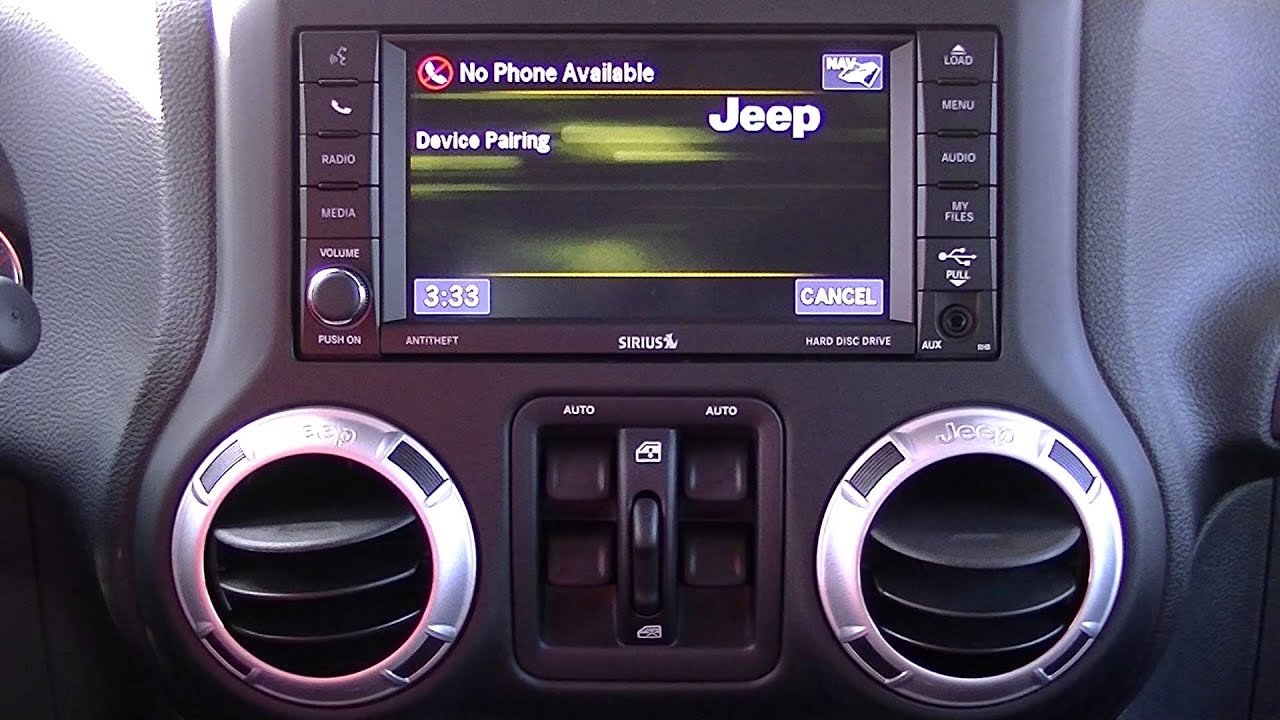
- Your Jeep will now be discoverable. On your iPhone, look for your Jeep in the list of available devices (it might show as “Uconnect” or “Jeep”).
- Tap to connect. A pairing code should appear on both screens. Make sure the codes match, then press Pair on your iPhone and Yes on the Uconnect screen.
- Wait for the confirmation message. You may be asked to allow contacts and messages access for full functionality.
Common Bluetooth Issues And Solutions
- Device Not Found: Make sure both Bluetooth and your Jeep’s system are set to discoverable.
- Connection Fails: Restart your iPhone and the Jeep system, then try again.
- Audio Problems: Ensure the correct audio source is selected on the Uconnect system.
A non-obvious tip: Sometimes, saved Bluetooth profiles from older phones can cause issues. If you have trouble, delete any old devices from the Uconnect paired list.
How To Sync Iphone To Jeep Wrangler Via Apple Carplay
Apple CarPlay offers a deeper connection, letting you use Siri, Maps, and other iPhone apps directly on your Jeep’s screen.
Connecting With A Cable
- Use an Apple-certified Lightning cable to connect your iPhone to the USB port in your Jeep. Usually, the port is near the center console.
- When prompted on the Uconnect screen, select Enable Apple CarPlay.
- On your iPhone, you may see a message asking for permission. Tap Allow.
- The CarPlay interface should appear on your Jeep’s screen. You can now use compatible apps, make calls, send texts, and listen to music.
Wireless Apple Carplay (if Supported)
Some Jeep Wrangler models from 2021 and newer offer wireless Apple CarPlay. To use this:
- Make sure Bluetooth and Wi-Fi are enabled on your iPhone.
- On the Uconnect system, go to the CarPlay settings and choose Pair New Device.
- Follow the prompts to connect your iPhone wirelessly.
Note: Wireless CarPlay uses more battery than wired connections. For long drives, plugging in your phone is better.
Here’s a table comparing the two CarPlay connection types:
| Connection Type | Pros | Cons |
|---|---|---|
| Wired | Stable connection, charges phone | Requires cable, less convenient |
| Wireless | No cable needed, quick setup | Uses more battery, may lag |
Extra Tips For A Smooth Experience
- Keep software updated: Make sure both your iPhone and Uconnect system have the latest updates. Outdated software is a common reason for connection problems.
- Use original cables: Non-certified cables can cause connection drops or fail to start CarPlay.
- Organize apps: Only the first 8–12 apps (depending on your Jeep model) show up on the CarPlay screen. Arrange the most-used apps on your iPhone’s first home screen.
- Enable Do Not Disturb While Driving: This helps reduce distractions and can be set up in your iPhone’s settings.
- Try Siri Shortcuts: Some Jeep owners use Siri Shortcuts for quick actions, such as sending ETA or playing a favorite playlist.
A practical insight: If you often switch between drivers, set up multiple Bluetooth profiles in Uconnect. This avoids re-pairing every time someone new drives.
Troubleshooting Advanced Issues
If your iPhone and Jeep Wrangler refuse to sync, try these steps:
- Factory Reset Uconnect: Go to Settings > System Information > Reset. Warning: this deletes all personal data and saved devices.
- Forget Device on iPhone: In Bluetooth settings, tap the “i” icon next to your Jeep and choose “Forget This Device.” Then restart the pairing process.
- Check Compatibility: Some very old Uconnect systems need a firmware update. Contact your Jeep dealer or check the official Jeep Uconnect support page.
Frequently Asked Questions
How Do I Know If My Jeep Wrangler Supports Apple Carplay?
Most 2018 and newer Jeep Wranglers with a Uconnect touchscreen support CarPlay. Check your owner’s manual or look for the CarPlay icon on your display.
Why Won’t My Iphone Connect To Jeep Wrangler Bluetooth?
Common reasons include Bluetooth not being enabled, too many devices already paired, or outdated software. Try restarting both devices and deleting unused Bluetooth profiles.
Yes, if you use Apple CarPlay. Maps from your iPhone will display on the Jeep’s screen. Bluetooth alone does not support this.
Do I Need An Internet Connection For Carplay?
CarPlay itself does not need internet, but many apps (like Maps or Music streaming) do. Make sure your iPhone has data if you want full functionality.
Is There A Way To Improve Sound Quality When Using My Iphone In My Jeep?
For best audio, use CarPlay with a wired connection and high-quality music files. Adjust the Jeep’s equalizer settings to match your preferences.
Syncing your iPhone to your Jeep Wrangler brings hands-free safety and convenience. Whether you use Bluetooth or Apple CarPlay, following these steps will ensure a smooth connection.
Stay updated, use quality cables, and explore the features your Jeep offers. With a little setup, your drives will be smarter and safer every time.