If you drive a Jeep Wrangler and want the best tech for your adventures, you’ve probably heard about Apple CarPlay. This smart system lets you use your iPhone through your Jeep’s screen. You can get directions, play music, send texts, and use apps without taking your eyes off the road. But setting up Apple CarPlay in your Jeep Wrangler can feel confusing, especially if you’re new to this. This guide will help you set it up step-by-step, explain what you need, and show you how to get the most from CarPlay in your Wrangler.
Is Your Jeep Wrangler Compatible With Apple Carplay?
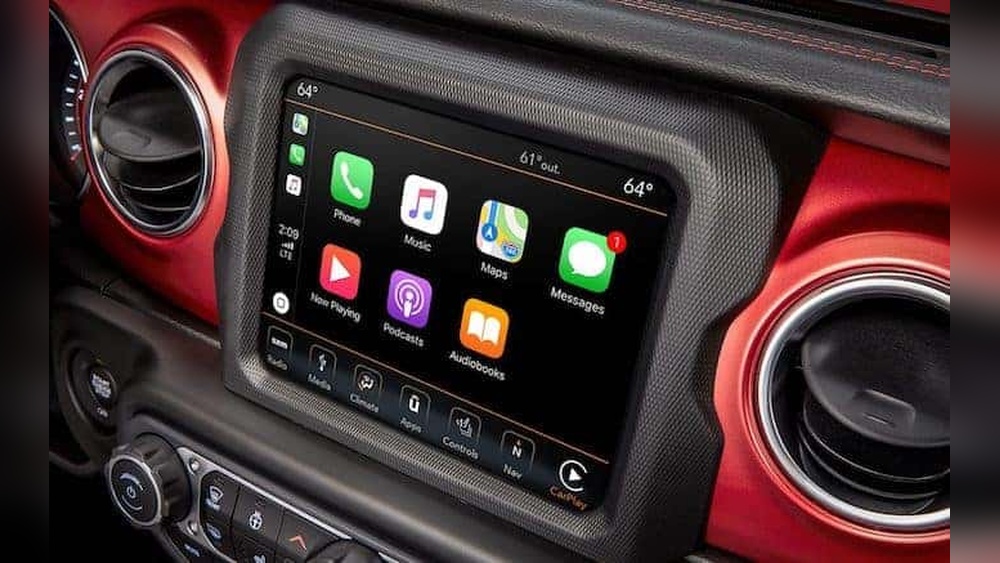
Not every Jeep Wrangler supports CarPlay. You need to check your model and year first. CarPlay started appearing in Wranglers in 2018 with the Uconnect 4 system.
Here’s a quick comparison of Wrangler models and CarPlay support:
| Model Year | Trim | CarPlay Supported? |
|---|---|---|
| 2017 & earlier | All | No |
| 2018–2023 | Sport, Sahara, Rubicon | Yes (Uconnect 4) |
| 2024+ | All | Yes (Uconnect 5) |
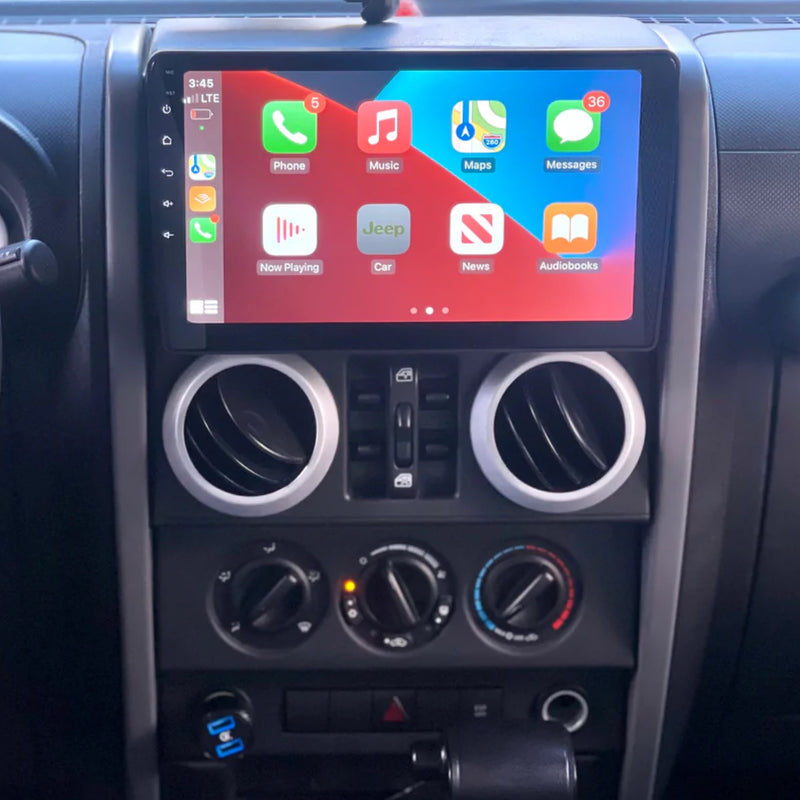
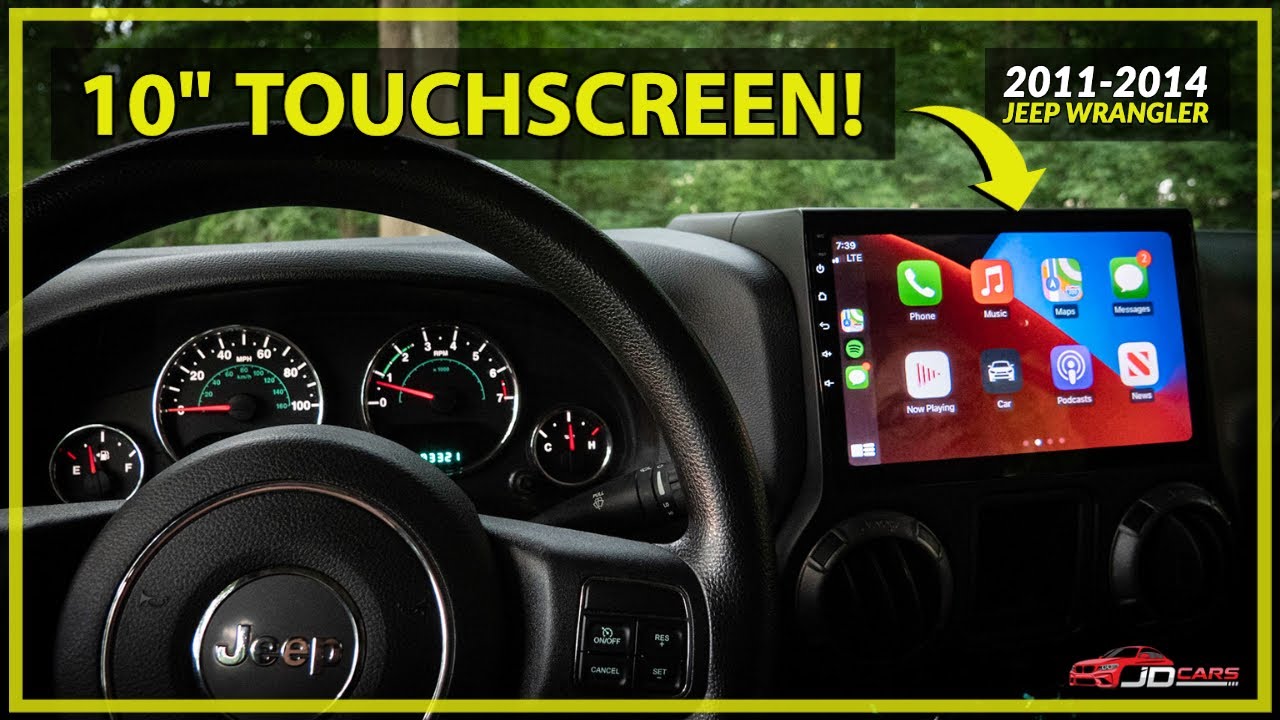
If your Jeep is older than 2018, you’ll need an aftermarket solution, like a new head unit that supports CarPlay.
What You Need Before Setup
To set up Apple CarPlay in your Jeep Wrangler, you’ll need:
- An iPhone 5 or newer, running iOS 7.1 or later (most people use iPhone 8 or newer).
- A USB cable (for wired CarPlay).
- A Wrangler with Uconnect 4 or Uconnect 5 system.
- For wireless CarPlay: Bluetooth and Wi-Fi enabled on your iPhone.
Some Jeep models support wireless CarPlay. Check your owner’s manual or the Uconnect screen. Wired CarPlay is more common.
Step-by-step Setup Guide
Setting up Apple CarPlay is quick once you have everything ready. Follow these steps:
1. Start Your Jeep And Iphone
Turn on your Jeep Wrangler and unlock your iPhone. Make sure both are ready.
2. Connect Your Iphone
For most Wranglers, plug your iPhone into the Jeep’s USB port using a certified cable. You’ll find the USB port under the dash or in the center console.
If your Jeep supports wireless CarPlay, skip the cable. Make sure Bluetooth and Wi-Fi are turned on, then pair your iPhone with Uconnect.
3. Allow Carplay On Your Iphone
The first time you connect, your iPhone will ask if you want to allow CarPlay. Tap “Allow” or “Enable” when the message pops up.
4. Use The Uconnect Screen
The Uconnect screen should switch to the CarPlay interface. You’ll see icons for Maps, Messages, Music, and other apps. Tap the icon you want.
5. Adjust Settings For Safety
On your iPhone, go to Settings > General > CarPlay. Here, you can:
- Rearrange app icons
- Disable apps you don’t need
- Set “Do Not Disturb While Driving”
This helps you avoid distractions and keeps your focus on the road.
Common Problems And Solutions
Sometimes CarPlay won’t work right away. Here are the most common issues and how to fix them:
| Problem | Possible Cause | Solution |
|---|---|---|
| CarPlay won’t connect | Bad cable or USB port | Try a new cable or different port |
| CarPlay screen is blank | Software glitch | Restart your iPhone and Jeep |
| No sound | Volume or audio source | Check Jeep volume and source settings |
If you still have problems, update your iPhone and Uconnect software. Sometimes a simple update solves stubborn issues.
Tips To Get The Most From Apple Carplay
Apple CarPlay can do more than just basic apps. Here are some ways to improve your experience:
- Use voice commands with Siri to make calls, send texts, or get directions without touching the screen.
- Add your favorite navigation apps like Google Maps or Waze.
- Download music and podcast apps (Spotify, Audible) for entertainment.
- Set up shortcuts for routine tasks (like “play my driving playlist”).
- If you drive off-road, try apps that show terrain maps and weather.
A non-obvious tip: you can turn off CarPlay for certain drivers, like if a friend borrows your Jeep. Go to your iPhone’s CarPlay settings and remove their profile.
Another insight: if you use wireless CarPlay, battery drains faster. Keep a charger handy for long trips.
Aftermarket Carplay Options
If your Wrangler doesn’t have Uconnect 4 or 5, you can still get CarPlay by installing an aftermarket head unit. Brands like Alpine and Kenwood offer units that fit Jeep dashboards.
Before buying, compare these factors:
| Brand | Screen Size | Wireless CarPlay | Price Range |
|---|---|---|---|
| Alpine | 7″–9″ | Yes | $500–$1,200 |
| Kenwood | 6.8″–10″ | Yes | $400–$900 |
| Pioneer | 6.2″–9″ | Some models | $350–$800 |
Choose a unit that fits your Jeep’s dash, supports your favorite apps, and has good reviews. Professional installation is recommended for best results.
Safety And Privacy Considerations
Using Apple CarPlay is safe if you follow a few rules:
- Always use voice controls instead of touching the screen while driving.
- Turn on Do Not Disturb While Driving to block distractions.
- Don’t share your phone with others who may change settings or access your data.
Your personal information stays on your iPhone, not the Jeep’s system. But it’s wise to check privacy settings regularly.
If you want more details about CarPlay features and compatibility, visit the official Apple CarPlay site.
Frequently Asked Questions
How Do I Know If My Jeep Wrangler Has Apple Carplay?
Check your Uconnect screen for the CarPlay icon. Most 2018 and newer Wranglers with Uconnect 4 or 5 support CarPlay.
Can I Use Apple Carplay Wirelessly In My Jeep?
Some newer Wranglers (2021 and up) allow wireless CarPlay. You need Bluetooth and Wi-Fi enabled on your iPhone.
What If My Jeep Doesn’t Have Carplay?
You can install an aftermarket head unit that supports CarPlay. Brands like Alpine and Kenwood offer units for Jeep Wranglers.
Is Apple Carplay Safe To Use While Driving?
Yes, if you use voice controls and avoid touching the screen. Enable “Do Not Disturb While Driving” for safer trips.
Will Carplay Work With All Iphone Apps?
No. Only apps approved by Apple for driving, such as navigation, music, and messaging, will show on CarPlay.
Setting up Apple CarPlay in your Jeep Wrangler is simple if you follow these steps. Enjoy safer, smarter driving with all your favorite apps at your fingertips.



















