Owning a Jeep with memory seats can make daily driving much more comfortable. You don’t need to adjust your seat every time someone else drives your car.
With just a button press, the seat returns to your favorite position. But if you’re new to this feature, setting it up can feel confusing.
This guide will walk you through how to set Jeep memory seats, explain how they work, and share some practical tips for getting the most from this feature.
Understanding Jeep Memory Seats
Memory seats are designed to save and recall your favorite driving positions. Most newer Jeep models, such as the Grand Cherokee and Jeep Wagoneer, offer this feature. Memory systems usually control the driver’s seat, sometimes the mirrors, and even the steering wheel position.
You can save different positions for two or more drivers. This is perfect for families or for anyone who shares their Jeep.
Once set, you can switch between saved positions using buttons on the door or key fob.
What Can Be Stored?
Memory seat systems in Jeeps typically store:
- Seat position (distance, height, tilt)
- Side mirror positions
- Steering wheel tilt and telescoping (if powered)
Some high-end models may even remember radio presets and climate preferences.
How To Set Jeep Memory Seats
Setting up memory seats in your Jeep is easy if you follow the right steps. The process can vary a little depending on your model and year, but the basics are the same.
Step 1: Adjust Your Seat
Start by sitting in the driver’s seat. Adjust the seat position, backrest angle, and lumbar support until you feel comfortable. Make sure your feet can reach the pedals and your hands rest easily on the steering wheel.
Use the power controls on the side of the seat:
- Move the seat forward or backward.
- Adjust the seat height.
- Set the backrest tilt.
- If available, change the lumbar support.
Don’t rush take time to find the perfect driving position.
Step 2: Adjust Mirrors And Steering Wheel
Next, set your side mirrors. Use the mirror control on the driver’s door to get the best view. If your Jeep has a power tilt/telescoping steering wheel, adjust it to suit your arm length and comfort.
Step 3: Save The Position
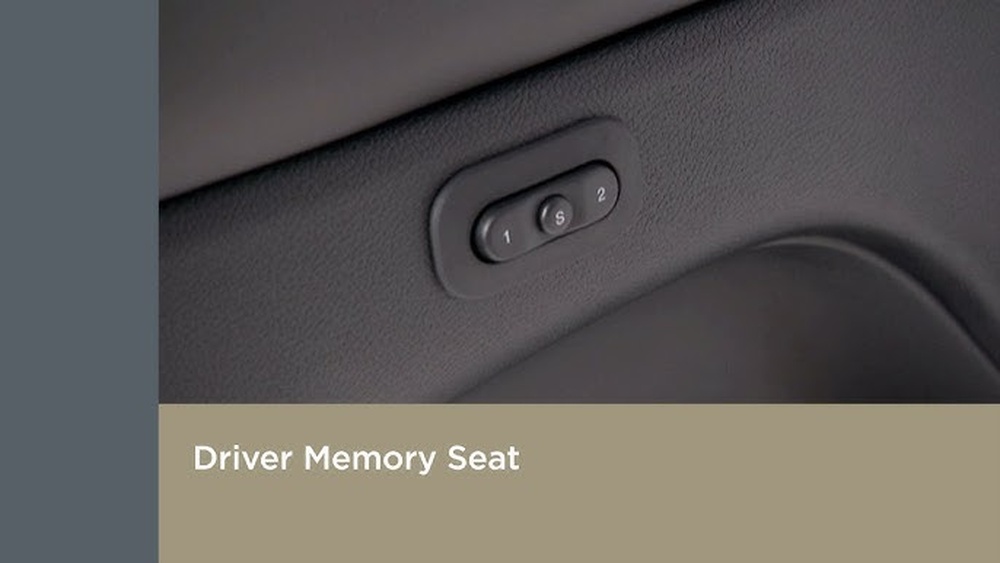
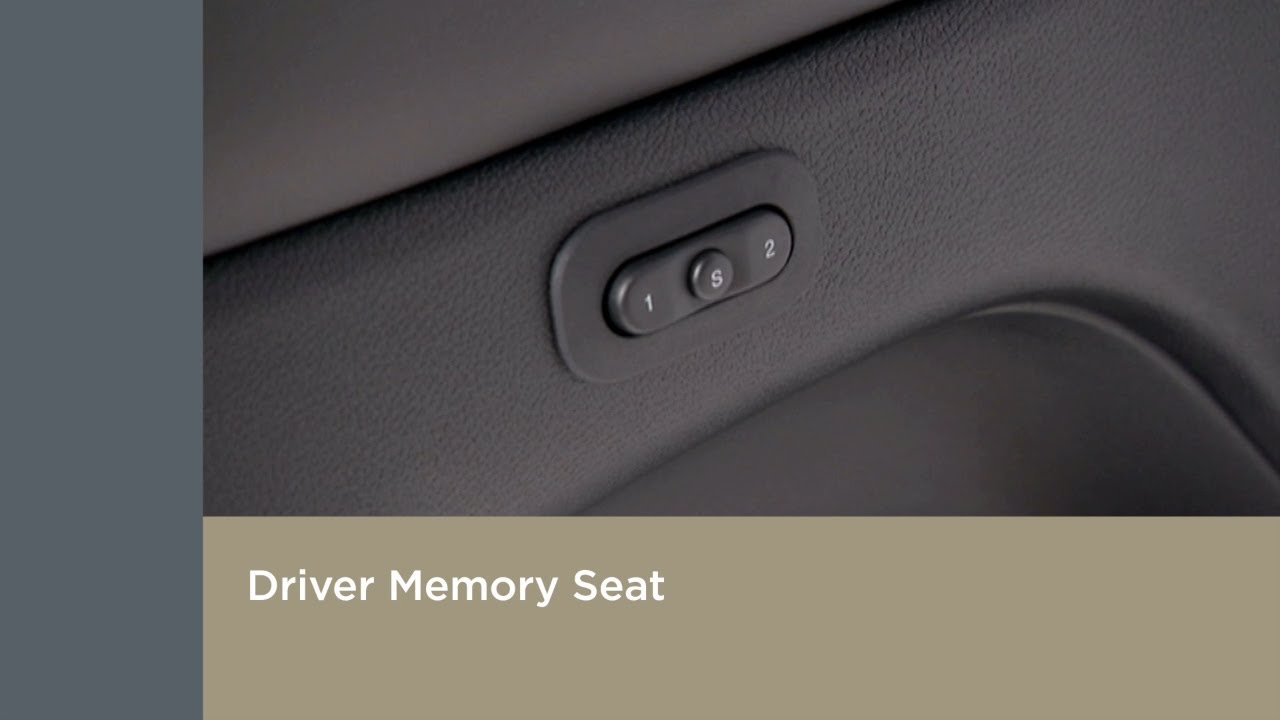
Find the memory seat buttons on the driver’s door. You’ll usually see buttons labeled “1,” “2,” and sometimes “S” (Set).
- Press and hold the “S” (Set) button.
- Within a few seconds, press and hold either “1” or “2.”
- You’ll hear a beep or see a light flash—this means your position is saved.
Now, whenever you press “1” or “2,” the seat, mirrors, and steering wheel will move to your saved positions.
Step 4: Link To Your Key Fob (optional)
Many Jeeps let you link memory positions to each key fob. This means the car knows who is driving based on the key used.
To link:
- Save your seat position as above.
- With your key fob in hand, press the “Set” button, then press and hold “1” or “2.”
- Some models require an extra step—check your owner’s manual for details.
When you unlock the Jeep, the seat will move automatically to your position.
Jeep Memory Seat Features Compared
Not all Jeep models have the same memory seat options. Here’s a quick comparison:
| Model | Seats with Memory | Mirror Memory | Linked to Key Fob |
|---|---|---|---|
| Grand Cherokee | Driver Only | Yes | Yes |
| Jeep Wagoneer | Driver & Passenger | Yes | Yes |
| Jeep Compass | Driver Only | No | No |
If you’re not sure which features your Jeep has, check your owner’s manual or the official Jeep website.
Common Mistakes When Setting Memory Seats
Even though setting memory seats is simple, people often make small mistakes that cause frustration.
- Not finishing the save process: Many drivers forget to press the right buttons in the correct order. Always press “Set” first, then the memory button.
- Forgetting to adjust mirrors: Memory only saves what you set before pressing the button. Double-check your mirrors before saving.
- Trying to save while driving: For safety, save your positions while the car is in Park. Some Jeeps block memory functions if the car is moving.
- Not linking the key fob: If you skip this, your seat won’t adjust automatically when you unlock the car.
Practical Tips For Better Use
- Label your keys: If two people use the Jeep, label key fobs so each person always uses their own. This avoids confusion and keeps settings personal.
- Re-save after changes: If you get a new haircut or back injury, adjust and save again. Small comfort changes matter.
- Use memory for different purposes: Save one position for daily driving and another for long trips. For example, set “1” for city driving and “2” for relaxed highway travel.
- Update settings for new drivers: If someone new drives the Jeep often, show them how to set their position.
Troubleshooting Memory Seat Problems
Sometimes, memory seats don’t work as expected. Here are quick fixes for common issues.
| Problem | Possible Cause | Quick Solution |
|---|---|---|
| Seat doesn’t move | Car not in Park | Shift to Park and try again |
| No beep or light | Wrong button order | Press “Set” then “1” or “2” |
| Settings not saved | Didn’t hold buttons long enough | Hold both buttons for 2-3 seconds |
If problems continue, check for blown seat fuses or software updates. For detailed support, visit the Jeep official site.
Frequently Asked Questions
How Many Memory Positions Can I Save In A Jeep?
Most Jeeps let you save two positions—one for each main driver. Some luxury models may have a third “guest” setting.
Does Memory Seat Function Work When The Car Is Off?
Yes, you can usually recall memory seats when the car is off, as long as the doors are unlocked. Some models require the ignition to be in “Accessory” mode.
Can I Reset The Memory Seats If I Make A Mistake?
Absolutely. Just adjust the seat, mirrors, or steering wheel again, then repeat the save process.
The new settings will replace the old ones.
Will My Radio Or Climate Settings Be Saved Too?
Most Jeep memory systems only save seat, mirror, and wheel positions. A few high-end models may also remember radio and climate, but this is not standard.
Is It Possible To Disable Memory Seats?
You can avoid using the feature, but you can’t fully “turn off” the system. If you don’t link your key fob or press the memory buttons, the seats will stay where you left them.
Setting Jeep memory seats is one of those small steps that makes driving feel more personal and convenient. Try the tips above, and you’ll never have to waste time adjusting before every drive.
With a little practice, you’ll enjoy the comfort and ease that this smart feature brings to every ride.



















