If you own a Jeep Compass 2018 and the Uconnect system isn’t working right, you’re not alone. Many drivers face problems like frozen screens, Bluetooth not connecting, or audio issues. Resetting Uconnect can fix most of these problems. But the process isn’t always clear, and you might worry about losing settings or making things worse. This guide will show you step-by-step how to reset Uconnect safely, explain what to expect, and help you avoid common mistakes.
Understanding Uconnect In Jeep Compass 2018
The Uconnect system in Jeep Compass is more than a radio. It controls navigation, hands-free calling, climate settings, and even connects with your smartphone. If Uconnect stops working, it affects your driving experience.
Some common issues include:
- Unresponsive touchscreen
- Bluetooth pairing failures
- Navigation errors
- Audio not playing
According to FCA (Fiat Chrysler Automobiles), the Uconnect system is installed in over 10 million vehicles worldwide, showing how important it is for drivers.
Reasons You Might Need To Reset Uconnect
Most people think resetting is only for big problems, but even minor glitches can be solved this way. Here are some situations where a reset helps:
- Frozen display: The screen does not respond to touch.
- Connectivity issues: Bluetooth or Wi-Fi won’t connect.
- Slow system: Menus or apps take longer to load.
- Audio malfunction: No sound or distorted sound.
- Navigation errors: Maps don’t update or show wrong location.
Resetting Uconnect is a safe first step before visiting a dealership.
How To Reset Uconnect Jeep Compass 2018
There are two main ways: soft reset and factory reset. Both have different effects and risks. Here’s how to do each:
Soft Reset (simple Reboot)
A soft reset keeps your personal settings and saved data. It’s best for small glitches.
Steps:
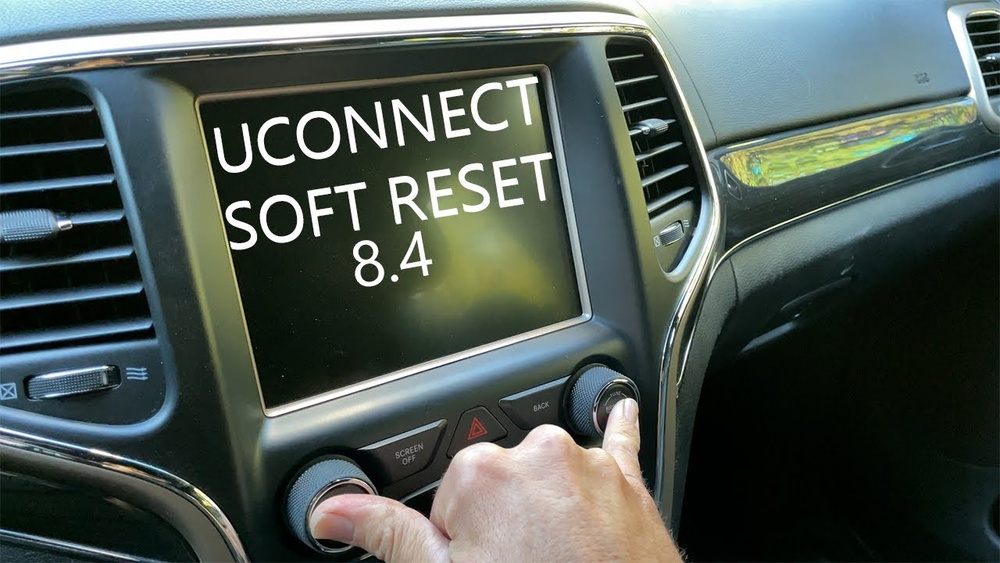
- Start your Jeep and keep it in Park.
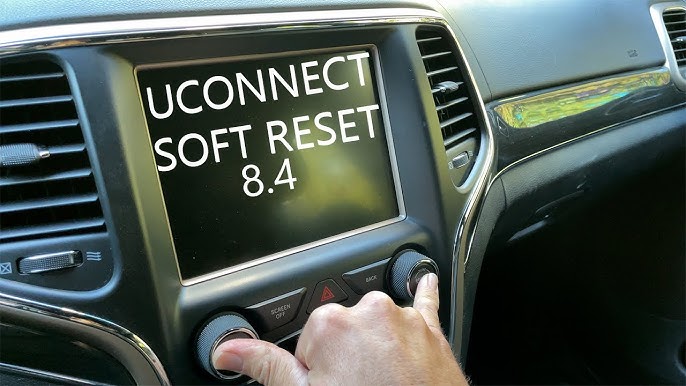
- Press and hold the volume and tuner knobs together for about 10 seconds.
- The screen will turn off and restart.
- Wait for the Uconnect logo to appear.
- Check if your issue is fixed.
Soft reset works for problems like temporary freezes or minor bugs.
Factory Reset (full Restore)
A factory reset erases all data and returns Uconnect to its original state. Use this only if the soft reset does not help.
Steps:
- Tap the Settings icon on the Uconnect screen.
- Scroll down and select System Information or System Reset.
- Choose Restore Factory Settings.
- Confirm your choice when prompted.
- The system will reboot and erase all custom settings.
After a factory reset, you’ll need to:
- Reconnect your phone via Bluetooth
- Enter Wi-Fi passwords again
- Set radio presets
Key Differences Between Soft And Factory Reset
Here’s a comparison to make your choice easier:
| Reset Type | Keeps Data? | Best For | Time Needed |
|---|---|---|---|
| Soft Reset | Yes | Minor glitches | 1 minute |
| Factory Reset | No | Serious problems | 3–5 minutes |
What Happens After Resetting Uconnect?
After you reset, Uconnect will restart. For a soft reset, all settings stay the same.
For a factory reset, you need to set up everything again.
Here’s what you must do after a factory reset:
- Pair your phone via Bluetooth
- Set up navigation preferences
- Choose radio stations
- Adjust climate controls
If you use Android Auto or Apple CarPlay, you must reconnect your device.
Common Mistakes To Avoid
Many beginners make errors when resetting Uconnect. Avoid these:
- Resetting while driving: Always do this while parked. Safety comes first.
- Choosing factory reset too soon: Try soft reset first. Factory reset is for severe issues.
- Not backing up contacts or settings: Factory reset deletes everything.
- Ignoring update notifications: Sometimes, updating the Uconnect software solves bugs.
- Confusing Uconnect reset with battery disconnect: Disconnecting your car battery won’t always reset Uconnect and may cause other issues.
Troubleshooting If Reset Doesn’t Work
If your problem continues after both resets, there could be a deeper issue:
- Faulty hardware: The screen or main unit may be damaged.
- Software bugs: Sometimes, updates bring new bugs.
- Wiring problems: Loose wires or connectors can cause glitches.
At this point, it’s best to visit your Jeep dealer or a certified technician. According to Jeep’s official Uconnect support, some issues need professional tools to fix.

Additional Tips For Uconnect Maintenance
Keeping Uconnect running smoothly isn’t just about resets. Here are some tips:
- Update the Uconnect software whenever available.
- Clean the touchscreen gently with a soft cloth.
- Avoid using sharp objects or rough cleaning products.
- Check your phone’s compatibility before pairing.
- Restart your phone if Bluetooth doesn’t connect.
These steps help prevent problems before they start.
Real-world Example
Sarah owns a Jeep Compass 2018. Her Uconnect froze when she tried to use navigation. She did a soft reset, which fixed the issue instantly. Later, Bluetooth stopped working, so she tried a factory reset. After re-pairing her phone, everything worked. Sarah learned to try soft reset first and only use factory reset for bigger problems.
Comparison: Uconnect Vs Other Infotainment Systems
Many people wonder if Uconnect is harder to reset than other systems. Here’s a quick comparison:
| System | Reset Process | Data Loss Risk |
|---|---|---|
| Uconnect | Knob or Settings menu | Low (soft) / High (factory) |
| Ford SYNC | Settings menu | Medium |
| Toyota Entune | Settings + battery disconnect | Medium |
| HondaLink | Settings menu | Low |
Uconnect is easy to reset, but always choose the right method for your problem.
Frequently Asked Questions
How Often Should I Reset Uconnect?
You should reset only when you face problems. Regular resets are not needed if the system works fine.
Will Resetting Uconnect Delete My Contacts?
Soft reset keeps your contacts. Factory reset deletes all saved contacts, radio presets, and paired devices.
Can I Reset Uconnect Without Touching The Screen?
Yes, a soft reset uses the volume and tuner knobs. Factory reset needs the touchscreen.
Does Resetting Fix Bluetooth Issues?
Most Bluetooth problems are fixed by a soft reset. If not, try factory reset, then re-pair your phone.
Is There A Risk Of Damaging Uconnect By Resetting?
No, both reset methods are safe if done correctly. Just make sure the car is parked and follow the steps.
Resetting Uconnect in your Jeep Compass 2018 can solve most common problems quickly. Always start with a soft reset, and use factory reset only if needed. Keep your system updated, clean, and backed up. If problems continue, expert help is your best option. With these steps, your Uconnect will stay reliable and ready for every journey.