If your Uconnect system in your 2015 Jeep is acting up—maybe the touchscreen freezes, Bluetooth won’t connect, or navigation stops working—you’re not alone. Technology inside vehicles can sometimes glitch or become unresponsive. The good news is that you can often fix these issues with a reset. This guide will show you clear, step-by-step ways to reset your Uconnect system in a 2015 Jeep, help you understand when a reset is needed, and offer tips to avoid common problems.
Why Reset Your Uconnect Jeep 2015 System?
The Uconnect system acts as the central control for your Jeep’s entertainment, navigation, and hands-free features. Over time, the system might slow down, freeze, or disconnect from devices. A reset can:
- Restore default settings
- Clear temporary software bugs
- Solve connectivity issues with phones or media
- Refresh navigation or radio problems
However, a reset won’t fix hardware issues or serious electrical faults. If your system still doesn’t work after a reset, you may need professional help.
Different Ways To Reset Uconnect On A 2015 Jeep
Not all problems require the same type of reset. There are three main methods, from simple to more advanced. Let’s go through them step by step.
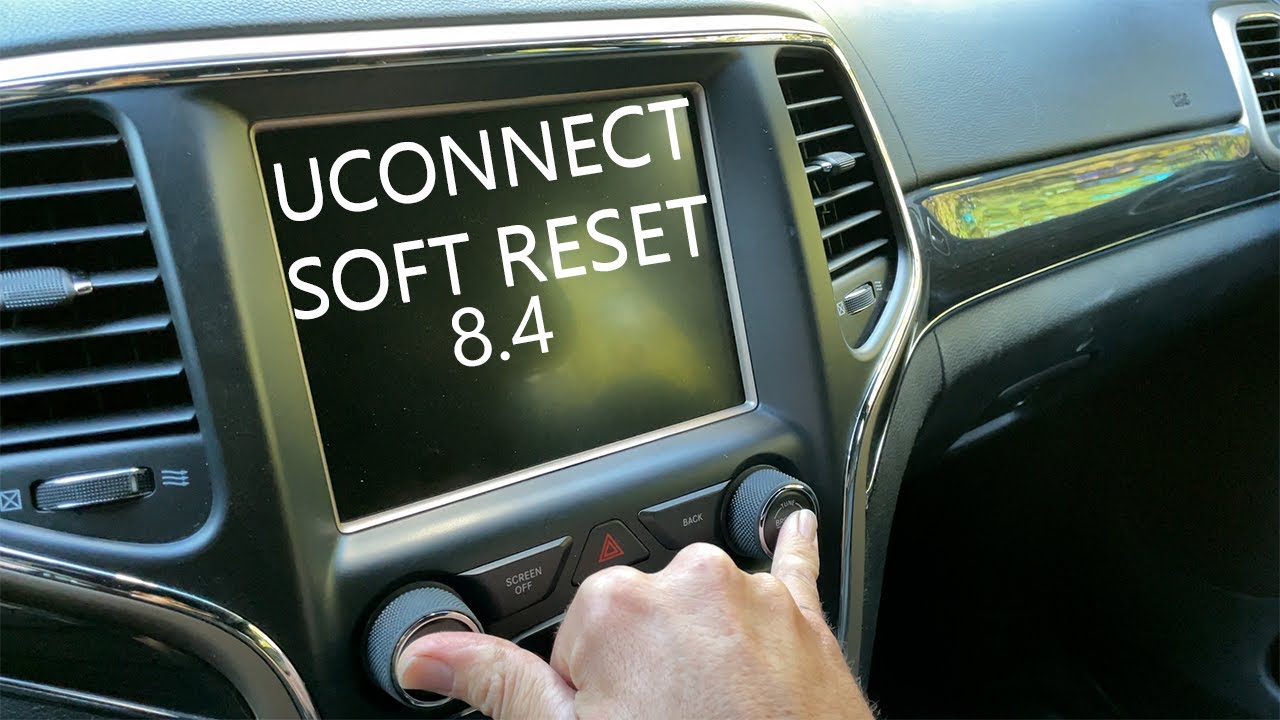
1. Soft Reset (most Common)
A soft reset restarts the Uconnect system without erasing your settings or data. It’s similar to rebooting a smartphone.
Steps:
- Put the Jeep in “Run” mode (engine on or ignition in the “on” position).
- Hold down the volume and tuner knob (both at the same time) for about 10–20 seconds.
- The Uconnect screen will go black, then the Jeep logo appears as it restarts.
When to use:
This fix works well for frozen screens, minor glitches, or slow responses.
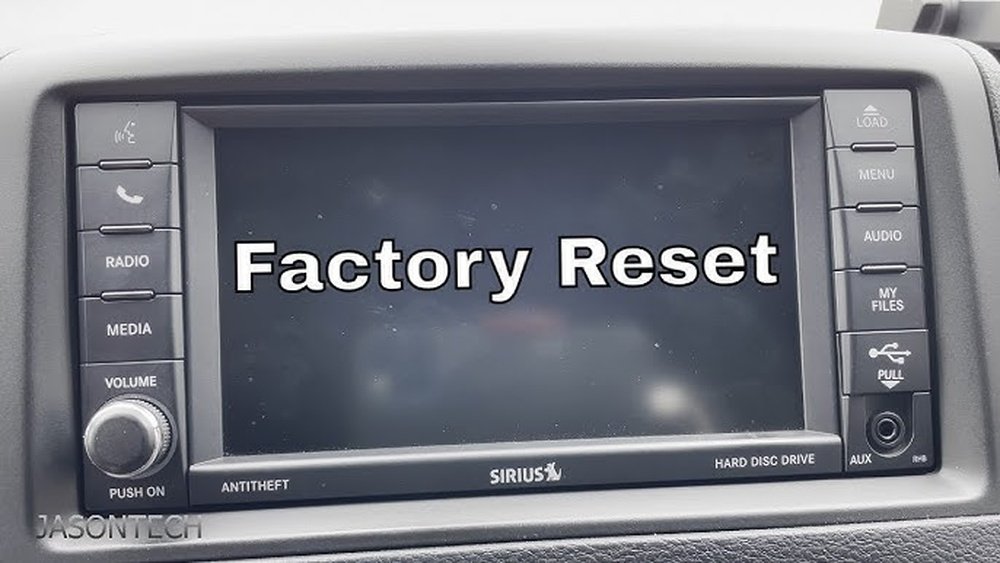
2. Factory Reset (hard Reset)
A factory reset will erase all custom settings, Bluetooth pairings, and saved data. Only use this if a soft reset doesn’t solve your issue.
Steps:
- Go to the Uconnect main Settings menu.
- Tap Restore Settings or Reset to Factory Default (the exact option may differ).
- Follow the prompts to confirm your choice.
- Wait for the system to restart. Set up your preferences again.
Warning:
This method will erase all your personal settings. Back up important data if possible.
3. Battery Disconnect Reset
If the screen stays black, is completely unresponsive, or you can’t access menus, a battery disconnect reset may help.
Steps:
- Turn off the vehicle and remove the key.
- Open the hood and locate the vehicle’s battery.
- Using a wrench, disconnect the negative battery cable (black) for about 5–10 minutes.
- Reconnect the cable and tighten it.
- Start your Jeep and see if Uconnect works.
Caution:
This will reset other electronics, including clock and radio presets. Only use this method if other resets fail.
Quick Comparison Of Reset Methods
Here’s a handy look at the differences between the main reset options for your Jeep’s Uconnect:
| Reset Type | Difficulty | Data Loss | When to Use |
|---|---|---|---|
| Soft Reset | Easy | No | Minor glitches, frozen screen |
| Factory Reset | Medium | Yes | Major issues, after soft reset fails |
| Battery Disconnect | Hard | Yes (all electronics) | Unresponsive system, screen won’t turn on |
Common Mistakes To Avoid
Resetting Uconnect is usually safe, but beginners often make a few mistakes:
- Holding buttons too briefly: For a soft reset, you must press both knobs together long enough (10–20 seconds).
- Not backing up settings: A factory reset erases everything. Save your favorite radio stations and navigation addresses first.
- Disconnecting the wrong cable: Always disconnect the negative (black) battery cable, not the positive.
- Not checking software updates: Sometimes, your system just needs an update, not a reset.
How To Prevent Future Uconnect Issues
A little care can help your Uconnect run smoothly:
- Keep software up to date: Regularly check for updates on the Jeep or Uconnect website.
- Avoid overloading Bluetooth: Only pair devices you use often. Remove old phones and devices.
- Restart system after major updates: After installing software updates, do a soft reset to help the new changes work correctly.
- Limit USB device size: Using huge USB drives (over 32GB) can cause lag. Stick to smaller storage for music or media.
Here’s a quick summary of tips for a healthy Uconnect system:
| Tip | Benefit |
|---|---|
| Update software | Fixes bugs, improves features |
| Remove unused devices | Improves Bluetooth speed |
| Soft reset after updates | Prevents system lag |
| Use smaller USB drives | Faster media loading |
Non-obvious Tips For Uconnect Reset
Most Jeep owners don’t realize:
- A weak battery can cause Uconnect glitches. If your Jeep’s battery is old, the system may act up, especially in cold weather.
- Extreme temperatures affect touchscreens. If your screen doesn’t respond, let the car’s interior reach a normal temperature before resetting.
- Not all resets are equal: Sometimes, a soft reset works for small bugs, but bigger issues need a battery disconnect or even dealer attention.
When To See A Professional
If none of these reset methods fix your Uconnect, there could be a deeper problem. Signs you need help:
- Screen stays black even after battery reset
- System restarts randomly while driving
- Navigation or safety features won’t work
- Error messages keep coming back
In these cases, it’s best to visit a certified Jeep dealer or a trusted mechanic. They have special tools to update or repair the system. For more on Uconnect technology, visit the official Jeep Uconnect page.
Frequently Asked Questions
How Often Should I Reset My Uconnect System?
You shouldn’t need to reset Uconnect often. Do a soft reset only if the system freezes or acts slow. Regular resets aren’t required for normal use.
A soft reset will not erase maps. Only a factory reset can remove saved locations, but built-in maps should stay unless the system is reprogrammed.
My Uconnect Won’t Pair With My Phone. Will A Reset Help?
Yes, a soft reset can solve Bluetooth connection issues. If it doesn’t, delete the old pairing from both the phone and Uconnect, then try again.
Is It Safe To Disconnect The Battery For A Reset?
It’s generally safe, but always disconnect the negative cable first. This method resets all electronics, so you’ll need to reset the clock and radio.
What If My Screen Is Still Black After All Resets?
If the screen won’t turn on after trying all reset methods, your system may have a hardware problem. Visit a Jeep dealer for diagnosis and repair.
A well-working Uconnect system makes your Jeep more enjoyable and safer to drive. By following these reset methods and tips, you can quickly solve most issues and keep your infotainment running smoothly.



















