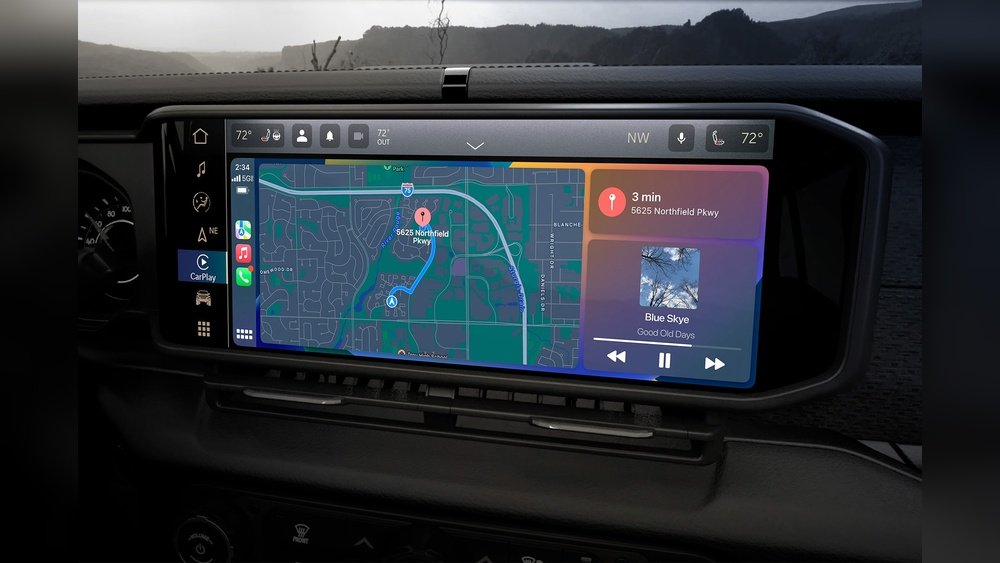
If you drive a Jeep with Apple CarPlay, you know how helpful it is for navigation, music, and hands-free texting. But sometimes, CarPlay can stop working smoothly. Maybe the screen freezes, apps won’t load, or your phone won’t connect. If you’re stuck, resetting CarPlay can often fix these issues. This article will guide you step-by-step on how to reset CarPlay in Jeep vehicles, explain why problems happen, and show you what to do if resetting doesn’t help.
Why Carplay In Jeep Might Need A Reset
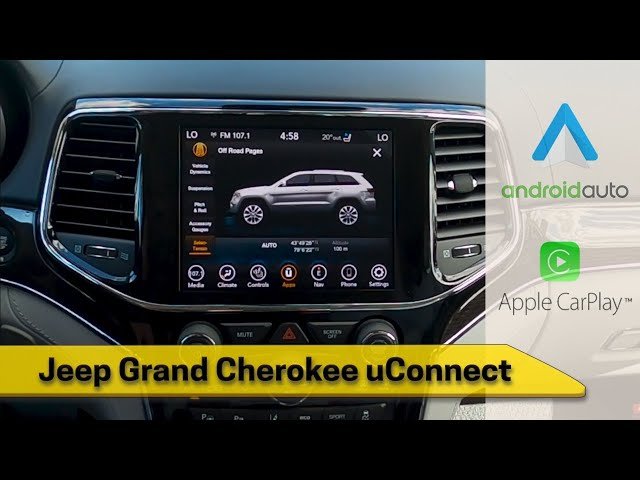
Most Jeep models from 2017 onward support Apple CarPlay through their Uconnect infotainment system. CarPlay usually works well, but it relies on both your iPhone and Jeep’s software. Issues can appear for several reasons:
- Software bugs after updates
- Bluetooth or USB connection glitches
- Corrupt app data on your iPhone or Jeep’s system
- Compatibility problems with new iOS versions
When CarPlay doesn’t work as expected, a reset often restores normal function without a trip to the dealership. Understanding the common causes helps you prevent future trouble.
Quick Fixes To Try Before A Full Reset
Before you reset CarPlay, try these simple steps. Sometimes, the solution is easier than you think.
1. Unplug And Reconnect Your Phone
Remove your iPhone from the USB port and plug it back in. Wait a few seconds to see if CarPlay reconnects.
2. Restart Your Iphone
A simple restart often clears minor glitches. Hold the side button and volume up, then slide to power off. Turn your phone back on and reconnect.
3. Switch Usb Ports
Some Jeep models have multiple USB ports, but only one supports CarPlay. Try each port to see if the problem is with the connection.
4. Check For Ios And Uconnect Updates
Outdated software can cause problems. Go to Settings > General > Software Update on your iPhone.
For Uconnect, check your Jeep’s owner’s manual for update instructions.
If these steps don’t help, it’s time to reset CarPlay in your Jeep.
How To Reset Carplay In Jeep
Resetting CarPlay involves several steps. You may need to reset settings on both your iPhone and your Jeep’s Uconnect system.
Step 1: Forget Carplay In Iphone Settings
- Open Settings on your iPhone.
- Tap General.
- Tap CarPlay.
- Select your Jeep from the list.
- Tap Forget This Car.
This removes the Jeep-CarPlay pairing from your iPhone.
Step 2: Remove Iphone From Jeep’s Uconnect System
- Start your Jeep and turn on the Uconnect screen.
- Press the Phone or Settings button.
- Go to Paired Devices or Connected Devices.
- Find your iPhone’s name.
- Select it and choose Remove or Delete.
This erases the Bluetooth and CarPlay pairing from your Jeep’s side.
Step 3: Reset Network Settings On Your Iphone
Some CarPlay issues are caused by network settings. Here’s how to reset them:
- Open Settings on your iPhone.
- Tap General.
- Scroll down to Transfer or Reset iPhone.
- Tap Reset.
- Choose Reset Network Settings.
This will erase all Wi-Fi passwords and Bluetooth pairings, so you’ll need to reconnect to your networks later.
Step 4: Reboot The Uconnect System
If you still have problems, restart your Jeep’s Uconnect system:
- With your Jeep running, press and hold the volume knob and tune knob together for about 10–15 seconds.
- The Uconnect screen should go black, then show the Jeep logo as it restarts.
- Wait for the system to fully reboot before reconnecting your phone.
Step 5: Pair Carplay Again
- Plug your iPhone into the correct USB port.
- Watch your Jeep’s screen for a CarPlay Setup prompt.
- On your iPhone, allow CarPlay when asked.
- Follow on-screen prompts to finish pairing.
After these steps, CarPlay should be reset and ready to use.
Comparing Jeep Uconnect Versions For Carplay
Different Jeep models use different versions of Uconnect. Not all have the same CarPlay features or reset steps. Here’s a comparison of the main Uconnect versions:
| Uconnect Version | Supported Jeep Models | CarPlay Type | Reset Difficulty |
|---|---|---|---|
| Uconnect 4 | 2017–2021 Compass, Cherokee, Wrangler, Grand Cherokee | Wired Only | Easy |
| Uconnect 5 | 2021+ Grand Cherokee, Wagoneer, Wrangler | Wired & Wireless | Moderate |
| Uconnect 3 | Older Jeeps (pre-2017) | Not Supported | N/A |
Tip: If your Jeep has Uconnect 3, you will not have CarPlay. Consider upgrading your infotainment system if you want this feature.
Common Carplay Problems In Jeep
Here are typical issues Jeep owners face with CarPlay:
- Black or blank CarPlay screen
- CarPlay not detected at all
- Audio cutting out or lagging
- Apps not appearing or freezing
- Siri not responding
Identifying the problem helps you decide if a reset is needed or if another solution works better.
What To Do If Resetting Carplay Doesn’t Work
Some CarPlay problems are not fixed by resetting. If you still have trouble, try these advanced steps:
Update Uconnect Software
Jeep releases updates to fix bugs and improve CarPlay. Visit the Uconnect website or ask your dealer if an update is available for your model.
Try A Different Usb Cable
Cheap or damaged cables can cause connection issues. Use an Apple-certified cable for best results. Avoid third-party cables that don’t support data transfer.
Test With Another Iphone
Sometimes, the issue is with your phone, not your Jeep. Try connecting a different iPhone.
If CarPlay works, the problem is likely with your original phone’s software.
Reset To Factory Settings (last Resort)
If nothing else helps, you can do a factory reset of the Uconnect system. This will erase all saved data, so use it as a last step:
- Go to Uconnect Settings.
- Choose System Information or Reset.
- Select Restore Factory Settings.
All custom settings and Bluetooth devices will be deleted. Set up CarPlay again from the beginning.
Troubleshooting Wireless Carplay (if Equipped)
Some newer Jeeps (Uconnect 5 and above) support wireless CarPlay. Wireless connections add more points of failure. Here’s how to troubleshoot:
- Ensure Bluetooth and Wi-Fi are both enabled on your iPhone.
- Forget and re-pair your Jeep in iPhone’s Bluetooth settings.
- Place your iPhone in the front seat—distance or obstructions can interfere with wireless connections.
- Update both your iPhone and Uconnect to the latest software.
If wireless CarPlay fails, try using a USB cable to see if the wired connection works.
How Carplay Reset Differs From Other Fixes
Resetting CarPlay focuses on deleting the connection history between your iPhone and Jeep. This is different from:
- Rebooting your phone—which only restarts your iPhone’s software.
- Restarting Uconnect—which only refreshes the Jeep’s infotainment, not the CarPlay pairing.
- Resetting network settings—which erases all network info, not just CarPlay data.
Here’s a quick summary:
| Action | What It Affects | When to Use |
|---|---|---|
| Reset CarPlay | CarPlay connection data | CarPlay won’t connect or acts strange |
| Reboot Uconnect | Infotainment system software | Screen freezes, slow system |
| Reset Network Settings | Wi-Fi, Bluetooth, VPN | Persistent connection issues |
Non-obvious insight: Many Jeep owners forget that CarPlay relies on both Bluetooth and USB (or Wi-Fi for wireless). If one fails, CarPlay may not work even if the other seems fine.

How To Prevent Carplay Problems In Jeep
Prevention saves time and frustration. Here are practical ways to keep CarPlay working smoothly:
- Update your iPhone and Uconnect regularly.
- Use only certified cables (for wired CarPlay).
- Do not overload your iPhone with apps running in the background, especially navigation and music apps.
- Clean USB ports—dust or debris can block connections.
- Avoid heat extremes—very high or low temperatures can disrupt electronics.
Many CarPlay issues result from simple things like a loose cable or an outdated app.
When To Seek Professional Help
If you have tried all the reset steps and CarPlay still doesn’t work, there may be a hardware issue with your Jeep’s infotainment system or your iPhone. Signs you need expert help include:
- CarPlay never appears, even after a factory reset.
- Other devices also fail to connect.
- Uconnect system crashes or won’t boot.
Contact your Jeep dealer or a certified repair center for diagnosis. Sometimes, a faulty USB port or head unit needs to be replaced.
Frequently Asked Questions
Why Does Carplay Keep Disconnecting In My Jeep?
Frequent disconnections are often due to bad USB cables, loose ports, or interference with wireless CarPlay. Try a different cable and make sure no other devices are paired with Uconnect at the same time.
Can I Use Wireless Carplay In Older Jeep Models?
No. Wireless CarPlay is only available on newer Jeeps with Uconnect 5 and above. Older models support only wired CarPlay.
Will Resetting Carplay Delete My Music Or Contacts?
No. Resetting CarPlay only removes the connection pairing between your iPhone and your Jeep. All your music, contacts, and apps stay safe on your phone.
Do I Need An Internet Connection For Carplay To Work?
CarPlay does not require internet for basic functions. However, features like Apple Maps, music streaming, and Siri need an internet connection via your iPhone’s cellular data.
Where Can I Find Official Updates Or Support For Uconnect?
For official information, visit the Jeep Uconnect website. There you’ll find support articles, update downloads, and contact info.
Resetting CarPlay in your Jeep can fix most problems, and it’s a simple process when you know the right steps.
With a bit of patience and the guidance above, you can get back to enjoying hands-free calls, music, and maps just as you should.


















