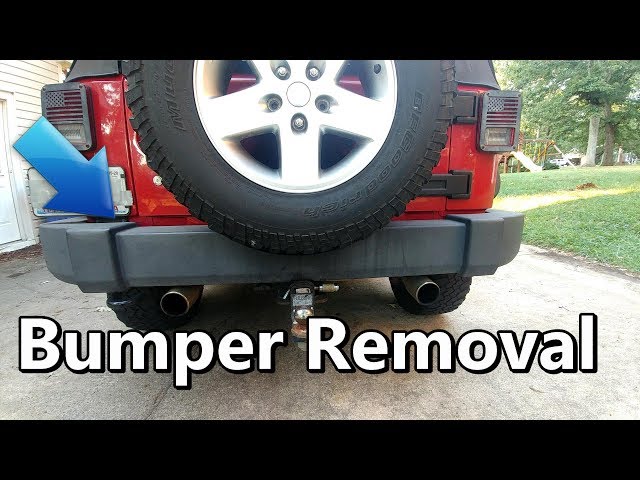
If you own a Jeep JK, you know how much fun it is to customize. One of the most popular upgrades is removing the rear bumper—maybe you want to swap it for an off-road model, fix damage, or add accessories. While it sounds simple, taking off the rear bumper is not always as easy as it looks. Some bolts can be hard to reach, and you may deal with rust or hidden clips. With the right steps and tools, you can remove the bumper confidently and safely—even if you’re new to Jeep mods.
Tools And Preparation
Before you start, make sure you have the right tools. This not only makes the job easier but keeps you from damaging your Jeep.
Essential tools:
- Socket wrench set (metric and standard sizes)
- Flathead screwdriver
- Phillips screwdriver
- Trim removal tool or panel popper
- WD-40 or penetrating oil
- Protective gloves and safety glasses
Preparation tips:
- Park on a flat surface and set the parking brake.
- Remove any items from the cargo area.
- If your bumper has a trailer hitch, disconnect the wiring.
- Spray WD-40 on all bumper bolts 10 minutes before starting. This helps loosen rust.
Step-by-step Guide To Removing The Jeep Jk Rear Bumper
Follow these steps to remove the bumper without trouble. Most Jeep JKs (2007 2018) use a similar design, but always check your model year for small differences.
1. Locate And Remove The Bumper Bolts
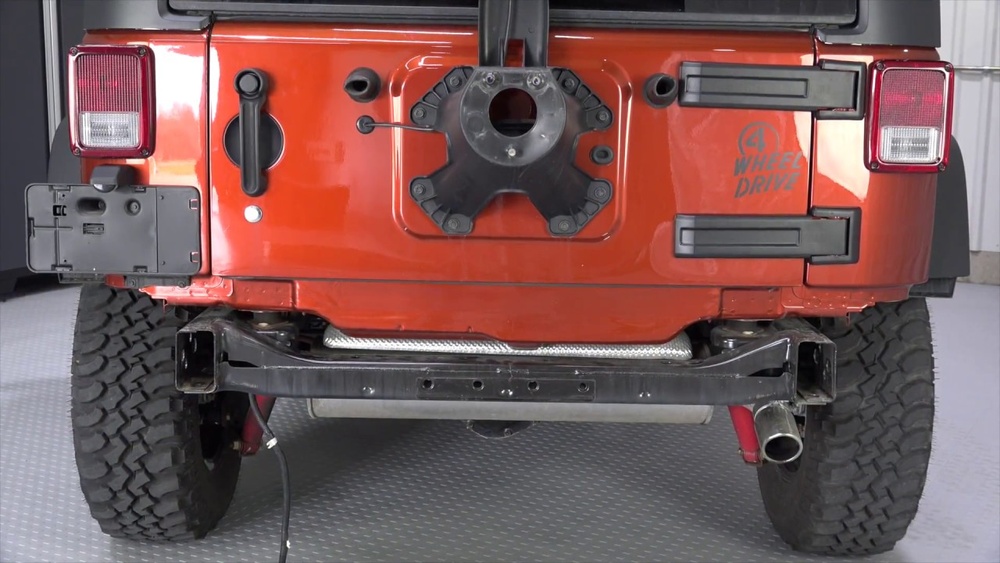
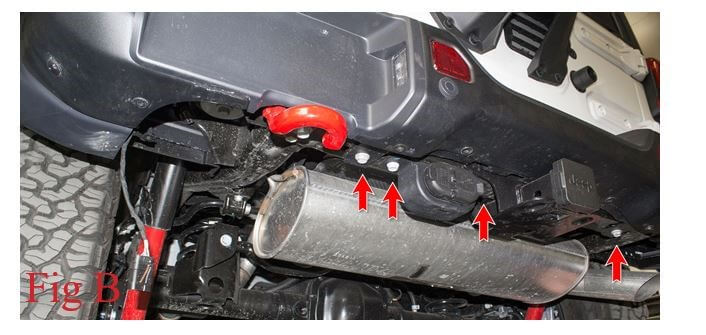
There are usually eight main bolts holding the rear bumper. Four are under the frame (two each side), and four are behind the plastic end caps.
- Use your socket wrench to remove the lower bolts first.
- If the bolts are rusty, apply more WD-40 and wait a few minutes.
- Keep all hardware in a tray or bag so you don’t lose any pieces.
2. Remove The Plastic End Caps
The end caps hide important bolts and sometimes have clips. Here’s how to take them off:
- Use a trim tool or flathead screwdriver to carefully pry off each cap.
- Watch for plastic clips—they can break easily.
- Once removed, set the caps aside.
3. Disconnect Electrical Connections
If your bumper has backup sensors or lights, unplug the wiring harnesses before pulling the bumper away.
- Locate the connectors and press the tab to release.
- Never pull on the wires directly—always use the connector body.
4. Pull The Bumper Off
With bolts and electrical parts removed, you can take off the bumper.
- Grab both ends and gently wiggle the bumper back and forth.
- It should slide off. If it feels stuck, double-check for missed bolts.
- Ask a friend for help if the bumper feels heavy.
5. Inspect The Frame And Hardware
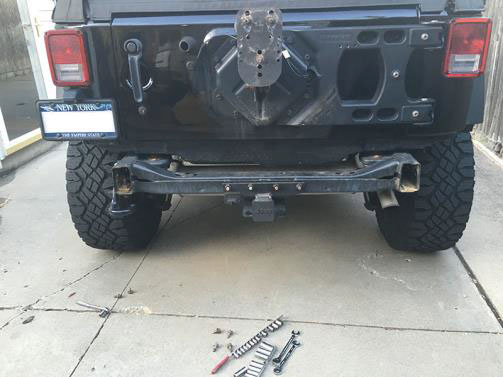
With the bumper off, check the frame rails for rust or damage. This is a great time to clean or paint the area.
- Clean off any dirt or rust with a wire brush.
- If you plan to install a new bumper, test-fit it now.
Common Mistakes And How To Avoid Them
Many first-timers run into a few common issues. Here’s how to avoid them:
- Forcing the end caps: These can break if you pry too hard. Use a trim tool and patience.
- Losing bolts: Always put removed hardware in a safe spot.
- Missing hidden bolts: If the bumper won’t move, there may be a bolt you missed under mud or behind plastic.
- Skipping electrical connections: Forgetting to unplug sensors can damage wiring.
Jeep Jk Rear Bumper Types: Comparison
There are several bumper types you might encounter. Here’s a quick look:
| Bumper Type | Material | Weight (Approx.) | Main Use |
|---|---|---|---|
| Factory (Stock) | Plastic/Steel | 25 lbs | Daily driving |
| Aftermarket Steel | Steel | 45–60 lbs | Off-roading |
| Stubby | Steel | 20–35 lbs | Maximum clearance |
How Long Does Removal Take?
Removal time depends on your tools, experience, and rust. Here’s a rough breakdown:
| Experience Level | Estimated Time | Common Issues |
|---|---|---|
| Beginner | 1–2 hours | Stuck bolts, clip breakage |
| Experienced | 30–45 minutes | Minimal issues |
Practical Tips For A Smooth Removal
- Use penetrating oil on bolts the night before if your Jeep is older.
- Take clear photos before removing anything. This helps during reinstallation.
- Keep your tools organized to save time.
- If you plan to reuse the bumper, store it on a soft surface to avoid scratches.
Non-obvious insight: Jeep JK bumpers sometimes hide extra wiring for the tow hitch or aftermarket lights. Always trace any wires before pulling the bumper away.
Another tip: Some aftermarket bumpers use different bolt patterns. Before buying a new bumper, check that it fits your year and model. There are slight differences between 2-door and 4-door JKs.
Safety Reminders
- Always wear safety glasses when working under the Jeep.
- If lifting the Jeep for better access, use proper jack stands—never trust a scissor jack alone.
- Have a second person help with heavy lifting if possible.
What To Do After Removal
Once the bumper is off, you might want to:
- Clean the exposed area thoroughly.
- Treat any rust before it spreads.
- Install new accessories, like a heavy-duty bumper or tire carrier.
- Test all electrical connections before finishing the job.
For more Jeep JK technical details, you can visit the official Jeep Owner Site.
Frequently Asked Questions
How Do I Know If My Bumper Has Sensors Or Wiring To Disconnect?
Check under the bumper for visible wires. If you have backup sensors or aftermarket lights, you’ll see connectors near the inside frame rails.
What If My Bumper Bolts Are Rusted And Won’t Budge?
Spray penetrating oil and wait at least 10–15 minutes. If they still won’t move, tap the bolt head lightly with a hammer to help break the rust.
Can I Remove The Jeep Jk Rear Bumper Alone?
Yes, but it’s easier with two people. The bumper can be awkward to handle, especially if it’s a heavy steel model.
Will Removing The Bumper Affect My Jeep’s Safety?
Driving without a rear bumper is not recommended. It exposes important parts and may be illegal on public roads.
Always install a replacement as soon as possible.
Do I Need Special Tools To Remove The Bumper?
Most jobs need only basic hand tools: a socket set, screwdrivers, and a trim tool. Power tools can help with stubborn bolts but are not required.
Removing your Jeep JK rear bumper is a manageable job with the right approach. Take your time, use the correct tools, and stay organized. You’ll be ready for your next upgrade or repair without stress.


















