Removing the battery from your Jeep is a simple task, but it requires care and the right steps to avoid damaging your vehicle or hurting yourself. Whether you need to replace a dead battery or perform electrical maintenance, knowing how to remove your Jeep battery safely will save you time and money. This guide will walk you through each step, share practical tips, and highlight common mistakes people make.
Tools And Materials You Need
Before you start, make sure you have everything ready:
- Safety gloves and glasses: Protect your hands and eyes from acid and sparks.
- Wrench (usually 10mm): For loosening battery terminals.
- Socket set: Some models need a socket to remove the battery hold-down clamp.
- Battery terminal puller (optional): Helps remove stubborn cables.
- Rag or brush: To clean corrosion.
Having these tools ready makes the process smoother and safer.
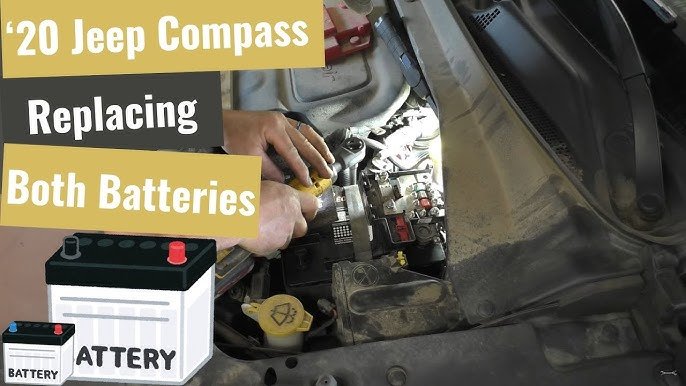
Understanding Your Jeep’s Battery Location
Most Jeep models, like the Jeep Wrangler and Jeep Grand Cherokee, have the battery under the hood, usually on one side near the fender. However, some models (like older Grand Cherokees) might have unique placements. Always check your owner’s manual if you’re unsure. Here’s a quick comparison of common Jeep battery locations:
| Model | Battery Location |
|---|---|
| Jeep Wrangler (JK/JL) | Engine bay, passenger side |
| Jeep Grand Cherokee | Engine bay, driver’s side |
| Jeep Compass | Engine bay, front center |

Step-by-step Guide To Remove Jeep Battery
Follow these steps closely for a safe and efficient battery removal:
1. Turn Off The Vehicle
Ensure the engine is off and the keys are out of the ignition. This prevents electrical shorts or sparks.
2. Open The Hood And Locate The Battery
Release the hood latch and use the prop rod or hydraulic arms to keep the hood open. Find the battery by looking for a rectangular box with two thick cables attached.
3. Disconnect The Negative Terminal First
Always disconnect the negative cable (marked with a “–” or black cover) before the positive. Use your wrench to loosen the nut and gently pull the cable off the terminal. This step is critical because it prevents accidental sparks.
4. Disconnect The Positive Terminal
Next, loosen the nut on the positive terminal (marked with a “+” or red cover). Carefully remove the cable and move it away from the battery.
5. Remove The Battery Hold-down Clamp
Many Jeep batteries are secured with a clamp or bracket. Use your socket set to remove the bolt holding this clamp.
Set the clamp and bolt aside, so they don’t get lost.
6. Lift Out The Battery
With the terminals and clamp removed, carefully lift the battery straight up. Jeep batteries are heavy (usually 30-50 lbs), so use proper lifting techniques to avoid injury.
If the battery feels stuck, gently wiggle it to free it from the tray.
7. Inspect And Clean The Battery Tray
Check the tray for corrosion, dirt, or damage. Use a rag or brush to clean the area. Removing corrosion helps prevent future electrical problems.
Safety Tips And Common Mistakes
Removing a battery seems easy, but mistakes can lead to costly repairs or injuries. Here are key tips:
- Never touch both terminals at once with a metal tool; this causes a short circuit.
- Always remove the negative terminal first and reconnect it last when installing a new battery.
- Don’t let the positive cable touch metal parts of the car.
- If you see white or green powder (corrosion) on the terminals, clean it with a mix of baking soda and water.
- Dispose of old batteries at an authorized recycling center. Don’t throw them in the trash.

What To Do After Removing The Battery
Once your battery is out, you might need to install a new one or keep the car without power for repairs. Here’s how the process compares:
| Action | With Battery | Without Battery |
|---|---|---|
| Car Electronics | Active | Inactive |
| Memory Settings | Saved | May reset |
| Diagnostics | Possible | Not possible |
Non-obvious tip: Some Jeeps have special radios or security systems. Removing the battery may reset these, so make sure you have any security codes or radio reset instructions before you disconnect.
Signs Your Jeep Battery Needs Replacement
Sometimes, people remove the battery just to check it. Here are clear signs you probably need a new one:
- Slow engine start or clicking noise when turning the key.
- Dim headlights or electrical issues.
- Warning light on the dashboard (battery or check engine).
- Swollen battery case or leaking fluid.
- Battery is over 3-5 years old.
If you notice these, replacing the battery is a smart move.
Jeep Battery Types And Sizes
Choosing the right battery matters. Here’s a quick look at common Jeep battery group sizes:
| Model | Group Size | Cold Cranking Amps (CCA) |
|---|---|---|
| Wrangler JK | Group 34 | 600+ |
| Grand Cherokee | Group 94R | 800+ |
| Compass | Group 26R | 525+ |
Pro tip: Always match the group size and CCA for your Jeep. Using the wrong size can cause fit or power problems.
Final Thoughts
Removing your Jeep battery is a doable task for most owners. Just follow the steps, use the right tools, and respect safety rules. If you have a newer model with advanced electronics, consider using a memory saver device to keep your radio and seat settings. If you ever feel unsure, ask a mechanic or check your owner’s manual. Protect the environment by recycling your old battery at a trusted location. For more details on vehicle maintenance, check the official NHTSA website.

Frequently Asked Questions
How Long Does It Take To Remove A Jeep Battery?
Most people can finish the job in 10 to 20 minutes if they have the right tools and follow the steps.
Is It Safe To Remove The Battery Without Disconnecting The Negative Terminal First?
No, always remove the negative terminal first. This prevents sparks and reduces the risk of a short circuit.
Will Removing The Battery Reset My Jeep’s Computer?
Yes, disconnecting the battery may reset electronic systems like radio presets and clock. Some Jeeps may require security code re-entry.
What Should I Do If The Battery Terminals Are Corroded?
Clean corroded terminals with a baking soda and water mix. Use a wire brush for stubborn corrosion, but wear gloves and eye protection.
Can I Use Any Car Battery For My Jeep?
No, always choose a battery that matches your Jeep’s group size and CCA. Check your owner’s manual or ask a parts specialist to be sure.


















