Programming your 2020 Jeep garage door opener can make life easier. No more searching for remotes in your car or worrying about batteries. Jeep uses a system called HomeLink. This built-in feature lets you open your garage door with just a button inside your Jeep. If you’re new to this, don’t worry—programming is simple if you follow clear steps. Let’s walk through the process, clear up some common mistakes, and share tips to avoid headaches.
Understanding Homelink In Your 2020 Jeep
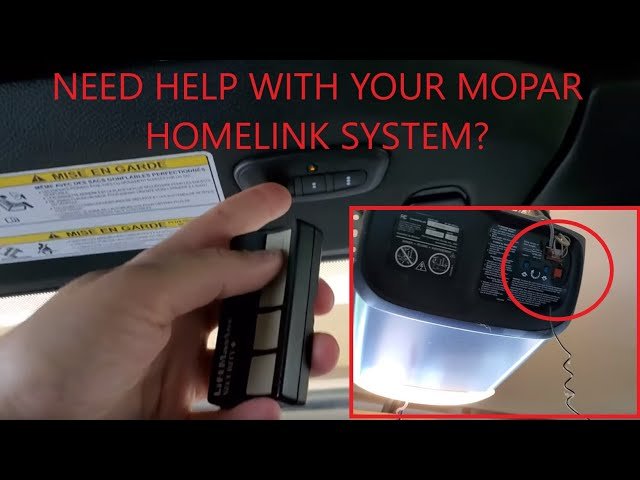
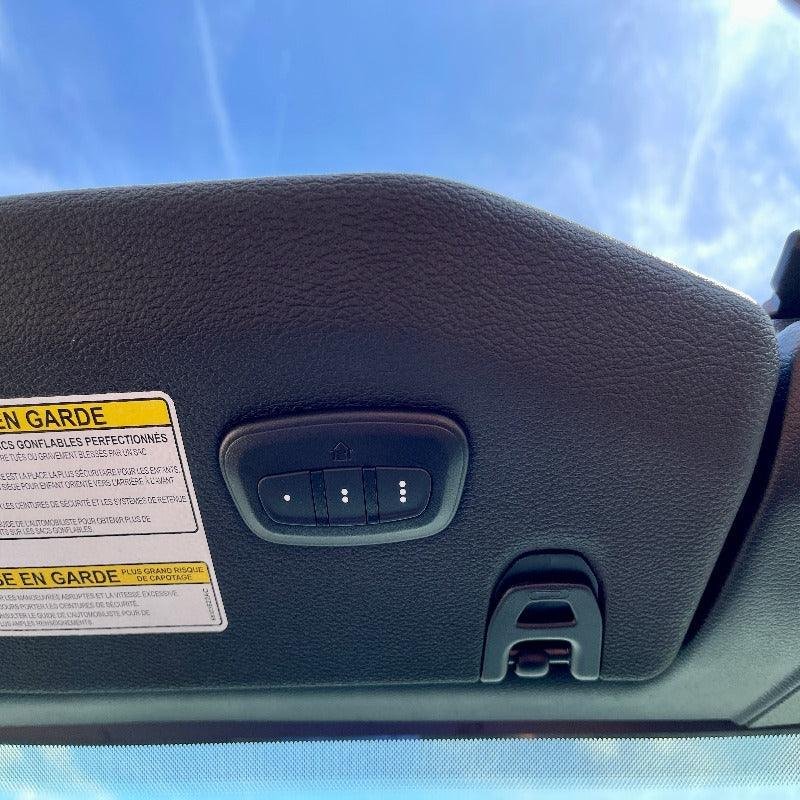
Your 2020 Jeep likely has HomeLink built into the overhead console, near the interior lights. HomeLink can control up to three devices—like garage doors, gates, or home lighting. Before starting, check your garage door opener for a “learn” or “smart” button. Most openers made after 1996 use this system, but older openers may not be compatible.
What You Need Before Programming
To avoid frustration, gather these things:
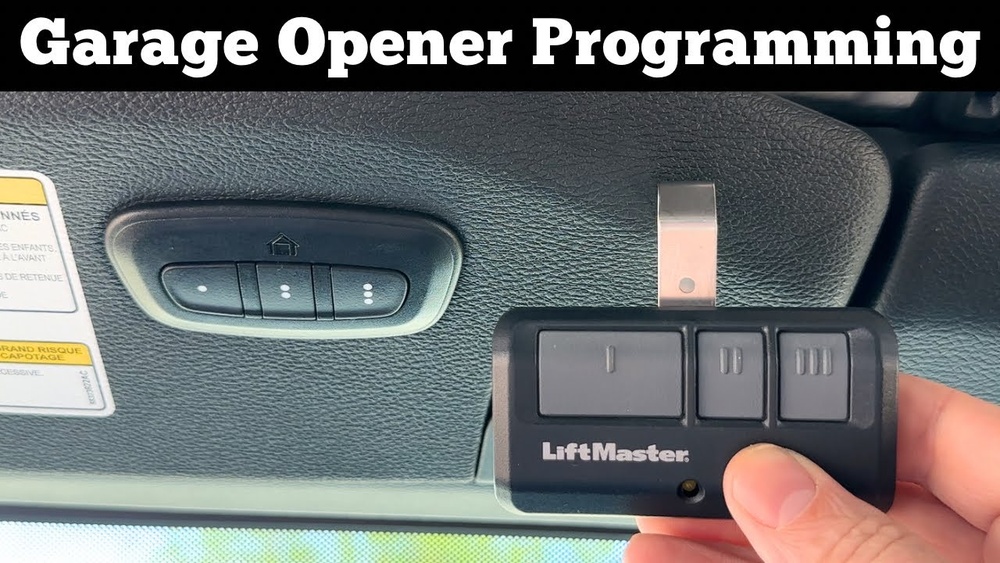
- Your garage door remote control
- Access to your garage door opener motor (usually in the garage ceiling)
- Your Jeep’s ignition key
Check your garage opener brand and model. Some brands require extra steps, especially newer models with rolling codes.

Step-by-step: Programming Your 2020 Jeep Garage Door Opener
1. Clear Existing Codes (if Needed)
If your Jeep is new to you or you suspect buttons have been programmed before, clear them first. Hold the two outer HomeLink buttons for about 20 seconds until the indicator light flashes quickly. This erases all previous codes.
2. Position Yourself And The Jeep
Park your Jeep outside your garage. Switch the ignition to “on” but don’t start the engine. Keep your remote and HomeLink buttons within reach.
Pick which HomeLink button you want to use. Hold the remote close (1-3 inches) to the HomeLink panel.
- Press and hold both the selected HomeLink button and the remote button at the same time.
- Hold until the indicator light starts flashing slowly, then rapidly (this can take up to 30 seconds).
If the light stays solid, try again sometimes the signal didn’t transmit properly.
4. Train With Your Garage Door Opener (rolling Code Systems)
Most modern openers use rolling codes for security. If so, you’ll need to train HomeLink with the opener.
- Go to your garage door opener motor in the garage.
- Press the “learn” button (often yellow, red, or purple). You’ll usually have 30 seconds to complete the next step.
- Return to your Jeep and press the programmed HomeLink button for 2 seconds, then release. Repeat up to three times until the door moves.
Pro tip: If the door doesn’t move, wait a few seconds and try again. Timing is important with rolling code systems.
Table: Common Garage Opener Brands And Programming Notes
Here’s a quick look at how popular opener brands work with HomeLink:
| Brand | Compatible with HomeLink? | Special Steps? |
|---|---|---|
| Chamberlain/LiftMaster | Yes | Use “learn” button for rolling code |
| Genie | Yes | Some require extra steps, check manual |
| Craftsman | Yes | Standard rolling code process |
| Older brands (pre-1996) | Maybe | May not be compatible |
Troubleshooting: When Things Don’t Work
Sometimes, things don’t go as planned. Here are common problems and solutions:
- Light doesn’t flash: Move the remote closer or replace its battery.
- Door won’t open: Try clearing codes and starting over. Double-check the opener brand and model.
- Multiple doors/gates: Each HomeLink button can control a different device. Repeat the process for each one.
Hidden insight: Some Jeep models have weaker HomeLink transmitters. If your Jeep is far from the garage, try moving closer when programming.
Table: Quick Problem-solving Guide
Here’s a fast reference if you get stuck:
| Problem | Possible Fix |
|---|---|
| HomeLink won’t program | Try a fresh remote battery |
| Light never flashes fast | Check distance, try again |
| Door moves, but not every time | Interference—move Jeep closer |
| Jeep remote deletes itself | Reprogram and check for power loss |
Extra Tips For Smooth Setup
- Label your HomeLink buttons in your mind or write it down (for example, “left button = garage, right = gate”).
- Replace remote batteries before you start—weak signals cause many failures.
- Ask for help if your opener is on a high ceiling. You’ll need to press the “learn” button quickly.
- Some garage openers need you to press and release the HomeLink button, not hold it, during the final steps—check your opener’s manual if unsure.
Table: Homelink Vs Traditional Garage Remotes
Which is better, HomeLink or a handheld remote? Here’s a quick comparison:
| Feature | HomeLink | Handheld Remote |
|---|---|---|
| Convenience | Built-in, never lost | Easy to misplace |
| Battery | Uses car power | Requires battery changes |
| Security | Rolling code support | Varies by model |
Frequently Asked Questions
How Many Garage Doors Can I Program In My 2020 Jeep?
You can program up to three different devices using the three HomeLink buttons.
What If My Garage Opener Is Not Compatible?
If your opener is very old (pre-1996), it may not work with HomeLink. In this case, you may need an adapter or an updated opener.
Hold the two outer HomeLink buttons for about 20 seconds until the indicator light flashes quickly. This erases all codes.
Can I Program Homelink If I Don’t Have The Original Remote?
No, you need the original remote to send the signal during programming, unless your system supports a direct learn mode (rare for most homes).
Where Can I Find Official Homelink Compatibility Information?
Check the official HomeLink website for a full compatibility list and advanced troubleshooting.
Programming your 2020 Jeep garage door opener is simple if you follow each step and pay attention to small details, like battery life and rolling code timing. With a little patience, your Jeep will open your garage door at the touch of a button. Enjoy the added convenience and security every time you come home.


















