Losing access to your car because of a dead key fob can be stressful, especially if you drive a 2019 Jeep. Many Jeep owners worry that opening the key fob is complex or might break the device. The truth is, opening a 2019 Jeep key fob is simple if you know the right steps and tools. Understanding this process can save you time, money, and frustration. This guide explains how to open your Jeep key fob, replace the battery, and avoid common mistakes—so you’ll never be stranded because of a dead fob.
Understanding The 2019 Jeep Key Fob Design
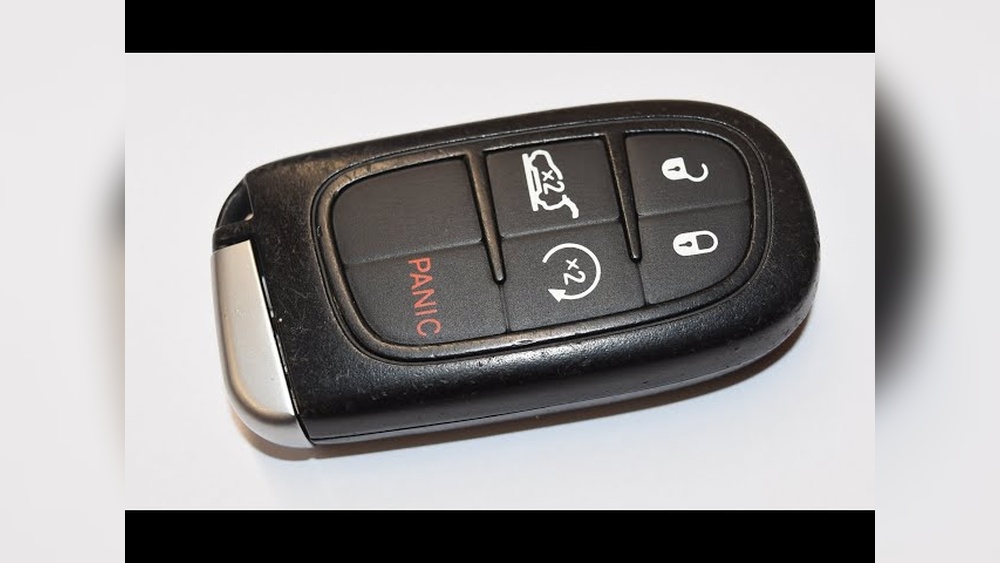
The 2019 Jeep key fob is designed for both security and convenience. Most models—including the Cherokee, Grand Cherokee, Compass, and Wrangler—use a similar fob style. These key fobs usually have three to five buttons: lock, unlock, remote start, and a panic alarm.
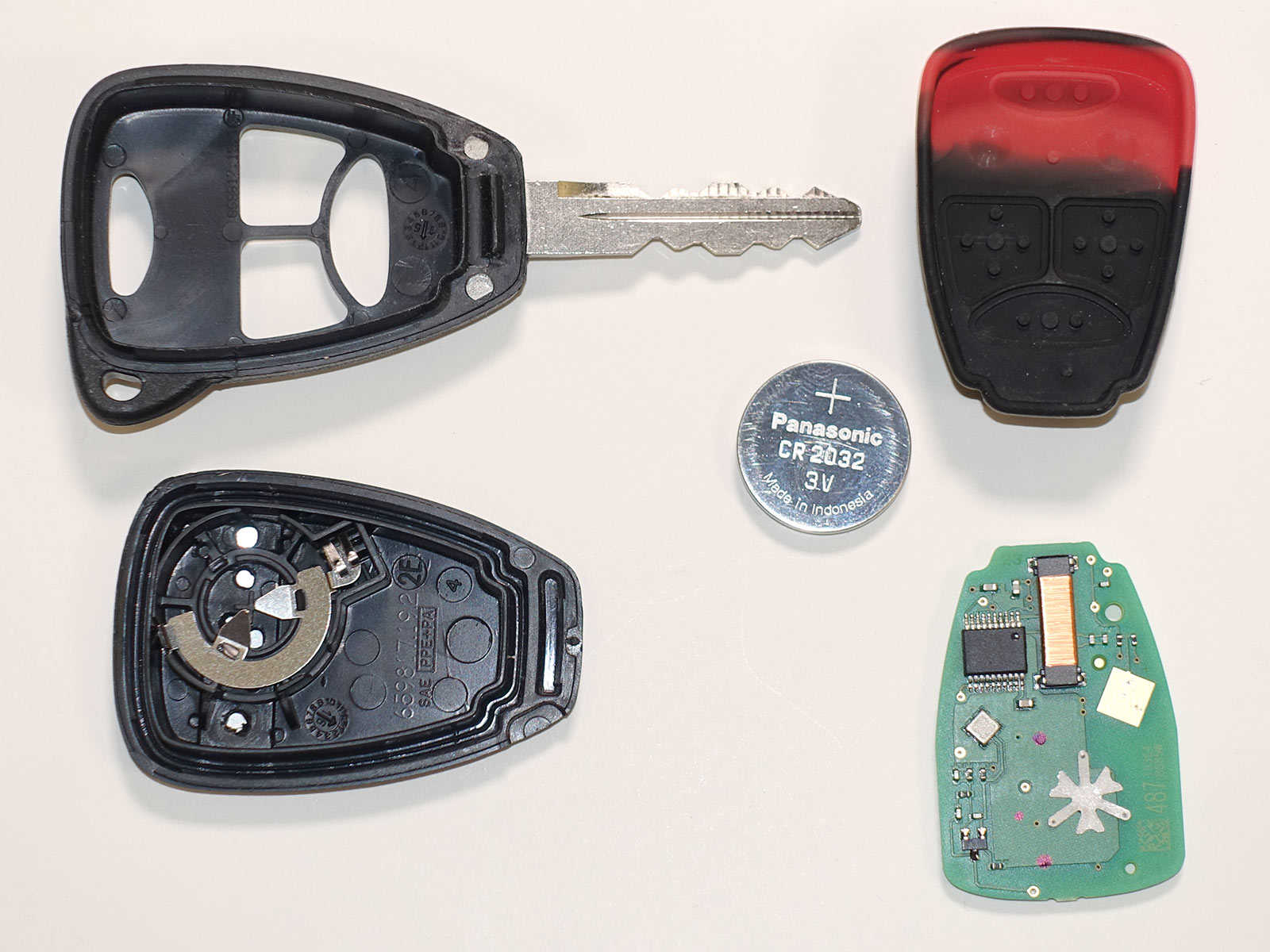
Inside, there’s a small battery (usually a CR2032 coin cell) that powers the electronic functions. The plastic shell is tough but can be opened without damage if you use the right method.
Key Fob Types For 2019 Jeeps
Different Jeep models might use slightly different fobs. Here’s a quick comparison of common types:
| Model | Button Count | Battery Type | Physical Key Slot |
|---|---|---|---|
| Cherokee | 4-5 | CR2032 | Yes |
| Grand Cherokee | 4-5 | CR2032 | Yes |
| Wrangler | 3-4 | CR2032 | Yes |
| Compass | 3-4 | CR2032 | Yes |
Tools And Preparation
Before you start, gather these items:
- A small flathead screwdriver or a plastic pry tool
- A clean cloth or towel (to avoid scratches)
- A new CR2032 battery (double-check your owner’s manual)
- A clean workspace with good lighting
Pro tip: Always buy a quality battery. Cheap batteries might not last as long or could leak.
Step-by-step: How To Open Your 2019 Jeep Key Fob
Opening your Jeep key fob is easy if you follow these steps:
- Locate the Seam: Hold your key fob with the buttons facing up. Look for the seam running along the side.
- Remove the Mechanical Key: Slide the small switch on the back and pull out the physical key blade. Set it aside.
- Insert the Pry Tool: Place the tip of your flathead screwdriver or plastic tool gently into the seam near where the key was.
- Twist Gently: Turn the tool slightly. The fob halves should begin to separate. If it doesn’t, move the tool along the seam and try again gently.
- Open the Fob: Once the shell starts to split, use your fingers to pull the two halves apart. Be careful not to lose any internal parts.
What’s Inside?
When you open the fob, you’ll see:
- The circuit board
- The battery (usually easy to spot)
- Button pads (do not remove unless needed)
Replacing The Battery
Now you’re ready to install a fresh battery.
- Remove the Old Battery: Use your fingernail or the flathead screwdriver to gently lift the battery out.
- Insert the New Battery: Align the new CR2032 battery, making sure the positive (+) side faces up.
- Press the Battery Down: Make sure it sits flat and secure.
Important: Touch only the edges of the battery to avoid fingerprint residue, which can affect battery life.
Reassembling The Key Fob
After replacing the battery:
- Align the Halves: Fit the two fob halves together, matching up edges and button pads.
- Press Firmly: Squeeze until you hear or feel a click. The fob should snap together without gaps.
- Reinsert the Mechanical Key: Slide the key blade back into place.
If the buttons feel stuck or don’t click, reopen the fob and check alignment.
Common Mistakes To Avoid
Many Jeep owners make simple errors. Avoid these:
- Using too much force: The plastic can crack if you pry too hard.
- Mixing up battery polarity: The positive side must face up.
- Losing small parts: Work over a tray or towel to catch anything that drops.
- Touching the circuit board: Oils from your skin can damage sensitive electronics.

How Long Does It Take?
Most people can open and replace the battery in under 5 minutes if prepared. If it’s your first time, allow 10 minutes.
Here’s a time breakdown for each step:
| Task | Estimated Time |
|---|---|
| Gather tools | 1 minute |
| Open fob | 2 minutes |
| Replace battery | 1 minute |
| Reassemble | 1 minute |
Two Tips Most People Miss
- Test before final assembly: After inserting the new battery but before snapping the fob shut, press a button to see if the LED flashes. This can save you from opening it again if the battery is bad.
- Clean the contacts: If your fob still doesn’t work, gently clean the metal contacts with a cotton swab and a little rubbing alcohol.

When To Get Professional Help
If your fob is damaged, won’t open, or still doesn’t work after battery replacement, visit a Jeep dealership or a locksmith. They have specialized tools and can test the electronic chip. Some high-end models may require reprogramming.
Frequently Asked Questions
How Do I Know If My Jeep Key Fob Battery Is Dead?
If your key fob stops unlocking or locking your car, or you need to press buttons multiple times, the battery is probably low. Some Jeeps also show a dashboard warning like “Key Fob Battery Low.”
What Battery Does The 2019 Jeep Key Fob Use?
Most 2019 Jeep key fobs use a CR2032 lithium coin cell battery. Always check your manual or open the fob to confirm before buying a replacement.
Will Opening The Fob Void My Warranty?
No, simply replacing the battery will not void your warranty. Damage from improper opening might, so work carefully and follow the steps.
My Fob Still Doesn’t Work After Battery Replacement. What Should I Do?
Double-check battery orientation and contact points. If it still fails, the issue could be with the circuit board or programming. Visit your dealer or check resources like the official Jeep Owners site for support.
Can I Start My Jeep If The Key Fob Battery Is Dead?
Yes. Most 2019 Jeeps have a backup method. Hold the fob near the Start/Stop button or insert the mechanical key into the ignition (if your model allows). This lets you start the engine even if the battery is dead.
Opening your 2019 Jeep key fob is simple when you know the steps and have the right tools. With a little care, you can avoid the hassle of a non-working fob and keep your Jeep’s convenience features working smoothly.