Opening your Jeep key fob to change the battery may seem tricky at first, but it’s actually simple when you know the right steps. Many Jeep owners face sudden problems with their key fobs—doors won’t unlock, remote start doesn’t work, or the panic button fails.
Most of the time, the cause is a weak or dead battery inside the fob. Changing it yourself saves time and money, and prevents getting locked out unexpectedly.
This article walks you through the full process, compares different Jeep fob types, and shares practical advice to avoid common mistakes.

Understanding Jeep Key Fob Types
Jeep uses several types of key fobs across its models. The design affects how you open the fob and which battery fits inside. Here’s a quick comparison:
| Model | Fob Type | Battery Used |
|---|---|---|
| Jeep Grand Cherokee | Smart Key (Push Button Start) | CR2032 |
| Jeep Wrangler | Standard Key Fob | CR2016 |
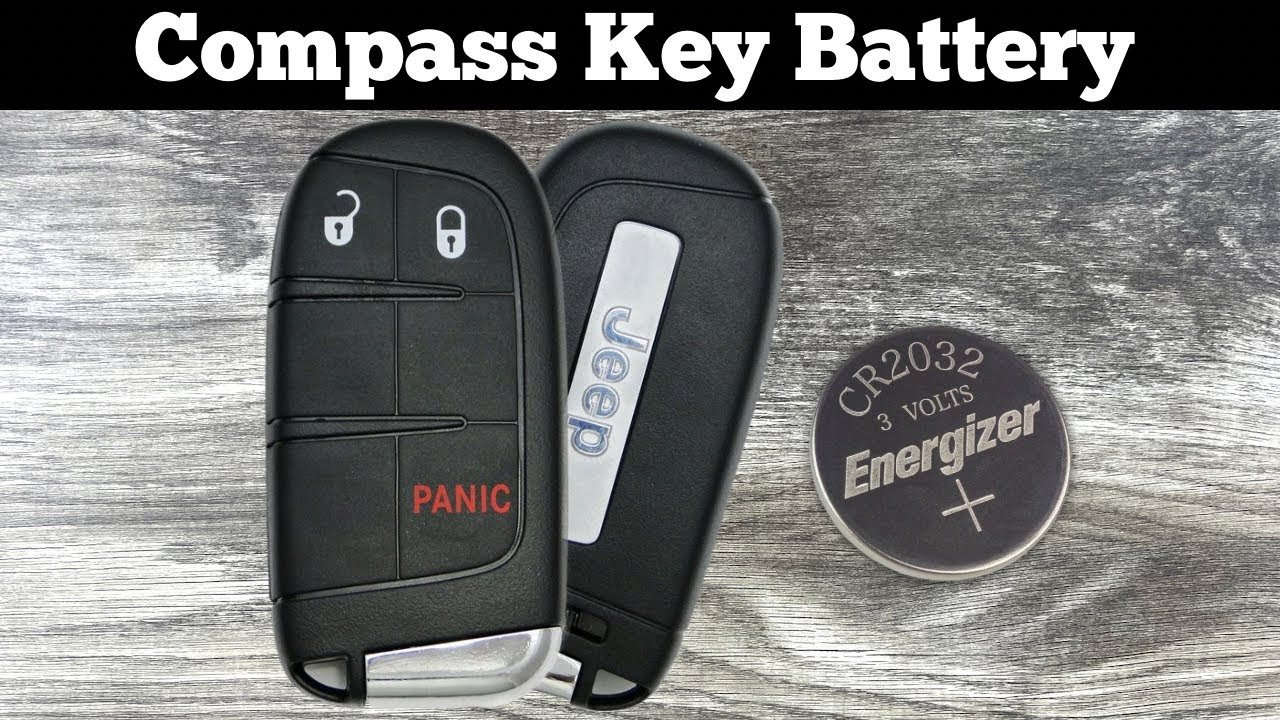
| Jeep Compass | Remote Keyless Entry | CR2032 |
| Jeep Cherokee | Flip Key Fob | CR2032 |
Most modern Jeep fobs use the CR2032 battery, but some older models use CR2016. Always check your owner’s manual or look inside the fob before buying a replacement.
Tools And Materials Needed
You don’t need special tools, but having the right items helps:
- Small flathead screwdriver
- New CR2032 or CR2016 battery (as required)
- Clean cloth or cotton swab
Tip: Avoid sharp tools like knives—these can damage the plastic or cause injury.
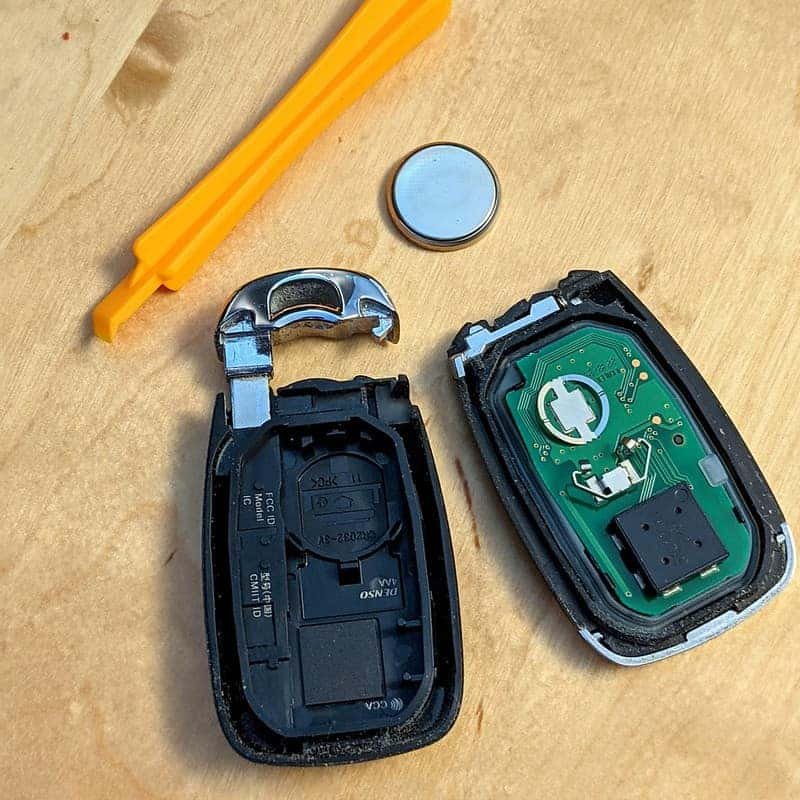
Step-by-step Guide To Opening Your Jeep Key Fob
Changing your Jeep key fob battery is a straightforward task if you follow these steps:
1. Remove The Physical Key
Most Jeep fobs have a hidden physical key inside. Look for a release button or slider, usually on the side or back. Press it and pull out the key.
2. Locate The Fob Seam
Find the seam running around the fob’s edge. This is where the fob separates into two halves.
3. Insert The Screwdriver
Gently wedge your flathead screwdriver into the seam. Twist slightly to pry the fob open.
Use minimal force too much pressure can crack the plastic.
4. Open The Fob
Once the halves start to separate, use your fingers to pull them apart fully. Place the pieces on a clean cloth to avoid losing small parts.
5. Identify And Remove The Battery
The battery is usually held in a shallow slot. Note its orientation (which side faces up).
Use your screwdriver or fingernail to carefully lift out the battery.
6. Insert The New Battery
Place the new battery in the slot, matching the orientation. Usually, the positive (+) side faces up.
7. Reassemble The Fob
Line up the two halves and press them together until they snap shut. Reinsert the physical key.
8. Test The Fob
Stand near your Jeep and press the unlock button. If it works, the battery replacement was successful.
Common Mistakes And How To Avoid Them
- Using the wrong battery type
Always check the model and battery code before buying.
- Forcing the fob open
Excess force can break the fob or damage internal parts. Be gentle.
- Incorrect battery orientation
Placing the battery the wrong way stops the fob from working.
Battery Life And Performance
A fresh key fob battery lasts about 2-3 years with normal use. Factors like frequent use, extreme temperatures, and leaving the fob in the car can shorten battery life. Here’s a quick performance comparison:
| Battery Type | Average Lifespan | Cost (USD) |
|---|---|---|
| CR2032 | 3 years | $2-$5 |
| CR2016 | 2 years | $1-$3 |
Tip: Buying batteries in packs saves money and ensures you have spares.

Practical Tips For Easy Battery Changes
- Work over a clean, flat surface
Small parts can roll away or get lost easily.
- Take a photo before removing the battery
This helps you remember the correct orientation.
- Keep old batteries away from children
They can be dangerous if swallowed.
Many owners forget to test the fob before closing it. Always check it before reassembling this saves the hassle of opening it again.
When To Replace The Entire Key Fob
Changing the battery fixes most problems, but sometimes the fob itself fails. Signs include:
- Buttons don’t respond even after battery change
- Fob doesn’t work at all (no lights or sound)
- Physical damage (cracked or broken casing)
If these issues persist, visit your local Jeep dealer for a replacement. Some shops can reprogram new fobs quickly. For more details, visit the official Jeep Owners Site.
Frequently Asked Questions
How Do I Know When My Jeep Key Fob Battery Is Low?
You’ll notice weaker signals, shorter range, or slow response. Some models show a dashboard warning.
Which Battery Fits My Jeep Key Fob?
Most use CR2032. Older models may use CR2016. Check your owner’s manual or open the fob to confirm.
Can I Use A Rechargeable Battery?
No. Key fobs require single-use lithium batteries for reliable performance. Rechargeable batteries often don’t fit or deliver enough power.
Is It Safe To Open The Key Fob Myself?
Yes, if you use proper tools and care. Avoid sharp objects and don’t force the fob open.
Do I Need To Reprogram The Fob After Changing The Battery?
No. Replacing the battery won’t erase the fob’s memory.
It should work immediately after the new battery is installed.
Changing your Jeep key fob battery is a simple task that anyone can do at home. With the right battery and gentle handling, your fob will work perfectly again. Taking care of your fob helps prevent lockouts and keeps your Jeep running smoothly. If problems continue after changing the battery, don’t hesitate to consult your dealership for expert support.


















