Getting your Jeep key fob open can be tricky, especially if you’ve never done it before. Maybe your key fob battery is dead, or you need to access the emergency key.
Many Jeep owners worry about breaking the fob or damaging sensitive parts. The good news is, with a few simple steps and the right tools, you can safely open your Jeep key fob and solve common issues.
This guide will show you exactly how to open your Jeep key fob, avoid costly mistakes, and keep your vehicle secure.
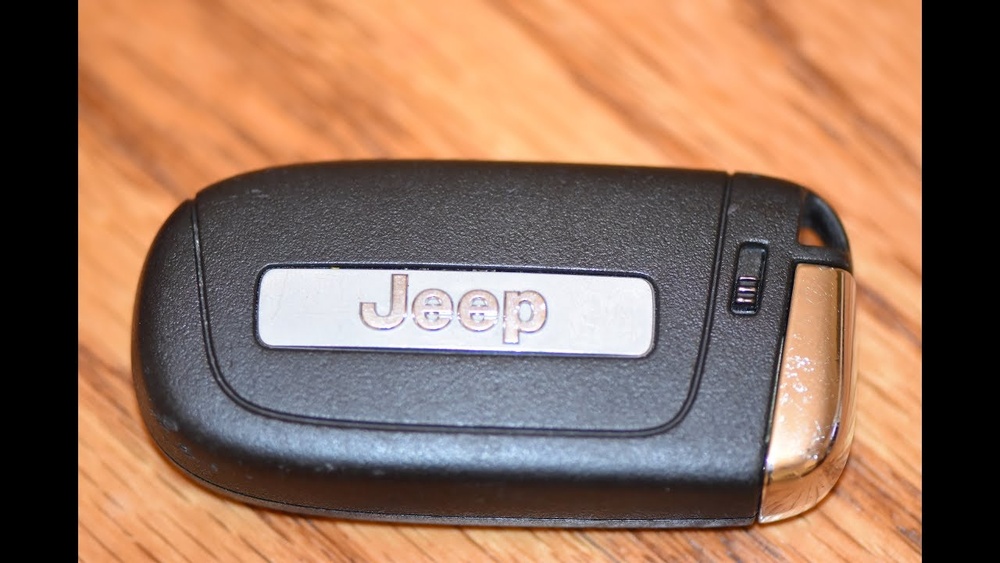
Understanding Jeep Key Fobs
Jeep key fobs come in different shapes and styles. Most modern models use a remote key fob that controls locking, unlocking, and even starting the engine. The most common Jeep fobs are:
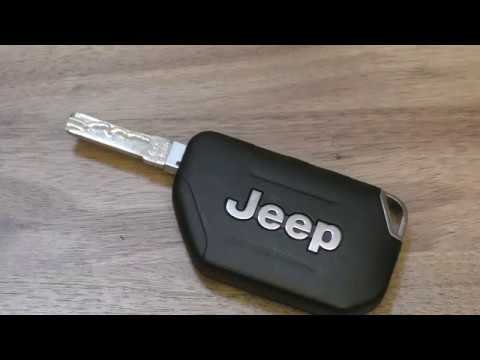
- Standard remote fob (with physical key inside)
- Push-to-start fob (no visible key)
- Smart fob (advanced features, touchless)
Each type has a battery inside, usually a CR2032 or CR2025 coin cell. You’ll need to access this battery for replacement. Opening the fob does not void your warranty or damage the electronics when done correctly.
| Fob Type | Battery Model | Opening Method |
|---|---|---|
| Standard Remote | CR2032 | Manual pry open |
| Push-to-Start | CR2025 | Button release + pry |
| Smart Fob | CR2032 | Hidden latch |
Tools You Need
You don’t need fancy tools to open your Jeep key fob. Most people use household items:
- Small flathead screwdriver (ideal for prying)
- Plastic pry tool (safer for electronics)
- Clean cloth (to protect surfaces)
- New battery (CR2032 or CR2025)
Avoid using sharp knives or metal objects. These can scratch the fob or damage internal parts.

Step-by-step Guide: How To Get Jeep Key Fob Open
Opening your Jeep key fob is simple if you follow the correct steps. Here’s a clear method for most Jeep models:
1. Locate The Seam
Find the seam or groove running around the edge of your key fob. This is where the two halves come apart. On some models, you’ll see a small notch.
2. Remove The Physical Key
If your fob has a hidden key, press the release button or slide the latch. Pull out the physical key. This step is often missed by beginners, but it’s important because it reveals the opening point and protects the mechanism.
3. Insert The Tool
Place your flathead screwdriver or plastic pry tool into the seam or notch. Apply gentle pressure to avoid cracking the fob.
4. Pry Open The Fob
Carefully twist the tool to separate the fob halves. Work slowly around the edge.
If you feel resistance, check for hidden screws or clips.
5. Access The Battery
Once open, locate the battery. Note its orientation before removing. Slide it out gently and replace with a new one, matching the positive side.
6. Reassemble The Fob
Align the two halves and press together until they click. Insert the physical key back.
Test all buttons to ensure the fob works.
| Step | Action | Common Mistake |
|---|---|---|
| 1 | Find seam | Missing hidden notch |
| 2 | Remove key | Forcing open with key inside |
| 3 | Insert tool | Using sharp objects |
| 4 | Pry open | Cracking plastic |
| 5 | Access battery | Wrong battery orientation |
| 6 | Reassemble | Loose fit |
Practical Tips For Success
- Use a plastic tool to avoid static electricity, which can harm electronics.
- Place the fob on a soft surface to prevent scratches.
- Take a photo before removing the battery—so you remember its orientation.
- If your fob doesn’t open easily, check for hidden screws under logos or stickers.
- Don’t rush; gentle movements keep the fob safe.
- After replacing the battery, wait a few seconds before testing. Some fobs need a reset.
A non-obvious tip: If your Jeep key fob stops working after battery replacement, try holding the unlock button for 5 seconds to resynchronize. Many owners miss this step and think the fob is broken.
When To Seek Professional Help
Opening your key fob is safe, but there are moments when help is needed:
- The fob feels glued or won’t open with gentle force
- Buttons stop working after reassembly
- You see corrosion or water damage inside
Dealers or locksmiths can open the fob and repair electronics. Sometimes, paying a small fee prevents larger issues. If you have a smart fob with advanced features, consult your manual or visit a Jeep service center. Some models require programming after battery changes.
Jeep Key Fob Data And Statistics
Jeep key fobs are reliable, but battery life varies. Most batteries last 2-3 years. Over 80% of Jeep owners replace their key fob battery themselves. Only about 10% need professional help. Problems usually come from improper opening or using the wrong battery.
| Key Fob Model | Battery Life (Years) | Owner DIY Rate (%) |
|---|---|---|
| Standard Remote | 2.5 | 85 |
| Push-to-Start | 3 | 80 |
| Smart Fob | 2 | 75 |

Frequently Asked Questions
How Often Should I Replace My Jeep Key Fob Battery?
Most batteries last 2 to 3 years. If your remote range drops or buttons respond slowly, it’s time to replace the battery.
Can I Open My Jeep Key Fob Without Special Tools?
Yes. A small flathead screwdriver or plastic pry tool works for most models. Avoid sharp tools to protect the fob.
What Should I Do If My Key Fob Doesn’t Work After Opening?
First, check the battery orientation and contacts. If it still fails, try holding the unlock button for 5 seconds. If problems persist, visit a Jeep dealer.
Will Opening My Key Fob Void The Warranty?
No, replacing the battery does not void the warranty. However, physical damage from improper opening may not be covered.
Where Can I Find The Official Battery Type For My Jeep Key Fob?
Check your Jeep owner’s manual or visit the official Jeep website. You can also refer to Jeep Owners Official Site for accurate information.
Opening your Jeep key fob is a simple job that saves money and keeps your vehicle running smoothly. With the right tools and careful steps, you can handle battery changes and emergency situations like a pro.
Remember to use gentle pressure, check for hidden latches, and follow your model’s instructions.
If you ever feel unsure, professional help is always available. Your Jeep key fob will be back in action, ready for the next adventure.



















