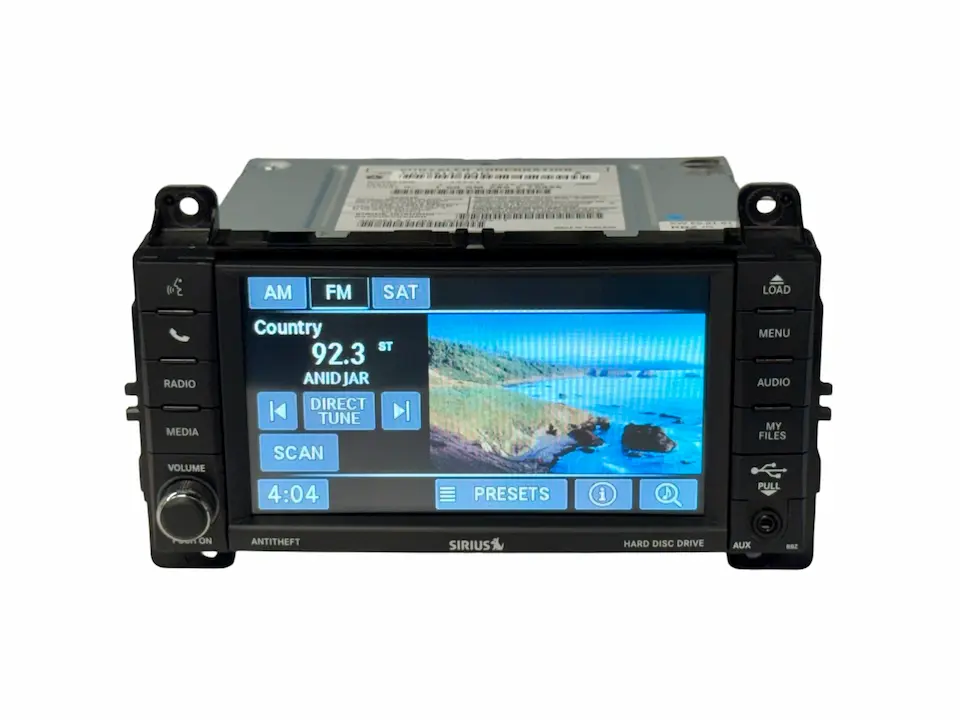
If your Jeep Grand Cherokee radio stops working, it can turn every drive into a silent journey. Many owners face problems like the radio not turning on, no sound, screen glitches, or buttons that don’t respond. Fixing these issues doesn’t always require a mechanic or expensive parts. With some basic tools and knowledge, you can often get your radio working again and bring the music back to your ride.
Common Jeep Grand Cherokee Radio Problems
The radio in a Grand Cherokee can show several types of problems. Here are the most frequent issues owners report:
- No power – The radio does not turn on at all.
- No sound – The radio lights up, but no audio comes from the speakers.
- Frozen screen – The display stops responding or shows only a logo.
- Buttons not working – Volume, tuning, or preset buttons fail.
- Bluetooth or connection issues – The radio won’t pair with your phone.
Understanding the exact symptom is the first step to a fix. For example, a radio with no power usually has a different cause than one with sound problems but working lights.

Initial Checks Before Repair
Before opening the dashboard, try these basic checks. They can often solve the problem quickly.
Check Fuses
Fuses protect your radio from electrical surges. A blown fuse is a common cause of radio failure.
- Locate your fuse box (usually under the dashboard or in the engine bay).
- Find the radio fuse using your Jeep’s manual.
- Pull the fuse and inspect. If the metal strip inside is broken, replace it with one of the same rating.
Inspect The Battery
A weak or dead battery can cause the radio to stop working. Check if other electrical parts (like interior lights or the horn) work.
If not, your battery may need charging or replacement.
Sometimes, the radio gets stuck in a “sleep” mode. Hold the power button for 10-15 seconds to try a reset.
How To Fix Jeep Grand Cherokee Radio: Step-by-step
If the basic checks don’t solve the problem, follow these steps. They cover the most common radio issues for Grand Cherokees from 2011 to 2021.
1. Perform A Hard Reset
A hard reset can fix many software glitches, especially for Uconnect radios (common in newer models).
- Turn off the vehicle.
- Open the driver’s door and leave it open for 1-2 minutes.
- Close the door and restart the vehicle.
- Press and hold the Volume and Tuner knobs together for 10-20 seconds.
If the screen restarts or shows the Jeep logo, the reset worked.
2. Check Wiring Connections
Loose or damaged wiring can cause power or sound problems.
- Remove the dashboard trim carefully.
- Unscrew the radio unit.
- Check that all wiring harnesses are fully connected and not loose.
- Look for any broken or burned wires.
Reconnect everything tightly before reassembling the dash.
3. Update Or Reinstall Software
If your radio has a touchscreen (like Uconnect), outdated software can cause freezing or Bluetooth issues.
- Go to the Jeep Uconnect website.
- Enter your VIN to check for updates.
- Download the update to a USB stick.
- Insert the USB into your radio and follow on-screen instructions.
This can fix bugs and improve performance. Always use official software to avoid damaging the system.
4. Replace The Amplifier Or Speakers
If the radio powers on but there’s no sound, the amplifier or speakers may have failed.
- Test the speakers with another device if possible.
- If all speakers are silent, check the amplifier (usually under the back seat or cargo area).
- Replace faulty parts with compatible models.
Here’s a quick comparison of symptoms:
| Problem | Likely Cause | Solution |
|---|---|---|
| No power | Blown fuse, wiring issue | Replace fuse, check wires |
| No sound | Amplifier, speakers | Test/replace amp or speakers |
| Frozen screen | Software glitch | Hard reset, update software |
5. Factory Reset (touchscreen Radios)
A factory reset erases all settings and returns the radio to its default state.
- Go to the radio’s settings menu.
- Select “Restore Factory Settings” or “Reset.”
- Follow prompts to confirm.
This can solve deep system errors but will remove saved stations and phone pairings.
When To Seek Professional Help
Some problems require expert attention:
- Water damage to the radio or wiring.
- Persistent problems after following steps above.
- Radio units with security lockouts.
Professional repair is also needed if your radio needs re-programming after battery replacement.
Tips To Avoid Future Radio Problems
A few small habits can keep your radio working longer:
- Disconnect the battery if you do electrical work.
- Update software when Jeep releases new versions.
- Keep drinks and liquids away from the dashboard.
- Use compatible devices (phones, USB sticks) with your radio.
These steps reduce the risk of electrical surges or glitches.
Cost Comparison: Diy Vs. Professional Repair
Many radio fixes are possible at home. Here’s a cost comparison:
| Repair Type | DIY Cost | Professional Cost |
|---|---|---|
| Fuse replacement | $2–$5 | $50–$80 |
| Software update | Free | $80–$150 |
| Speaker replacement | $20–$100 | $120–$350 |
DIY saves money but requires patience and care. If you’re unsure, ask a professional to avoid damaging your radio or dash.
Non-obvious Insights For Owners
- Battery disconnect trick – Sometimes, disconnecting the car battery for 15 minutes resets the radio and clears minor faults.
- Hidden diagnostic menu – Some Jeep radios have a hidden menu. Hold the up and down buttons together for 10 seconds to access extra diagnostic tools.
These shortcuts can reveal problems not shown in the standard menu.
Frequently Asked Questions
Why Does My Jeep Grand Cherokee Radio Keep Restarting?
A radio that restarts often may have a software glitch or a weak connection at the wiring harness. Try a hard reset and check for updates. Persistent restarts could mean a failing internal component.
How Do I Reset The Jeep Radio Without Removing It?
For most models, press and hold both the volume and tune knobs for about 10 seconds. The system should reboot. If that fails, disconnecting the battery for a few minutes can also work.
Will Replacing The Car Battery Affect My Radio?
Yes, sometimes. After a battery change, the radio might ask for a code or need re-pairing with your phone. Keep your security code and radio presets handy before changing the battery.
Is It Safe To Update Uconnect Radio Software Myself?
Yes, if you follow the instructions from the official Jeep website. Use a clean USB stick and do not turn off the car during the update. For guidance, visit the Jeep official update page.
Can I Install An Aftermarket Radio In My Grand Cherokee?
You can, but you may lose some features like steering wheel controls or backup camera. Use a wiring harness adapter to keep as many functions as possible. Professional installation is recommended for complex setups.
A working radio makes every drive more enjoyable. With these tips and steps, most Jeep Grand Cherokee radio problems can be solved at home.
If you run into trouble, don’t hesitate to get help your favorite songs and podcasts are worth it.