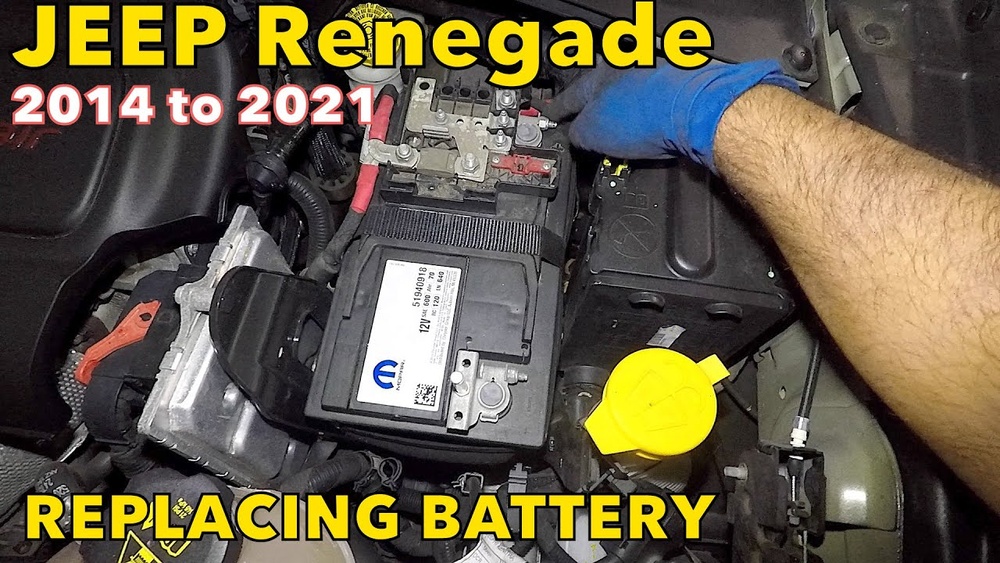
Disconnecting the battery in your Jeep Renegade may sound simple, but if done carelessly, it can cause electrical problems, loss of memory settings, or even damage components. Whether you’re replacing the battery, performing repairs, or storing your vehicle, knowing the safe way to disconnect the battery is essential. This guide walks you through each step, highlights safety tips, and shares some often-overlooked details that make the process easier and safer.
Why Disconnect The Battery?
There are several reasons you might need to disconnect the battery:
- Changing the battery: To replace an old or faulty battery.
- Electrical repairs: To avoid electric shock or shorts during maintenance.
- Vehicle storage: To prevent battery drain if the car won’t be used for weeks.
Disconnecting the battery resets the car’s systems, including clock, radio, and other electronic settings. Be prepared to reprogram these after you reconnect.
Safety Precautions
Before starting, make sure you follow these essential safety tips:
- Wear safety gloves and goggles: Batteries can leak acid, which is harmful.
- Work in a well-ventilated area: Battery gases are flammable.
- Avoid metal tools touching both terminals: This can cause sparks or shocks.
- Keep children and pets away: Battery parts and tools can be dangerous.
Many people forget to remove rings or watches, which could cause accidental short circuits. Always take off any metal jewelry before starting.
Tools And Materials Needed
Gather everything before you begin. Here’s what you’ll need:
- Wrench or socket set (usually 10mm)
- Safety gloves
- Protective eyewear
- Battery terminal puller (optional, for stuck terminals)
- Battery terminal protector (optional, for reinstallation)
Not all wrenches fit every battery double-check your Jeep Renegade’s terminal bolt size before starting.
Locating The Battery
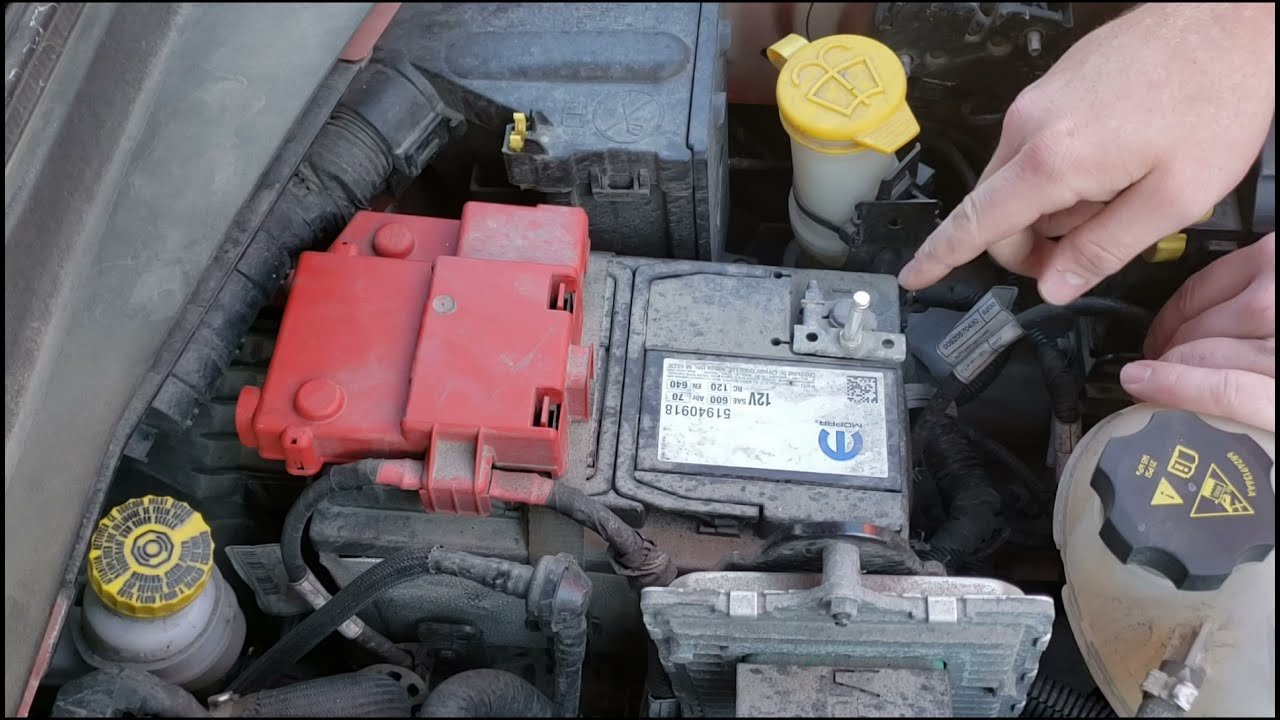
On the Jeep Renegade, the battery is under the hood, usually on the driver’s side. To access it:
- Open the hood using the lever inside your car.
- Secure the hood with the prop rod.
- Locate the black (negative) and red (positive) battery terminals.
Here’s a quick comparison of the two terminals:
| Terminal | Color | Symbol | Function |
|---|---|---|---|
| Negative | Black | – | Disconnects ground |
| Positive | Red | + | Power supply |
Always start with the negative terminal to avoid accidental short circuits.
Step-by-step Guide To Disconnect The Battery
- Turn off your Jeep Renegade and remove the key from the ignition. Wait at least 5 minutes to let systems power down.
- Identify the terminals. The negative terminal usually has a black cover or is marked with a minus (-) sign.
- Loosen the negative terminal using your wrench or socket. Turn counterclockwise.
- Remove the negative cable and move it away from the battery. Do not let it touch the battery or any metal parts.
- Repeat for the positive terminal (red, +), if you plan to remove or replace the battery.
- If you are removing the battery, unscrew the battery hold-down clamp and carefully lift the battery out. Batteries are heavy—lift with your legs, not your back.
| Step | Tool Needed | Time (approx.) |
|---|---|---|
| Loosen negative terminal | 10mm wrench | 1 minute |
| Loosen positive terminal | 10mm wrench | 1 minute |
| Remove battery | Socket set | 3 minutes |
What To Do After Disconnecting
Once the battery is disconnected:
- Wait at least 10 minutes before working on electrical systems.
- Store the battery upright if removing it. Avoid tilting to prevent acid leaks.
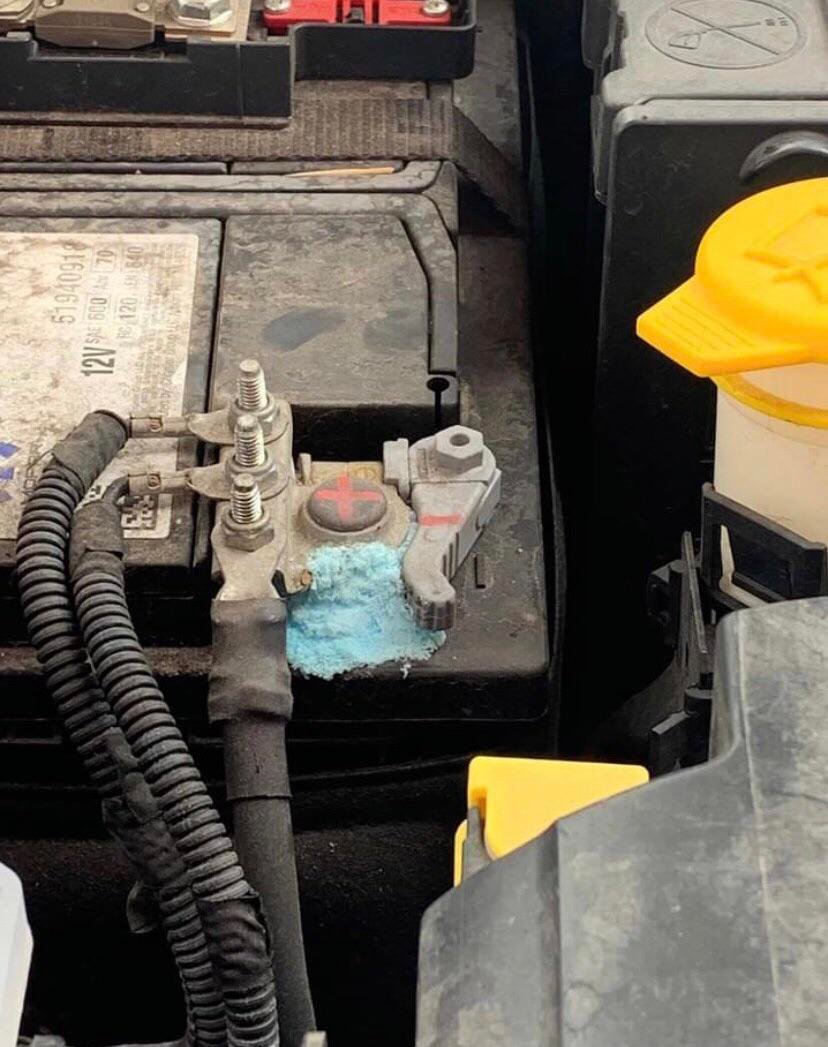
- Inspect battery cables for corrosion or damage.
If you plan to reconnect, clean the terminals with a wire brush and apply terminal protector to reduce future corrosion.

Common Mistakes To Avoid
Many first-timers miss these critical points:
- Disconnecting positive first: This increases the risk of sparks and short circuits.
- Letting the cable touch metal: This can cause damage to your vehicle’s electronics.
- Forgetting to note radio codes or settings: Some Renegades require inputting codes after battery reconnection.
- Using the wrong tool size: This can round off bolts and make removal difficult.
You should always check your owner’s manual for model-specific instructions. Some Jeep Renegade trims have extra sensors or modules near the battery.
How To Reconnect The Battery
When you’re ready to reconnect:
- Attach the positive (red) terminal first.
- Tighten the clamp securely—do not overtighten.
- Attach the negative (black) terminal.
- Start the engine and check that all systems are working.
- Reprogram radio and clock as needed.
Some Renegade models may display warning lights after reconnection. If they don’t clear after a short drive, consult your dealer.
Jeep Renegade Battery Details
Here’s a quick overview of typical Jeep Renegade battery specs:
| Specification | Typical Value |
|---|---|
| Battery Group Size | 48 (H6) |
| Cold Cranking Amps (CCA) | 600-700 |
| Voltage | 12V |
| Location | Engine compartment |
If your Renegade has a Start-Stop system, it may require an AGM (Absorbent Glass Mat) battery. Never mix battery types.
Final Thoughts
Disconnecting the battery on a Jeep Renegade is straightforward if you follow safety steps and use the right tools. Always start with the negative terminal, and remember to reset your settings afterward.
If you’re unsure or the terminals are corroded, ask a professional for help.
Taking these precautions protects your car’s electronics and keeps you safe.
For more detailed battery care tips and the latest vehicle recommendations, check out the official Jeep website.
Frequently Asked Questions
How Long Does It Take To Disconnect A Jeep Renegade Battery?
It usually takes about 5 to 10 minutes if you have the right tools and follow the steps.
Will Disconnecting The Battery Reset My Jeep’s Computer?
Yes, disconnecting the battery will reset some electronic systems. You may need to reprogram your clock, radio presets, and seat memory.
Do I Need To Disconnect Both Terminals?
If you’re only working on the electrical system, disconnecting the negative terminal is usually enough. If you’re removing the battery, disconnect both.
What Happens If I Disconnect The Positive Terminal First?
Disconnecting the positive first increases the risk of short circuits and sparks. Always remove the negative terminal before the positive.
Can I Use Any 12v Battery For My Jeep Renegade?
No, always use a battery that matches the group size and specifications for your Renegade. Check the owner’s manual or ask your dealer for the correct type.


















