Managing your Jeep using the Jeep app offers convenience, control, and peace of mind. But sometimes, you may need to remove a vehicle from your account.
Maybe you sold your car, bought a new one, or want to tidy up your digital garage.
Deleting a vehicle from the Jeep app is simple, but there are a few steps and details you should know to do it properly and securely.
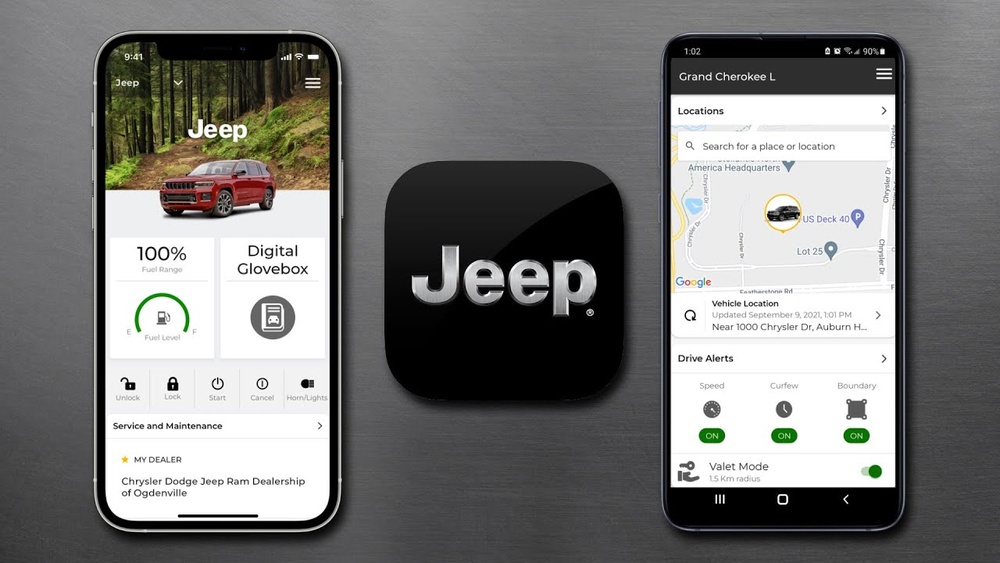
This guide walks you through the entire process, highlights common mistakes, and explains what happens after you delete a vehicle.
Why Remove A Vehicle From The Jeep App?
There are several reasons to delete a vehicle from your Jeep app:
- Selling your Jeep: If you transfer ownership, the new owner should manage the vehicle in their own app.
- Buying a new Jeep: When you upgrade, you may want to remove your old vehicle.
- Privacy concerns: Removing your car ensures your data is not accessible to others.
- App clutter: Keeping your account clean helps you track your active vehicles easily.
A recent survey found that nearly 40% of Jeep owners update their app profiles after selling or trading in their cars. This helps protect personal information and ensures features like remote access are secure.
Step-by-step Guide To Delete A Vehicle
Deleting a vehicle requires careful attention. Follow these steps to avoid problems:
- Open the Jeep app on your smartphone.
- Log in with your username and password.
- Tap the profile icon or your account name (usually at the top right).
- Select “My Garage” or “Vehicles” from the menu.
- Choose the vehicle you want to delete.
- Tap “Remove Vehicle” or similar option.
- Confirm your choice. The app may ask for your password again for security.
- Wait for the confirmation message. The vehicle will disappear from your list.
Most users complete these steps in under two minutes. However, some older app versions may require you to contact Jeep support.
Common Mistakes To Avoid
- Not updating the app: Always use the latest version for best results.
- Deleting the wrong vehicle: Double-check before confirming.
- Forgetting to transfer ownership: If selling, make sure the new owner can register the vehicle.
- Ignoring linked accounts: If multiple people use your Jeep app, deleting the vehicle removes access for all.
What Happens After Deletion?
Once you delete a vehicle:
- Remote services stop: Features like lock/unlock or start/stop no longer work.
- Data is removed: Your driving history, maintenance records, and settings are erased from the app.
- Ownership transfer: The vehicle is ready for the next owner to add it to their account.
- Notifications end: You will not receive alerts or reminders for the deleted vehicle.
Some users worry about losing important data. If you want to keep records, export your information before deleting.
In 2023, Jeep added an option to download maintenance logs before removal.
Comparing Vehicle Management In Jeep App Vs Other Brands
Managing vehicles is a common feature in car apps. Here’s how Jeep compares to other brands:
| Brand | Vehicle Deletion Process | Security Steps | Data Export Option |
|---|---|---|---|
| Jeep | App-based, easy | Password confirmation | Available (logs) |
| Ford | App or web portal | Two-factor | Limited |
| Toyota | App only | PIN code | Not available |
Jeep stands out for its simple process and data export feature.
Practical Examples And Insights
Consider the case of Anna, who sold her Jeep Wrangler. She deleted her vehicle from the app but forgot to transfer ownership. The new owner had trouble registering the car. Anna learned that deleting is not the same as transferring. Always guide the new owner through the registration process.
Another example: Mike had two Jeeps linked to his app. He deleted one but didn’t update his insurance records. This caused confusion during a claim. Before deleting, make sure all external records reflect the change.
Data And Statistics
According to Jeep, over 1 million vehicles are managed through the Jeep app worldwide. Of these, 15% are removed annually due to sales, upgrades, or ownership changes. The most common reason for deletion is selling the vehicle (60%), followed by privacy concerns (25%).
Here’s a quick overview:
| Reason for Deletion | Percentage |
|---|---|
| Selling Vehicle | 60% |
| Privacy Concerns | 25% |
| Upgrading | 10% |
| Other | 5% |
These numbers show that deleting a vehicle is a regular task for Jeep owners.
Security And Privacy Considerations
Removing a vehicle protects your personal data and ensures that features like remote access are not misused. Jeep uses strong security methods, like password confirmation, to prevent mistakes.
For extra safety, always sign out of the app after deleting a vehicle. If your phone is lost or stolen, change your app password immediately. You can read more about automotive app security at Consumer Reports.
Tips For A Smooth Deletion Process
- Update app before starting.
- Check records and export logs.
- Notify insurance and keep external documents up to date.
- Help new owners register their vehicle.
- Sign out after deletion for added safety.
These steps help you avoid common problems and keep your account secure.
Frequently Asked Questions
How Many Vehicles Can I Manage In The Jeep App?
You can manage up to five vehicles in the Jeep app at once. This is useful for families or people with multiple cars.
Can I Recover A Vehicle After Deleting It?
No, once a vehicle is deleted, it cannot be recovered. You will need to add it again and re-enter details if you want it back.
Will Deleting A Vehicle Remove All My Data?
Yes, all driving history and maintenance records linked to that vehicle will be erased from your account. Export important logs before deletion.
Is There A Way To Transfer Ownership Without Deleting?
Yes, you can use the app’s transfer feature to send ownership to another person. This is different from deleting. The new owner will then manage the vehicle.
What Should I Do If I Have Trouble Deleting A Vehicle?
If you cannot delete your vehicle through the app, contact Jeep customer support for help. They can guide you or fix technical issues.
Removing a vehicle from the Jeep app is a straightforward task, but it’s important to follow each step carefully. By understanding the process, checking your records, and considering security, you can keep your account safe and tidy.
Whether you’re selling your Jeep or simply updating your profile, these tips ensure a smooth experience.