Connecting your phone to the Uconnect system in your Jeep can make every drive easier and safer. With Uconnect, you can make hands-free calls, stream music, use navigation, and even access some apps from your phone. But many Jeep owners feel confused about how to pair their phones correctly. This guide will show you the best way to connect your phone to Uconnect, avoid common mistakes, and enjoy all its features.
Understanding Uconnect And Its Benefits
The Uconnect system is a smart infotainment platform found in many Jeep vehicles. It uses Bluetooth or USB to connect your smartphone. Uconnect lets you control phone calls, texts, media, and navigation without touching your phone. According to Jeep, over 80% of drivers use Bluetooth features regularly, showing how valuable Uconnect can be.
Main benefits:
- Hands-free calling: Keep your eyes on the road.
- Music streaming: Play songs from your phone or apps.
- Voice commands: Control features by speaking.
- Navigation integration: Use maps from your phone.
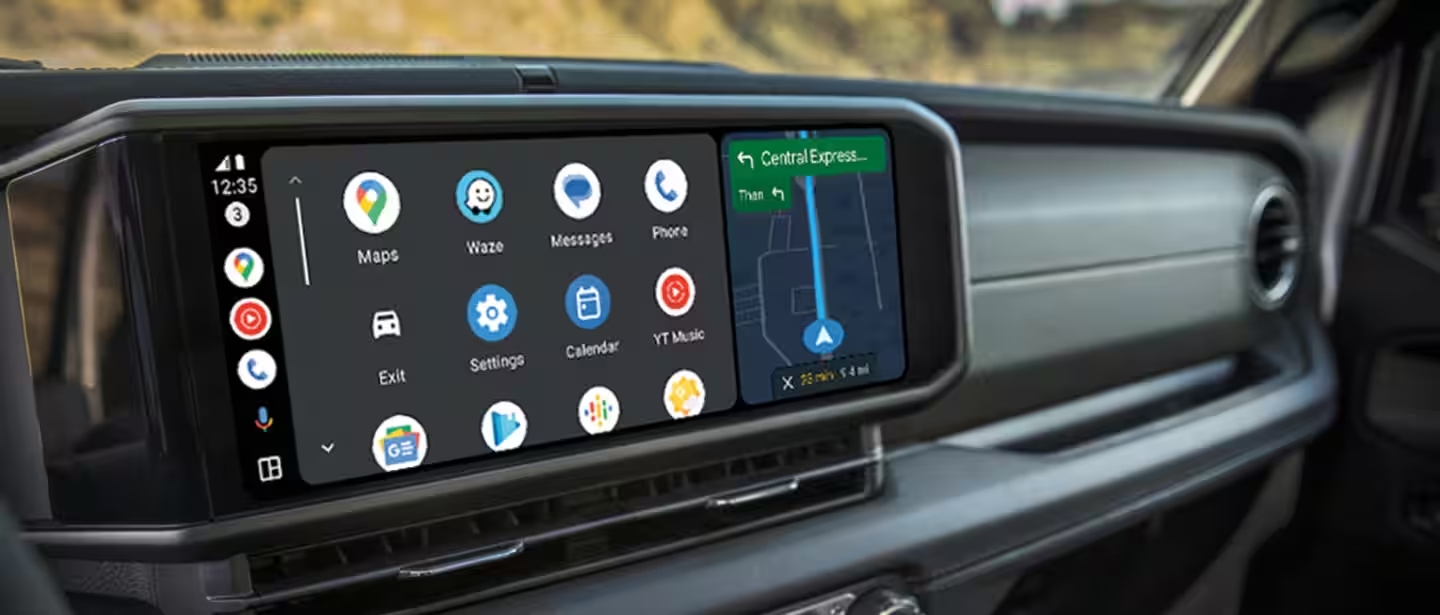
- App access: Connect with Android Auto or Apple CarPlay.
Step-by-step Guide To Connect Phone To Uconnect Jeep
Connecting your phone takes just a few minutes. Here’s how to do it:
- Start your Jeep and turn on the Uconnect system.
- Enable Bluetooth on your phone. Go to Settings > Bluetooth and turn it on.
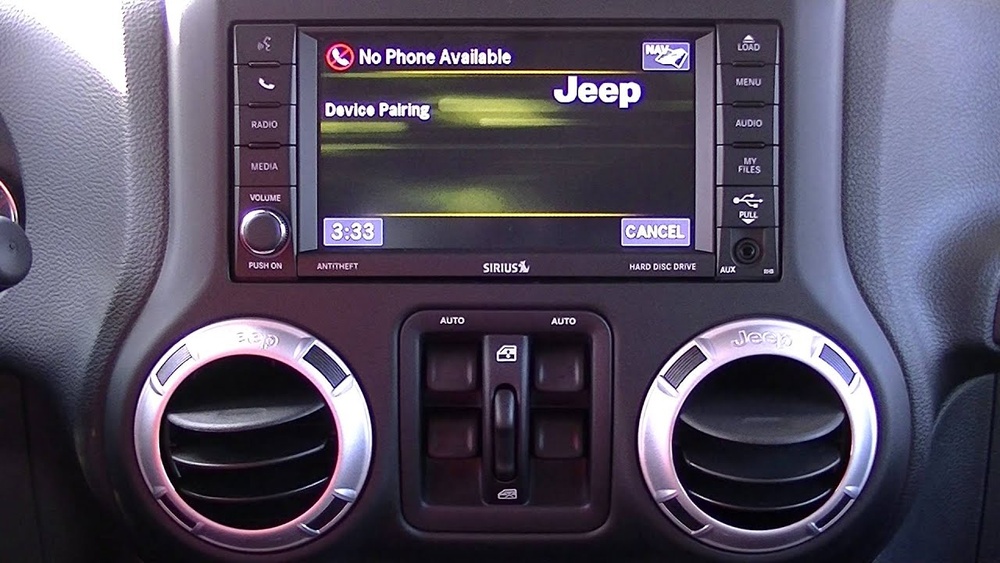
- On the Uconnect touchscreen, tap Phone. If this is your first time, it will prompt you to pair a device.
- Select Pair a Device. Uconnect will start searching for available Bluetooth devices.
- On your phone, look for Uconnect in the list of Bluetooth devices.
- Tap on Uconnect. A confirmation code will appear on both your phone and the Uconnect screen.
- Make sure the codes match. Tap Pair on your phone and Yes on the Uconnect screen.
- Wait a few seconds. Once connected, Uconnect will confirm the pairing.
- Allow permissions: Your phone may ask for access to contacts and messages. Allow these for full functionality.
If you want to use Android Auto or Apple CarPlay, plug your phone into the Jeep’s USB port. Follow prompts to enable additional features.
Example: Connecting An Iphone
- Go to Settings > Bluetooth on your iPhone.
- Start Jeep and tap Phone on Uconnect.
- Select Pair a Device.
- Choose Uconnect from the phone’s Bluetooth list.
- Confirm codes and tap Pair.
Example: Connecting An Android Phone
- Open Settings > Connected devices > Bluetooth.
- Start Jeep and tap Phone on Uconnect.
- Select Pair a Device.
- Find Uconnect on your phone’s Bluetooth list.
- Confirm codes and tap Pair.
Common Problems And Solutions
Many users face issues while connecting their phones. Here are some frequent problems and how to solve them:
| Problem | Solution |
|---|---|
| Uconnect not showing on phone | Restart both phone and Uconnect. Make sure Bluetooth is enabled. |
| Pairing fails or disconnects | Remove old paired devices from Uconnect. Try pairing again. |
| Contacts not syncing | Allow contact access when pairing. Check phone Bluetooth settings. |
| Music won’t play | Set Uconnect as audio output. Use USB for better reliability. |
Quick Comparison: Bluetooth Vs Usb Connection
Some Jeep models support both Bluetooth and USB for connecting phones. Here’s how they compare:
| Feature | Bluetooth | USB |
|---|---|---|
| Hands-free calls | Yes | Yes |
| Music streaming | Yes | Yes |
| App integration (CarPlay/Android Auto) | No | Yes |
| Charging phone | No | Yes |
| Reliability | Good | Excellent |
USB connection is best for app integration and charging. Bluetooth is fine for calls and basic music streaming.
Tips For A Smooth Connection
- Update your phone: Make sure your phone’s software is current.
- Update Uconnect: Some Jeeps let you update Uconnect for bug fixes.
- Clear old devices: Remove unused paired devices to avoid confusion.
- Restart devices: If problems persist, restart both your phone and Jeep.
- Use original USB cables: For CarPlay or Android Auto, factory cables work best.
- Check compatibility: Not all Uconnect versions support every phone. Check Jeep’s compatibility guide for details.
A non-obvious tip: If you have multiple drivers using the Jeep, set your phone as the “priority device” in Uconnect. This ensures your phone connects first.
Data: Uconnect Usage And Satisfaction
According to a recent survey, 74% of Jeep owners say Uconnect makes driving safer. More than 60% use it daily for music and calls.
Uconnect systems also receive high satisfaction scores for ease of use and reliability.
Another insight: Older Uconnect models (pre-2015) may lack some features like Apple CarPlay. If your Jeep is older, consider upgrading the system.
Frequently Asked Questions
How Many Phones Can I Connect To Uconnect At Once?
Uconnect lets you pair up to seven devices, but only one can be active for calls or music at a time. To switch, go to the Uconnect menu and select your preferred device.
Does Uconnect Work With All Smartphones?
Most modern phones with Bluetooth (Android and iOS) work with Uconnect. Older phones or rare brands may have issues. Check Jeep’s compatibility list for your phone.
Can I Use Voice Commands With Uconnect?
Yes. Uconnect supports voice commands for calling, texting, navigation, and music. Press the voice button on the steering wheel and follow prompts.
What Should I Do If Uconnect Won’t Connect?
First, restart your phone and Uconnect. Remove old devices and try pairing again.
If this fails, check for software updates or consult your Jeep dealer.
Is It Safe To Use Uconnect While Driving?
Yes, Uconnect is designed for safe, hands-free operation. Avoid typing or looking at your phone. Use voice commands and steering wheel controls for safety.
Connecting your phone to Uconnect is simple, but it’s important to follow each step closely. With Bluetooth or USB, you can unlock hands-free features, music, and navigation. Keeping your system updated and knowing how to solve common problems will help you get the most from your Jeep. For more details and the latest compatibility information, visit the official Jeep Uconnect page. Enjoy your drive, stay safe, and make your Jeep smarter with Uconnect.


















