Owning a Jeep Gladiator means enjoying adventure, comfort, and some great tech features. One standout gadget is the Bluetooth speaker that comes with many Gladiator models. This speaker is not just for music; it’s designed for easy use inside and outside your Jeep. If you’ve just bought a Gladiator or are struggling to connect your Bluetooth speaker, you’re not alone. Many owners miss a few key steps, which leads to frustration or weak audio. Let’s walk through everything you need to know, with clear steps, practical advice, and some helpful comparisons.
What Makes The Jeep Gladiator Bluetooth Speaker Unique?
The Jeep Gladiator Bluetooth speaker is more than just a regular car speaker. It’s portable, water-resistant, and built for off-road use. You can detach it from the vehicle, take it camping, or use it at the beach. Most models feature a removable Alpine speaker, which supports Bluetooth pairing with phones, tablets, and laptops.
Here’s how the Gladiator speaker compares with typical car speakers:
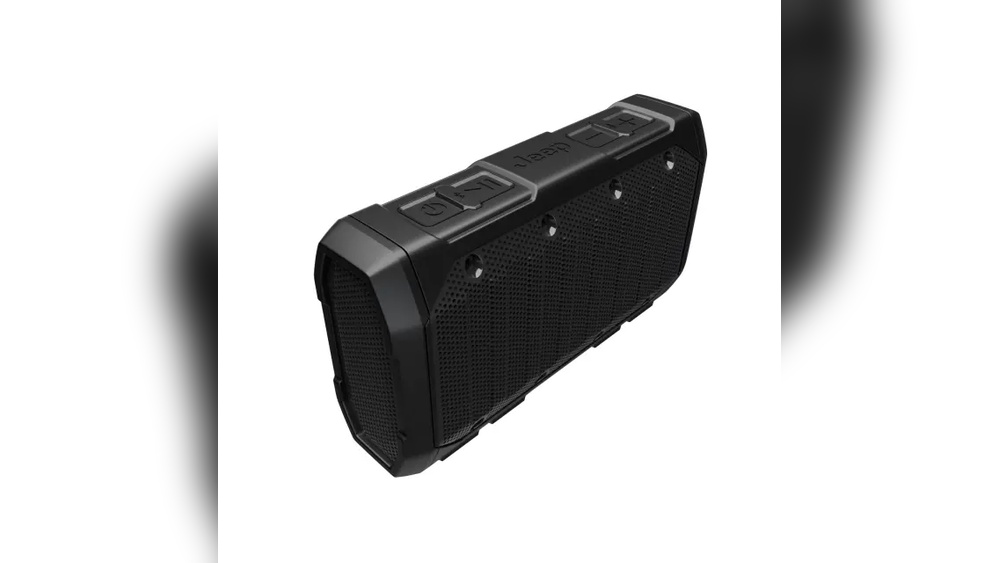
| Feature | Gladiator Bluetooth Speaker | Standard Car Speaker |
|---|---|---|
| Portability | Removable & portable | Fixed in car |
| Water Resistance | Yes (IPX7 rating) | No |
| Outdoor Use | Designed for outdoors | No |
| Battery Life | 8-10 hours | Not applicable |
Preparing Your Jeep Gladiator Bluetooth Speaker
Before you connect, make sure your Bluetooth speaker is fully charged. The charging dock is usually in the rear seat or cargo area. Charging takes about 2 hours for a full battery, and you’ll get up to 10 hours of use.
Quick tips for preparation:
- Check the battery indicator (usually a small LED light).
- Ensure your phone’s Bluetooth is enabled.
- Remove the speaker gently to avoid damage.
Many beginners forget to charge the speaker before pairing, which can cause connection problems.

Step-by-step Guide To Connecting Your Speaker
Connecting your Jeep Gladiator Bluetooth speaker is easy if you follow these steps:
- Turn on the speaker. Press the power button until you see a flashing Bluetooth symbol.
- Enable Bluetooth on your device. Go to your phone’s settings, turn Bluetooth ON, and scan for new devices.
- Select the speaker. Look for “Alpine Speaker” or “Gladiator Speaker” in the list.
- Pair the devices. Tap to connect. If asked for a PIN, use “0000” or “1234”.
- Wait for confirmation. The speaker will beep or show a steady light when pairing is successful.
Here’s a comparison of Bluetooth pairing times:
| Device Type | Average Pairing Time |
|---|---|
| Jeep Gladiator Speaker | 15-30 seconds |
| Generic Bluetooth Speaker | 30-60 seconds |
Troubleshooting Common Issues
If pairing fails, try these solutions:
- Restart both the speaker and your phone.
- Make sure no other device is connected to the speaker.
- Move closer to the speaker (Bluetooth range is about 30 feet).
- Delete old Bluetooth connections from your phone.
A less obvious tip: If your speaker is still not found, reset it by holding the power button for 10 seconds.
Using The Speaker: Indoors And Outdoors
The Jeep Gladiator Bluetooth speaker works well both inside the car and outside. When using outdoors, keep the speaker dry and away from sand or mud. The IPX7 rating means it’s safe from splashes, but not from full submersion.
Some practical examples:
- Place the speaker on a picnic table for group music.
- Use it for podcasts while camping.
- Pair with multiple devices (up to 2 at once on some models).
A common mistake is leaving the speaker exposed to extreme heat or cold, which can reduce battery life.

Features That Improve Your Experience
This speaker is not just about playing music. It has other features:
- Hands-free calling: Built-in microphone lets you answer calls.
- USB charging port: You can charge other devices.
- LED status lights: Shows battery and connection status.
Beginners often miss the USB port, which is useful for charging your phone outdoors.
Here’s a quick feature comparison:
| Feature | Gladiator Speaker | Portable Bluetooth Speaker |
|---|---|---|
| Hands-Free Call | Yes | Sometimes |
| USB Charging | Yes | Rarely |
| LED Status | Yes | No |
Keeping Your Speaker In Top Shape
To enjoy the best sound, take care of your Bluetooth speaker:
- Clean the surface with a soft cloth.
- Keep the charging contacts dry.
- Store indoors during extreme weather.
- Update firmware if available (check Jeep’s official website).
It’s easy to forget about firmware updates, but they can fix bugs and improve performance.

Frequently Asked Questions
How Many Devices Can Connect To The Jeep Gladiator Speaker?
Most Gladiator speakers allow two devices to connect at once. You can switch between devices easily, but only one can play audio at a time.
What Is The Battery Life Of The Gladiator Bluetooth Speaker?
Battery life is 8-10 hours on a full charge, depending on volume and usage. Using outdoors or at high volume can lower this time.
Is The Gladiator Bluetooth Speaker Waterproof?
The speaker is water-resistant with an IPX7 rating. It can handle splashes and rain, but should not be submerged underwater.
Can I Use The Speaker Away From The Jeep?
Yes, the speaker is fully portable. You can use it up to 30 feet from your device, and it works anywhere there’s Bluetooth.
Where Can I Find More Details Or Support?
For official specs and support, visit the Jeep Gladiator page. This site offers manuals, troubleshooting tips, and the latest updates.
Connecting your Jeep Gladiator Bluetooth speaker is simple once you know the steps. This device brings convenience, adventure, and great sound to your Jeep life. Take care of your speaker, follow the tips above, and enjoy music wherever your journey takes you.


















