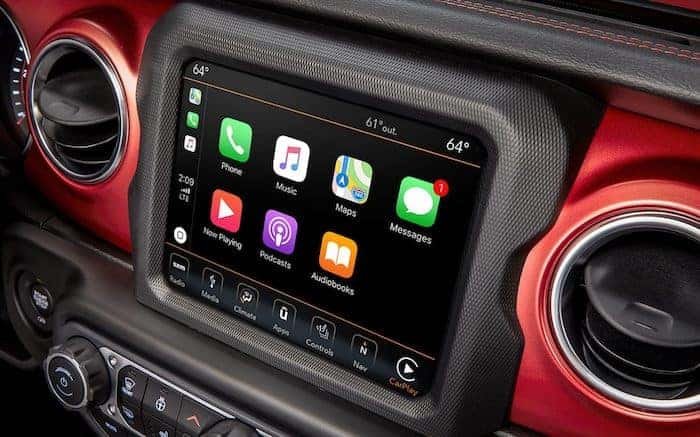
Connecting your iPhone to a Jeep Wrangler can make every drive more enjoyable. You can play music, use GPS, answer calls, and access apps safely.
Many Jeep Wranglers have modern infotainment systems, but the process varies based on your model year and technology. If you’re not sure how to connect, don’t worry.
This guide explains each step clearly, so you can start using your iPhone with your Jeep Wrangler quickly and confidently.
Checking Your Jeep Wrangler’s Compatibility
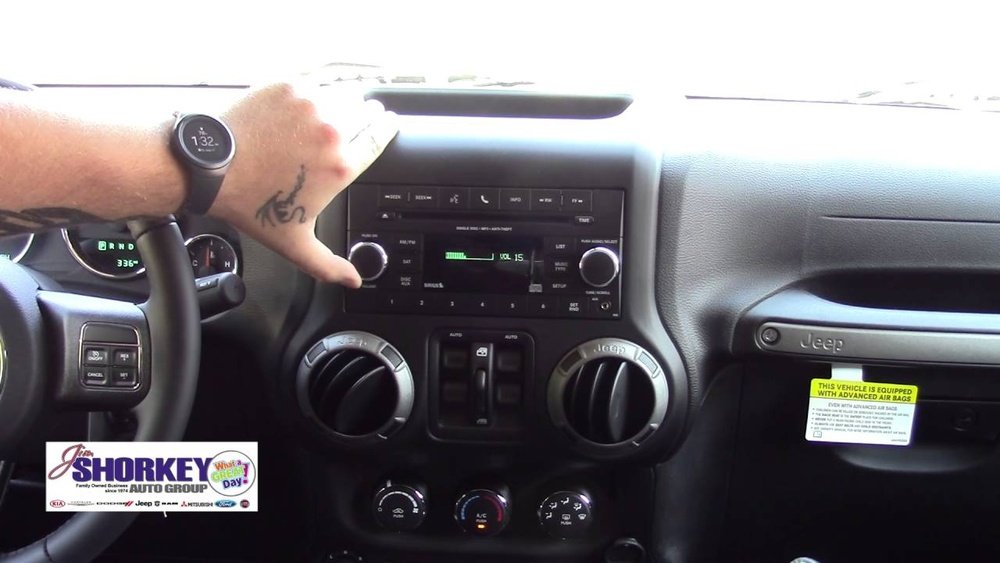
Not every Jeep Wrangler supports the same features. Older models may only offer Bluetooth audio, while newer ones may have Apple CarPlay. Knowing which system you have is the first step.
| Model Year | Infotainment System | iPhone Features Supported |
|---|---|---|
| 2011–2017 | Uconnect 3/4 | Bluetooth audio, Hands-free calls |
| 2018–2024 | Uconnect 4/4C | Apple CarPlay, Bluetooth, USB |
You can check your Wrangler’s infotainment type by looking at the screen when the car starts or checking your owner’s manual.
Connecting Iphone Via Bluetooth
Most Jeep Wranglers since 2011 have Bluetooth. This lets you make calls and stream music wirelessly.
- Turn on Bluetooth on your iPhone (Settings > Bluetooth).
- Start your Jeep Wrangler and go to the Uconnect menu.
- Tap “Phone” or “Bluetooth” and select “Add Device.”
- Your Uconnect screen will show a code. On your iPhone, choose your Jeep from the device list.
- Confirm the code matches on both devices. Tap “Pair” on your iPhone.
- Allow access to contacts and media if prompted.
After pairing, your phone connects automatically next time. If you have trouble, try restarting your phone and the Jeep’s system.
Some users miss that pairing requires both devices to be discoverable. Also, always ensure your iPhone’s software is updated for best compatibility.
Using Apple Carplay With Jeep Wrangler
Apple CarPlay is available in most 2018 and newer Wranglers. It gives you access to maps, messages, music, and apps on your Jeep’s screen. CarPlay usually needs a USB connection.
- Plug your iPhone into the Jeep’s USB port using a genuine Apple cable.
- The Uconnect system should detect the phone and ask to launch CarPlay.
- Tap “Yes” or “Allow” on the Jeep’s screen.
- Your iPhone screen might show a prompt—tap “Allow.”
- CarPlay apps will appear on your Jeep’s display.
CarPlay offers safer hands-free access. You can use Siri voice commands, tap icons, or use steering wheel controls.
Some drivers forget that not all USB ports work for CarPlay; only certain ports support data transfer. If CarPlay doesn’t start, try using a different port or cable.
Bluetooth Vs. Carplay: What’s Better?
Both methods have pros and cons. Here’s a quick comparison:
| Feature | Bluetooth | Apple CarPlay |
|---|---|---|
| Audio Streaming | Yes | Yes |
| Hands-free Calls | Yes | Yes |
| App Access | No | Yes |
| Navigation | No | Yes |
| Wireless | Yes | Some models |
CarPlay is more advanced, especially for navigation and messaging. Bluetooth is simple and doesn’t require cables.
Common Problems And Solutions
Connecting your iPhone isn’t always smooth. Here are some frequent issues and how to solve them:
- Bluetooth won’t connect: Turn Bluetooth off and on, restart both devices, or “forget” the connection and pair again.
- CarPlay not launching: Use a different USB port or cable. Make sure your iPhone is unlocked.
- Audio problems: Check volume levels, and make sure your iPhone isn’t muted. Update the Uconnect system if needed.
- Contacts not syncing: Allow contacts access during pairing. Check iPhone settings under Bluetooth devices.
A non-obvious insight: When pairing, some iPhones require you to enable “Show Notifications” under Bluetooth settings for full message functionality in Uconnect.
Tips For A Better Connection Experience
- Use a genuine Apple cable for CarPlay to avoid glitches.
- Keep your iPhone updated to the latest iOS.
- Clean your USB ports regularly; dust can block connections.
- If you use wireless CarPlay, place your phone in the front cabin for better signal.
If you change iPhones, remove the old device from your Wrangler’s paired list to avoid confusion.
Safety And Legal Considerations
Using your phone while driving can be risky. Apple CarPlay and Bluetooth help you stay focused on the road. Always use voice commands or steering controls. Some states restrict phone use while driving, so check your local laws. For more information on distracted driving regulations, see the National Highway Traffic Safety Administration.
Frequently Asked Questions
How Do I Know If My Jeep Wrangler Supports Apple Carplay?
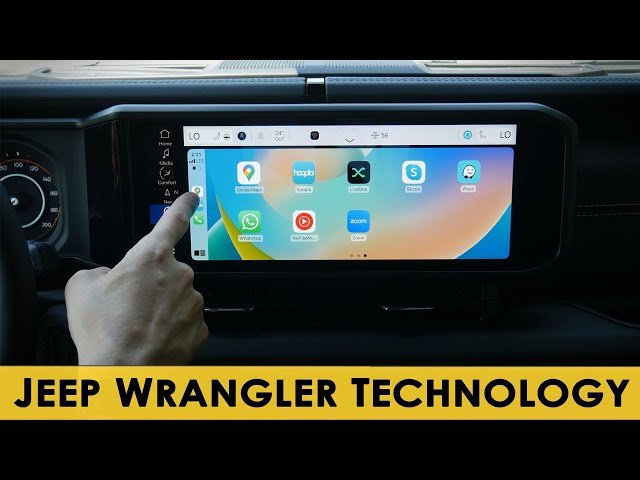
Most Wranglers from 2018 and newer support Apple CarPlay. If your Uconnect screen displays a CarPlay icon when you plug in your iPhone, it’s compatible. Check your owner’s manual or Jeep’s official website for exact details.
What Should I Do If My Iphone Won’t Connect To Bluetooth?
First, make sure Bluetooth is enabled on both devices. Restart your iPhone and the Jeep’s system.
If that fails, remove (“forget”) the Jeep from your iPhone’s Bluetooth list and try pairing again.
Can I Use Wireless Carplay In My Jeep Wrangler?
Wireless CarPlay is available in some newer Wranglers and with certain Uconnect systems. If your Wrangler supports it, you’ll see an option to connect wirelessly in the CarPlay menu. Otherwise, use a USB cable.
Why Does Carplay Sometimes Disconnect Or Lag?
CarPlay can disconnect if the USB cable is damaged or the port is dirty. Using a non-Apple cable is a common mistake.
Also, ensure your iPhone is updated and positioned in the front cabin if using wireless CarPlay.
How Can I Update My Jeep’s Uconnect System?
Uconnect updates are usually available from Jeep dealerships or the official Jeep website. Updates can fix bugs and add new features.
Ask your dealer or visit Jeep’s support page for instructions.
Connecting your iPhone to a Jeep Wrangler is easy once you know the steps. Whether you use Bluetooth or Apple CarPlay, you’ll enjoy safer access to music, navigation, and calls.
With these tips, you can fix common issues and get the most from your Jeep’s technology.