Connecting your iPhone to a Jeep Wrangler 2017 can unlock a world of convenience. You can play music, use navigation apps, and make hands-free calls.
Many Jeep owners, especially those new to tech, find the process confusing at first. This guide walks you through every step, using clear explanations and practical tips.
If you want your iPhone to sync smoothly with your Jeep, this article will help you master the basics and avoid common mistakes.
Understanding Jeep Wrangler 2017 Connectivity
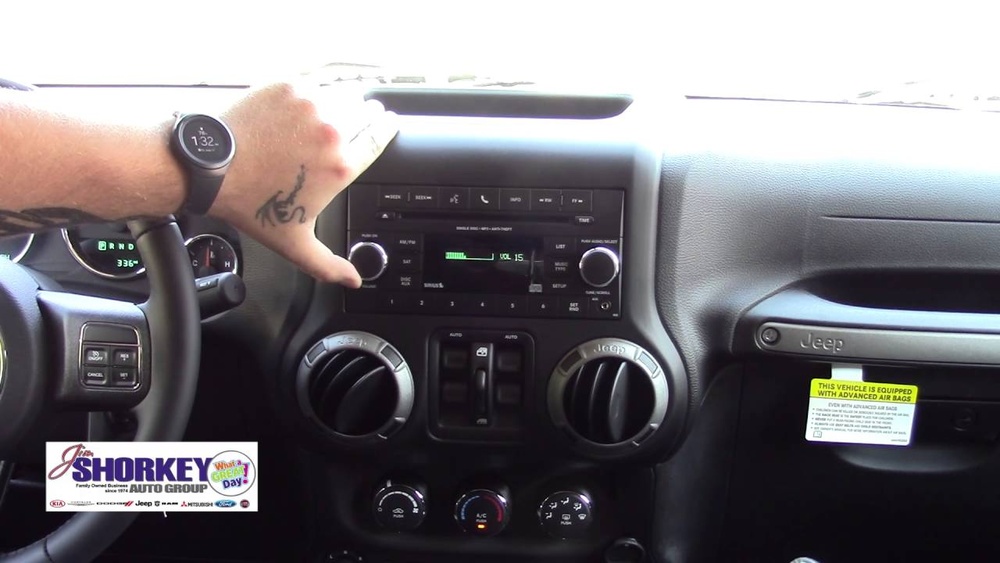
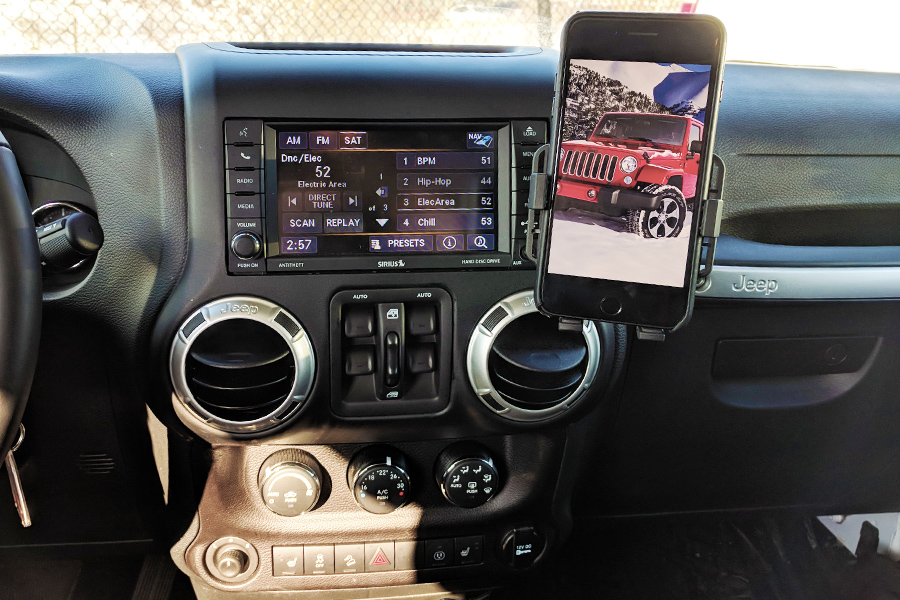
The 2017 Jeep Wrangler comes with the Uconnect system. This system allows you to connect your phone using Bluetooth or USB. Most Wranglers from this year have Uconnect 3.0 or 4.0, which include basic features like audio streaming and phone calls. If your Jeep has a touchscreen, it likely supports Bluetooth pairing with smartphones.
Here’s a quick look at the connectivity features:
| Feature | Available on Uconnect 3.0 | Available on Uconnect 4.0 |
|---|---|---|
| Bluetooth Audio | ✔️ | ✔️ |
| Hands-Free Calling | ✔️ | ✔️ |
| Apple CarPlay | ❌ | ❌ |
| USB Music Playback | ✔️ | ✔️ |
Apple CarPlay is not available in 2017 Wranglers, but you can still connect your iPhone for music and calls.
Steps To Connect Your Iphone Via Bluetooth
Connecting your iPhone by Bluetooth is the most popular method. Here’s how to do it:
- Start Your Jeep: Turn on the ignition. The Uconnect system should power up.
- Activate Bluetooth on iPhone: Go to Settings > Bluetooth. Make sure Bluetooth is switched on.
- Access Uconnect Bluetooth Menu: On the Jeep’s radio or touchscreen, press the ‘Phone’ or ‘Menu’ button. Select ‘Add Device’ or ‘Pair New Device’.
- Select Jeep on iPhone: Your iPhone will scan for nearby devices. Choose ‘Uconnect’ from the list.
- Confirm Pairing Code: The Jeep and iPhone will show a code. Confirm the code matches on both screens.
- Allow Contacts and Media: When prompted, let your iPhone share contacts and audio with the Jeep.
After pairing, you can make calls, play music, and hear navigation directions. Some owners forget to allow contacts, which makes hands-free calling impossible.
Connecting Via Usb For Music Playback
If you want to play music from your iPhone without Bluetooth, use a USB cable.
- Plug your iPhone into the Jeep’s USB port.
- The Uconnect system will detect your device and switch to USB mode.
- You can use the radio controls to play, pause, skip, or browse tracks.
Using USB is reliable and gives better sound quality than Bluetooth. However, you won’t get hands-free calling or Siri voice commands.
| Connection Method | Audio Quality | Hands-Free Calling | Navigation Audio |
|---|---|---|---|
| Bluetooth | Good | ✔️ | ✔️ |
| USB | Excellent | ❌ | ❌ |
Troubleshooting Connection Problems
Sometimes your iPhone won’t connect to your Jeep. Here are common issues and solutions:
- Bluetooth Not Showing Up: Restart both your iPhone and the Jeep’s Uconnect system.
- Pairing Fails: Delete any old paired devices from Uconnect and your iPhone. Try pairing again.
- Music Won’t Play: Make sure your iPhone’s volume is up and media sharing is allowed.
- Call Audio Issues: Reset network settings on your iPhone. Update your phone’s software if needed.
A non-obvious tip: If you have multiple phones paired, Uconnect can get confused. Remove extra devices to avoid connection drops.

Using Voice Commands And Hands-free Features
The Uconnect system allows basic voice commands. After pairing, press the voice button on the steering wheel and say commands like “Call John” or “Play music.” The system is not as advanced as Siri, but it handles basic tasks well.
If you want to use Siri, activate it on your iPhone and speak while connected via Bluetooth. Siri’s responses will play through your Jeep’s speakers, but you must use your phone to start Siri.
Practical Tips For Smooth Connection
- Keep your iPhone’s iOS updated for better compatibility.
- Use high-quality USB cables to avoid connection interruptions.
- If you upgrade to a newer Jeep model, look for Apple CarPlay support.
- Don’t leave Bluetooth turned on for unused devices; it can slow down pairing.
An insight many beginners miss: After pairing, your Jeep will auto-connect to your iPhone each time you start the vehicle, unless you disable Bluetooth or remove the pairing.

Safety And Privacy Considerations
When connecting your iPhone, your contacts and messages may be accessible through Uconnect. Always delete your device from the Jeep’s system before selling or lending your car.
To protect privacy, avoid pairing in public or rental vehicles.
Upgrading Your Jeep For Better Connectivity
If you want more advanced features like Apple CarPlay, you must upgrade your Uconnect system or add aftermarket equipment. Several companies offer compatible kits for 2017 Wranglers. This upgrade can cost from $300 to $800, depending on the brand and installation. For more information on Uconnect upgrades, visit the official Jeep Uconnect site.
Frequently Asked Questions
How Do I Know If My Jeep Wrangler 2017 Has Bluetooth?
Most 2017 Wranglers with Uconnect have Bluetooth. Look for a ‘Phone’ button on your radio or touchscreen.
If you see Bluetooth options in the menu, your Jeep supports wireless connection.
Can I Use Apple Carplay In My Jeep Wrangler 2017?
No, Apple CarPlay is not built into the 2017 Wrangler. To use CarPlay, you must upgrade to a newer Uconnect system or install aftermarket equipment.
Why Does My Iphone Disconnect From The Jeep?
Common causes are multiple paired devices, outdated iOS, or interference from other electronics. Remove extra devices and update your iPhone for stable connection.
Is It Safe To Leave My Iphone Paired With My Jeep?
Yes, but if you share your Jeep, others may access your contacts and call history. Always delete your device before selling or lending your car.
Can I Play Spotify Or Apple Music Through My Jeep?
Yes, both Spotify and Apple Music will play over Bluetooth or USB. For Bluetooth, start the app on your iPhone and select ‘Media’ on Uconnect.
Connecting your iPhone to your Jeep Wrangler 2017 is easy once you know the steps. With Bluetooth or USB, you can enjoy music, calls, and navigation.
Take time to check your settings and keep your devices updated for the best experience.
If you want more features, consider upgrading your Uconnect system. Enjoy your drive with seamless smartphone integration.



















