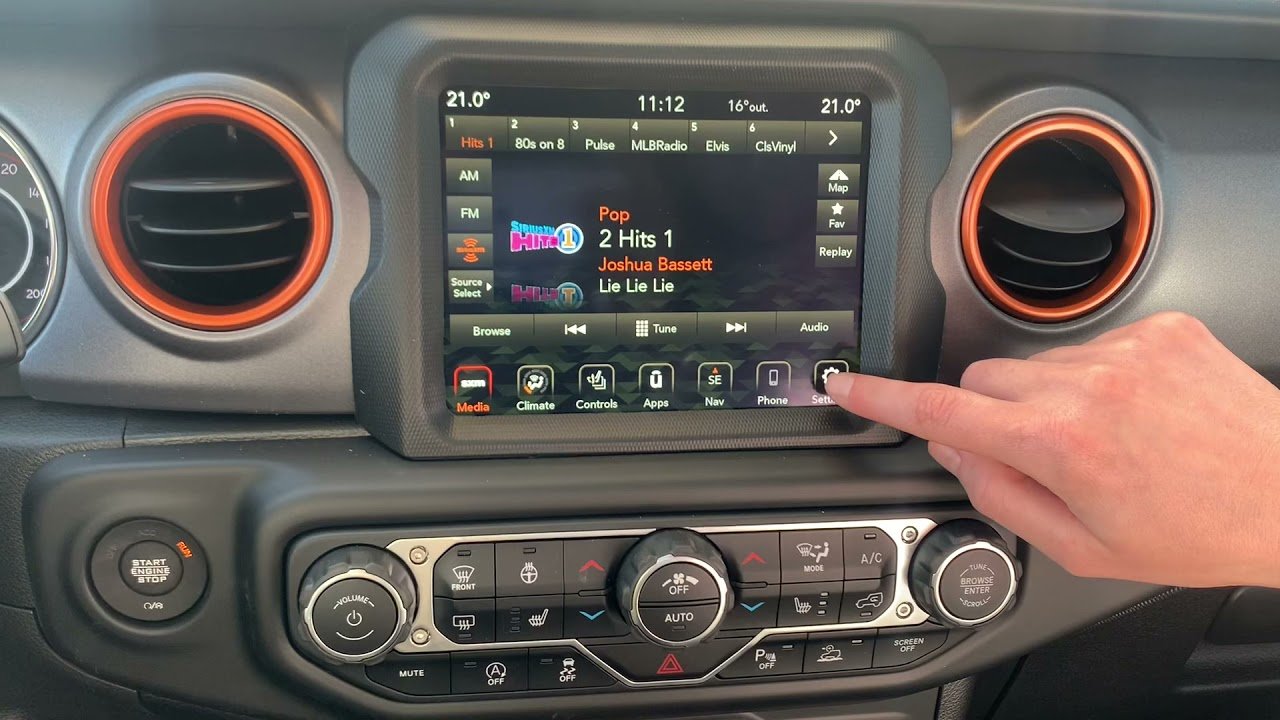
Connecting Bluetooth to your Jeep is more than just a convenience it’s a gateway to safer hands-free calls, music streaming, and easy access to navigation.
Whether you drive a classic Wrangler or a modern Grand Cherokee, Bluetooth setup can be quick and simple if you follow the right steps.
Many Jeep owners struggle with pairing issues or unclear menus, but understanding the process is key to unlocking all the benefits. This guide will walk you through setup, troubleshooting, and tips that make Bluetooth work reliably every time.
Understanding Your Jeep’s Bluetooth System
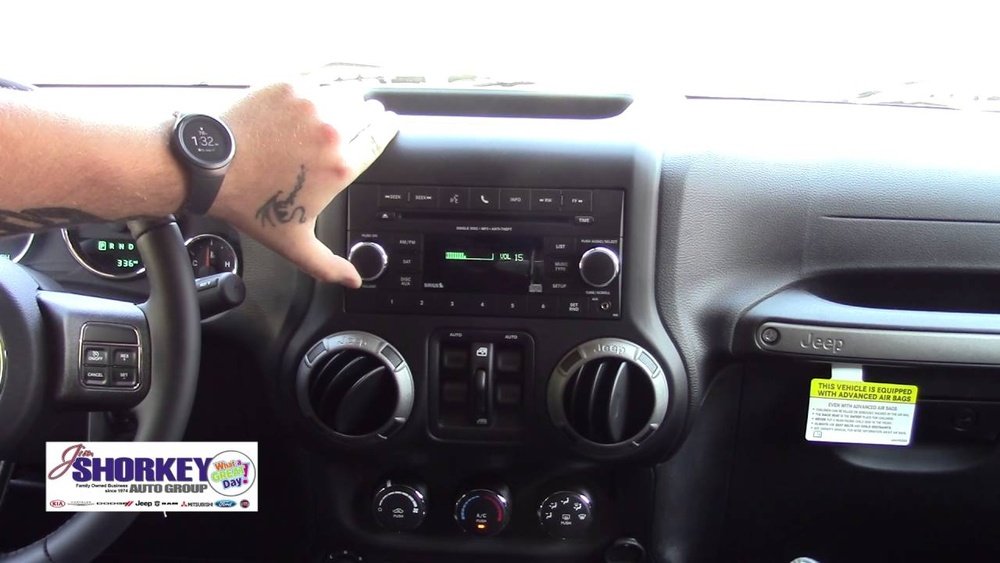
Most newer Jeep models (from 2012 onward) come with Uconnect, Jeep’s built-in infotainment system. Uconnect supports Bluetooth, letting you connect your phone for calls and media. Older Jeeps may use different systems or might need a Bluetooth adapter. Knowing your Jeep’s year and trim helps identify the pairing method.
Here’s a quick comparison of Jeep models and Bluetooth compatibility:
| Model Year | Bluetooth Built-in | Uconnect Version |
|---|---|---|
| 2012-2017 | Yes (most trims) | Uconnect 3/4 |
| 2018-2024 | Yes (all trims) | Uconnect 4/5 |
| Pre-2012 | Optional/Adapter | Varies |
If your Jeep has Uconnect, Bluetooth is almost always included. For older models, check your owner’s manual or ask your dealer.
Step-by-step: Pairing Bluetooth With Jeep
Connecting your phone to Jeep Bluetooth usually takes less than five minutes. Here’s a clear process:
- Turn on your Jeep. Keep the vehicle in Park for safety.
- Enable Bluetooth on your phone. Go to Settings and switch Bluetooth to “On.”
- Access the Uconnect menu. On your Jeep’s touchscreen, tap “Phone” or “Settings.”
- Select ‘Add Device’ or ‘Pair New Device.’ Your Jeep will start searching for nearby devices.
- Find your Jeep on your phone’s Bluetooth list. It will show as “Uconnect” or your Jeep’s model.
- Confirm the pairing code. Both screens should display a code; make sure they match.
- Accept pairing on both devices. Tap “Yes” or “Pair” on your Jeep and phone.
- Allow access. Your phone may ask for permission to share contacts and media.
If successful, your phone will connect automatically next time you start your Jeep.
Common Problems And Solutions
Even with clear steps, pairing doesn’t always work the first time. Here are frequent issues and how to fix them:
| Problem | Solution |
|---|---|
| Device not found | Restart Bluetooth on phone; check Uconnect menu for “Discoverable” mode |
| Pairing fails | Remove old devices from Uconnect list; try pairing again |
| Audio not playing | Set Bluetooth as audio output on your phone; check volume settings |
| Calls drop | Update your phone software; ensure strong network signal |
Sometimes, the Jeep system needs a reset. Hold the power button on the Uconnect screen for 10 seconds to reboot.
Also, keep your phone’s Bluetooth updated older versions may not work well with Uconnect.
Bluetooth Features: What You Can Do
Once paired, your Jeep Bluetooth offers many features:
- Hands-free calling: Make and receive calls using steering wheel controls or the touchscreen.
- Music streaming: Play music from apps like Spotify or Apple Music.
- Text messaging: Some Jeeps let you listen to texts and reply with voice commands.
- Navigation audio: Hear directions from Google Maps or Apple Maps through Jeep speakers.
Here’s a comparison of common Bluetooth features between Jeep Uconnect versions:
| Feature | Uconnect 3/4 | Uconnect 5 |
|---|---|---|
| Hands-free calls | Yes | Yes |
| Music streaming | Yes | Yes |
| Voice texting | Limited | Full support |
| Navigation audio | Yes | Yes |
Some features, like voice texting, are only available in newer Uconnect versions. Always check your Jeep’s manual for details.

Pro Tips For Reliable Bluetooth Connection
Many Jeep owners forget these useful tips that make Bluetooth more stable:
- Keep phone software updated. New updates fix bugs and improve compatibility.
- Limit paired devices. Too many connections can confuse Uconnect—remove old phones.
- Turn off Wi-Fi during pairing. Wi-Fi can interfere with Bluetooth signals.
- Place your phone close to the system. Physical distance sometimes matters, especially during first pairing.
- Restart your phone and Uconnect if issues persist. A simple reset solves many connection problems.
Some drivers also miss that Bluetooth works best when your phone’s battery is above 20%. Low battery can cause disconnects.
Frequently Asked Questions
Why Won’t My Phone Connect To Jeep Bluetooth?
Common reasons include outdated phone software, too many paired devices, or the Jeep not being in “Discoverable” mode. Try removing old devices, updating your phone, and restarting both systems.
Yes, once connected, navigation apps like Google Maps will play directions through your Jeep speakers. Make sure Bluetooth is set as the audio output on your phone.
Is Bluetooth Available On All Jeep Models?
Most Jeeps from 2012 onwards have Bluetooth built-in. Older Jeeps may need a Bluetooth adapter.
Always check your trim and year for compatibility.
How Do I Remove A Device From Jeep Bluetooth?
Go to the Uconnect menu, select “Phone,” then “Settings. ” Choose the device you want to remove and select “Delete” or “Forget. ” This helps with pairing new phones.
What If My Bluetooth Connection Drops During Calls?
Dropped calls may be due to weak phone signal, outdated software, or interference. Update your phone, keep your Jeep’s system clean from too many paired devices, and ensure strong network coverage.
Connecting Bluetooth in your Jeep is an easy step toward safer, smarter driving. With the right approach, you’ll enjoy hands-free access to calls, music, and navigation every time you get behind the wheel. If you need more information, the official Jeep Uconnect support page is a helpful resource: Jeep Uconnect Support. Take a few minutes to set up Bluetooth—your driving experience will improve instantly.