Pairing your phone with your Jeep Wrangler 2016 via Bluetooth can transform your driving experience. You can make hands-free calls, stream music, and even access voice commands, all while keeping your eyes on the road.
Many Jeep owners find the Bluetooth setup confusing at first, but it’s actually simple once you know the steps.
This guide will walk you through the process, highlight common problems, and share expert tips to keep your connection strong.

Understanding The Jeep Wrangler 2016 Bluetooth System
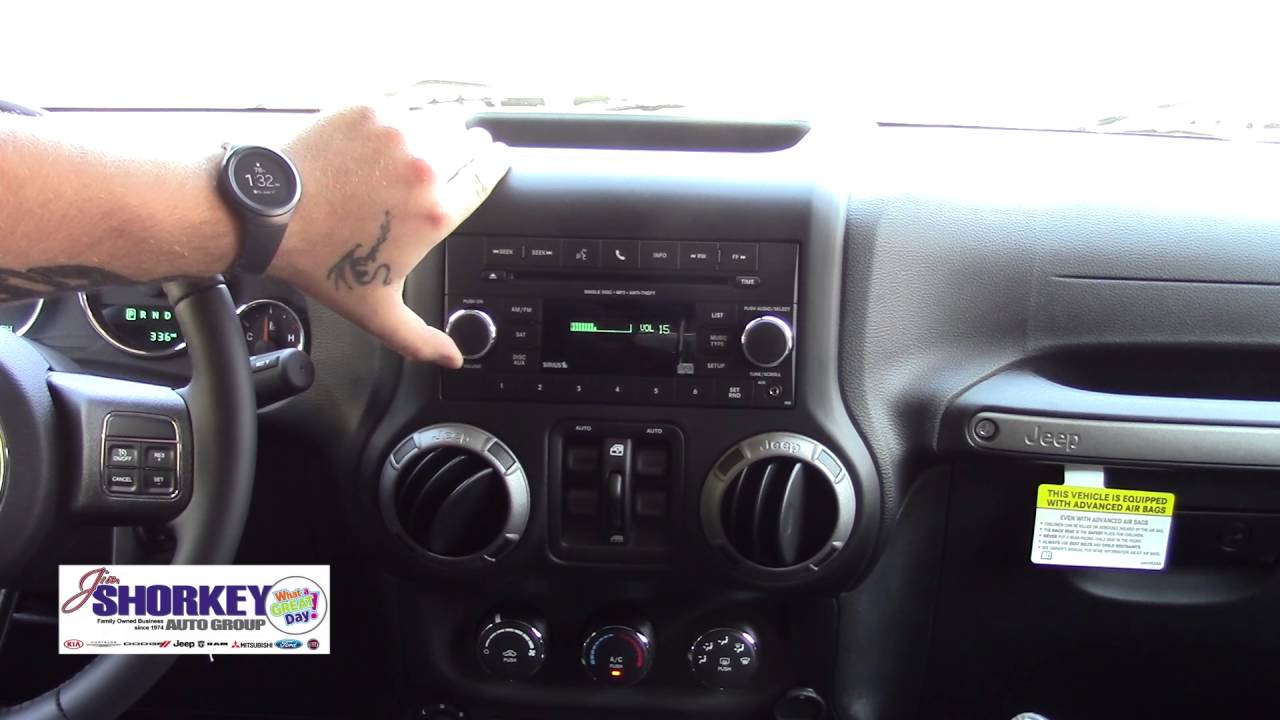
The Jeep Wrangler 2016 comes with the Uconnect infotainment system, which supports Bluetooth connectivity. Most trims offer this feature, but some base models may lack Bluetooth. Before you start, check if your Jeep has the Uconnect system by looking for a touchscreen and the “Phone” button on your dashboard.
If your Jeep does not have Uconnect, you cannot use built-in Bluetooth. For those models, you can consider aftermarket solutions, but this article focuses on the original Uconnect system.
Preparing For Bluetooth Pairing
Before you start pairing:
- Turn on your Jeep and set the transmission to Park.
- Make sure your phone’s Bluetooth is enabled. On most phones, go to “Settings” > “Bluetooth” and turn it on.
- Delete any old Jeep Bluetooth profiles from your phone to avoid confusion.
- Keep your phone’s software updated, as outdated software can cause pairing issues.
Pro tip: Some users forget to enable their phone’s Bluetooth visibility. Make sure your device is discoverable during pairing.

Step-by-step: Connecting Bluetooth To Jeep Wrangler 2016
Follow these steps to connect your phone to your Jeep:
- Press the ‘Phone’ Button: On your Jeep’s Uconnect system, press the “Phone” button located on the dashboard or touchscreen.
- Select ‘Add Device’: The system will prompt you with options. Choose “Add Device” or “Pair a Device.”
- Find Uconnect on Your Phone: On your phone’s Bluetooth menu, look for “Uconnect” under available devices.
- Start Pairing: Tap “Uconnect” on your phone. The Jeep’s system will display a 4-digit PIN.
- Confirm the PIN: Make sure the PIN shown on the Jeep’s screen matches the PIN on your phone. Confirm on both the Jeep and your phone.
- Allow Contacts and Messages: Your phone may ask for permission to sync contacts and messages. Accept if you want hands-free calling and text features.
- Finish Setup: Wait a few seconds for the connection to complete. The Uconnect screen will show your phone as connected.
Example: Pairing An Iphone
- Open “Settings” > “Bluetooth”
- Tap “Uconnect” when it appears
- Enter or confirm the PIN
- Accept all prompts for contacts and notifications
Example: Pairing An Android Device
- Open “Settings” > “Bluetooth”
- Tap on “Uconnect”
- Accept the pairing request and permissions
Common Issues And Quick Fixes
Bluetooth pairing can sometimes fail. Here are common problems and how to solve them.
| Problem | Solution |
|---|---|
| Uconnect not showing up | Restart your phone and Jeep. Make sure Bluetooth is enabled on both devices. |
| PIN does not match | Cancel and restart the pairing process. Do not enter random PINs. |
| Cannot sync contacts | Check phone permissions and allow access to contacts/messages. |
| Audio not playing | Set your phone’s audio output to “Uconnect” in Bluetooth settings. |
Non-obvious insight: Some phones require you to unlock the device during pairing. If your screen locks, pairing may fail.

Comparing Bluetooth Features: Jeep Wrangler Vs. Competitors
How Does The Wrangler’s Bluetooth System Compare With Other Suvs?
| Vehicle | Bluetooth Music Streaming | Voice Commands | Contact Sync |
|---|---|---|---|
| Jeep Wrangler 2016 | Yes | Yes (Uconnect) | Yes |
| Ford Bronco 2016 | Yes | Limited | Yes |
| Toyota 4Runner 2016 | Yes | Yes | Yes |
The Wrangler’s Uconnect system is competitive but can be less intuitive than newer systems. Voice commands are reliable but may require clear speech.
Tips For Strong And Reliable Bluetooth Connection
To avoid dropped calls or choppy music, try these tips:
- Keep your phone close: Place it near the dashboard for the strongest connection.
- Limit active devices: Only pair the devices you use. Multiple paired devices can confuse the system.
- Update Uconnect software: Visit your dealer or the official Jeep website for software updates.
- Restart after issues: If the connection drops, restart your phone and the Uconnect system.
Advanced tip: Some newer phones switch between Bluetooth versions, which can cause brief audio drops. If you notice this, try turning off “Bluetooth LE” features in your phone’s settings.
Bluetooth Audio Quality: What To Expect
The Jeep Wrangler 2016 supports A2DP Bluetooth streaming, which gives good audio quality but is not as high as a wired connection. If you are an audiophile, you might notice slight compression in music. For most drivers, Bluetooth offers a convenient balance between quality and usability.
Upgrading Your Bluetooth Experience
If your Jeep’s system feels outdated, aftermarket upgrades are available. New head units support Apple CarPlay and Android Auto for seamless phone integration. Before buying, check for compatibility with the Wrangler’s wiring and dashboard space.
Here’s a quick look at upgrade options:
| Upgrade Option | Main Benefit | Approximate Cost |
|---|---|---|
| New Uconnect module | Better compatibility | $200-400 |
| Aftermarket head unit | Modern features | $300-800 |
| Bluetooth adapter | Simple streaming | $20-60 |
Always ask a professional to install new components to avoid electrical issues.
For more information about Uconnect and compatible devices, visit the official Jeep Uconnect page.
Frequently Asked Questions
How Many Phones Can I Pair With My Jeep Wrangler 2016?
You can pair up to seven phones with the Uconnect system, but only one can be connected for calls and audio at a time. To switch devices, use the “Phone” menu on the Uconnect screen.
Why Won’t My Phone Connect Even After Pairing?
This can happen if the phone’s Bluetooth is off, the device is too far from the dashboard, or there’s a software bug. Try deleting and re-pairing the device, and make sure both Uconnect and your phone are updated.
Can I Stream Music Through Bluetooth In My Jeep Wrangler 2016?
Yes, you can use Bluetooth for wireless music streaming. Select “Media” on the Uconnect system and make sure your phone’s audio output is set to “Uconnect.”
Does Bluetooth Work With All Smartphones?
Most modern smartphones work with the Wrangler’s Bluetooth system. However, very old phones or those with custom software may have trouble. Always check compatibility before pairing.
Is It Possible To Connect Two Phones At Once?
You can pair multiple phones, but only one device can be active for calls and music at a time. To switch, disconnect the current device and connect the new one through the Uconnect menu.
Pairing your phone with your Jeep Wrangler 2016 via Bluetooth is a quick way to improve your driving experience. With the right steps and a few practical tips, you can enjoy hands-free calls, music, and more making every drive safer and more enjoyable.


















