Every Jeep Gladiator owner knows about the unique Bluetooth speaker tucked behind the rear seat. This portable speaker is fun, practical, and built for adventures. But one question comes up often: How do you charge the Jeep Gladiator Bluetooth speaker? If you’ve just got your Gladiator or are looking to keep your music going on the trail, this guide will show you everything you need to know. Let’s break it down step by step, with clear instructions, practical tips, and answers to common questions.
Where Is The Bluetooth Speaker?
Before charging, you need to locate the speaker. The Jeep Gladiator Bluetooth speaker is installed in a special slot behind the rear seat. You’ll notice a latch on the back of the seat. Pull the latch to fold down the seat, and you’ll see the speaker docked securely. This design keeps the speaker safe during bumpy rides, but still easy to remove.
Removing The Speaker For Charging
Taking out the speaker is simple, but many owners worry about damaging it. Here’s how to do it safely:
- Pull down the rear seat using the latch.
- Find the release tab or lever on the speaker dock.
- Press or pull the tab to unlock the speaker.
- Gently lift the speaker out. Avoid twisting or forcing.
Tip: Always make sure your Gladiator is parked on level ground before removing the speaker.
Charging The Speaker: Step-by-step
Now that you have the speaker out, it’s time to charge it. The Jeep Gladiator Bluetooth speaker uses a standard USB-C cable, which is common for modern devices. Follow these steps:
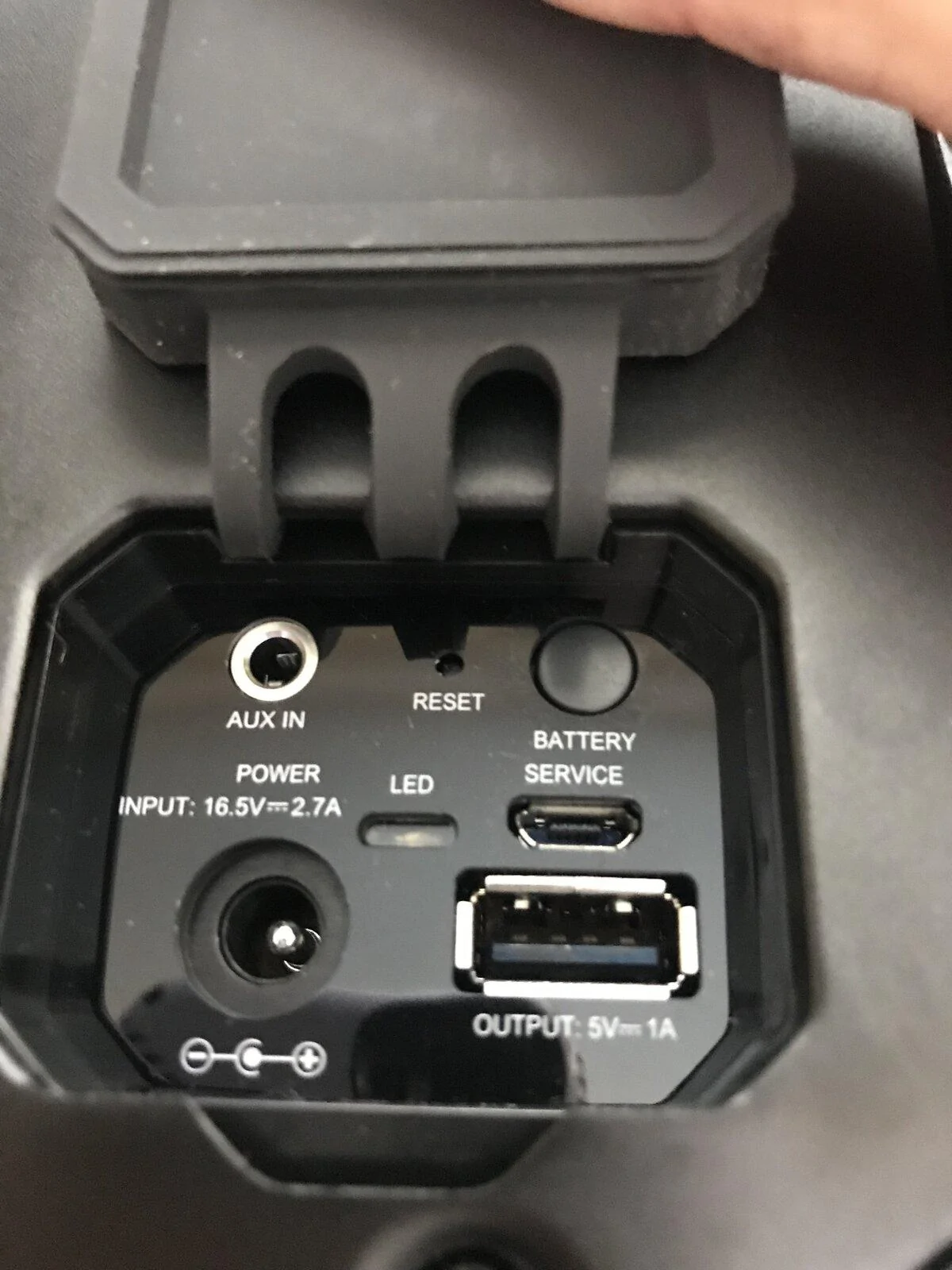
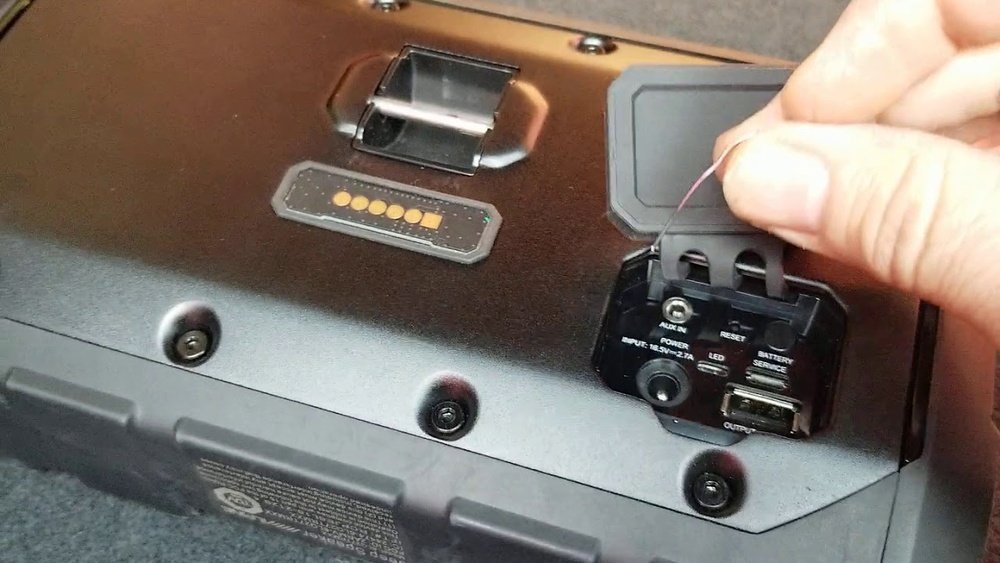
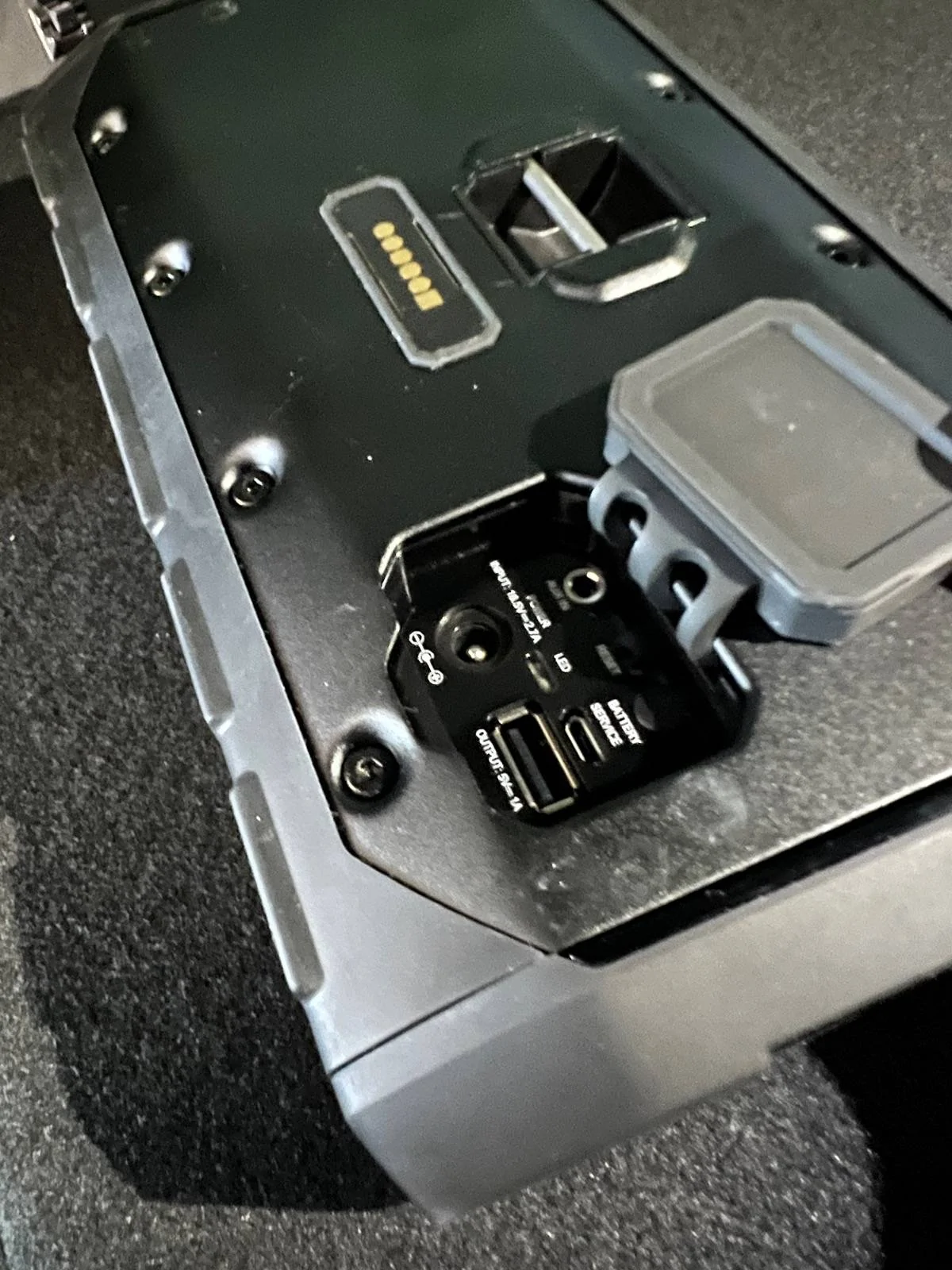
- Locate the USB-C port on the speaker. It’s usually under a rubber cover for water protection.
- Plug a USB-C charging cable into the port.
- Connect the other end to a USB power adapter or USB port (wall outlet, car charger, or portable power bank).
- The speaker’s LED indicator light will turn on, showing it’s charging.
- Wait until the LED changes (usually to green or goes off) — this means charging is complete.
Charging Time And Battery Life
The speaker takes about 2–3 hours to fully charge from empty. When charged, it can play music for 8–10 hours straight, depending on volume and Bluetooth use. Here’s a quick comparison:
| Charging Time | Play Time |
|---|---|
| 2–3 hours | 8–10 hours |
Tip: Use a charger with at least 5V/2A output for faster charging.
Charging Options: At Home Or On The Go
You don’t have to charge the speaker only at home. Here are popular ways Gladiator owners charge their speaker:
- At home: Use a wall USB charger, laptop, or desktop computer.
- In your Jeep: Plug into the Jeep’s USB port. Many Gladiators have USB outlets in the front and back.
- Portable power bank: Useful for camping or road trips.
Comparison of charging methods:
| Method | Speed | Convenience |
|---|---|---|
| Wall charger | Fast | High |
| Car USB | Medium | High |
| Power bank | Slow-Medium | Very High |
Common Charging Mistakes To Avoid
Many owners make simple mistakes that can reduce battery life or damage the speaker.
- Using the wrong cable: Always use a USB-C cable. Old micro-USB or cheap cables may not fit or charge properly.
- Overcharging: Don’t leave the speaker plugged in for days. Once the LED shows full, unplug it.
- Charging in wet conditions: The speaker is water-resistant, but never charge when it’s wet.
- Ignoring the rubber cover: Always close the USB port cover after charging to protect against dust and water.
Real-world Tips For Longer Speaker Life
Beyond basic charging, here are two insights most beginners miss:
- Charge before storage: If you won’t use the speaker for weeks, charge it first. Storing with a dead battery can harm battery health.
- Avoid extreme temperatures: Charging the speaker in very hot or cold places can shorten battery life. Try to charge indoors or in shade.
Owners often forget these steps, but they make a real difference if you want your speaker to last years.

Troubleshooting Charging Issues
Sometimes the speaker won’t charge, or the LED won’t turn on. Here’s what you can do:
- Try a different USB-C cable or charger.
- Clean the USB-C port gently with a dry cloth.
- Make sure the power source is working (test with your phone).
- Check if the speaker’s LED indicator flashes or stays off. A flashing light means it’s charging; no light could mean a dead battery.
If these steps fail, consult your dealer or the official Jeep Gladiator manual. For more details, you can visit Jeep’s official site.
Frequently Asked Questions
Can I Charge The Speaker While It’s Docked In The Jeep?
No, the speaker must be removed from its dock to charge. The dock is only for storage and protection, not charging.
What Type Of Charger Should I Use?
Use any USB-C charger with at least 5V/2A output. Avoid cheap or low-quality chargers, as they can slow charging or damage the battery.
Is The Jeep Gladiator Bluetooth Speaker Waterproof?
The speaker is water-resistant, not fully waterproof. It can handle splashes, but never submerge it or charge it when wet.
How Do I Know When The Speaker Is Fully Charged?
The LED indicator light will change color or turn off when charging is complete. Check your model’s manual for details, as some versions use a green light, others turn off completely.
What Should I Do If My Speaker Won’t Charge?
First, check the cable and charger. Clean the USB port, and try another power source.
If it still won’t charge, contact Jeep support or visit your dealer.
Charging your Jeep Gladiator Bluetooth speaker is easy once you know the steps. With a bit of care, your speaker will provide hours of music on every adventure.
Remember, using the right charger and keeping the port clean are simple actions that prevent most problems.
Enjoy your Gladiator’s unique features, and keep the soundtrack going wherever you drive.