Changing the time on your 2014 Jeep Patriot is an important step to keep your clock accurate and ensure your vehicle’s systems work correctly. If the time is wrong, you might miss appointments or get confused about reminders.
Many drivers overlook this simple task because the process is not always obvious. This article will help you set the correct time, explain the steps clearly, and offer practical advice for avoiding common mistakes.
Understanding Your Jeep Patriot’s Clock System
The 2014 Jeep Patriot uses a digital clock built into the radio or infotainment system. Most models have a standard radio display, but some may feature an upgraded touchscreen. Knowing which system you have is the first step. Both systems allow you to change the time, but the method is slightly different.
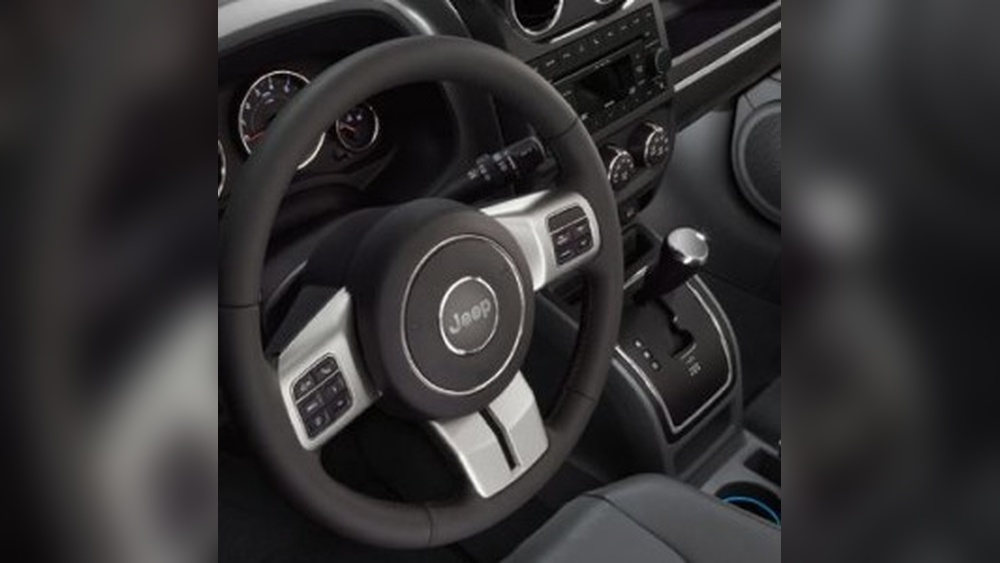
Standard Radio Vs. Touchscreen Display
- Standard radio: Basic interface with physical buttons.
- Touchscreen display: Allows touch controls, usually in higher trims.
If you’re not sure which you have, check your owner’s manual or look at the radio. Touchscreen models show icons and allow you to tap the screen.
Step-by-step Guide To Changing The Time
Setting the clock is simple if you follow the right steps. Here’s how to do it for both systems.
For Standard Radio
- Turn on the ignition. The radio must be powered.
- Find the ‘Clock’ button. It may be labeled ‘Clock’ or show a clock icon.
- Press and hold the button until the time display flashes.
- Use the ‘Tune’ or ‘Seek’ buttons to adjust the hour.
- Press the ‘Clock’ button again to switch to minutes.
- Adjust minutes using the same buttons.
- Press ‘Clock’ once more to save and exit.
For Touchscreen Display
- Turn on the vehicle and activate the screen.
- Tap ‘Settings’ or the gear icon.
- Select ‘Clock’ or ‘Time’ from the menu.
- Tap ‘Set Time’.
- Adjust hour and minute using the plus/minus icons.
- Confirm changes by tapping ‘Save’ or ‘OK’.

Practical Tips For Accurate Time Setting
Small errors can lead to confusion. Here are practical tips for accuracy:
- Check AM/PM: Make sure you don’t set the wrong half of the day.
- Sync with your phone: Use your smartphone’s clock as a reference.
- Daylight saving time: Adjust when clocks change in spring and fall.
- Avoid distractions: Set the time while parked for safety.
Common Mistakes To Avoid
Many drivers make mistakes that are easy to prevent:
- Ignoring the seconds: The clock only shows hours and minutes, so seconds aren’t adjustable.
- Not saving changes: Always confirm to save; otherwise, the old time remains.
- Wrong button sequence: Pressing buttons out of order can exit the time-setting mode.
- Power off: The radio must be on; changes won’t work if the radio is off.
Data Comparison: Standard Vs. Touchscreen
Here’s a quick look at the differences between the two systems.
| Feature | Standard Radio | Touchscreen Display |
|---|---|---|
| Controls | Physical buttons | Touch icons |
| Adjustment Speed | Slower | Faster |
| AM/PM Option | Manual | Usually automatic |
| Ease of Use | Basic | User-friendly |
Example: Real-world Scenario
Imagine you are running late, and the clock shows the wrong time. You quickly check your phone, realize the Jeep’s clock is off by 10 minutes, and follow the steps above.
Within one minute, the time is correct, and you avoid confusion.
Some Jeep Patriot radios have extra features:
- Automatic time sync: If your vehicle has GPS, the clock may update automatically.
- 24-hour format: Some systems allow switching between 12-hour and 24-hour display.
- Factory reset: If the clock won’t set, a radio reset may fix issues.
Many drivers don’t realize that holding the ‘Clock’ button longer can access hidden options. Check your manual for specific details on your model.
Comparison Table: Time Setting Vs. Other Maintenance Tasks
Changing the time is quick compared to other regular vehicle tasks.
| Task | Estimated Time | Tools Needed |
|---|---|---|
| Set clock | 1-2 minutes | None |
| Check tire pressure | 5 minutes | Pressure gauge |
| Replace wipers | 10 minutes | New blades |
| Change oil | 30 minutes | Oil, filter, tools |

When To Change The Time
It’s important to update your Jeep’s clock in these situations:
- After battery change
- After daylight saving time
- When traveling across time zones
- Whenever you notice incorrect time
If you travel often, check the clock regularly. Some models lose time after battery removal or power loss.
Troubleshooting Tips
If you can’t set the time:
- Radio won’t enter clock mode: Check if the radio is fully powered.
- Buttons don’t respond: Try a radio reset.
- Touchscreen freezes: Restart the vehicle and try again.
- Clock keeps losing time: The battery may be weak or need replacing.
For more help, visit your local dealership or check the official Jeep Patriot support page. You can also find helpful guides at Jeep Official Site.

Frequently Asked Questions
How Often Should I Check The Clock In My Jeep Patriot?
Check the clock every few months, especially after battery changes or daylight saving time. Regular checks prevent confusion.
Does Changing The Time Affect Other Systems In The Car?
No, setting the clock only changes the time display. Other systems like the radio or navigation are not affected.
Some models use a combination of buttons, such as ‘Menu’ or ‘Setup’. Refer to your owner’s manual for details.
Can I Switch To A 24-hour Clock Format?
If your radio supports it, you can change between 12-hour and 24-hour formats. Look for this option in the settings menu.
Why Does The Clock Reset After I Disconnect The Battery?
The radio clock uses battery power to stay accurate. If you disconnect the battery, the clock may lose its memory and require resetting.
Keeping the time correct in your 2014 Jeep Patriot is a small task, but it makes driving safer and more organized. Follow these steps carefully, avoid common mistakes, and check your clock regularly. Accurate time can help with reminders, schedules, and even vehicle diagnostics. With these tips, you’ll always know the exact time in your Jeep.


















