Changing the language in your 2017 Jeep Renegade can make every drive more comfortable, especially if English is not your first language. Many drivers are surprised to learn that this feature is easy to access and change, but the process is not always clear in the user manual. Whether you’ve just bought your Renegade, want to help a friend, or need to switch back after a dealership reset, this guide will walk you through every step. You’ll also find insights that most first-time users miss, practical troubleshooting, and a few useful tips for handling common problems.
Understanding The Language Settings
The 2017 Jeep Renegade comes with a Uconnect system, which controls most of your car’s digital features. The language you pick changes the entire interface—menus, alerts, and even some voice commands. Common language options include English, Spanish, French, and sometimes Italian or Portuguese, depending on the region.
Most people don’t realize that language settings also affect your driver display behind the steering wheel. If you change the language in the touchscreen, the information on your instrument cluster will match. This can be a big help when reading warning lights or system messages.
Before You Start: What You’ll Need
- Ignition key or push-button access (You cannot change settings without turning the car on)
- A few minutes of time (It’s a quick process)
- Your radio PIN (rare, but sometimes required after battery changes)
One common mistake is trying to change the language while driving. For safety, the system blocks most settings if the car is moving.

Step-by-step Guide To Change Language
- Start the car. Put the key in the ignition or press the start button. Do not begin driving.
- Find the Uconnect touchscreen in the center dashboard.
- Press the “Settings” icon. This usually looks like a gear symbol.
- Scroll through the menu. Use the touchscreen to swipe or tap until you find “Language”.
- Select your preferred language. Tap your choice. The options will update instantly.
- Confirm the change if asked. Some models require you to press “Yes” to accept.
- Check your instrument cluster. The display behind the steering wheel should match the language you just picked.
- Test the system. Click through menus to make sure everything is showing in your chosen language.
Example
If you want to switch from English to Spanish:
- Tap “Settings”
- Find “Language”
- Select “Español”
- Confirm
Everything from navigation to radio display will now appear in Spanish.
Common Problems And Fixes
Changing the language is usually smooth, but you might hit a few snags.
- Missing language option: Some Renegades only offer three or four language choices. If you don’t see your language, it’s not possible to add more without dealer help.
- Language does not change: Try restarting the car if the display doesn’t update. In rare cases, a system reset is needed.
- Settings greyed out: If “Language” is not clickable, make sure the car is in park and not moving.
Comparison Of Available Languages
Here’s a quick look at what you might find in a US-market 2017 Jeep Renegade:
| Language | Menu Name | Voice Command Support |
|---|---|---|
| English | Language | Yes |
| Spanish | Idioma | Yes (Limited) |
| French | Langue | Yes (Limited) |
| Italian | Lingua | No |
Voice command support may be limited in languages other than English. This is a detail many drivers miss—some voice features work only in the default language.
Most guides stop at the basics, but here are two things beginners often miss:
- Factory resets can change your language back to English. If your battery dies or you do a system reset, check your language setting.
- Navigation system language can be different from the main menu. If you use built-in navigation, you may need to set the language separately within the navigation menu.

When To Visit A Dealer
If you want to add a language that’s not listed, or your system is frozen, a visit to a Jeep dealer may be your only option. Dealers can sometimes add languages with a software update.
This process isn’t free and can take a few hours.
Data: How Often Do Drivers Change Language?
Most drivers set their language once and never touch it again. However, in multilingual regions, up to 15% of Jeep Renegade owners switch their language at least twice a year—usually after sharing the car with friends or family.
Quick Comparison: Factory Reset Vs. Language Change
| Action | What Changes | Common Reason |
|---|---|---|
| Language Change | Menu, display, some alerts | New owner, language preference |
| Factory Reset | All settings, including language | System errors, selling car |
Knowing the difference can save you from accidental resets.
What If You Get Stuck?
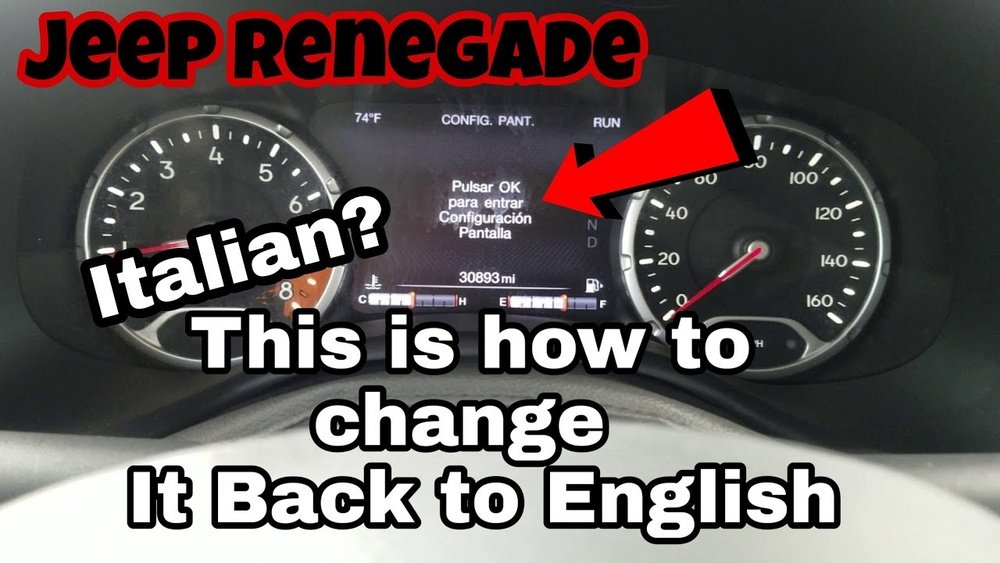
If you accidentally pick a language you don’t understand, you can still use the gear icon and follow the same steps. The position of menu items never changes, even if the words look different. For example, “Settings” in Spanish is “Configuración,” and “Language” is “Idioma.”
A smart tip: Take photos of your menu positions before you change anything, so you can always find your way back.
External Resource
For more details on Uconnect systems, you can check the official Jeep Uconnect page.
Frequently Asked Questions
What Languages Are Available On The 2017 Jeep Renegade?
The most common languages are English, Spanish, and French. Some cars also offer Italian or Portuguese depending on where the car was first sold.
Do I Need A Code Or Pin To Change The Language?
Usually, you do not need a PIN. However, after a battery change or system reset, the car may ask for your radio code. This is rare.
Sometimes. The main menu language and navigation voice language can be set separately.
Check both menus to make sure they match.
Can I Add More Languages To My Jeep Renegade?
Not by yourself. Only a Jeep dealer can add extra language packs, and this may cost money.
What Should I Do If The Language Option Is Missing Or Greyed Out?
First, make sure the car is in park and not moving. If you still can’t access language settings, try restarting the car or visit a dealer if the problem continues.
Switching the language on your 2017 Jeep Renegade is simple once you know where to look. With the tips above, you can make your driving experience more comfortable and avoid common pitfalls.
If you ever feel lost, remember that the menu layout stays the same in any language and a quick photo or note can help you get back on track.
Safe travels!