Changing the language on your 2014 Jeep Wrangler can make your driving experience more comfortable, especially if you prefer using your native language. While it might seem complicated at first, adjusting the settings is straightforward once you know where to look. This guide will help you make the change quickly and avoid common mistakes many owners encounter.
Understanding Language Settings In The 2014 Jeep Wrangler
The 2014 Jeep Wrangler uses a digital display system called the Electronic Vehicle Information Center (EVIC) or a basic instrument cluster, depending on the trim. The EVIC allows you to customize several features, including the display language. Choosing the right language affects alerts, notifications, and menu navigation.
Why Change The Language?
- Comfort: Using your preferred language makes it easier to understand vehicle information.
- Safety: Clear communication helps you respond to warnings promptly.
- Resale Value: Setting the language to the buyer’s preference can make the car more appealing.
Step-by-step Guide: Changing Language On The 2014 Jeep Wrangler
Before you start, ensure your Wrangler is parked and the ignition is in the “Run” position. This process is safe and won’t affect any other settings.
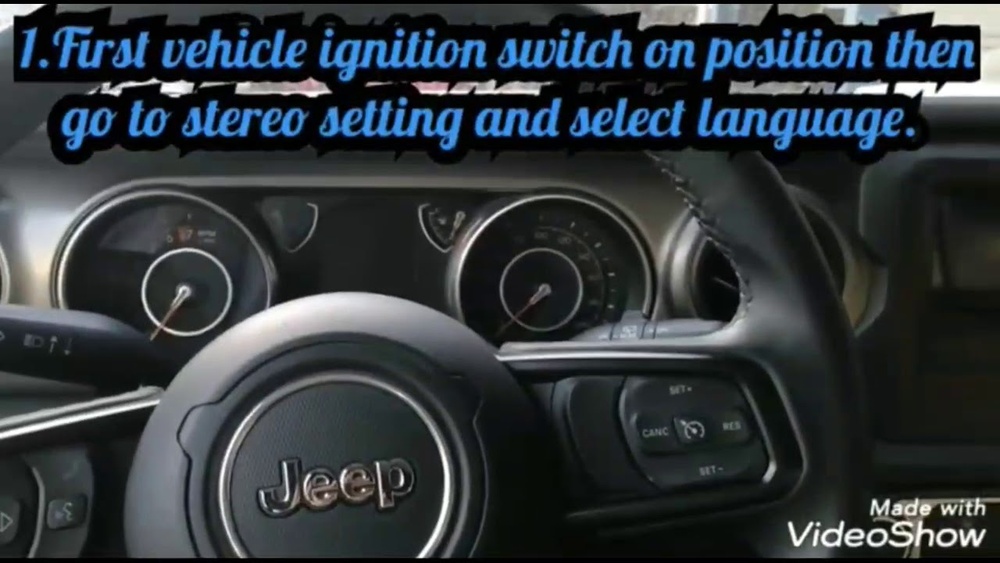
For Models With Evic (most Sahara, Rubicon, And Some Sport Trims)
- Locate the EVIC Controls: These are usually on the steering wheel, marked with arrows and an “OK” button.
- Access the Main Menu: Use the left/right arrows to scroll through options until you see “Personal Settings” or “Setup.”
- Find Language Settings: Scroll down using the up/down arrows. Look for “Language” or “Display Language.”
- Select Preferred Language: Press “OK” to choose the highlighted language option. The display will show available languages, typically English, Spanish, and French.
- Confirm Selection: Press “OK” again to confirm. The display should immediately switch to the new language.
- Exit the Menu: Press the back button or let the system timeout.
For Models Without Evic (basic Instrument Cluster)
- Locate the Trip Button: Find the small button on the instrument cluster, often marked as “Trip.”
- Cycle Through Menu: Press and hold the button until the language menu appears.
- Select Language: Release the button, then press again to scroll through available languages.
- Set Language: When your preferred language appears, press and hold the button until it confirms the selection.
- Check Display: The cluster should now show information in the chosen language.
Quick Comparison: Evic Vs. Non-evic Models
Below is a summary of the main differences:
| Feature | With EVIC | Without EVIC |
|---|---|---|
| Menu Navigation | Steering wheel controls | Trip button on cluster |
| Language Options | English, Spanish, French | English, Spanish, French |
| Display Type | Digital with multiple menus | Basic LCD |

Practical Tips For A Smooth Language Change
- Patience is Key: Some menus may take a few seconds to load. Wait before pressing buttons again.
- Check the Manual: If you get stuck, refer to the owner’s manual for diagrams and model-specific instructions.
- Battery Caution: Avoid making changes with a low battery to prevent accidental resets.
- Aftermarket Radios: If your Wrangler has an aftermarket radio, the process may differ. Consult the radio’s manual.
What To Do If The Language Doesn’t Change
Sometimes, the language may not switch as expected. Here are the most common reasons and solutions:
- Settings Not Saving: Turn off the ignition and restart the vehicle to ensure the change takes effect.
- Limited Language Choices: Only factory languages (English, Spanish, French) are supported. Custom languages need special software.
- Buttons Not Working: The controls may be worn or faulty. Try gently pressing or seek professional help.
- Aftermarket Modifications: Added electronics can interfere. Disconnect them temporarily and retry.
Common Mistakes To Avoid
- Rushing the Process: Pressing buttons too quickly can skip menus or reset choices.
- Ignoring Confirmation: Always wait for the confirmation message before exiting.
- Not Checking Model Year: Steps may differ for other years. Only use this guide for 2014 models.
Language Choices And Their Impact
Switching to another language changes all on-screen messages, maintenance reminders, and system warnings. However, navigation systems and voice commands may not support all languages. For example, changing to French will not make the GPS speak French unless it’s supported.
Comparison: Language Effects On Features
| Feature | Language Changed | Language Not Changed |
|---|---|---|
| Menu Displays | Yes | No |
| Warning Messages | Yes | No |
| Navigation Voice | Only if supported | Stays default |

Non-obvious Insights
Many owners overlook the fact that changing the display language does not affect the language of radio stations or music information. Also, if your vehicle has been imported, some language options may be missing or locked. In these cases, a dealer reset or software update may be necessary.
It’s also important to remember that language changes do not affect the odometer or speedometer units. To switch from miles to kilometers (or vice versa), you must adjust the units separately in the menu.
When To Seek Professional Help
If you experience persistent problems, such as the language reverting after each restart or menus not displaying, it may indicate a software issue. Visiting a certified Jeep dealer ensures your system is updated and functions correctly. They can unlock additional features or restore factory settings if needed. For more detailed Jeep software information, you can visit the official Jeep Wrangler Wikipedia page.

Frequently Asked Questions
How Many Languages Can I Set On My 2014 Jeep Wrangler?
The 2014 Jeep Wrangler supports three factory languages: English, Spanish, and French.
Can I Add More Languages To The System?
No, only the factory-installed languages are available. Adding more requires specialized software not supported by Jeep.
Changing the language updates display text, but navigation voice and commands only change if supported for that language.
Will Changing The Language Reset My Other Settings?
No, altering the language does not affect audio, climate, or seat settings.
What If My Controls Do Not Work?
If buttons or menus are unresponsive, check for worn controls, low battery, or seek help from a Jeep dealer.
Making this simple adjustment lets you enjoy your Jeep Wrangler in the language you prefer, improving safety and comfort on the road. Take your time, follow each step, and don’t hesitate to get help if something doesn’t work as expected.


















