Changing the battery in your Jeep remote is a simple task, but many owners put it off until their remote stops working. If your Jeep key fob isn’t unlocking your doors or starting the engine, a weak battery is often the cause.
Knowing how to replace it yourself can save time and money, and prevent being locked out or stranded. This guide walks you through every step, explains common mistakes, and helps you choose the right battery for your Jeep remote.
Understanding Jeep Remote Batteries
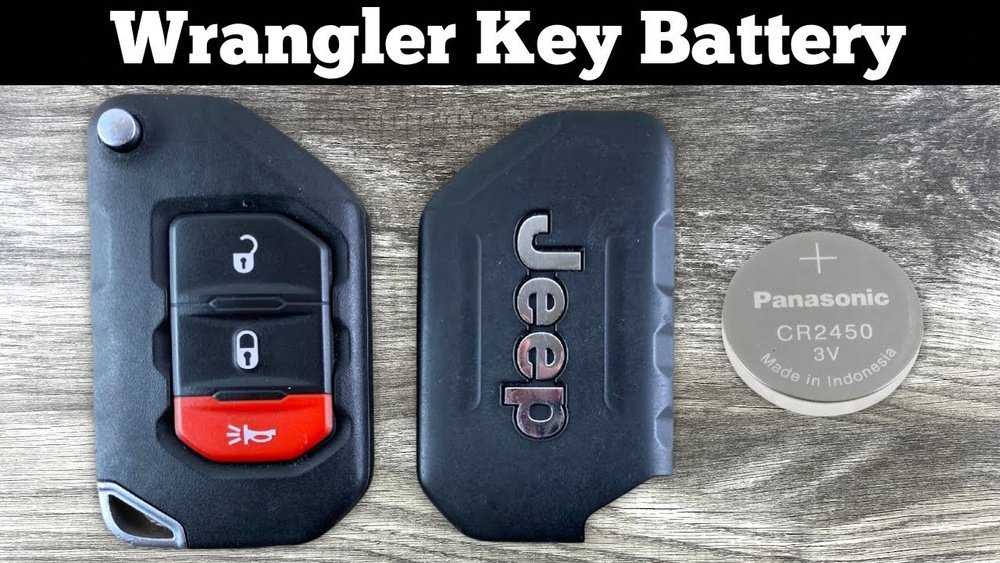
Jeep remotes use small coin cell batteries. Most models, including Jeep Grand Cherokee, Jeep Wrangler, and Jeep Compass, use CR2032 or CR2025 batteries. These batteries are widely available and cost less than $5 each.
| Jeep Model | Common Battery Type | Approximate Battery Life |
|---|---|---|
| Grand Cherokee | CR2032 | 3 years |
| Wrangler | CR2032 | 2-3 years |
| Compass | CR2025 | 2 years |
A typical battery lasts two to three years, but climate and usage can affect this. Cold weather, frequent remote use, or leaving your remote near electronics can drain the battery faster.
Signs Your Remote Battery Needs Replacement
If your Jeep remote starts showing these signs, it’s time to change the battery:
- Reduced range – You need to be closer to the car for the remote to work.
- Delayed response – Buttons take longer to react.
- Intermittent operation – Sometimes works, sometimes does not.
- Complete failure – No response at all.
Many Jeep remotes will show a warning message on the dashboard, such as “Key Fob Battery Low. ” Ignoring this can lead to problems with locking, unlocking, or starting your vehicle.
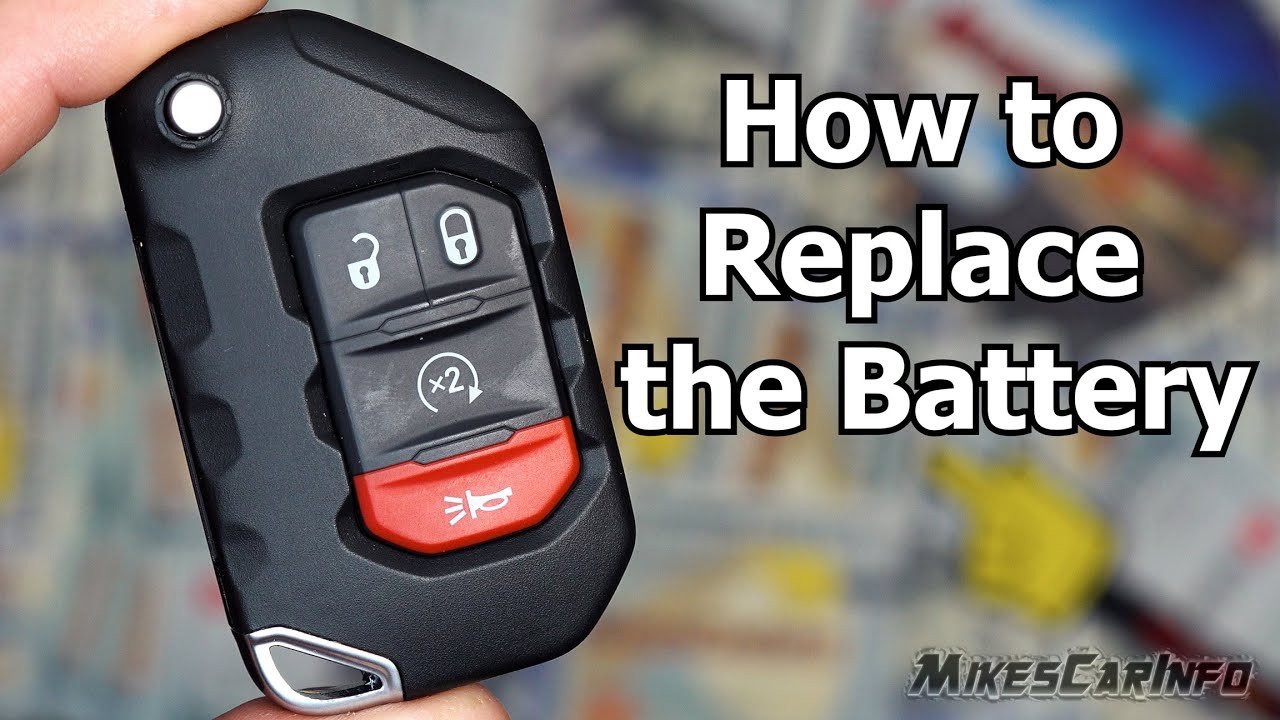
How To Change Jeep Remote Battery
Changing the battery takes less than five minutes and requires only a small screwdriver. Follow these steps:
1. Gather Supplies
- Replacement battery (CR2032 or CR2025, check your manual)
- Small flathead screwdriver
- Clean cloth
2. Open The Remote
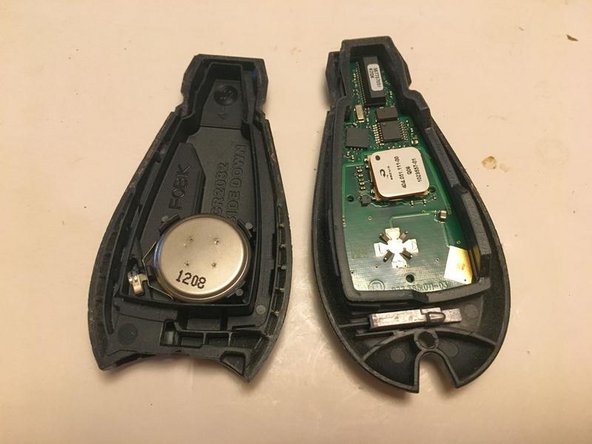
Look for a seam along the remote’s edge. Insert the screwdriver gently into the seam and twist to separate the two halves.
Some models have a small latch or a hidden screw near the key ring.
3. Remove The Old Battery
Lift the old battery out with the screwdriver. Note its orientation usually the positive (+) side faces up.
4. Insert The New Battery
Place the new battery in the same orientation. Press gently to secure it.
Avoid touching the battery contacts with your fingers; oils can reduce performance.
5. Close The Remote
Align the two halves and press together until you hear a click. Make sure the remote is sealed tightly to protect against moisture and dust.
6. Test Your Remote
Stand near your Jeep and press the unlock button. The remote should work immediately. If not, re-open and check battery placement.
| Step | Time Required | Difficulty |
|---|---|---|
| Open Remote | 1 min | Easy |
| Replace Battery | 1 min | Easy |
| Close & Test | 1 min | Easy |
Choosing The Right Battery
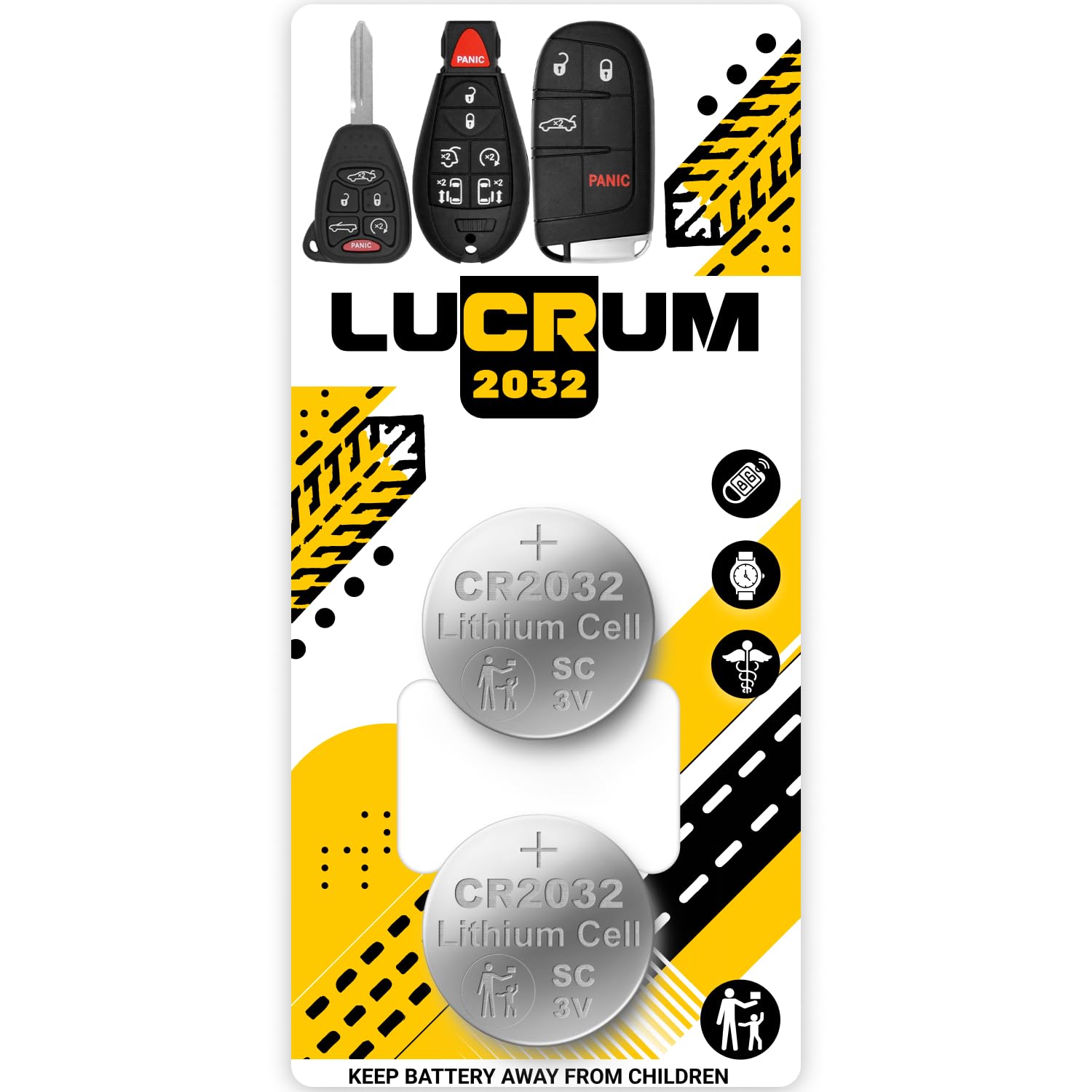
Using the correct battery type is critical. CR2032 and CR2025 batteries look similar but have different thicknesses and capacities.
| Battery Type | Diameter | Thickness | Capacity |
|---|---|---|---|
| CR2032 | 20 mm | 3.2 mm | 220 mAh |
| CR2025 | 20 mm | 2.5 mm | 160 mAh |
Always check your owner’s manual or look at your old battery before buying. Using the wrong battery can cause fit problems or short battery life.
Practical Tips And Common Mistakes
Changing a Jeep remote battery is easy, but there are pitfalls:
- Don’t force the remote open. If it doesn’t come apart easily, check for hidden screws.
- Avoid cheap batteries. Low-quality batteries fail faster and can leak.
- Handle batteries carefully. Touching contacts with fingers leaves oil that can block current.
- Watch for lost parts. Some Jeep remotes have tiny springs or buttons inside. Work over a clean surface.
A non-obvious tip: If your remote stops working after battery replacement, try holding the unlock button for 10 seconds. This can reset the remote in some Jeep models.
Another insight: Some newer Jeeps have “smart keys” with no visible battery compartment. These require sliding out a hidden cover. Always check your manual if your remote looks different.
When To Seek Professional Help
If your Jeep remote still doesn’t work after replacing the battery, there may be other issues:
- Remote needs reprogramming
- Internal circuit damage
- Battery contacts corroded
Visit a dealership or a locksmith if you suspect deeper problems. Most dealerships can test your remote for free and recommend solutions. For more advanced help, see Jeep Official Owners Site.
Frequently Asked Questions
Can I Use Any Cr2032 Battery For My Jeep Remote?
You can use any CR2032 battery from a reputable brand, but avoid generic or unbranded options. Quality matters for long life and reliability.
How Often Should I Change My Jeep Remote Battery?
Most owners change batteries every 2–3 years, but it depends on usage and climate. Replace sooner if you notice reduced performance.
My Remote Stopped Working After Battery Change. What Should I Do?
First, check that the battery is installed correctly. If it still doesn’t work, try holding the unlock button for 10 seconds. If the issue continues, the remote may need reprogramming.
Is It Safe To Open My Jeep Remote Myself?
Yes, as long as you use the right tools and work gently. Avoid excessive force to prevent breaking plastic clips or damaging internal parts.
What Happens If I Use The Wrong Battery Type?
Using the wrong size can cause fitting problems or shorter battery life. Always match the battery type from your old remote or manual for best results.
Changing your Jeep remote battery is quick, affordable, and easy to do at home. With the right battery and careful handling, your remote will be back to full strength in minutes.
This simple fix can save you from bigger problems and keep your Jeep running smoothly.


















