Losing power in your Jeep key fob can be frustrating. Suddenly, unlocking your car or starting the engine becomes a challenge.
The good news? Changing a Jeep key battery is simple, quick, and can save you a trip to the dealership.
Whether you drive a Wrangler, Grand Cherokee, or Compass, the process is similar for most models. With just a few tools and the right battery, you’ll have your key fob working like new in minutes.
Why Changing Your Jeep Key Battery Matters
A weak or dead key fob battery can cause several problems. You might notice the remote unlock doesn’t work from a distance, or that you need to press the buttons several times. In newer Jeeps with push-button start, a dead battery can even prevent your car from starting.
Here’s a simple comparison of what can happen with a weak battery versus a fresh one:
| Feature | Weak Battery | Fresh Battery |
|---|---|---|
| Remote Range | Short, unreliable | Full, strong |
| Button Response | Sluggish or fails | Immediate |
| Push-Start | May not work | Works instantly |
A weak battery doesn’t just inconvenience you; it can sometimes trigger a security lockout or set off your car’s alarm. That’s why replacing your battery at the first sign of trouble is essential.
What You Need Before You Start
Before you open your Jeep key fob, gather these items:
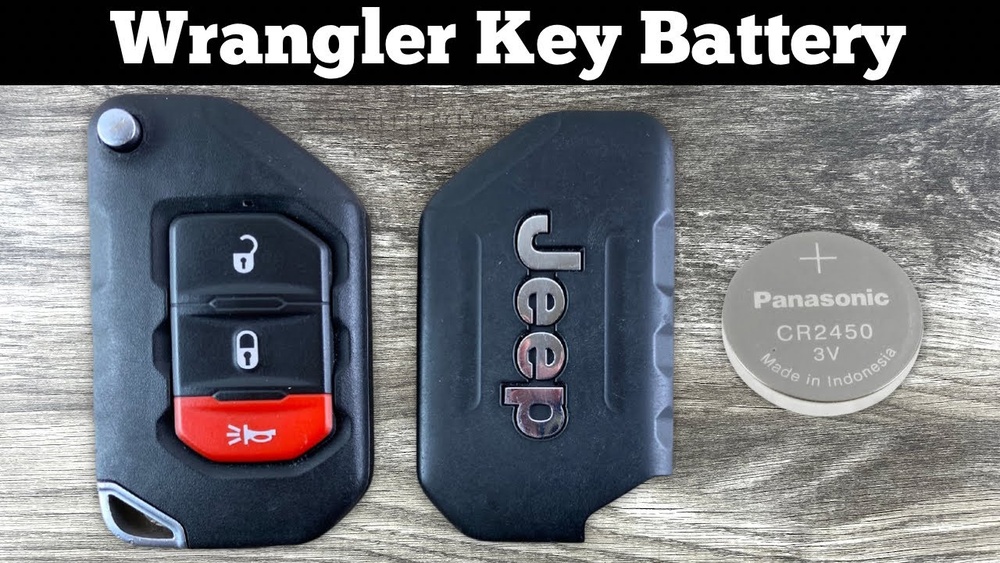
- A replacement coin cell battery (usually CR2032 or CR2025, but check your manual)
- A small flathead screwdriver or a plastic pry tool
- A clean, dry workspace
Here’s a quick look at common Jeep models and the batteries they use:
| Jeep Model | Key Fob Style | Battery Type |
|---|---|---|
| Wrangler (2018+) | Smart Key | CR2450 |
| Grand Cherokee | Standard/Smart Key | CR2032 |
| Compass/Renegade | Flip Key | CR2032 |
| Cherokee | Keyless Entry | CR2032 |
Always check your owner’s manual or open the fob before buying a battery to be sure.
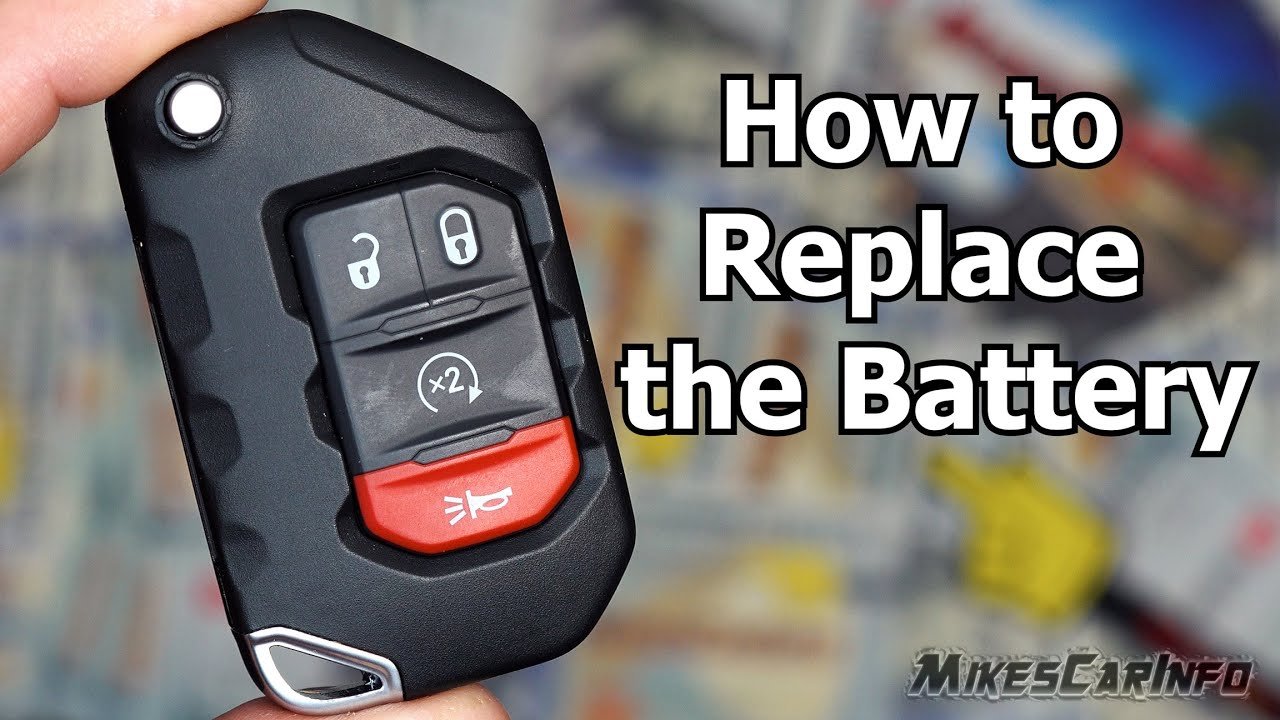
Step-by-step: How To Change A Jeep Key Battery
The process is similar for most Jeep key fobs. Here’s how to do it safely and correctly:
1. Remove The Emergency Key
Slide the small latch on your key fob and pull out the emergency key (the metal part). Set it aside.
2. Open The Key Fob Case
Look for a small seam or notch along the edge of the fob. Insert your flathead screwdriver or plastic pry tool into this notch.
Gently twist or pry to separate the two halves of the fob. Do this slowly to avoid cracking the plastic.
3. Take Out The Old Battery
Note how the old battery is placed usually with the "+" side up. Use the screwdriver to carefully lift the battery out.
Avoid touching the new battery’s flat surfaces with your fingers, as oils can reduce its life.
4. Insert The New Battery
Place the new battery into the slot, matching the orientation of the old one. The “+” side usually faces up, but double-check.
5. Snap The Key Fob Back Together
Align the two halves of the fob and press firmly until you hear them click. If it doesn’t snap together easily, check that the battery is seated correctly and nothing is out of place.
6. Test Your Key Fob
Press the buttons to ensure they work. If your Jeep has push-button start, try starting the car.
If the fob isn’t working, open it and check the battery orientation again.
Most people can change their Jeep key battery in less than five minutes.
Common Mistakes And How To Avoid Them
Changing a key fob battery is easy, but some mistakes can cause problems:
- Forcing the case open: Always use gentle pressure. Prying too hard can snap the plastic or damage the electronics.
- Touching battery surfaces: Oils from your skin can cause corrosion. Hold the battery at the edges.
- Wrong battery type: Using the wrong size or voltage may make the fob stop working. Always double-check.
- Losing the emergency key: Set it aside in a safe place during the process.
- Skipping the test: Always check the fob before leaving home. A non-working fob can leave you locked out.
Many beginners overlook how fragile the inside of the fob is. Dropping it or poking at the circuit board can break it, which may require a full replacement.

When Should You Replace The Battery?
The typical key fob battery lasts 2–3 years, depending on use. If you notice these signs, it’s time for a change:
- Reduced range (must be close to car)
- Buttons work sometimes, not always
- Warning message on the dashboard (“Key Fob Battery Low”)
- Difficulty starting your Jeep with push-button start
Don’t wait until the battery is completely dead. Replacing it early avoids surprises.
Can You Use A Generic Battery?
Yes, you can use a generic CR2032 or other coin cell battery, as long as it matches the original specs. Name brands like Energizer or Duracell may last a bit longer, but many generic brands work well. For those who live in very hot or cold climates, a high-quality battery can provide more reliability.
As an extra tip, always keep a spare battery in your glove box. You never know when you’ll need it, especially during travel.

Frequently Asked Questions
How Do I Know Which Battery My Jeep Key Fob Uses?
Most Jeep key fobs use CR2032 or CR2025 coin cell batteries. Check your manual or open the fob to see the exact battery type.
Can I Damage My Key Fob By Changing The Battery Myself?
If you use the right tools and don’t force anything, it’s safe. Avoid poking the circuit board and be gentle when prying open the case.
What Should I Do If My Key Fob Still Doesn’t Work After Changing The Battery?
Check the battery orientation and ensure the contacts are clean. If it still fails, you may need to reprogram the fob or replace it. Some dealerships can help with this.
How Often Should I Replace My Jeep Key Fob Battery?
Most batteries last 2–3 years. Replace as soon as you notice signs of weakening, like decreased range or slow response.
Is There A Risk Of Losing My Key Fob Programming When I Change The Battery?
No, the programming is stored in the key’s memory and not lost during a battery change.
Changing your Jeep key battery is a quick task that saves time and money. With a little care and the right battery, you’ll keep your key fob working smoothly and avoid unexpected hassles. For more details on battery types and Jeep key technology, visit the official Wikipedia key fob page. Taking this small step can make everyday driving more convenient and stress-free.



















