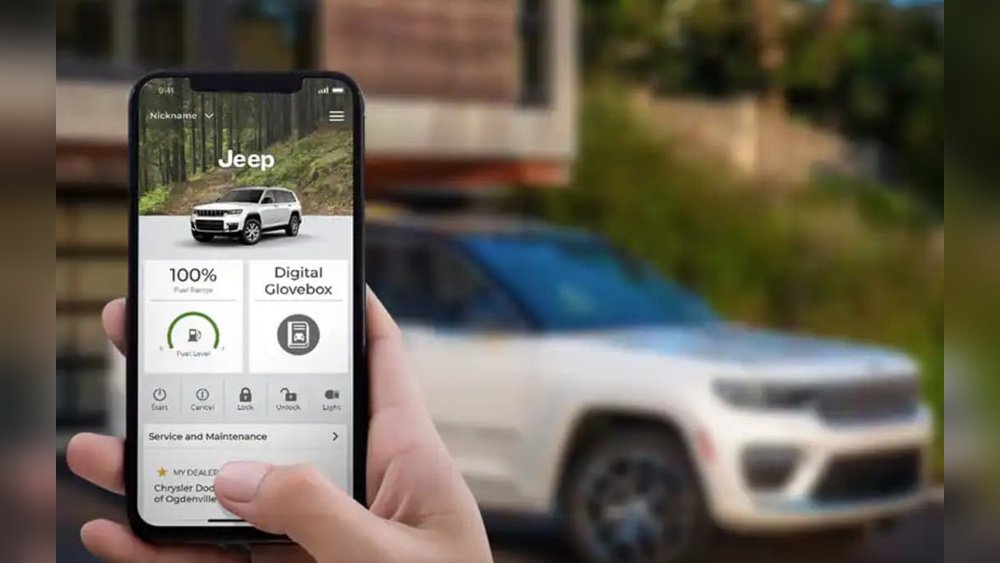
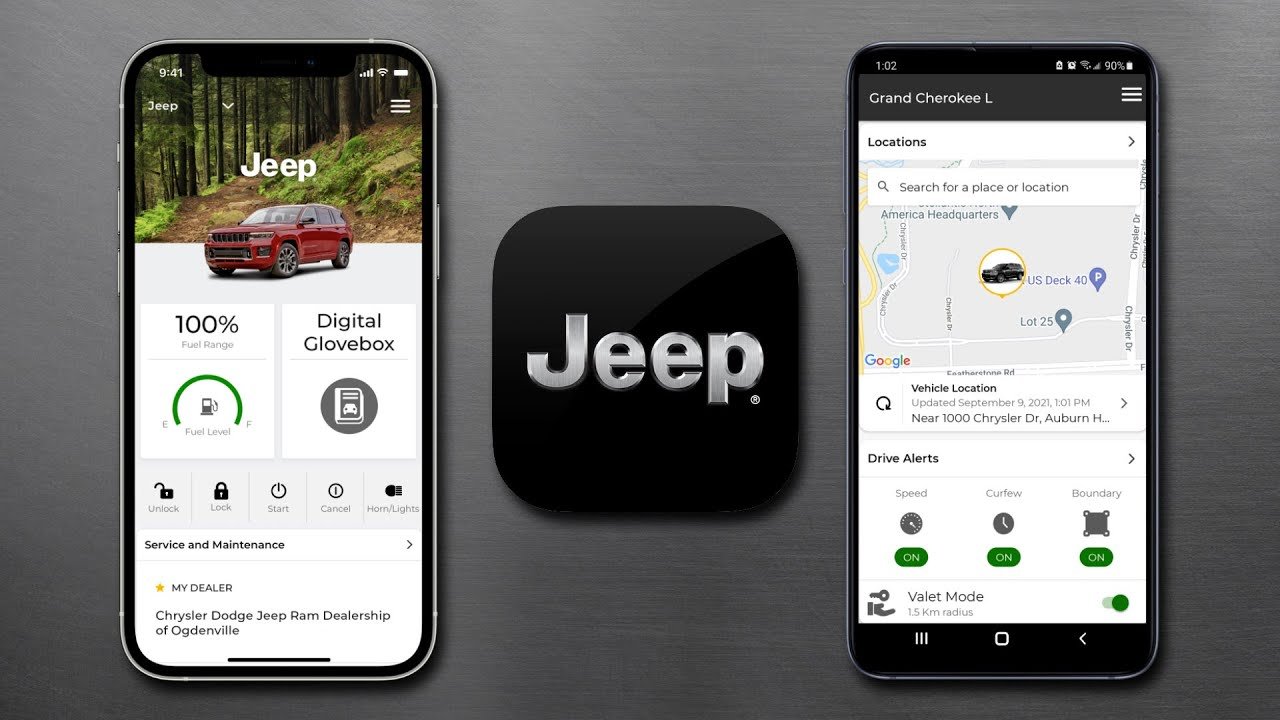
If you own a Jeep, connecting it with the Uconnect app can make your driving experience smarter and more convenient. Uconnect lets you lock or unlock your doors, start your engine remotely, find your car in a crowded parking lot, and much more—right from your smartphone. Many Jeep owners are excited about these features, but get stuck when trying to add their vehicle to the app. This guide will show you exactly how to add your Jeep to the Uconnect app, step by step, with practical tips to avoid common mistakes.
What You Need Before Starting
Before adding your Jeep to the Uconnect app, make sure you have the following:
- Your Jeep’s Vehicle Identification Number (VIN)
- An active Uconnect account
- A compatible smartphone (iOS or Android)
- A stable internet connection
Not all Jeep models support every Uconnect feature. Most 2018 and newer models are compatible, but always check your owner’s manual or the official Jeep website for details.
Step-by-step: Adding Your Jeep To Uconnect App
Let’s walk through the process to connect your Jeep with the Uconnect app.
1. Download And Install The App
Go to the Apple App Store or Google Play Store and search for “Uconnect.” Download and install the official app on your smartphone.
2. Create Or Log In To Your Uconnect Account
If you’re new to Uconnect, tap on “Sign Up” and enter your email, password, and personal details. If you already have an account, just log in.
- Add Your Jeep Vehicle
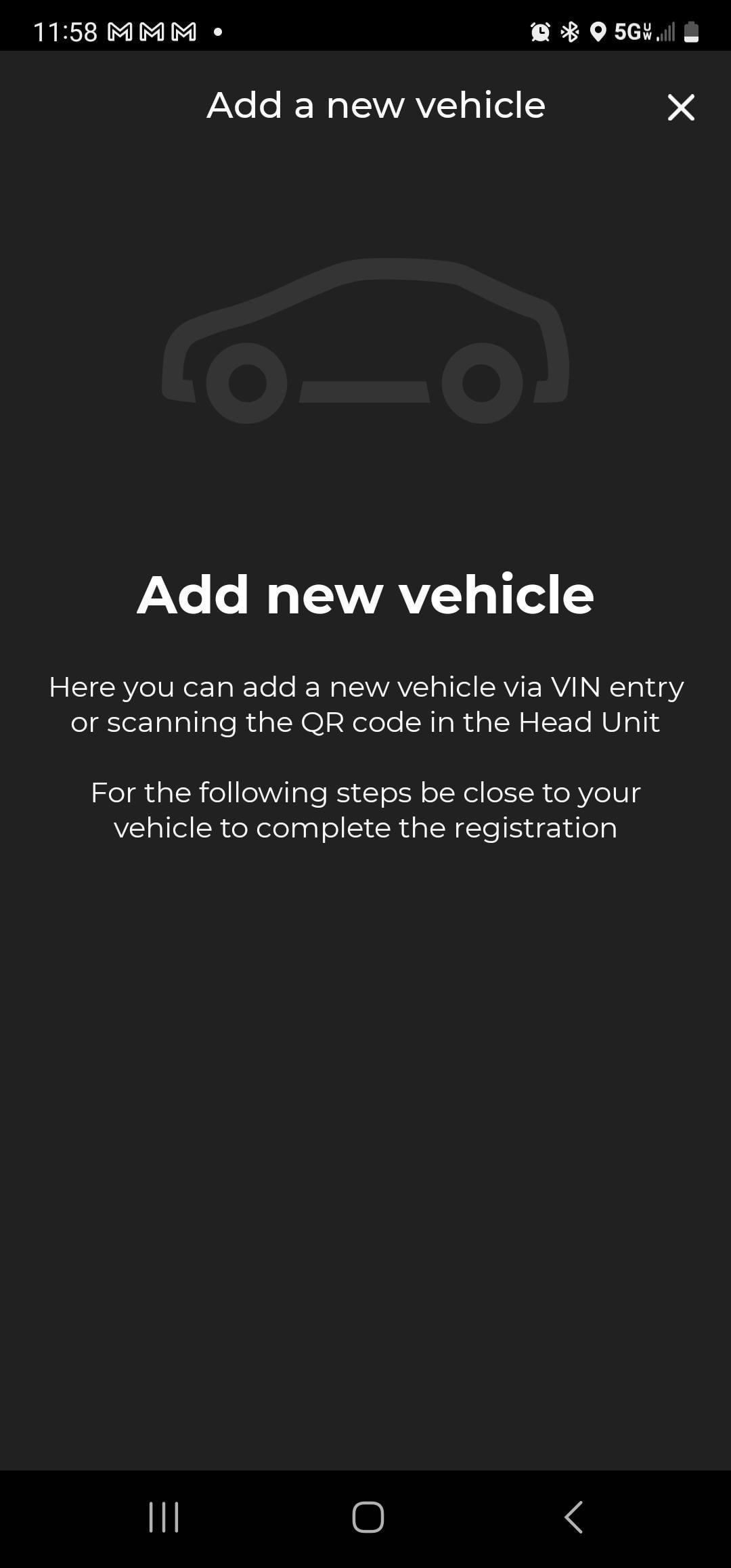
- Open the app and go to the “My Garage” section.
- Tap “Add Vehicle.”
- Enter your VIN (usually found on your dashboard near the windshield or on your registration papers).
- Verify Ownership
Uconnect may ask you to verify that you own the Jeep. This usually involves:
- Entering a code sent to your email or phone.
- In some cases, confirming details through your dealership.
- Activate Services
After adding your Jeep, you might be prompted to activate connected services. Follow the in-app instructions. Some features may require a paid subscription.
6. Sync Your Jeep
The app will attempt to connect with your vehicle. Your Jeep must be in an area with good cellular coverage.
Turn on your Jeep if requested by the app.
7. Test Basic Features
Try locking and unlocking the doors from the app. If it works, you’re all set.
Example: Adding A 2022 Jeep Grand Cherokee
Let’s say you just bought a 2022 Jeep Grand Cherokee. You download Uconnect, enter your VIN, verify your email, and activate the trial subscription. In five minutes, you can start your car from your kitchen on a cold morning!
Common Issues And Solutions
Even with clear instructions, you may hit some snags. Here’s how to handle them:
Can’t Find Vin
- Look at the driver’s side dashboard (visible through the windshield).
- Check your insurance card or vehicle registration.
- If you still can’t find it, ask your Jeep dealer for help.
App Won’t Add Vehicle
- Double-check that you entered the VIN correctly.
- Make sure your Jeep supports Uconnect remote services.
- Try reinstalling the app or restarting your phone.
Features Not Working
- Some features may only work if you have a subscription.
- Your Jeep needs to be in an area with good signal.
- If problems persist, contact Uconnect Customer Support.
Uconnect App Features: What You Get
Once your Jeep is added, you can do much more than just unlock doors. Here’s a quick look at popular features:
| Feature | What It Does | Available On |
|---|---|---|
| Remote Start | Start your Jeep from anywhere | Most 2018+ models |
| Vehicle Finder | Shows your Jeep’s location on a map | Most 2019+ models |
| Lock/Unlock Doors | Lock or unlock with your phone | All Uconnect-supported models |
| Send & Go | Send destinations to your Jeep’s navigation | Limited models with built-in nav |
Comparing Jeep Uconnect Plans
Uconnect offers different subscription plans. Here’s a quick comparison:
| Plan | Main Features | Monthly Cost |
|---|---|---|
| Uconnect Access | Remote start, lock/unlock, vehicle finder | $14.99 |
| Uconnect Guardian | Roadside assistance, SOS call, stolen vehicle help | $19.99 |
| Trial Plan | Basic features (limited time) | Free (trial period) |
Many new Jeep owners get a free trial for a few months. After that, you’ll need to pay if you want to keep advanced features.
Two Insights Most Jeep Owners Miss
- Subscriptions Are Separate from App Access: You can add your Jeep to the app for free, but some remote features (like remote start) won’t work unless you have an active subscription. Many users think adding their Jeep is enough, but payment is required for full functionality.
- Dealership Activation: Sometimes, the Uconnect system in your Jeep needs to be activated or updated at the dealership before it will work with the app. If you’re having trouble, ask your dealer if your Jeep’s Uconnect is fully enabled.
Security And Privacy Tips
Using the Uconnect app adds convenience, but you should also consider safety:
- Use a strong password for your Uconnect account.
- Don’t share your login details.
- If you sell your Jeep, remove it from your Uconnect app and change your password.
When To Contact Support
If you’ve tried everything and the app still won’t connect, call Uconnect Customer Support or visit your local Jeep dealer. Sometimes, vehicle software needs an update. For more details, the official Jeep Uconnect page is a great resource.
Frequently Asked Questions
How Do I Find My Jeep’s Vin?
Look on the dashboard near the windshield, the driver’s door frame, or your insurance card. The VIN is a 17-character code unique to your Jeep.
Can I Add More Than One Jeep To The Uconnect App?
Yes, you can add multiple vehicles. Go to “My Garage” in the app and repeat the add vehicle process for each Jeep you own.
Do I Need A Subscription For Basic Features?
You can add your Jeep and view some basic info for free, but advanced features like remote start usually require a paid plan after the trial period.
What If I Bought A Used Jeep?
If the previous owner didn’t remove the Jeep from their Uconnect account, you may need to contact support or visit a dealer to reset ownership.
Is The Uconnect App Safe To Use?
Yes, the app uses secure encryption to protect your data. Always keep your app updated and use a strong password for extra safety.
Adding your Jeep to the Uconnect app opens up a world of smart features and greater convenience. With the right steps and a little patience, you’ll be connected in no time ready to enjoy everything Uconnect has to offer.


















