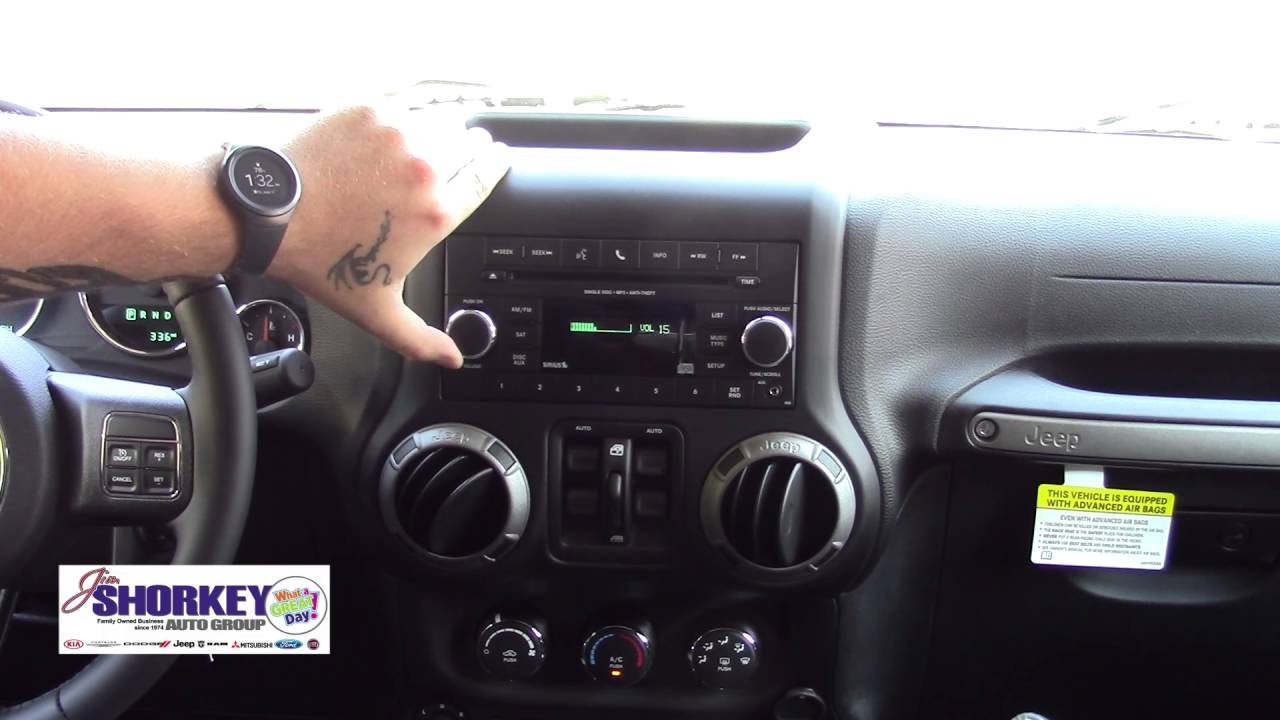
Connecting your phone or device to your Jeep’s Bluetooth can make driving safer and more enjoyable. You get hands-free calling, music streaming, and sometimes even voice commands.
But if you’ve just bought a Jeep or never used its Bluetooth, figuring out the process might feel confusing.
The good news is, with a few simple steps, you can pair your device and enjoy all the benefits Bluetooth offers. This guide will walk you through each part, highlight common mistakes, and give tips for a smoother experience.
Understanding Jeep Bluetooth Systems
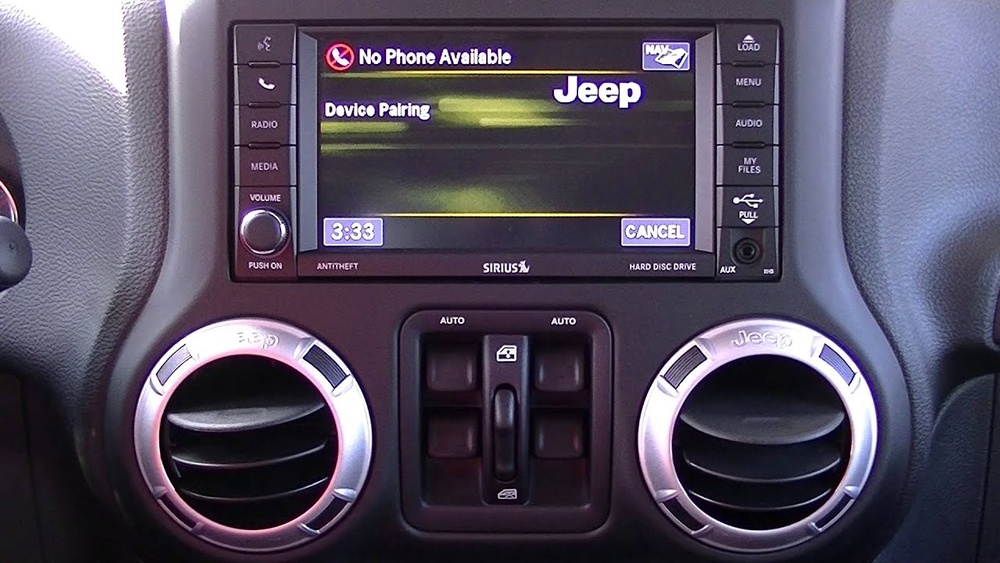
Jeep vehicles have different Bluetooth systems depending on the model and year. Most modern Jeeps use the Uconnect infotainment system, but older Jeeps may have a basic setup. Before connecting, it’s helpful to know which system is in your Jeep.
Here’s a quick comparison:
| System | Year Range | Main Features |
|---|---|---|
| Uconnect 3 | 2013-2017 | Touchscreen, Bluetooth calling, limited apps |
| Uconnect 4/4C/4C NAV | 2017-2021 | Touchscreen, Apple CarPlay, Android Auto, better Bluetooth |
| Basic Bluetooth | Pre-2013 | Audio streaming, hands-free calling |
Pro tip: Look at your Jeep’s screen or manual to identify your system. If you have a large touchscreen with apps, you likely have Uconnect 4 or newer.
Preparing Your Device
Before you start, make sure Bluetooth is enabled on your phone or device. Also, check that your device is not already connected to another car or speaker, as this can block pairing.
Deleting old car profiles from your phone’s Bluetooth list can help avoid confusion.
Battery matters too. Some older systems may not pair well if your device’s battery is low.
How To Connect Bluetooth To Your Jeep
Pairing your device is usually straightforward. Below are the steps for the most common Jeep systems.
Steps For Uconnect Systems
- Turn on your Jeep and keep it in Park.
- Activate Bluetooth on your phone. Set your phone to “discoverable.”
- On the Uconnect screen, tap “Phone” or “Pair a device.”
- Choose “Add Device” or “Pair New Device.”
- Select your Jeep from the Bluetooth list on your phone.
- A PIN may appear on both screens—make sure they match, then confirm.
- Wait for pairing to finish. You might be asked to allow contacts and messages access.
- Your device is now connected!
For Basic Bluetooth Systems
- Turn on your Jeep and radio.
- Activate Bluetooth on your device.
- Press the “Phone” button on your Jeep’s radio or dashboard.
- Follow voice or screen prompts to pair a device.
- Select “Jeep” from your phone’s Bluetooth list.
- Enter the PIN (often “0000” or “1234”) if asked.
- Accept any permissions.
Important: If you can’t find “Jeep” in your phone’s list, restart both the radio and your phone.
Common Problems And Solutions
Bluetooth is convenient, but issues can happen. Here’s a table with problems and quick fixes:
| Problem | Possible Cause | Solution |
|---|---|---|
| Device won’t pair | Already paired elsewhere | Delete old connections, restart both devices |
| No sound | Audio source not selected | Select Bluetooth audio on Uconnect |
| Calls drop | Weak signal or system glitch | Move phone closer, reset Uconnect |
| Pairing fails repeatedly | Software bug | Update phone and Jeep system software |
Insight: Sometimes, multiple devices confuse the system. If you share your Jeep, disconnect unused phones before pairing a new one.
Useful Features After Connecting
After you connect Bluetooth, you can do much more than just make calls. Here are some features you might not know about:
- Voice commands: Press the voice button to make calls or play music hands-free.
- Streaming apps: Play Spotify, Apple Music, or podcasts through your Jeep speakers.
- Text message integration: Some Uconnect versions can read messages aloud or let you reply by voice.
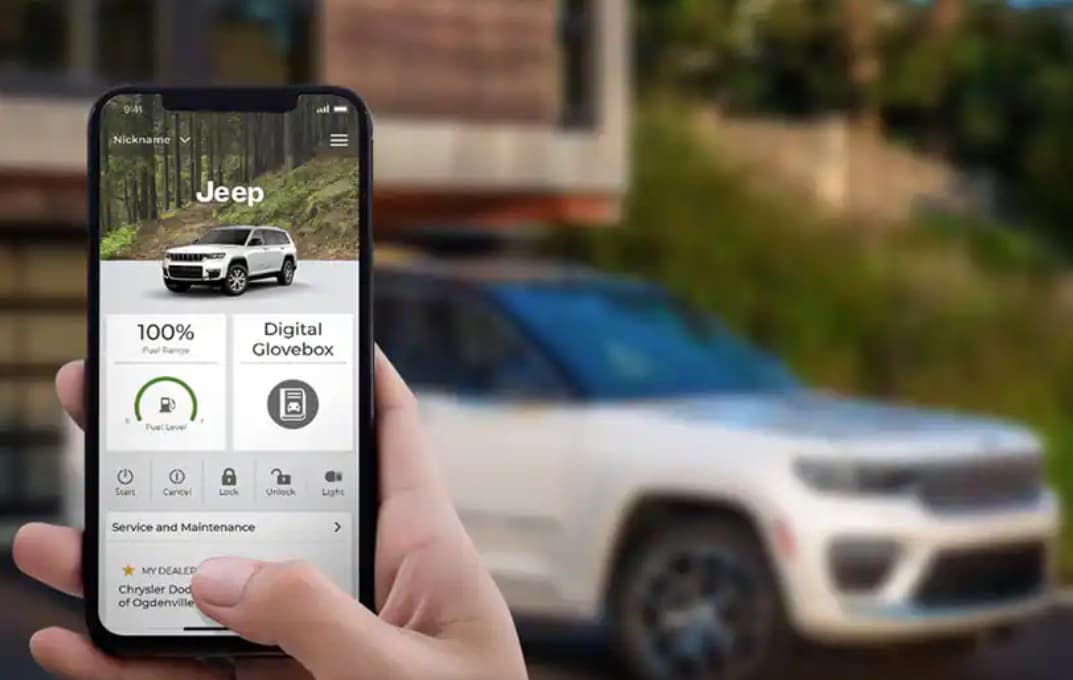
- Find my car: On newer models, using the Jeep app can help you locate your vehicle, as it syncs through Bluetooth.
Tip for families: If several people use the Jeep, set your phone as the “favorite” device in Uconnect. This will make your phone connect automatically each time.
Safety And Legal Reminders
Using Bluetooth is safer than holding your phone, but it’s not risk-free. Always set up your device before driving.
Many states have laws about hands-free phone use, so keep your hands on the wheel and eyes on the road.
Non-obvious insight: In some cases, new phones need extra permissions to work with older Jeep systems. If something doesn’t work, check your phone’s Bluetooth settings for options like “Sync contacts.”
When Bluetooth Doesn’t Work
If nothing helps, try these steps:
- Reset Uconnect: Hold the “mute” and “browse/enter” buttons for about 10 seconds.
- Remove device from both sides: Delete the Jeep from your phone’s Bluetooth list, and remove your phone from Uconnect’s list.
- Update software: Visit your Jeep dealer or check for updates online.
- Check compatibility: Very old Jeep systems may not support the latest phones. You can add a third-party Bluetooth adapter if needed.
For the latest Uconnect info, check the official Jeep Uconnect website.
Frequently Asked Questions
Can I Connect More Than One Phone To My Jeep’s Bluetooth?
Yes, you can pair multiple phones. However, only one phone can be connected for calls and streaming at a time.
You can switch between devices in the Uconnect menu.
Why Does My Jeep’s Bluetooth Sound Bad During Calls?
Poor sound quality often comes from low signal or interference. Try moving your phone closer to the Jeep’s radio, or disconnect other Bluetooth devices nearby. Check for software updates as well.
My Phone Connects, But Music Won’t Play. What Should I Do?
Make sure your phone’s media audio is enabled in Bluetooth settings. On Uconnect, select the Bluetooth audio source.
If it still doesn’t work, restart both your phone and the Jeep system.
Is Bluetooth Available On All Jeep Models?
Most Jeep models since 2013 have Bluetooth, especially those with Uconnect. Some base models or older Jeeps may need a Bluetooth adapter to add this feature.
How Can I Update My Jeep’s Bluetooth Or Uconnect System?
You can update Uconnect software through a Jeep dealer or by downloading updates from the Jeep website. Make sure your phone’s software is also up to date for best compatibility.
Connecting Bluetooth to your Jeep is a simple way to make your drive safer and more fun. With these steps, you’ll be set up in minutes and ready to enjoy hands-free features every time you hit the road.