Keeping your Jeep Grand Cherokee navigation system updated is more important than many drivers realize. An outdated map can lead you down the wrong road, miss new highways, or even cause you to get lost in unfamiliar areas. If you use your Grand Cherokee for commuting, road trips, or exploring new places, updating your navigation can save time and frustration. This guide shows you exactly how to update your navigation step-by-step, what you need, and clears up some common misunderstandings.
Modern navigation systems depend on accurate maps and current software. Roads change constantly. Cities add new streets, close old ones, and update routes. If your Jeep Grand Cherokee navigation is out-of-date, you risk missing:
- New highways and exits
- Updated traffic patterns
- Nearby points of interest, like gas stations or restaurants
According to the Federal Highway Administration, the US adds over 40,000 miles of new roads each year. That means your navigation could be outdated in just a few months.
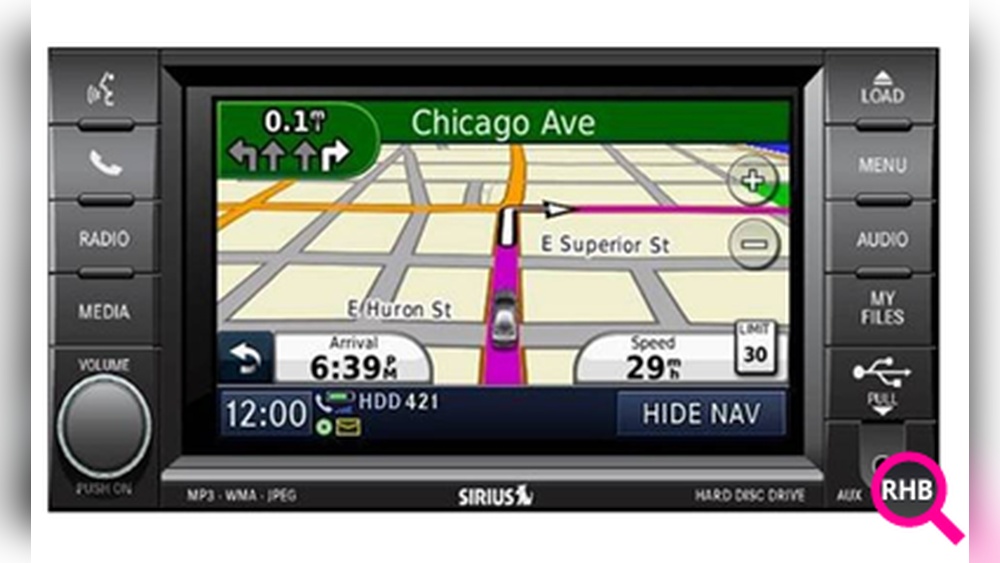
Before updating, you need to know which system you have. Jeep Grand Cherokees typically use:
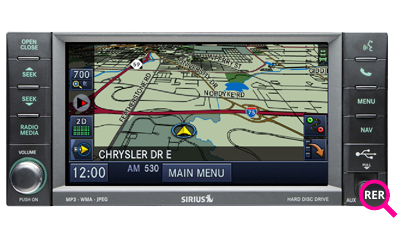
- Uconnect® Navigation: Most newer models (2014 and up) use the Uconnect® system with touchscreen controls.
- Standalone GPS: Older Grand Cherokees may have a separate GPS unit.
You can check your system by looking at the screen interface. Uconnect® screens show the logo at startup.
Here’s a quick comparison:
| Feature | Uconnect® | Standalone GPS |
|---|---|---|
| Touchscreen | Yes | Usually No |
| Voice Control | Yes | No |
| Update Method | USB/Online | CD/DVD |
1. Check The Current Version
Go to your navigation settings. Look for About or System Info. Note the map version and software date.
2. Get The Latest Map Update
For Uconnect® systems, visit the official Jeep Map Update page or the Uconnect® website. Older systems may need updates from the manufacturer or dealer.
- Enter your vehicle’s VIN (Vehicle Identification Number)
- Select your model and year
- Download the update package
3. Prepare A Usb Drive
Most updates require a USB drive (at least 8GB). Format the drive to FAT32 for compatibility.
4. Download And Transfer The Update
- Download the map update to your computer.
- Copy the files to the USB drive.
- Safely eject the USB.
5. Install The Update In Your Vehicle
- Start your Jeep and keep it running (do not turn off during update).
- Insert the USB drive into the port.
- Follow on-screen instructions. The system will ask to start the update.
- Wait for the process (can take 30–60 minutes).
Here is an example comparison of update times for different methods:
| Update Method | Average Time | Requires Dealer Visit |
|---|---|---|
| USB (Uconnect®) | 30–60 min | No |
| CD/DVD (Older GPS) | 60–120 min | Sometimes |
| Online (Over-the-Air) | 15–30 min | No |
6. Confirm Update Success
After installation, check the map version again. If the version number increased, your navigation is updated.
Common Mistakes To Avoid
Many owners make mistakes that waste time or cause errors:
- Using the wrong USB format: Always use FAT32.
- Not keeping the engine running: Power loss can ruin the update.
- Skipping VIN check: Updates are specific to your vehicle.
- Ignoring software updates: Sometimes, map updates need the latest software.
If your update fails, try a different USB drive or restart the process.

Practical Tips For Smoother Updates
- Back up personal settings: Navigation updates may reset preferences.
- Update regularly: Jeep recommends updating maps at least once a year.
- Check for software updates: Sometimes, the navigation software needs updating before maps.
Many drivers miss the fact that map updates can improve not just routes, but also safety features like lane guidance and real-time traffic alerts. Another overlooked tip: using a high-quality USB drive reduces update errors.
Where To Find Reliable Updates
Only download updates from trusted sources, such as:
- Official Jeep/Uconnect® sites
- Authorized Jeep dealerships
Avoid third-party sites; they often offer outdated or unsafe files. For more details, visit the Jeep Uconnect® official page.

Navigation updates are not always free. For most Jeep models:
- Newer vehicles: Updates may be free for the first few years.
- Older vehicles: Updates often cost $150–$200 per package.
Here’s a quick price summary:
| Model Year | Typical Update Cost | Free Updates Period |
|---|---|---|
| 2018–2024 | $0–$100 | First 3 Years |
| 2014–2017 | $150–$200 | None |
| 2010–2013 | $200+ | None |
Frequently Asked Questions
It’s best to update your navigation once a year or whenever you notice new roads missing. Regular updates keep your routes accurate.
Yes, most Uconnect® systems allow updates via USB and online downloads. Older systems may require a dealer visit.
What If My Usb Update Doesn’t Work?
Try using a different USB drive, make sure it’s formatted to FAT32, and restart the process. If it fails again, contact Jeep support.
Some new models get free updates for the first few years. Older vehicles usually require a paid package.
Will Updating Maps Erase My Saved Destinations?
Sometimes updates reset preferences or saved locations. Back up your favorites before updating to avoid losing them.
Updating your Jeep Grand Cherokee navigation system is simple once you know the steps. Keeping your maps current means safer, smoother travel and fewer surprises on the road. Take time to update regularly, use trusted sources, and enjoy reliable guidance wherever you drive.