If your Jeep Wrangler’s Bluetooth system is giving you trouble, you’re not alone. Many owners experience issues like failed pairing, dropped connections, or poor audio quality.
These problems can turn a simple drive into a frustrating one, especially if you rely on hands-free calls or music streaming. The good news is that you can fix most Bluetooth issues yourself, often in just a few minutes.
Common Jeep Wrangler Bluetooth Problems
Bluetooth problems in the Jeep Wrangler usually fall into a few categories. Here’s what most owners report:
- Devices won’t pair or connect
- Audio drops or stutters
- Calls do not transfer to car speakers
- Contacts or music won’t sync
- “Bluetooth Not Available” message on the screen
Understanding which issue you have is the first step to an easy fix. Sometimes, a simple reset works, while other times, you may need to update software or change a setting.
Quick Fixes For Bluetooth Pairing Issues
Pairing failures are the most common Bluetooth complaint. Before you take your Jeep to the dealership, try these steps:
- Restart both devices. Turn off your phone and your Jeep’s ignition. Wait 30 seconds, then turn them back on.
- Delete old pairings. On your phone, go to Bluetooth settings and “Forget” your Jeep. In your Jeep’s Uconnect system, remove the phone from the paired devices list.
- Retry pairing. Make your phone “discoverable” and let the Jeep search for it. Confirm the pairing code matches.
- Check compatibility. Some older phones may not work well with newer Jeep Bluetooth systems. Visit the official Jeep Uconnect site to see if your device is supported.
- Update software. Install the latest updates on both your phone and the Uconnect system.
Here’s a comparison of how these steps help solve pairing issues:
| Step | Success Rate | Time Needed |
|---|---|---|
| Restart Devices | High | 1-2 mins |
| Delete Old Pairings | Very High | 2-5 mins |
| Retry Pairing | High | 2-3 mins |
| Check Compatibility | Medium | 5 mins |
| Update Software | High | 10-20 mins |

Fixing Audio Drops And Poor Sound Quality
Audio dropouts or poor sound can happen even when pairing works. Try these fixes:
- Move your phone closer. Keep the phone inside the car and as close to the Uconnect system as possible.
- Turn off Wi-Fi. Sometimes, Wi-Fi on your phone interferes with Bluetooth.
- Close background apps. Some apps can disrupt Bluetooth streaming.
- Use the right audio source. On the Uconnect screen, make sure Bluetooth is selected as the audio source.
Below is a table comparing possible causes and solutions for audio drops:
| Problem | Cause | Solution |
|---|---|---|
| Audio drops | Phone too far | Keep phone close |
| Static/Noise | Wi-Fi interference | Disable Wi-Fi |
| Lagging music | Background apps | Close apps |
Resetting The Uconnect System
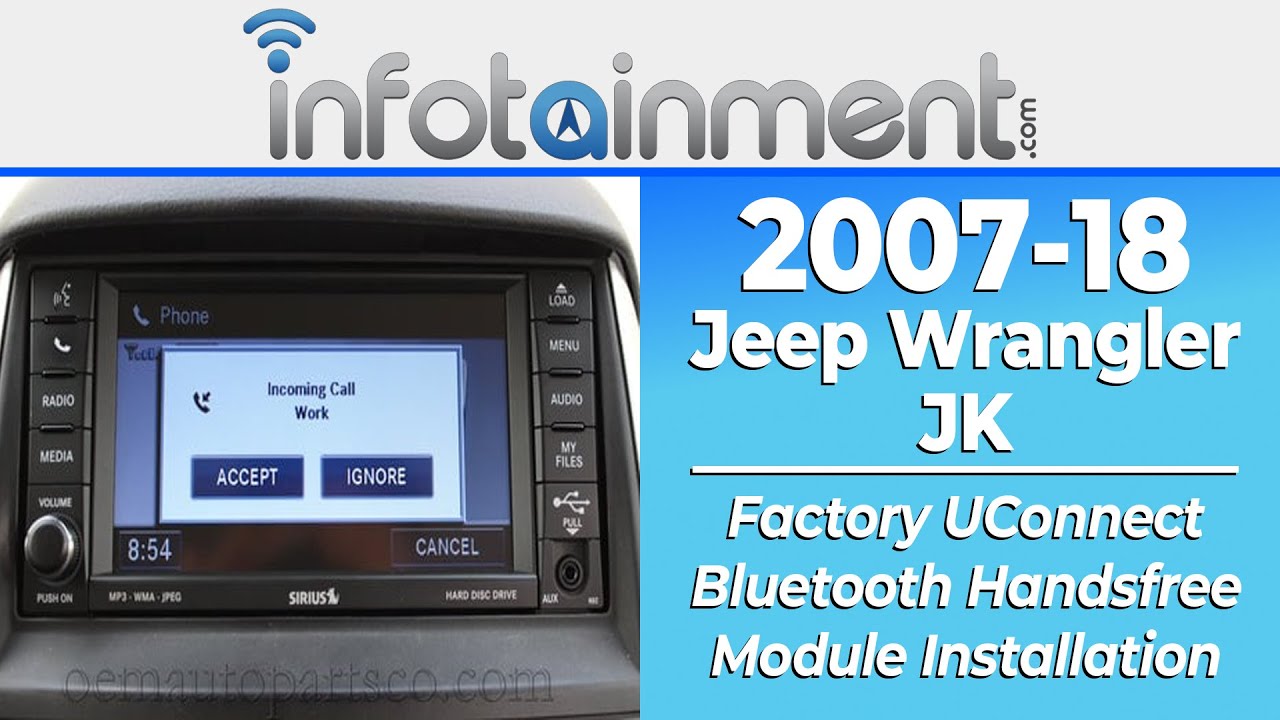
If simple fixes do not work, a Uconnect reset can solve stubborn Bluetooth problems. This will not erase your radio presets or vehicle settings. Here’s how:
- Turn the ignition to “Run” but do not start the engine.
- Press and hold the volume and tuner knobs on the Uconnect console at the same time for 10-15 seconds.
- The screen will go black, then reboot. Wait for the Jeep logo.
- Try pairing your device again.
A reset often clears out software glitches that cause Bluetooth issues. It is a safe step and does not need special tools.
Updating Uconnect Software
Outdated software can cause many issues, especially after you update your smartphone. Jeep releases Uconnect updates to fix bugs and improve compatibility. To check for updates:
- Go to the official Jeep Uconnect website.
- Enter your Jeep’s Vehicle Identification Number (VIN).
- Download any available updates onto a USB drive.
- Plug the USB into your Jeep and follow the on-screen instructions.
The process can take 30 minutes but can fix issues that nothing else will. Always keep your car running during the update to avoid problems.
When To Visit The Dealer
If none of these steps solve your Bluetooth problem, it may be a hardware fault. Signs include:
- Bluetooth option missing from the Uconnect menu
- Audio works with radio/CD but not with Bluetooth
- Multiple phones cannot connect
In these cases, the Uconnect module or wiring may need repair. Contact your local Jeep dealer for a diagnostic check. Dealers have special tools to test and replace hardware if needed.

Two Insights Most Owners Miss
- Phone Settings Matter: Many people overlook their phone’s Bluetooth settings. Features like “Battery Saver” or “Do Not Disturb” can block Bluetooth functions. Make sure these are off during pairing.
- Multiple Device Conflicts: If you have paired several devices with your Jeep, the system can get confused. Delete all old devices and pair only the one you use most.
Understanding these small details can save you hours of frustration.
Frequently Asked Questions
Why Won’t My Jeep Wrangler Find My Phone?
Most often, Bluetooth is not enabled on your phone or the Jeep’s Uconnect is searching for another device. Make sure Bluetooth is “on” and both devices are visible to each other. Remove old devices if the list is full.
How Do I Update My Jeep Wrangler’s Bluetooth Software?
You need to update the Uconnect system itself, not just Bluetooth. Visit the official Jeep Uconnect update site, enter your VIN, and follow the instructions to install updates using a USB drive.
What If My Calls Don’t Transfer To The Car Speakers?
Check if your phone shows Jeep as an active audio output. If not, re-pair the device and set Jeep as the default for calls and audio. On some phones, you need to allow call audio separately in Bluetooth settings.
Can I Use Bluetooth For Music And Calls At The Same Time?
Yes, but you must enable both Media Audio and Phone Audio in your phone’s Bluetooth settings. If one is off, you may get only music or only calls, not both.
Is There A Way To Reset Just The Bluetooth Without Resetting Everything?
You can reset only Bluetooth connections by deleting all paired devices on both your Jeep Uconnect and your phone, then restarting both. This clears Bluetooth memory without affecting radio or other settings.
Fixing Jeep Wrangler Bluetooth problems does not have to be difficult. Most issues are solved with a few simple steps, and knowing what to check can save you time and money.
If you follow these tips, you’ll enjoy hands-free calling and music streaming again quickly and easily.