Changing the language in your Jeep Renegade can make your driving experience more comfortable, especially if English isn’t your first language or you prefer another language for clarity. Whether you’ve just bought a used Renegade, moved to a new country, or want to help a family member, adjusting the display language is a simple but important step. The process is designed to be user-friendly, but small details and hidden menus can make it confusing for first-timers. This guide explains each step, highlights useful tips, and answers common questions to help you change the language smoothly.
Understanding Language Settings In Jeep Renegade
The Jeep Renegade uses a digital display system called Uconnect, found in most models from 2015 onward. The language you choose will appear on the dashboard, touchscreen, and sometimes in audio instructions or alerts. Common languages include English, Spanish, French, Italian, and German, but availability can vary depending on your region and model year.
Here’s a quick look at language support by model year:
| Model Year | Languages Available | Uconnect Version |
|---|---|---|
| 2015–2017 | English, Spanish, French, Italian, German | 5.0, 6.5 |
| 2018–2022 | + Portuguese, Dutch, Russian (varies) | 7.0, 8.4 |
| 2023+ | Expanded options (incl. Chinese, Arabic) | Latest Uconnect |
If you’re unsure which Uconnect version you have, check the bottom corner of the touchscreen when the system starts, or consult your owner’s manual.
Step-by-step: How To Change Language On Jeep Renegade
Changing the language is usually done through the Uconnect touchscreen or the instrument cluster, depending on your model.
For Touchscreen (uconnect 5.0/6.5/7.0/8.4)
- Turn on the ignition (accessory mode is enough; no need to start the engine).
- Press the ‘Menu’ or ‘Settings’ button on your touchscreen.
- Find the ‘Language’ option. It may be under ‘Display’ or directly listed as ‘Language.’
- Select your preferred language from the list. Scroll if you don’t see it right away.
- Confirm your choice. The system may ask, “Are you sure?” or display a checkmark.
- Wait a few seconds. The display will refresh and show all menus and alerts in the new language.
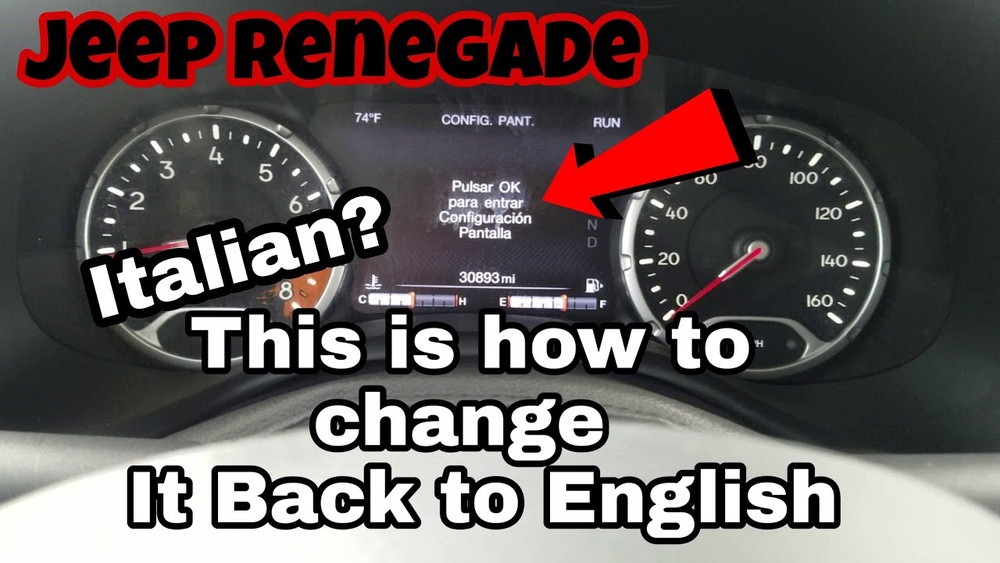
For Instrument Cluster (no Touchscreen)
- Turn the key to the ON position.
- Press the up/down arrows on the left side of the steering wheel until you reach ‘Settings’ or a gear icon.
- Scroll to ‘Language’ using the OK or right arrow button.
- Select your language and confirm.
- Exit the menu. The changes should take effect immediately.
Here’s a quick comparison of where to find the language option:
| System Type | Where to Change | Steps Needed |
|---|---|---|
| Touchscreen | Settings > Language | Menu navigation, tap to select |
| Cluster Display | Settings (via steering wheel buttons) | Arrow keys, press OK |
Tips For A Smooth Language Change
- Double-check the new language before confirming. Menus will switch instantly, and it can be confusing if you choose a language you don’t understand.
- If you get lost after switching, look for the flag icon next to the language menu or use your phone’s camera and a translation app to help.
- In some regions, not all languages are available. If your preferred language doesn’t appear, your Jeep’s software may need an update at a dealership.
- Some features (like voice commands) may not work in every language.
- After a factory reset, the system may return to its default language. Keep this in mind if you plan to reset or sell the vehicle.
What If The Language Option Is Missing?
Sometimes, you may not see the Language option due to software glitches or outdated firmware. In these cases:
- Restart the vehicle and try again.
- Check for Uconnect software updates online or at your dealership. A simple update often adds new languages or fixes menu problems.
- If your screen is frozen or unresponsive, disconnect the car battery for a few minutes. This can reset the system, but be careful—this also resets radio presets and clock settings.

Real-world Example: Changing Language After Import
Suppose you import a Jeep Renegade from Italy to the US. The dashboard and alerts might appear in Italian. To switch to English:
- Use icon cues (like the gear for settings).
- Look for the word ‘Lingua’ (Italian for language).
- Select ‘Inglese’ (English).
- Confirm and exit.
Many drivers overlook the small globe icon that sometimes appears next to the language menu. This symbol helps you find the right setting even if you can’t read the current language.
Common Mistakes To Avoid
- Rushing through menus—take your time to avoid choosing the wrong language.
- Not updating software—an old system may not support your language.
- Forgetting to confirm—changes won’t apply unless you confirm the selection.
Here’s a summary of the most frequent mistakes and solutions:
| Mistake | Consequence | Solution |
|---|---|---|
| Selecting the wrong language | Menus become hard to read | Use icon cues or translation app |
| Not updating Uconnect | Missing language options | Visit dealership for update |
| Skipping confirmation | Language doesn’t change | Repeat steps, confirm selection |

Additional Resources
For more details on Uconnect and supported languages, check the official Mopar Uconnect Help Page.
Switching the language on your Jeep Renegade takes only a few minutes, but it can make a big difference in your driving comfort and safety.
If you ever get stuck, don’t hesitate to ask for help at your dealership they deal with this issue often and can guide you step by step.
Frequently Asked Questions
How Many Languages Does The Jeep Renegade Support?
Most models support at least five languages: English, Spanish, French, Italian, and German. Newer models may offer more options, including Russian and Chinese.
No, changing the language does not erase your navigation destinations or radio presets. Only the system’s display language changes.
What Should I Do If My Preferred Language Isn’t Available?
Check for software updates at your dealership. Some languages are only available after updating Uconnect to the latest version.
Can I Change The Language Back To English If I Make A Mistake?
Yes, you can always return to the language menu and select English. Use icon cues if menus are hard to read.
Does Changing The Language Affect Voice Commands?
It might. Some languages support voice commands fully, while others do not. Check your owner’s manual for details on supported languages for voice recognition.