Opening your Jeep Compass key fob may sound simple, but many owners worry about damaging their remote or losing key parts. Whether you need to replace the battery or troubleshoot a malfunction, understanding the correct way to open your key fob is essential. This guide walks you through the process step by step, highlights common mistakes, and compares key fob types, so you can handle your device confidently.
Jeep Compass Key Fob Types
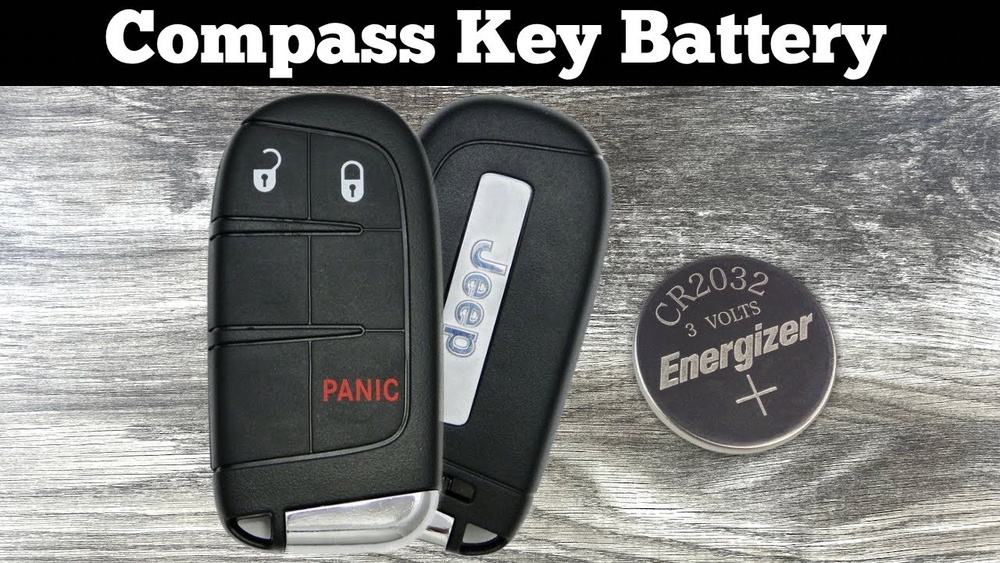
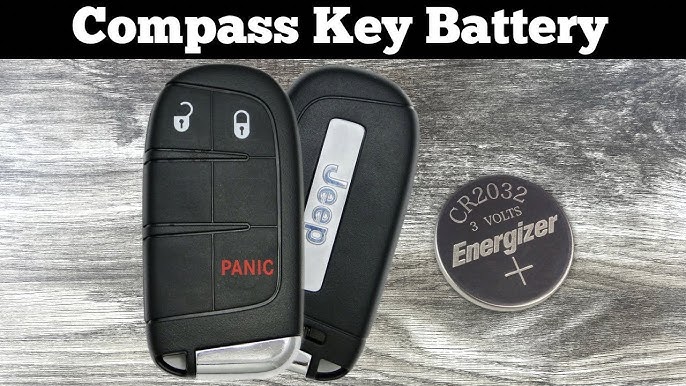
Jeep Compass key fobs come in two main styles: flip key fobs and smart key fobs. Knowing which you have is important because the opening process is slightly different.
| Key Fob Type | Main Features | Battery Type | Opening Difficulty |
|---|---|---|---|
| Flip Key Fob | Physical key blade, buttons for lock/unlock | CR2032 | Easy |
| Smart Key Fob | No visible key blade, push-button start | CR2025 | Moderate |
Most Jeep Compass models from 2017 onward use the smart key fob. Older models may have the flip style. Always check your owner’s manual if you’re unsure.
Tools And Preparation
Before opening your key fob, gather the following:
- Small flathead screwdriver
- Replacement battery (CR2032 or CR2025)
- Clean workspace
A flathead screwdriver is usually enough. Avoid using sharp knives or metal objects, which can damage the plastic casing.
Step-by-step Guide: Opening Your Jeep Compass Key Fob
Follow these clear steps to safely open your key fob:
1. Remove The Mechanical Key
For smart key fobs, press the small release button on the side and slide out the hidden key blade. With flip key fobs, simply flip out the metal key.
2. Locate The Seam
Find the thin line running along the edge of your key fob. This seam is where the two halves join.
3. Insert The Screwdriver
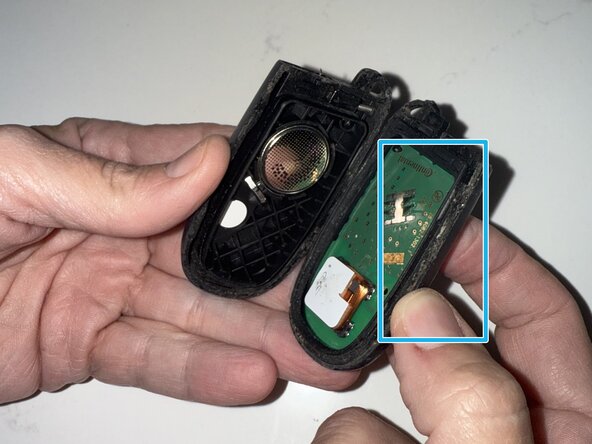
Gently insert the tip of the flathead screwdriver into the seam. Apply light pressure never force it, as this can crack the case.
4. Twist And Separate
Rotate the screwdriver slightly. You’ll feel the halves begin to separate.
Continue working around the edge until the fob splits in two.
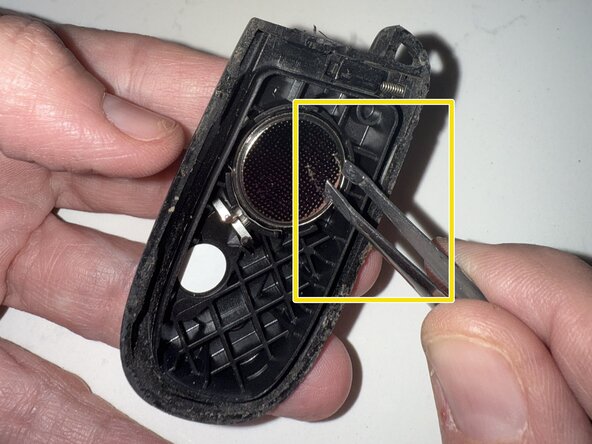
5. Remove The Battery
Note the orientation of the battery before removing it. Use your screwdriver to lift the battery out.
6. Replace The Battery
Place the new battery in exactly the same direction. Most fobs have a diagram inside showing the correct placement.
7. Snap The Fob Back Together
Align the two halves and press firmly until you hear a click. Test your key fob to make sure it works.
Practical Example
If your Jeep Compass is a 2020 model, you’ll likely have a smart key fob. After removing the metal key, look for a small notch near the release button.
That’s the best spot to insert your screwdriver and begin separating the halves.
Common Mistakes To Avoid
Opening a key fob is simple, but these mistakes can cause trouble:
- Using excessive force: This often breaks the plastic housing.
- Wrong battery orientation: Putting the battery in backward means your key fob won’t work.
- Losing parts: Small pieces like springs or buttons can fall out. Work over a tray or towel to catch anything.
One non-obvious insight: If the fob won’t snap shut, check for tiny plastic tabs. These must fit perfectly—otherwise, the case won’t close.
Comparing Diy Vs. Dealer Service
Should you open your key fob yourself or go to the dealer? Here’s a quick comparison:
| Option | Cost | Time Required | Risk Level |
|---|---|---|---|
| DIY | $5–$10 (battery) | 5–10 minutes | Low (if careful) |
| Dealer | $30–$60 | 30–60 minutes (wait) | Very Low |
Most owners choose DIY because it saves money and time. The risk is low as long as you follow instructions.
Extra Tips For Success
- Always use quality batteries. Cheap ones drain quickly and can cause fob malfunctions.
- Clean the battery contacts with a dry cloth before installing the new battery.
- If the fob still doesn’t work, check for corrosion or broken internal parts. These are rare, but can happen if water enters the fob.
- Keep your old battery for recycling—never toss it in the trash.
Another insight: Many key fobs have a small rubber gasket inside. This protects against moisture. If you see it, make sure it’s positioned correctly when reassembling.
Frequently Asked Questions
How Do I Know Which Battery My Jeep Compass Key Fob Uses?
Most Jeep Compass key fobs use either a CR2032 or CR2025 battery. Check inside your fob or your owner’s manual for the exact type.
What If My Key Fob Doesn’t Work After Replacing The Battery?
First, check the battery orientation. If it’s correct, try cleaning the metal contacts. If the fob still fails, you may have a deeper issue and should visit your dealer.
Can Opening The Key Fob Void My Warranty?
No, replacing the battery does not void your warranty. However, breaking the casing or damaging electronic parts might, so be gentle.
How Often Should I Replace My Key Fob Battery?
Most batteries last 2–3 years, depending on usage. If the range drops or buttons feel unresponsive, it’s time for a new battery.
Is It Safe To Use Generic Batteries?
Yes, as long as they match the recommended type. However, branded batteries like Energizer or Duracell tend to last longer and are less likely to leak.
Opening your Jeep Compass key fob is a quick and easy job when you know the right steps. With the correct tools, attention to detail, and a little patience, you’ll save both time and money. If you encounter any trouble, always refer to your owner’s manual or check trusted resources like Jeep Official Owners Site for extra help. Taking care of your key fob ensures your Jeep Compass stays ready for every journey.