Pairing your phone or other devices to your Jeep Wrangler via Bluetooth is a simple process, but many owners still face challenges. Whether you want to play music, make hands-free calls, or use navigation, Bluetooth pairing brings convenience and safety to your drive. Understanding the steps, common issues, and device compatibility will help you get the most from your Jeep’s infotainment system. This guide walks you through the process, highlights important details, and answers frequent questions so you can connect your devices easily and confidently.
What You Need Before Pairing
Before you start, make sure you have a few essentials ready:
- A smartphone or Bluetooth-enabled device with Bluetooth turned on.
- Your Jeep Wrangler parked and in accessory mode or the engine running.
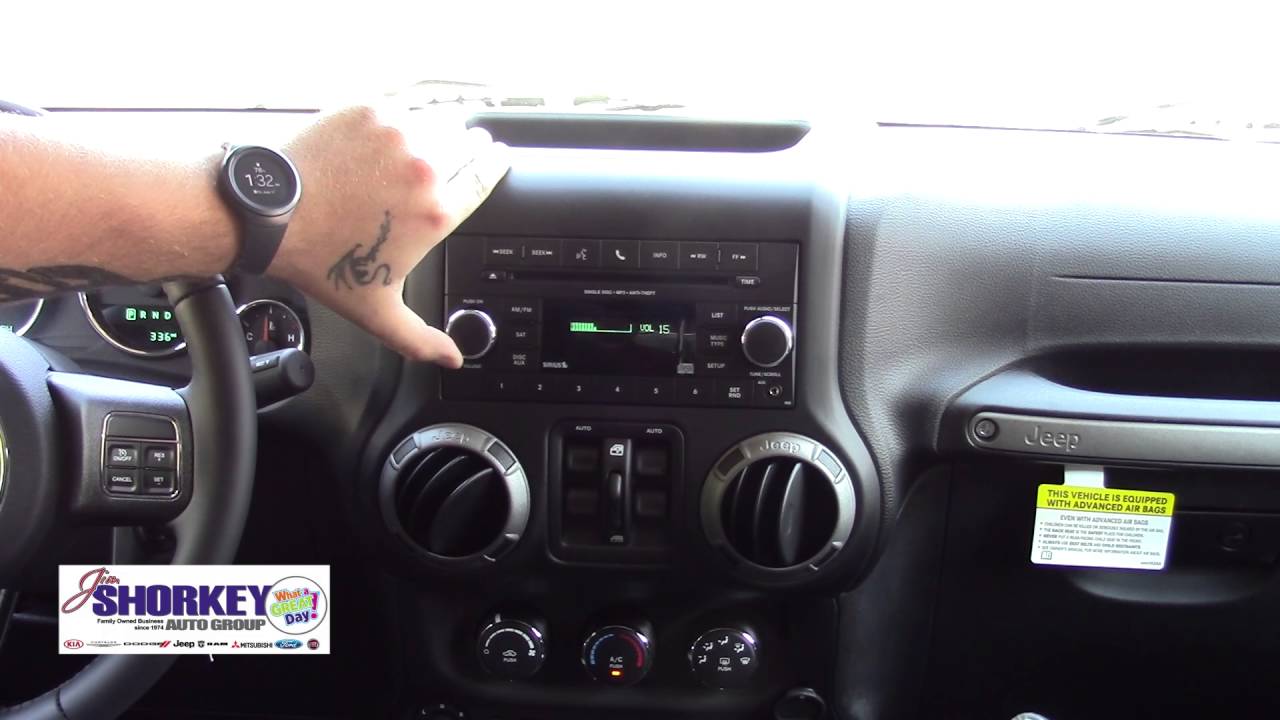
- Access to the Uconnect system (or the radio screen if you have an older model).
Most Jeep Wranglers since 2011 come with the Uconnect infotainment system. If your vehicle is older, Bluetooth pairing steps may differ slightly.
Step-by-step Bluetooth Pairing Process
Pairing is straightforward if you follow these steps. Here’s how to do it:
- Turn on Bluetooth on your device. Go to your phone’s Bluetooth settings and make sure it is discoverable.
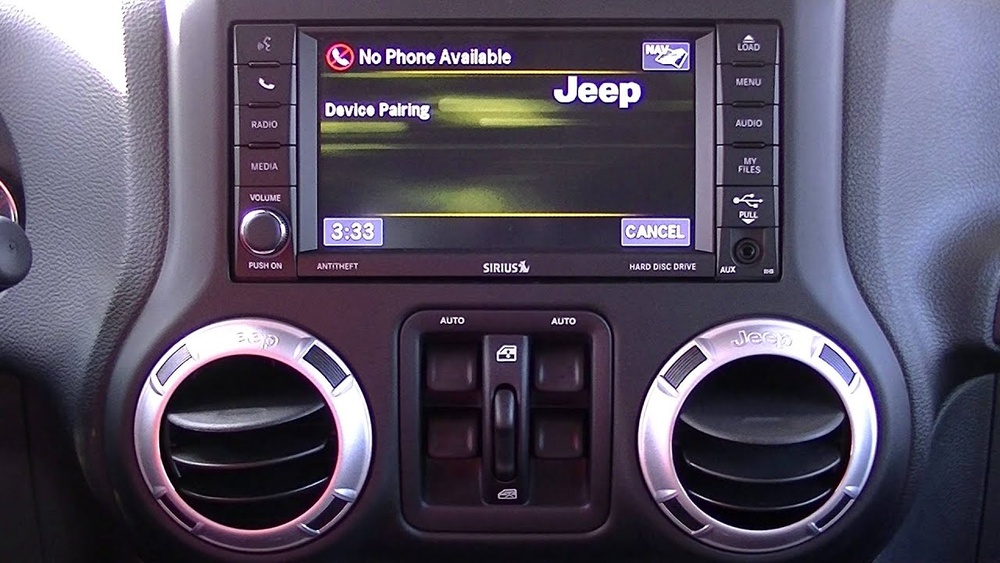
- Start your Jeep Wrangler and access the Uconnect system. Tap the “Phone” or “Media” icon on the touchscreen.
- Select “Add Device” or “Pair New Device” in the Bluetooth menu.
- Your Jeep will display a list of nearby devices. Choose your phone from the list.
- A PIN code will appear on both the Jeep screen and your phone. Confirm the code matches, then press “Pair” or “Yes” on both screens.
- Allow access to contacts and messages if prompted. This enables hands-free calling and text features.
- Your device should now be connected. The Jeep may show a confirmation message.
If pairing is successful, you can now stream music, use navigation, and make calls through the Jeep’s speakers.
Device Compatibility: What Works Best
Not every device connects the same way. Some older phones or aftermarket radios may have trouble pairing.
Most modern smartphones work smoothly with Uconnect, but a few brands and operating systems stand out.
| Device Type | Compatibility | Features Supported |
|---|---|---|
| iPhone (iOS 12+) | Excellent | Music, Calls, Messages |
| Android (Android 9+) | Very Good | Music, Calls, Messages |
| Older Smartphones | Varies | Music, Calls |
| Aftermarket Radios | Limited | Music Only |
Jeep’s Uconnect is updated regularly to support newer phones. If you have a very new device or operating system, check for Uconnect software updates to avoid compatibility issues.
Troubleshooting Common Bluetooth Problems
Sometimes pairing doesn’t go smoothly. Here are solutions for frequent issues:
- Device not found: Make sure Bluetooth is enabled and your phone is discoverable. Restart your phone and the Jeep system.
- Connection fails: Remove old pairings from both the Jeep and your device. Try pairing again.
- Audio issues: Check volume levels on both your device and Jeep. Some apps may need permissions to play through Bluetooth.
- Dropped connections: Interference can cause drops. Move other wireless devices away and update your phone and Uconnect software.
- Multiple devices: If several devices are paired, only one can connect at a time. Disconnect others before pairing a new device.
Many users overlook the importance of Uconnect updates. Jeep releases periodic software upgrades that fix bugs and improve compatibility. You can find updates and instructions on the official Jeep website.
Advanced Features And Tips
Once paired, you can enjoy more than just music and calls. Here are some advanced features and tips:
- Voice command: Most Wranglers with Uconnect let you use voice commands to call contacts or play music. Hold the steering wheel button and speak clearly.
- Navigation integration: Some systems allow map directions from your phone to play through the Jeep’s speakers.
- Automatic pairing: After the initial setup, your device will connect automatically when you enter the vehicle, saving time.
- Multiple device support: Uconnect can remember up to seven devices, but only one connects at a time. You can switch between them in the Bluetooth menu.
| Feature | Uconnect Supported? | Benefit |
|---|---|---|
| Voice Command | Yes | Hands-free, safer driving |
| Navigation Audio | Yes | Directions through speakers |
| Auto Pairing | Yes | No manual setup each time |
| Multiple Devices | Yes (one at a time) | Easy switching |
An overlooked tip is to reset the Uconnect system if you experience repeated issues. Hold the power and volume buttons together for ten seconds to restart the system. This fix is not obvious to many new owners.
Safety And Privacy Considerations
Bluetooth pairing offers convenience, but be aware of privacy and safety:
- Contacts access: When pairing, your Jeep may request access to your contacts and messages. Only allow this if you trust the device.
- Public Wi-Fi interference: Bluetooth signals can be interrupted by strong Wi-Fi. Avoid pairing near crowded places.
- Hands-free laws: Using Bluetooth for calls helps you comply with hands-free driving laws in many states.
Statistics show that hands-free use can reduce distracted driving accidents. According to the NHTSA, hands-free devices help drivers focus better and lower risks compared to holding a phone.

Frequently Asked Questions
How Many Devices Can I Pair With Jeep Wrangler Bluetooth?
You can save up to seven devices in the Uconnect system. However, only one device can be connected at a time.
What If My Phone Won’t Pair With My Jeep?
Try restarting both your phone and the Uconnect system. Remove old pairings. If the issue continues, check for software updates or consult the Jeep Uconnect support.
Yes. If your phone’s navigation app is running, directions will play through the Jeep speakers if your device is paired and audio is set to Bluetooth.
Does Bluetooth Pairing Affect Battery Life?
Bluetooth uses some battery, but modern phones are efficient. If you leave Bluetooth on, battery drain is minimal.
Turning it off when not needed can save power.
Is Bluetooth Safe For Personal Data?
Bluetooth is generally safe. Make sure to only pair with trusted devices and limit access to contacts and messages unless needed.
Avoid pairing in public spaces to protect your information.
Pairing Bluetooth in your Jeep Wrangler is easier than it seems and brings many advantages. With these tips and solutions, you can enjoy music, calls, and navigation safely and effortlessly.
If you run into trouble, software updates and simple resets often solve most issues, letting you focus on the road ahead.