Connecting your Jeep to the Uconnect app unlocks a range of smart features that make driving easier and more enjoyable. From starting your engine remotely to checking your vehicle’s health, the Uconnect app brings your Jeep experience into the digital age.
But for many owners, the setup process can feel confusing, especially if you’re not used to connecting cars with smartphones.
This guide will walk you through every step, share practical tips, and help you avoid common mistakes so you get the most from your Jeep and Uconnect.
What Is Uconnect And Why Does It Matter?
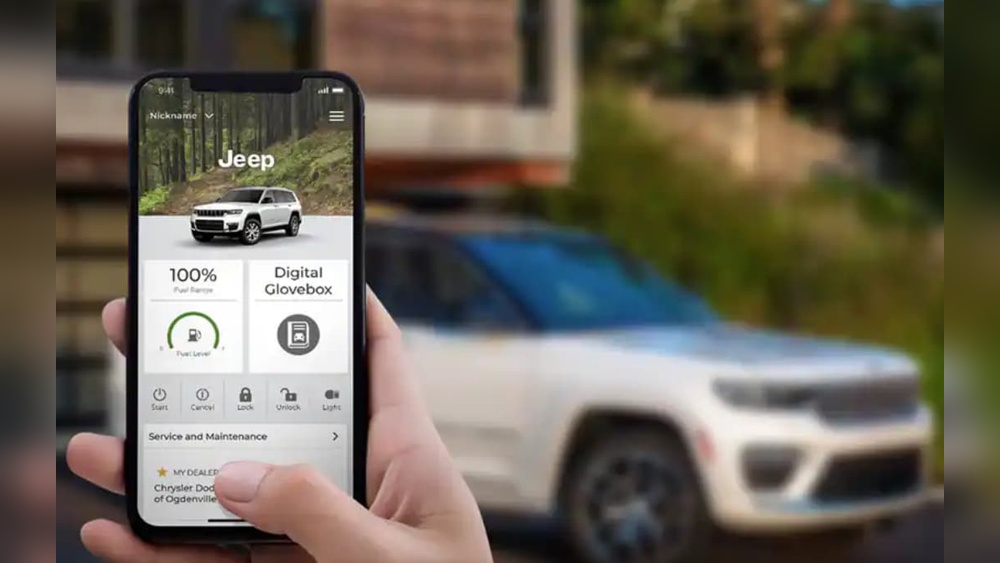
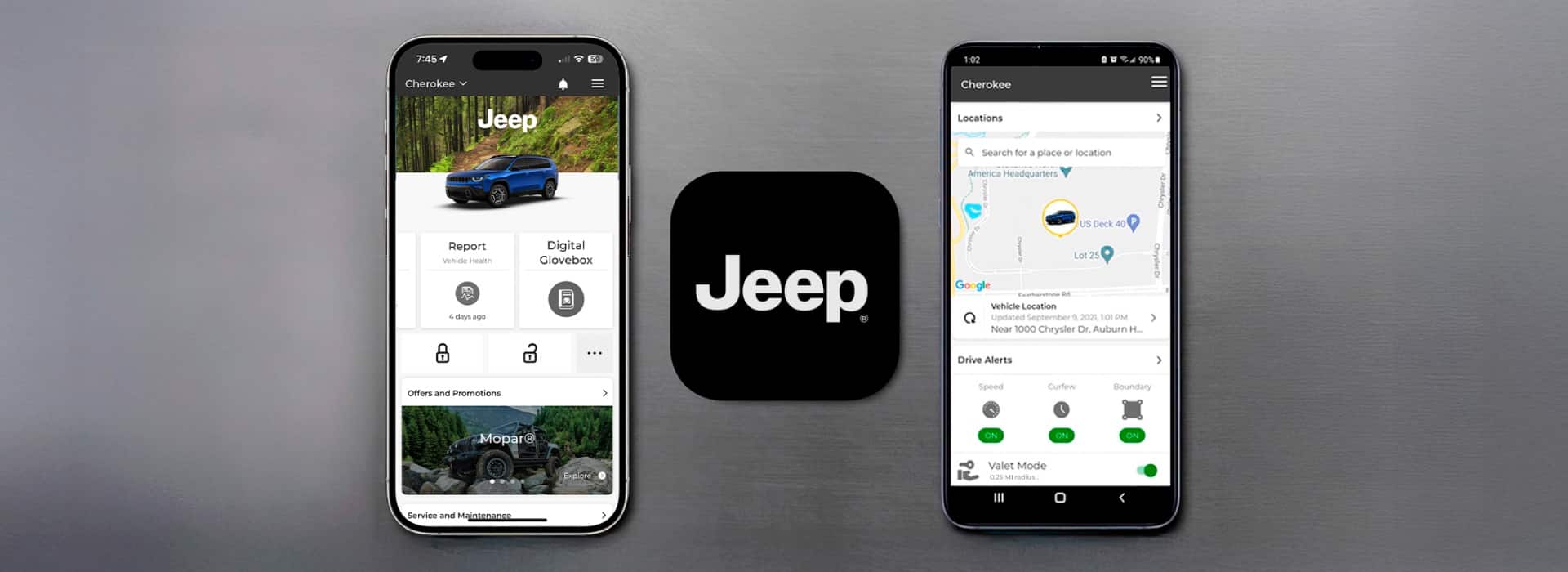
The Uconnect app is Jeep’s official mobile companion for select models. It links your smartphone to your Jeep’s onboard system, giving you control over key features such as:
- Remote start and lock/unlock
- Vehicle location tracking
- Health reports and diagnostics
- Navigation and Send & Go
- Roadside assistance requests
These features are not just for convenience. For example, remote start helps you warm up or cool down your Jeep before you drive.
Vehicle location can save you time in crowded parking lots. The health report can alert you to possible issues before they become serious.
Before You Begin: What You Need
Before trying to connect your Jeep, gather these essentials:
- Compatible Jeep model: Uconnect works best with 2018 or newer Jeeps, but some features are available on older models.
- Active Uconnect account: You’ll need to create an account if you don’t have one.
- Smartphone: The app is available for both iOS and Android.
- Vehicle Identification Number (VIN): Find this on your dashboard or registration papers.
- Cellular data or Wi-Fi: Needed for the app download and setup.
If your Jeep doesn’t have built-in cellular connectivity, some features may be limited. Check your owner’s manual or the Jeep website for compatibility.

Step-by-step: Connecting Your Jeep To Uconnect
Follow these steps to get your Jeep and Uconnect app working together.
1. Download And Install The Uconnect App
- Go to the Apple App Store or Google Play Store.
- Search for “Uconnect” and download the official app.
- Open the app and allow any required permissions (location, notifications).
2. Create Or Sign In To Your Uconnect Account
- Open the app and tap “Sign Up” if you’re new.
- Enter your email, create a password, and verify your account.
- If you already have an account, just sign in.
3. Add Your Jeep To The App
- Tap “Add Vehicle.”
- Enter your VIN when prompted.
- The app will identify your Jeep model and year.
4. Verify Your Ownership
You may be asked to complete a verification step for security. This usually involves:
- Entering a code sent to your email or phone.
- Confirming details about your vehicle.
5. Activate Connected Services
- Some features require you to activate connected services.
- Tap on “Activate Services” in the app.
- You may need to visit your Jeep and turn the ignition on.
- Follow the prompts in the app and on your vehicle’s Uconnect screen.
6. Pair Your Phone With Your Jeep
Most Jeeps use Bluetooth to connect with your phone for calls and music:
- On your Jeep’s Uconnect touchscreen, go to “Phone” > “Pair Device.”
- On your smartphone, enable Bluetooth and select your Jeep from the list.
- Confirm the pairing code matches on both screens.
7. Test App Features
Once setup is complete, try these basic features:
- Remote start: Tap “Start” in the app.
- Lock/unlock: Test locking and unlocking from your phone.
- Vehicle location: Check if the app shows your Jeep’s position.
If These Work, Your Jeep Is Connected!
Common Connection Problems And Fixes
Sometimes the process doesn’t go perfectly. Here are quick solutions to frequent issues:
| Problem | Likely Cause | Solution |
|---|---|---|
| App won’t connect to Jeep | Poor cellular signal or Uconnect not activated | Move to an open area; check Uconnect services are active |
| Bluetooth pairing fails | Outdated software or wrong PIN | Update phone/vehicle software; check PIN carefully |
| Missing features | Model/year not supported | Check your Jeep’s compatibility online |
Many problems can be solved by restarting your phone and vehicle, or reinstalling the app. If issues persist, contact Jeep customer support.
Uconnect App Features Compared
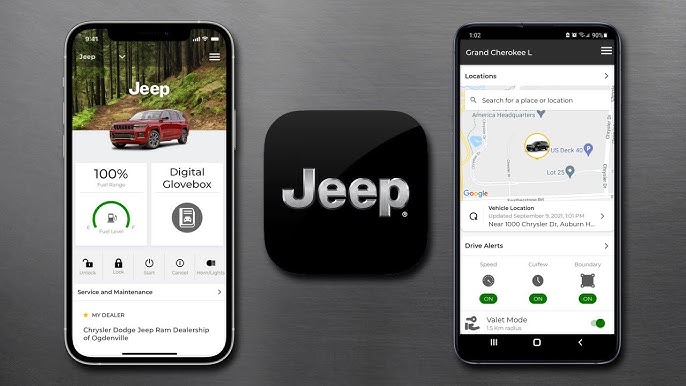
Not all Jeeps support every Uconnect feature. Here’s a quick look at what you might get:
| Feature | Basic Uconnect | Uconnect with SiriusXM Guardian |
|---|---|---|
| Remote Start | No | Yes |
| Vehicle Locator | No | Yes |
| Send & Go Navigation | Yes | Yes |
| Health Report | Limited | Full |
SiriusXM Guardian is a paid service that expands what the Uconnect app can do. Many new Jeeps come with a free trial.
Tips For A Smooth Uconnect Experience
- Keep software updated: Both your phone and Uconnect system need the latest updates.
- Allow location and notifications: The app works best with these permissions.
- Know your data plan: Some features use cellular data.
- Write down your VIN: You may need it for troubleshooting.
- Monitor subscriptions: Advanced features may require a paid plan after the trial.
A common mistake is skipping the “Activate Services” step. If you do, remote features won’t work even if your Jeep and phone are paired.
Real-world Example
Laura owns a 2021 Jeep Grand Cherokee. She downloaded the Uconnect app and added her Jeep using the VIN. At first, remote start didn’t work. She realized she hadn’t activated the SiriusXM Guardian trial. Once activated through the app and on her Jeep’s touchscreen, all features worked instantly.
Many owners think pairing Bluetooth is enough. But the Uconnect app requires both Bluetooth pairing and activation of connected services for full functionality.
Security And Privacy Considerations
The Uconnect app uses strong encryption to protect your data. Always use a unique, strong password for your account. Log out if you sell your vehicle, and remove your Jeep from the app. If your phone is lost, use “Find My Device” features to protect your information.
When To Contact Support
If you get stuck, Jeep offers several support options:
- In-app help section
- Phone support line (see your owner’s manual)
- Dealership assistance
In rare cases, your Jeep may need a software update from the dealer. This is common with older models or after system glitches.
For more details, you can visit the official Jeep Uconnect page.
Frequently Asked Questions
How Do I Know If My Jeep Supports The Uconnect App?
Check your owner’s manual or the official Jeep website. Most 2018+ models with an 8. 4-inch or larger touchscreen are compatible.
Why Can’t I Use Remote Start In The Uconnect App?
Remote start requires an active SiriusXM Guardian subscription and a compatible Jeep model. Make sure you’ve activated services in the app and on your vehicle.
Does Uconnect Work With Both Iphone And Android?
Yes, the Uconnect app supports both platforms. Features are nearly identical, though updates may release at different times.
What Happens If I Sell My Jeep?
Remove your vehicle from the app and log out of your account. You can also perform a factory reset on your Jeep’s Uconnect system for extra security.
Are There Any Costs For Using Uconnect?
Basic app features are free, but advanced functions (like remote start, vehicle location) may require a paid SiriusXM Guardian subscription after any trial period.
Connecting your Jeep to the Uconnect app brings technology and convenience to your daily drive. With these steps and tips, you’ll be in full control of your Jeep’s smart features in just a few minutes.