If your Jeep Renegade screen is frozen, glitchy, or acting strange, you’re not alone. This touchscreen, called the Uconnect system, is a big part of the driving experience.
It controls the radio, navigation, Bluetooth, climate, and more. When it stops working, it can feel frustrating and distracting.
The good news? Resetting the screen is often simple and safe—you can often do it yourself without tools or a trip to the dealership.
In this guide, you’ll learn how to reset your Jeep Renegade screen, discover the reasons why issues happen, and find out what to do if a reset doesn’t solve the problem.
Common Reasons For Jeep Renegade Screen Issues
Knowing why your Uconnect screen misbehaves helps you decide if a reset is enough or if bigger repairs are needed. Here are some typical causes:
- Software glitches: Sometimes the system software gets confused after updates or heavy use.
- Electrical issues: Loose connections or battery problems can affect the screen.
- External devices: Faulty USB cables, phones, or flash drives may disrupt the screen.
- Temperature extremes: Very hot or cold weather can freeze or slow the screen.
- Physical damage: Cracked or scratched screens might not respond correctly.
Most of these causes are harmless and temporary. In more serious cases (like water damage or constant freezing), you may need expert help.
How To Reset Jeep Renegade Screen
There are three main ways to reset the screen. Each method works for different situations.
Try them in order they get more technical as you go.
1. Soft Reset (quick Fix)
This is the easiest reset. It’s safe and doesn’t erase your saved settings.
- Turn your Jeep off.
- Wait for 60 seconds.
- Turn the car back on.
Sometimes, simply restarting the vehicle fixes minor glitches. If the screen still doesn’t respond, move to the next step.
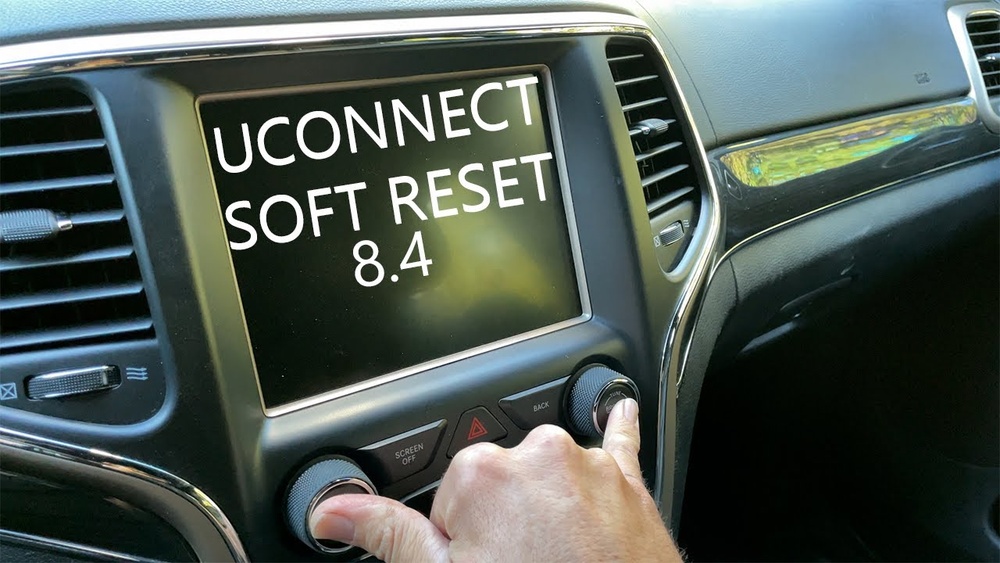
Most Jeep Renegade models (2015 2023) let you reset the Uconnect touchscreen using built-in buttons.
- Turn the ignition to “ON” (engine running or in accessory mode).
- Find the volume and tune buttons below the screen.
- Press and hold both buttons at the same time for about 10–15 seconds.
- The screen will go black, then restart.
This method is called a “hard reset. ” It’s useful if the screen is frozen, lagging, or stuck on a blank display.
Your radio presets and Bluetooth connections should stay intact, but navigation destinations may disappear.
3. Factory Reset (advanced)
This option erases all personal data and settings. Use it if the system has major software problems or after buying a used Jeep.
- Tap “Settings” on the touchscreen.
- Choose “System Information.”
- Select “Reset.”
- Confirm by choosing “Factory Reset.”
- Wait for the system to restart.
After a factory reset, you’ll need to re-enter your preferences, pair your phone, and re-save radio stations. Avoid this step unless you really need it.

Jeep Renegade Screen Reset Methods Compared
Here’s a quick look at the three main reset methods:
| Method | Difficulty | Data Loss | Best For |
|---|---|---|---|
| Soft Reset | Easy | None | Minor glitches |
| Button Reset | Moderate | Minimal | Frozen screen |
| Factory Reset | Advanced | All personal data | Major software issues |
Practical Tips For A Successful Reset
- Remove all USB devices and Bluetooth connections before resetting.
- Make sure the car battery is healthy—low power can cause resets to fail.
- If your screen is still frozen after two resets, try disconnecting the battery for a few minutes (for advanced users only).
- Don’t press the screen too hard. Light touch is best.
- Update Uconnect software regularly via the official Jeep website.
Non-obvious insight: Some Renegade models have small differences in button layout. If you don’t see “volume” and “tune” buttons, check your owner’s manual or look for a “power” button instead.
What To Do If Reset Doesn’t Work
If your Jeep Renegade screen is still malfunctioning after trying all reset methods, consider these steps:
- Check for visible damage or water marks on the screen.
- Scan for error codes with an OBD-II scanner (available at auto stores).
- Visit a certified Jeep dealer or trusted auto electrician.
Most Uconnect issues are minor, but persistent problems may be signs of deeper electrical faults or software bugs.
How Screen Issues Affect Safety And Value
A working touchscreen isn’t just about comfort—it’s about safety and car value. Navigation, backup camera, and phone controls rely on the screen. If these features fail, you may lose access to important driving tools. According to a 2023 study by Consumer Reports, over 15% of Jeep Renegade owners reported at least one screen issue in the first three years. Resets fix most cases, but ignoring screen problems can lower your resale value.

Jeep Renegade Screen Models And Reset Compatibility
Not all Renegade screens are identical. Let’s compare three common Uconnect screen sizes:
| Screen Size | Model Years | Reset Methods | Features |
|---|---|---|---|
| 5-inch | 2015–2018 | Soft, Button | Basic radio, Bluetooth |
| 7-inch | 2019–2021 | All three | Navigation, Apple CarPlay |
| 8.4-inch | 2022–2023 | All three | Advanced features, voice control |
Experience-based tip: If your Renegade is from 2015–2018, your screen may respond slower to resets. Be patient and let the system restart fully.
Preventing Screen Problems In The Future
- Avoid using cheap or damaged USB cables.
- Don’t overload the system with too many apps or connections.
- Park in shaded spots to protect the screen from heat.
- Clean the screen gently with a soft, dry cloth.
If you want detailed Uconnect software update instructions, visit the official Jeep Uconnect site.
Frequently Asked Questions
How Often Should I Reset My Jeep Renegade Screen?
Reset only when needed if the screen freezes, slows down, or shows errors. Regular resets are not necessary unless you notice problems.
Will Resetting The Screen Erase My Saved Settings?
A soft or button reset keeps your settings. A factory reset erases all personal data, so use it carefully.
Can I Update My Uconnect System At Home?
Yes, many updates are available online. Download them from Jeep’s official site and follow the instructions. Some updates require a USB drive.
Is Screen Reset Covered Under Warranty?
Most Jeep warranties cover software and electronic issues for 3 years or 36,000 miles. Check your warranty booklet or ask your dealer.
What If My Screen Stays Black After Reset?
If the screen does not turn back on, check the fuse box and battery. If nothing works, professional repair is needed.
Resetting your Jeep Renegade screen is a simple fix for many common problems. With these steps, you can restore your touchscreen quickly and safely. Take care of your Uconnect system and enjoy smoother, safer drives.