Pairing your iPhone with your Jeep is more than just a tech step—it brings comfort and safety to your drive. You can listen to music, make calls, use maps, and access Siri hands-free. Many drivers think pairing is complicated, but it’s actually simple if you follow the right steps. In this guide, you’ll learn how to connect your iPhone to your Jeep, what to do when problems appear, and how to use these features fully. Whether you drive a new Wrangler or an older Grand Cherokee, this article gives you clear directions and practical tips.
Preparing Your Jeep And Iphone
Before you start, check a few things:
- Your Jeep’s infotainment system must support Bluetooth or Apple CarPlay.
- Your iPhone should have iOS 12 or later for best compatibility.
- Make sure both devices are updated. Many pairing issues come from outdated software.
Check your Jeep’s manual to confirm Bluetooth and CarPlay support. Most Jeeps from 2014 onward offer these features.
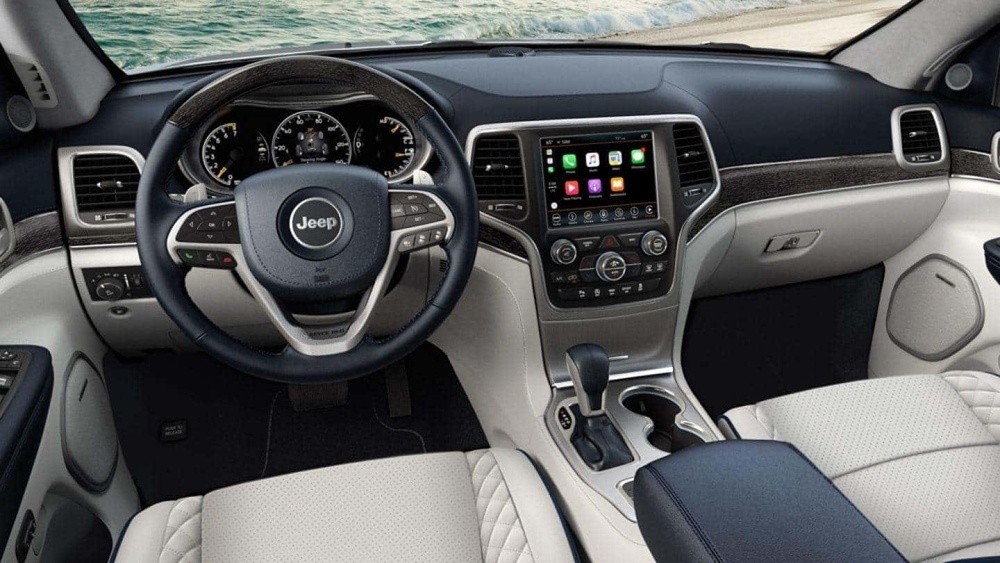
Quick Compatibility Table
| Jeep Model | Bluetooth | Apple CarPlay | Year Introduced |
|---|---|---|---|
| Wrangler | Yes | Yes | 2018 |
| Grand Cherokee | Yes | Yes | 2019 |
| Compass | Yes | Yes | 2017 |
| Patriot | Yes | No | 2015 |
Step-by-step: Pairing Iphone To Jeep
Follow these steps to connect your devices:
- Turn on Bluetooth on your iPhone. Go to Settings > Bluetooth and switch it on.
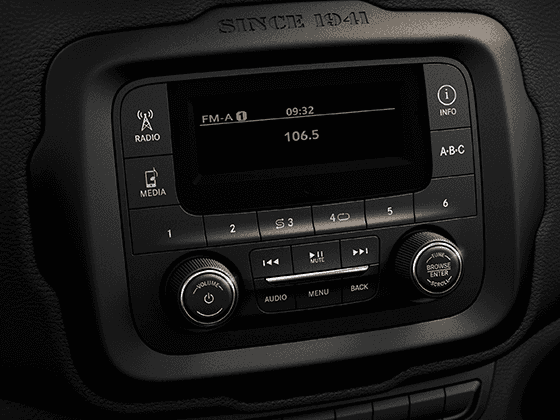
- Start your Jeep and turn on the infotainment system.
- On the Jeep’s touchscreen, tap “Phone” or “Connect Device.”
- Choose “Add Device” or “Pair New Device.”
- Your Jeep will display a list of available devices. Select your iPhone.
- A code will appear on both screens. Verify that the code matches, then tap “Pair” on your iPhone.
- If prompted, allow contacts and messages to sync.
This pairing process usually takes less than two minutes.
Apple Carplay Connection
If your Jeep supports Apple CarPlay:
- Plug your iPhone into the USB port using an original cable.
- The CarPlay logo should appear on your Jeep’s screen.
- Tap the CarPlay icon to use apps like Maps, Music, and Messages.
Some newer Jeeps allow wireless CarPlay. In that case, follow the Bluetooth steps and select CarPlay in your Jeep’s menu.

Troubleshooting Common Pairing Problems
Even if you follow the steps, issues can happen. Here are common problems and solutions:
- Device Not Found: Make sure Bluetooth is enabled on both devices. Restart your iPhone and Jeep’s system.
- Pairing Failed: Delete old pairings from both devices and try again.
- CarPlay Not Working: Use an Apple-certified cable. Check for software updates on your iPhone and Jeep.
- Audio Issues: Adjust the volume on both devices. Test with another app to see if the problem is specific.
Comparison Table: Bluetooth Vs. Carplay Features
| Feature | Bluetooth | Apple CarPlay |
|---|---|---|
| Hands-Free Calling | Yes | Yes |
| Music Streaming | Yes | Yes |
| Navigation | No | Yes |
| App Access | No | Yes |
| Voice Control | Limited | Full (Siri) |
Maximizing Your Jeep-iphone Connection
Once paired, you can do much more than call or play music. Here are some ways to get the most from your setup:
- Use Siri voice commands to set destinations, send texts, or control music.
- Enable Do Not Disturb While Driving on your iPhone for safer trips.
- Customize your CarPlay home screen to show only the apps you use most.
- Check your Jeep’s system for software updates every few months. Updates often add new features or fix bugs.
- Multiple Device Pairing: Jeeps allow pairing with more than one phone. If you share the car, you can connect several devices and easily switch between them.
- Contact Sync Settings: You can choose to sync only certain contacts or groups. This helps keep your privacy and avoids clutter in your Jeep’s phonebook.
Many new Jeep models offer wireless charging and USB-C ports, making the connection process easier and faster.
Safety And Privacy Considerations
Pairing your iPhone makes driving safer, but there are privacy concerns:
- Remove your device before selling or trading your Jeep. This erases your contact info and history.
- Limit message notifications if you don’t want texts read aloud while driving.
- Only pair devices you trust. Unknown devices can access your system if you leave Bluetooth open.
According to the National Highway Traffic Safety Administration, hands-free systems reduce distraction-related accidents by up to 23%. Using your Jeep’s paired system is not only convenient it’s safer.
Frequently Asked Questions
How Many Iphones Can I Pair With My Jeep?
Most Jeep models support pairing up to eight devices. Only one can be active at a time, but you can switch easily in the settings.
Do I Need An Original Apple Cable For Carplay?
Yes, using the official Apple cable is recommended. Some third-party cables cause connection drops or CarPlay errors.
Can I Use Siri In My Jeep After Pairing?
Absolutely. Once paired, you can press the voice command button on your steering wheel or use “Hey Siri” to control your iPhone hands-free.
Why Does My Jeep Not Find My Iphone?
Check Bluetooth on both devices. Remove old pairings and restart both systems. If the problem continues, update your iPhone and Jeep’s infotainment software.
Is It Safe To Pair My Iphone In A Rental Jeep?
It’s safe, but remember to remove your device before returning the car. This keeps your contacts and messages private.
Pairing your iPhone with your Jeep unlocks a world of convenience and safety. With these steps and tips, you’ll enjoy every drive more, stay connected, and keep your eyes on the road. For more detailed model compatibility, visit the official Jeep owner’s site. The right connection makes your Jeep smarter and your journey smoother.