Connecting your phone to your Jeep Wrangler’s Bluetooth system is a simple way to make hands-free calls, play music, and use navigation safely while driving. However, each Jeep model year and trim may have small differences in the steps and menus.
This guide will help you pair your phone with your Wrangler’s Bluetooth, troubleshoot common problems, and get the most from your vehicle’s features. Even if you’re not very tech-savvy, you’ll find clear steps and practical tips here.
Why Connect Your Phone To Jeep Wrangler Bluetooth?
Using Bluetooth in your Jeep Wrangler offers several advantages:
- Hands-free calling keeps your focus on the road.
- Music streaming lets you play your favorite playlists or apps.
- Navigation audio comes through your car’s speakers for clearer directions.
- Access to voice assistants like Siri or Google Assistant.
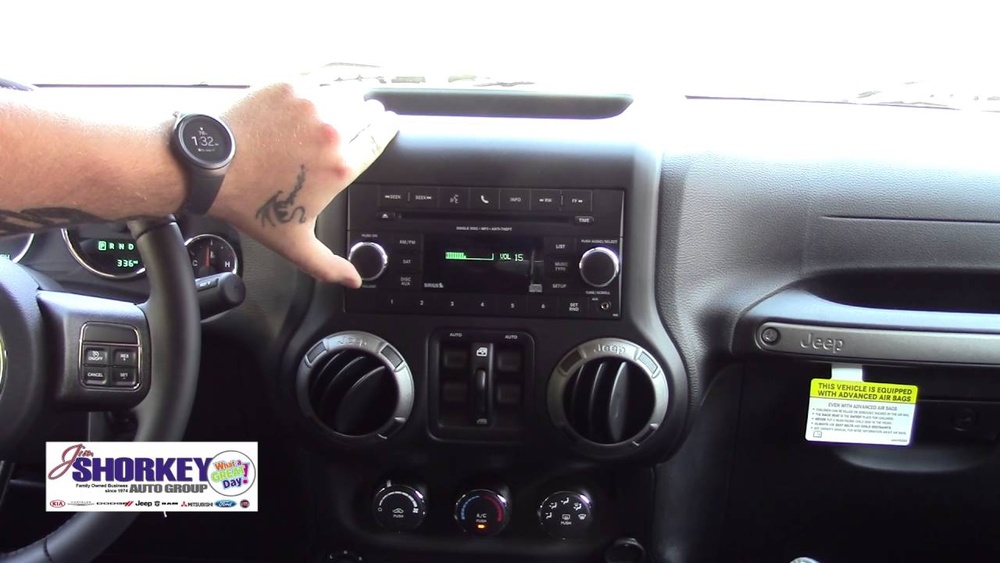
Jeep’s Uconnect system is found in most newer Wranglers (2011 and up). The process below covers Uconnect, but older models may have slight menu differences.
What You Need Before You Start
Before connecting, check these essentials:
- A compatible smartphone (Android or iPhone).
- Bluetooth enabled on your phone.
- Your Jeep Wrangler’s ignition in “Run” mode (engine can be on or just accessory power).
- No other device currently connected to your Jeep’s Bluetooth.
Not all phones work perfectly with all Jeep infotainment systems. For best results, update your phone’s operating system and the Uconnect software if possible.
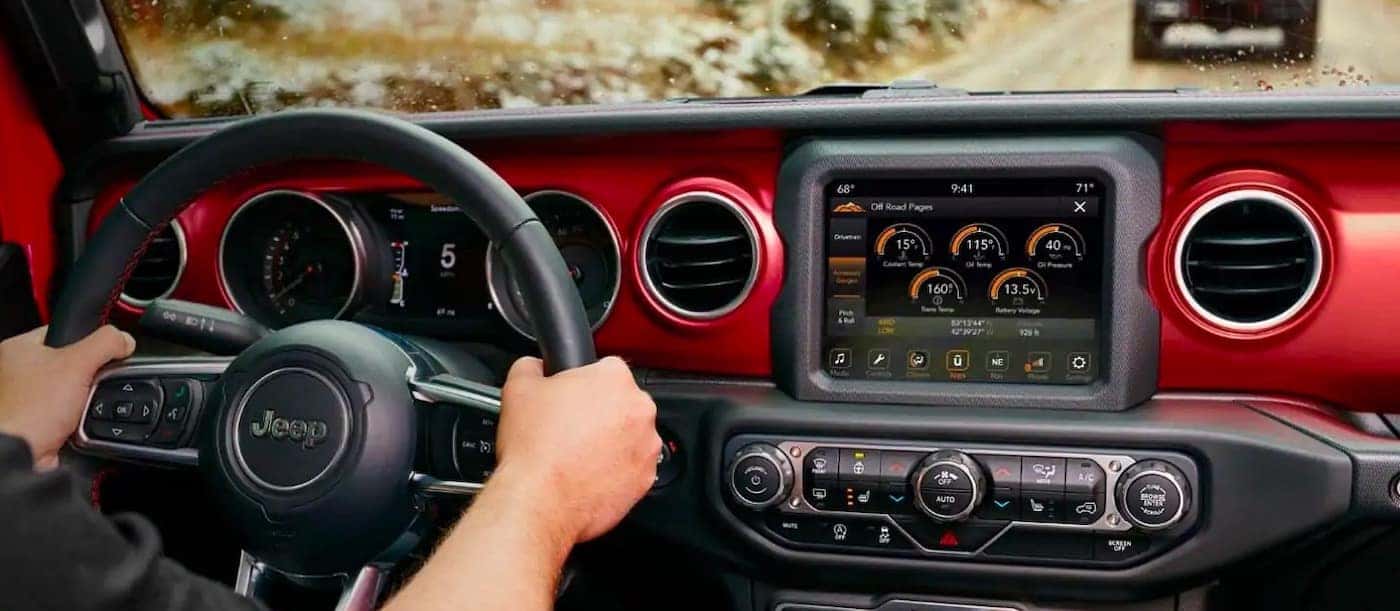
Step-by-step: Pairing Your Phone
Follow these steps to connect your phone for the first time. The process is nearly the same for Android and iOS.
- Turn on your Jeep Wrangler and make sure the Uconnect display is active.
- Enable Bluetooth on your phone. Go to “Settings” > “Bluetooth” and make sure it’s on.
- On your Jeep’s Uconnect touchscreen, tap “Phone.” If no phone is paired, the system will prompt you to add a device. If not, look for “Add Device” or “Pair Device.”
- The system will display a PIN number and your Jeep’s Bluetooth name (e.g., “Uconnect” or “My Wrangler”).
- On your phone, find the Jeep’s name in the list of available devices. Tap it.
- Confirm the PIN displayed on both the Jeep screen and your phone. Tap “Pair” or “Yes” on both.
- Wait a few seconds. When pairing is successful, the Uconnect screen will show “Phone Connected.”
- Choose if you want to allow contacts and messages to sync. This gives you full hands-free calling and text features.
Example: Pairing An Iphone
- Go to Settings > Bluetooth.
- Start the pairing process on Uconnect as described above.
- Select “Uconnect” from the device list.
- Enter or confirm the PIN.
- Allow contacts access when asked.
If you follow these steps, your phone should connect quickly. If you have trouble, see the troubleshooting section below.
Jeep Wrangler Bluetooth: Uconnect Versions Compared
Different Jeep Wrangler model years have different Uconnect versions. Here’s a quick comparison:
| Model Year | Uconnect Version | Main Features |
|---|---|---|
| 2011–2017 | Uconnect 130/430 | Basic Bluetooth, no Apple CarPlay/Android Auto |
| 2018–2023 | Uconnect 4/4C NAV | Bluetooth, Apple CarPlay, Android Auto |
| 2024+ | Uconnect 5 | Faster, Wireless CarPlay/Android Auto |
Tip: If you don’t know your Uconnect version, check your Jeep’s manual or the Uconnect settings screen.

Common Problems And How To Fix Them
Sometimes the pairing doesn’t work right away. Here are some common issues and solutions:
My Jeep Or Phone Can’t Find Each Other
- Make sure Bluetooth is enabled on both devices.
- Move your phone closer to the Uconnect system.
- If your phone already paired to another car, disconnect it first.
The Pin Doesn’t Match
- Always check that the PIN shown on both devices is identical.
- If the PIN doesn’t match, cancel and restart the process.
Phone Is Paired But No Sound
- Increase the volume on both your phone and the Jeep system.
- Make sure “Media Audio” and “Phone Audio” are enabled in your phone’s Bluetooth menu.
- Try restarting your phone and your Jeep.
Connection Keeps Dropping
- Delete the Bluetooth connection on both your phone and Uconnect. Pair again from scratch.
- Update your phone’s software and Uconnect firmware.
Features You Can Use After Connecting
When your phone is connected, you unlock several useful features. Here’s what you can do:
| Feature | Description | How to Access |
|---|---|---|
| Hands-Free Calls | Make and receive calls without touching your phone | Use steering wheel buttons or voice command |
| Music Streaming | Play music from any app on your phone | Select “Media” on Uconnect, choose Bluetooth source |
| Voice Assistant | Use Siri or Google Assistant through car speakers | Press and hold voice command button |
Safety And Privacy Tips
Pairing your phone is safe, but keep these points in mind:
- Only pair your phone when the vehicle is parked.
- Do not share your PIN or allow unknown devices to connect.
- Turn off Bluetooth when you are not using it for better security.
- Delete old or unused devices from Uconnect to avoid confusion.
Two Insights Most Beginners Miss
- Contacts and messages sync is optional. If you do not want your Jeep to access your contacts or messages, you can deny this during pairing. This limits hands-free features but increases privacy.
- Multiple phones can be paired to Uconnect. However, only one can be “active” at a time. If you and a family member both use the car, set your preferred phone as the favorite device in Uconnect’s Bluetooth menu.
Real-world Example: Connecting Multiple Devices
It’s common to have two phones in the family. Here’s how Uconnect manages them:
- Pair both phones as described above.
- In Uconnect’s Bluetooth menu, set your main phone as the “Favorite.”
- The “Favorite” phone will connect first every time you start the car.
- If you want to use the other phone, you must switch it manually in the Bluetooth settings.
This is useful if you share your Wrangler or have a work and personal phone.
Useful Resources
For more details and the latest compatibility lists, check the official Jeep Uconnect page.
Frequently Asked Questions
How Many Phones Can I Pair With My Jeep Wrangler?
You can usually pair up to 10 phones with Uconnect, but only one can be connected at a time for calls and audio.
Does Jeep Wrangler Support Apple Carplay And Android Auto?
Most 2018 and newer Wranglers support Apple CarPlay and Android Auto. These features need a USB connection, but newer Uconnect 5 systems support wireless connections.
Why Can’t I Hear Music From My Phone Even Though It’s Paired?
Check if Media Audio is enabled for your device in the Bluetooth settings. Also, confirm that Uconnect’s source is set to “Bluetooth” and not “Radio” or “USB.”
Can I Connect My Phone If Someone Else’s Phone Is Already Connected?
You need to disconnect the current phone first. Go to the Bluetooth menu on Uconnect, select the active phone, and disconnect it. Then connect your own.
Does Connecting My Phone To Jeep Bluetooth Use My Mobile Data?
Bluetooth does not use mobile data. However, if you stream music or use navigation apps, those apps may use data, but Bluetooth itself does not.
Connecting your phone to your Jeep Wrangler’s Bluetooth system makes driving more enjoyable and safer. With the right steps and a little patience, you’ll be hands-free and connected in just a few minutes.