If your child loves their Power Wheels Jeep, you probably want every part working perfectly—including the digital clock or time display some models offer. Setting the right time may seem simple, but many parents find the process confusing. The controls are not always clear, and the manual can be hard to follow. Yet, knowing how to change the time on a Power Wheels Jeep is important for both fun and routine. This guide will walk you through each step, help you avoid common mistakes, and give you extra tips for keeping your Power Wheels running smoothly.
Understanding Power Wheels Jeep Time Functions
Not every Power Wheels Jeep has a clock or time display. Most older models focus just on basic driving. However, newer and deluxe versions often include a dashboard with a digital clock, music system, or even a pretend radio. These features make the ride feel more realistic for kids, but they add a layer of complexity.
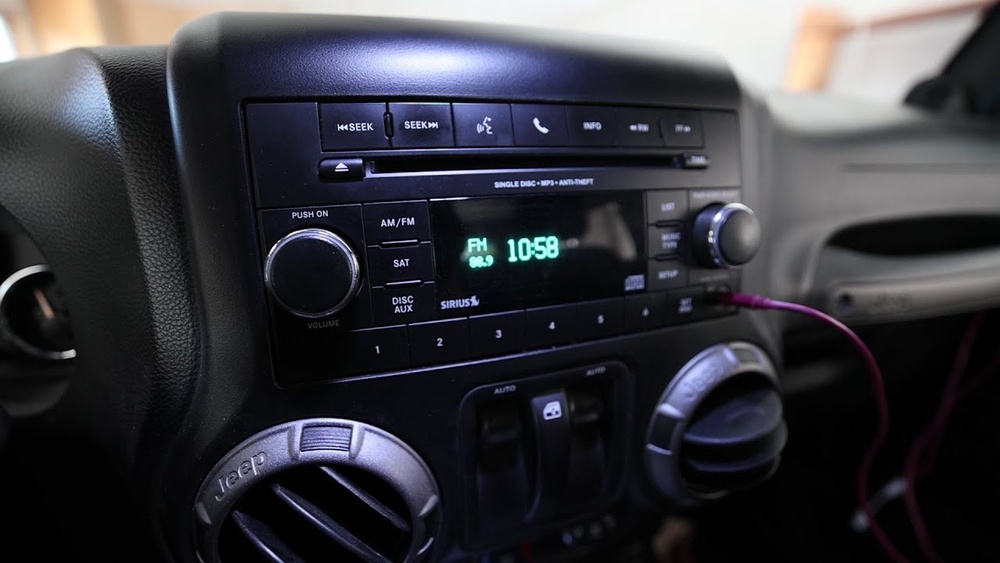
If you’re not sure whether your model has a time function, look for a small LED screen or numbered display on the dashboard. Sometimes it’s labeled as a clock, timer, or part of the music player. You can also check your Jeep’s manual or search the model number online to see a feature list.
Why Set The Correct Time?
- Helps children learn to read time.
- Keeps pretend play realistic.
- Some models use the clock for timed games or music playlists.
Tools And Materials You’ll Need
Before starting, gather these simple items to make the process easier:
- Small Phillips head screwdriver (if the battery needs to be replaced)
- The owner’s manual (if available)
- A pen or phone to note down the current settings
- Fresh AA or AAA batteries (if the display is not working)
Having these ready avoids delays and helps you finish the job in one go.

Step-by-step: How To Change Time On Power Wheels Jeep
The steps can vary slightly depending on the Power Wheels Jeep model, but most digital displays follow a similar process. Here’s how you can do it:
1. Turn On The Power
First, make sure the Jeep is switched on. For most models, this means turning the key or pressing the power button. If the dashboard or clock screen does not light up, check the display’s battery compartment. Many displays use a separate battery from the main car battery.
2. Locate The Clock Controls
Find the buttons labeled “Clock,” “Set,” “Mode,” or similar. These are usually near the display. Some models use a combination of buttons (like holding “Mode” for 3 seconds) to enter the time-setting mode. If no buttons are visible, check under the dashboard or behind a small plastic cover.
3. Enter Time Setting Mode
Hold the “Set” or “Mode” button until the display starts flashing. This means you’re in time adjustment mode. If nothing happens after 5 seconds, try pressing both “Set” and “Mode” together.
4. Adjust The Hours
Use the arrow or plus/minus buttons to set the correct hour. Most Power Wheels clocks use a 12-hour format (AM/PM). If your display shows a 24-hour format, keep pressing until you reach the correct time.
5. Adjust The Minutes
Press “Set” again to move to the minutes. Use the same arrow or plus/minus buttons to set the correct minute.
6. Confirm And Save
After setting the correct time, press “Set” or “Mode” one more time to save your changes. The display should stop flashing, and the new time will stay on the screen.
7. Test The Display
Turn the Jeep off, then back on, to make sure the clock keeps the correct time. If it resets or goes blank, you may need to replace the display battery.
Troubleshooting: When Things Don’t Work
Even if you follow the steps, sometimes the Power Wheels Jeep clock won’t update. Here’s how to handle common problems.
The Display Is Blank Or Faded
- Replace the small battery in the clock compartment.
- Clean the battery contacts with a dry cloth.
- Double-check the main Jeep battery is charged.
- Make sure you’re pressing the correct buttons.
- Try holding the buttons longer.
- Look for a tiny “reset” hole near the display. Use a paperclip to gently press and reset the clock.
The Time Resets Every Time
- The display battery may be weak or loose.
- Confirm the battery cover is secure.
- Avoid disconnecting the Jeep’s main battery when the clock is set.
Key Differences Between Power Wheels Jeep Models
Not all Power Wheels Jeeps use the same dashboard or controls. To help you understand, here’s a quick comparison of three popular models with time displays.
| Model Name | Time Display Type | Main Controls | Battery Type |
|---|---|---|---|
| Jeep Wrangler Deluxe | Digital Clock | Set, Mode, Arrow | AAA (separate) |
| Jeep Rubicon Ride-On | Multi-function LCD | Touch Panel | AA (separate) |
| Jeep Willys Retro | LED Timer | Mode Button Only | Powered by main battery |
Knowing your model helps you find the right manual and instructions quickly.
Common Mistakes To Avoid
It’s easy to make small mistakes when changing the time on a Power Wheels Jeep. Here’s how to avoid them:
- Pressing the Wrong Buttons: Always check the labels. Forcing the wrong button can break the panel.
- Ignoring Battery Issues: If the display is weak or fails to hold time, replace the battery first.
- Not Saving Changes: Always press the final “Set” or “Mode” to lock in new settings.
- Mixing Up AM/PM: On 12-hour formats, double-check AM and PM to avoid confusion.
- Not Reading the Manual: If you’re stuck, check the user manual or look up your exact model online.

How To Replace The Dashboard Battery
If the display won’t work or loses time, it’s probably a battery issue. Here’s how to change it:
- Locate the battery compartment (usually under the dashboard).
- Use a small Phillips screwdriver to open it.
- Remove the old battery, noting the position (+ and -).
- Insert a fresh AA or AAA battery.
- Close the compartment and test the display.
Changing the battery takes less than five minutes and often solves most clock problems.
Table: Power Wheels Jeep Clock Battery Lifespan
Here’s a quick look at how long different batteries typically last in a Power Wheels Jeep clock.
| Battery Type | Average Lifespan | When to Replace |
|---|---|---|
| AA Alkaline | 6-12 months | When display fades or resets |
| AAA Alkaline | 4-8 months | If clock stops or is blank |
| Powered by main battery | Varies (linked to vehicle use) | Charge main battery fully |
Check your clock every few months, especially before birthdays or holidays, to keep playtime smooth.
Expert Tips For Smooth Time Changes
Most parents focus just on setting the time. But these extra steps can help your Power Wheels Jeep last longer and run better.
- Clean the dashboard gently with a soft cloth—dust can block button contacts.
- Store your Jeep indoors during rain or snow to protect the electronics.
- Use high-quality batteries for displays; cheap ones leak and cause damage.
- Teach your child how to set the time, so they feel responsible for their toy.
Many people miss that some Power Wheels clocks reset to factory time after a long battery removal or a hard reset. If you notice this, don’t worry—it’s normal. Just set the time again following the steps above.
When To Seek Professional Help
If your Jeep’s dashboard or clock won’t respond after changing batteries or resetting, it may have a circuit issue. Most Power Wheels electronics are simple, but a few have small circuit boards that can fail. If you see corrosion or broken wires, contact Fisher-Price support or a certified toy repair shop. Never use home tools or water to fix electrical problems inside the dashboard.
For more technical details, you can visit the official Mattel Power Wheels service page.
Power Wheels Jeep Vs. Other Ride-ons: Time Feature Comparison
Some parents ask if other brands offer easier time-setting features. Here’s a quick comparison.
| Brand | Time Display? | Setting Difficulty |
|---|---|---|
| Power Wheels Jeep | Yes (on select models) | Easy to Moderate |
| Kid Trax Dodge Ram | No | N/A |
| Best Choice Products Truck | Yes (on some) | Easy |
Power Wheels Jeep offers one of the most realistic dashboards in the ride-on category, but time-setting is not always as intuitive as it could be.
Frequently Asked Questions
How Do I Know If My Power Wheels Jeep Has A Clock?
Check for a small digital display on the dashboard. If you see numbers or a time format, your Jeep has a clock. The owner’s manual or the official product page can also confirm this.
What If I Lost My Manual?
You can search for your Jeep’s model number online, usually found under the seat or on the back. Many manuals are available as PDFs from Mattel’s support site.
Can I Set The Time Without Batteries?
No. The clock display requires a working battery (usually AA or AAA, sometimes powered by the main car battery). Without power, the time cannot be set or displayed.
My Clock Resets Every Time I Turn Off The Jeep. Why?
This usually means the display battery is weak or not installed correctly. Replace the battery and make sure the cover is securely closed.
Are Power Wheels Jeep Clocks Waterproof?
Most are splash-resistant but not fully waterproof. Avoid leaving the Jeep outside in heavy rain, and wipe the dashboard dry if it gets wet.
Setting the correct time on your Power Wheels Jeep isn’t just about accuracy it’s about making playtime better and teaching kids real-world skills.
With the right steps and a little care, you’ll keep your child’s ride-on adventure running on schedule.