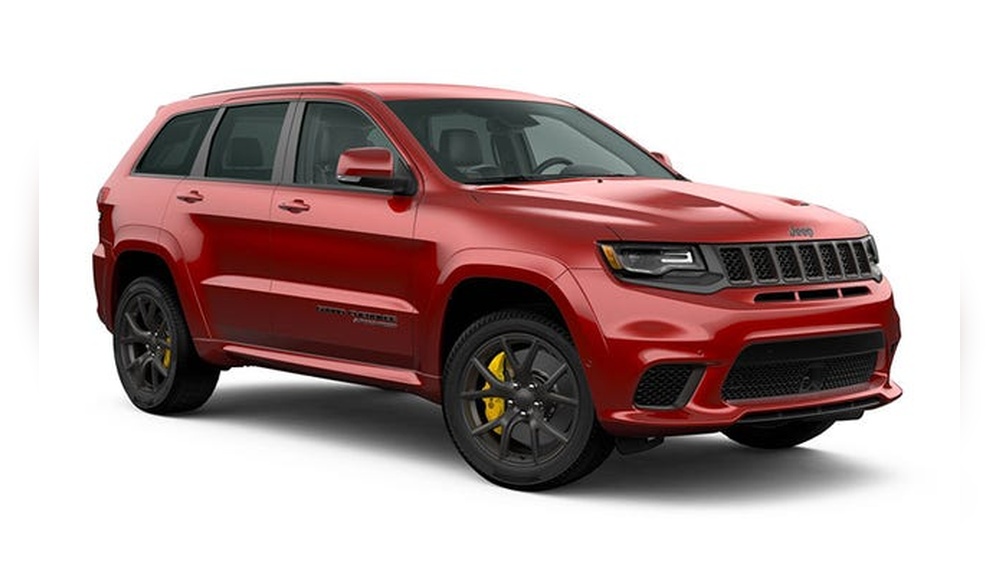
If you drive a Jeep Grand Cherokee, you know how important it is to control your vehicle’s lights. Whether you want to turn them off to save battery, avoid unwanted attention, or simply understand your SUV better, knowing how to manage the lights is key. But with modern features like automatic headlamps and interior lighting systems, turning off every light isn’t always obvious. This guide will show you, step by step, how to turn off the lights in your Jeep Grand Cherokee, covering models from older years to the latest technology. Along the way, you’ll learn practical tips, common mistakes to avoid, and answers to the questions most owners have.
Understanding The Lighting System In A Jeep Grand Cherokee
Before you turn off the lights, it helps to know what types your Grand Cherokee has. Over the years, Jeep has added new lighting features. Here’s a quick overview:
| Model Year | Main Headlight Type | Automatic Lights? | Interior Light Control? |
|---|---|---|---|
| 2011-2013 | Halogen | Optional | Manual Switch |
| 2014-2018 | HID/LED (higher trims) | Yes | Dimmer & Switch |
| 2019-2023 | LED | Yes (standard) | Touchscreen & Switch |
The main types of lights include:
- Headlights (low and high beam)
- Daytime Running Lights (DRLs)
- Fog lights
- Interior dome and map lights
- Cargo area lights
Some models have extra features like ambient lighting or lights that stay on after you lock the car (called “courtesy delay”).
How To Turn Off Exterior Lights
The most common lights you want to turn off are on the outside. These include headlights, DRLs, and fog lights.
Turning Off Headlights Manually
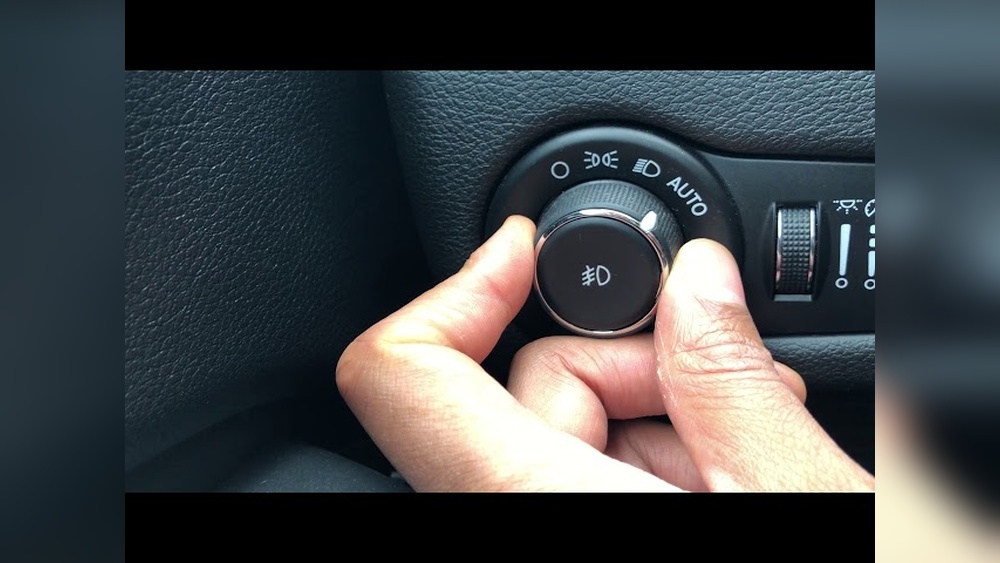
On most Grand Cherokees, there is a rotary knob on the left side of the dashboard. This knob has different settings:
- O (Off)
- Auto
- Parking lights
- Headlights on
To turn off the headlights:
- Locate the rotary knob near your left knee.
- Turn the knob to the O (Off) position. If your model only has “Auto,” turning it to “Auto” will let the car decide when to turn lights on or off.
Non-obvious insight: On many newer models (2014 and up), you can’t fully turn off the headlights while driving at night due to safety laws. The “Off” position works only if the car is in Park or during daytime.
Turning Off Automatic Headlights
If your Grand Cherokee has automatic headlights, they may turn on when it gets dark. To control them:
- Switch the rotary knob from “Auto” to “Off” (if available).
- If there’s no “Off,” cover the light sensor on the dashboard with a cloth as a temporary trick, but this is not recommended for regular use.
Pro tip: If you want the headlights to stay off while the engine runs, try turning the knob to “Parking lights.” This will keep the main headlights off but leave the small lights on.
Daytime Running Lights (drls)
DRLs are always on for safety, but you may want to turn them off.
- For some older models, you can disable DRLs by pulling the “DRL” fuse in the fuse box. Check your owner’s manual for the correct fuse number.
- In newer models (2018+), use the Uconnect touchscreen:
- Go to “Settings.”
- Choose “Lights.”
- Toggle “Daytime Running Lights” off.
Some models do not allow you to turn off DRLs for legal reasons.
Fog Lights
Fog lights have a separate button or pull on the headlight knob.
- Push or pull the knob (depending on model) to turn fog lights on or off.
- Some models have a button on the dashboard.
Make sure headlights are on (not in “Auto”) before toggling fog lights.
Example: 2021 Jeep Grand Cherokee
For a 2021 model:
- Headlights: Turn knob to “O.”
- DRLs: Use Uconnect to disable.
- Fog lights: Press the center of the knob.
How To Turn Off Interior Lights
Interior lights come on when you open doors or use the key fob. They may also stay on for a while after you close the doors.
Dome And Map Lights
- Manual switch: Press the light lens or button near each light to turn it off.
- Dimmer wheel: Roll the dimmer wheel (next to the headlight knob) all the way down until it clicks. This shuts off all interior lights and dash illumination.
Lights Stay On After Door Closes
If the interior lights stay on:
- Check that all doors are fully closed, including the rear hatch.
- Make sure the dimmer wheel is not set to the highest position (“courtesy” mode).
- Look for individual lights that may have been pressed on.
Non-obvious insight: Some people forget that the rear cargo light can be switched on separately. If interior lights won’t go off, check the cargo area.
Turning Off Lights While Doors Are Open
If you need the doors open but want no lights (for example, camping):
- Roll the dimmer wheel to the bottom until it clicks off.
- For newer models, use the Uconnect system:
- Go to “Settings.”
- Choose “Lights.”
- Turn off “Interior lights with doors.”
This is handy for tailgating or working on your vehicle.
Turning Off Lights When Exiting The Vehicle
After you turn off the engine and exit, some lights may stay on for a short time. This is called “headlamp delay” or “courtesy lighting. ”
To disable this feature on most models:
- Use the Uconnect touchscreen:
- Go to “Settings.”
- Choose “Lights.”
- Turn off “Headlamp Off Delay.”
Or, for older models, quickly turn the headlight knob from “On” to “Off” twice before exiting. This can override the delay.
Troubleshooting: When Lights Won’t Turn Off
Sometimes, the lights stay on even after you follow all steps. Here are the most common reasons:
- Faulty door switch: If the car thinks a door is open, lights stay on. Check the dashboard for a door-ajar warning.
- Dimmer wheel set to max: This keeps interior lights on. Roll it down until it clicks.
- Headlight knob not fully in “Off”: Double-check the position.
- Software glitch: Try turning the car off, locking, and waiting a few minutes. If the problem stays, a dealer may need to reset the system.
- Aftermarket accessories: If you’ve installed extra lighting, wiring problems could cause lights to stay on. Disconnect the accessory to test.
| Problem | Possible Cause | Solution |
|---|---|---|
| Headlights stay on | Headlamp delay active | Disable in Settings |
| Interior lights won’t go off | Dimmer wheel up, door ajar | Roll dimmer down, check doors |
| DRLs always on | Law or software | Try Settings or fuse (older models) |
Special Tips For Different Model Years
Jeep Grand Cherokees have changed over time. Here are special tips for popular generations:
- 2011–2013 (WK2): Manual controls. The “Off” position works as expected. DRL can be disabled by fuse or dealer programming.
- 2014–2020: More automatic features. Use Uconnect for most settings. Some lights cannot be turned off while driving.
- 2021–2023: Advanced Uconnect system. More options to control all lights, including ambient and cargo.
Pro tip: Always check your owner’s manual for the exact feature list. Some trims (like Limited vs. Laredo) have different lighting systems.
Why Some Lights Can’t Be Turned Off
You may notice that some lights, like DRLs or headlights at night, can’t be fully turned off. This is due to US safety laws and manufacturer programming. Lights are required for visibility and to prevent accidents. In some countries, you have more control.
Example: In the US, DRLs and automatic headlights are often required by law, especially for new cars. Disabling them permanently could cause problems during inspections.
Quick Comparison: Manual Vs. Automatic Light Control
Let’s compare manual and automatic controls in the Grand Cherokee.
| Feature | Manual Control | Automatic Control |
|---|---|---|
| Headlight On/Off | User decides | Sensor decides |
| DRL Control | Possible via fuse | Rare; mostly always on |
| Interior Lights | Switch or dimmer | Courtesy delay, sensors |
| Customization | Less | More (via Uconnect) |
Common Mistakes When Turning Off Lights
Even experienced owners make errors. Here are the mistakes to avoid:
- Forgetting the dimmer wheel: Many think only the headlight knob matters, but the dimmer wheel controls most interior lights.
- Not checking all doors: Just one open door (including rear hatch) keeps lights on.
- Leaving in “Auto” mode: In “Auto,” you can’t always force lights off.
- Missing the Uconnect options: Newer models let you set many lighting features from the touchscreen, but you need to look for them.
- Not reading the manual: Features can be different between trims and years.
Expert advice: If you often want lights off for special reasons (like hunting or camping), learn how to use every lighting control before you need it.
Additional Tips For Battery Saving
Leaving lights on can drain your battery, especially if you park for a long time. Here’s how to avoid problems:
- Always double-check that all lights are off before leaving the vehicle.
- Use the “headlamp off delay” feature only if you need it.
- If you use your Grand Cherokee for camping or tailgating, keep a small LED lantern handy instead of leaving interior lights on.
- If you find your battery running low often, have it tested. Some modern lighting systems draw power even when the car is off.
Useful Resources
If you need official details or want to see your specific model’s wiring, check the Jeep Grand Cherokee Owner’s Manual or visit the official Jeep website. For more about US lighting laws and safety, see the National Highway Traffic Safety Administration.
Frequently Asked Questions
Why Won’t My Jeep Grand Cherokee’s Interior Lights Turn Off?
Usually, this happens if a door is not fully closed, or the dimmer wheel is set to its highest point. Check all doors, including the rear hatch, and roll the dimmer down until you hear a click.
Can I Turn Off The Headlights Completely While Driving?
For most newer models, you cannot fully turn off the headlights while driving at night due to safety laws. The “Off” position may only work when the car is in Park or during daytime.
How Do I Disable The Daytime Running Lights (drls)?
In some models, you can turn off DRLs using the Uconnect touchscreen under “Settings” > “Lights. ” For older models, pulling the DRL fuse in the fuse box may work. Not all models allow you to disable DRLs.
Why Do My Lights Stay On After I Lock The Car?
This is likely the headlamp off delay feature. You can shorten or disable this in the vehicle settings menu, usually via the Uconnect touchscreen.
Will Turning Off All Lights Affect My Car’s Security System?
No, turning off interior or exterior lights does not impact the security system. Your alarm and locks work independently from the lighting system.
Turning off the lights in your Jeep Grand Cherokee doesn’t need to be a mystery. Whether you drive an older model or the latest edition, understanding the controls will help you save battery, avoid unwanted attention, and get the most from your SUV.
With the steps and tips here, you can handle every lighting situation with confidence.