If you own a Jeep, connecting it to the Uconnect app can make your driving experience smarter and easier. This app helps you control many car features right from your phone. You can start your engine, lock or unlock doors, locate your Jeep, and much more. But getting set up isn’t always obvious, and missing a step can cause headaches. This guide explains, in simple words, how to connect your Jeep to the Uconnect app successfully—even if you’re not very tech-savvy.
What Is Uconnect And Why Use It?
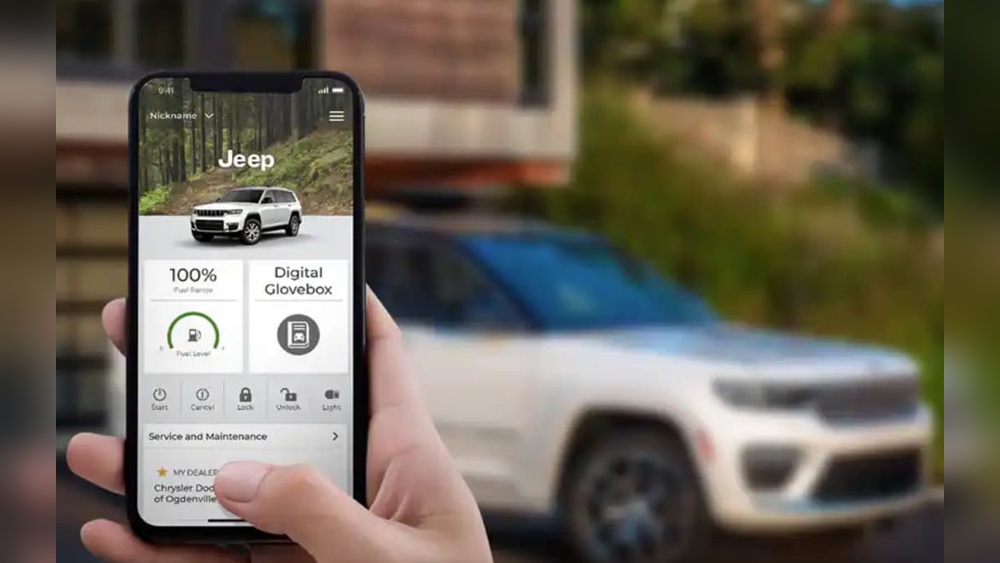
The Uconnect system is Jeep’s built-in infotainment and connectivity platform. It lets you interact with your vehicle using your smartphone. The app gives you:
- Remote start for hot or cold days
- Vehicle location if you forget where you parked
- Lock/unlock ability from anywhere
- Maintenance alerts and useful notifications
Most Jeep models from 2018 onward support Uconnect. However, not every trim level or region includes all features. Always check your Jeep’s manual to confirm compatibility.
What You Need Before You Start
Before connecting your Jeep to the Uconnect app, make sure you have:
- A compatible Jeep model (usually 2018 or newer)
- Uconnect account (set up online or through the app)
- Vehicle Identification Number (VIN)—found on your dashboard or registration
- Active cellular data on your smartphone
- Uconnect services subscription (some features require a paid plan)
If your Jeep is used or imported, ask the previous owner if Uconnect services are active.
Step-by-step: Connecting Jeep To Uconnect App
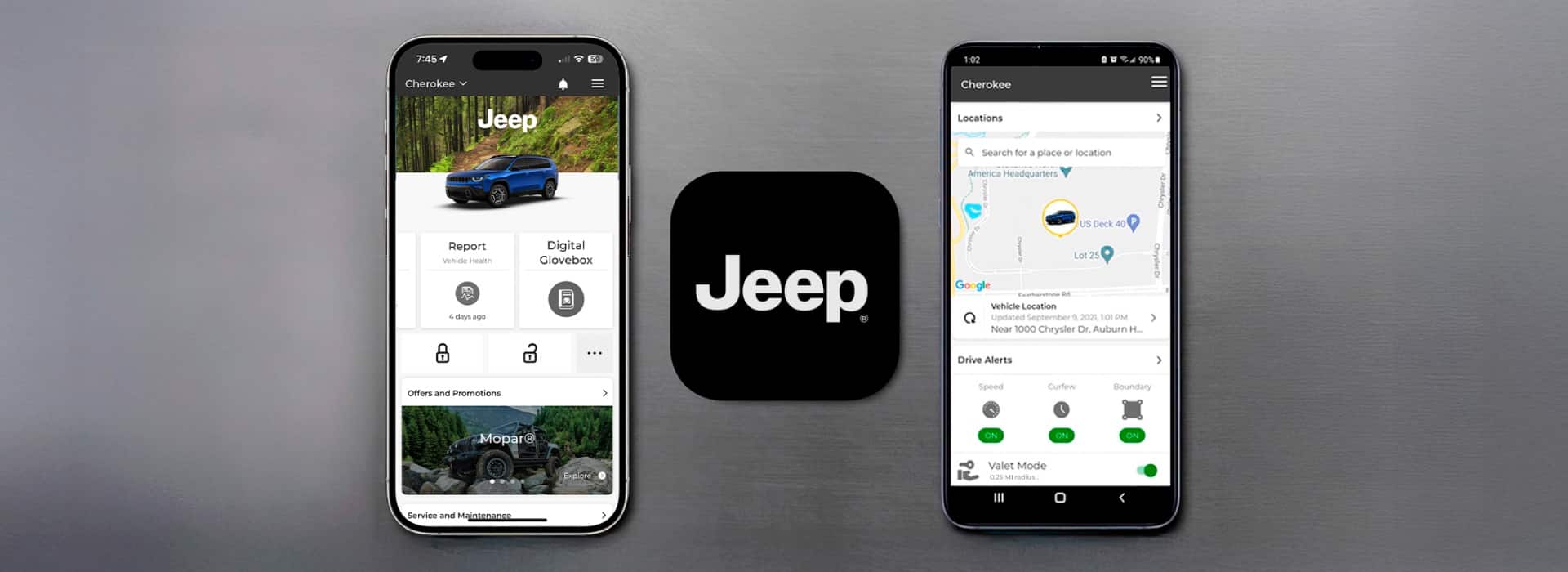
Follow these steps to pair your Jeep with the Uconnect app:
1. Download The Uconnect App
Go to the Apple App Store or Google Play Store and search for “Uconnect.” Download and install the app.
2. Create Or Log In To Your Uconnect Account
Open the app and tap “Create Account” if you’re new. Enter your name, email, and password. If you already have an account, just sign in.
3. Add Your Jeep
The app will ask for your VIN. Enter it carefully—the VIN is 17 characters long and unique to your car.
4. Verify Ownership
For security, you’ll receive a verification email. You may also need to enter a code sent to your phone. Sometimes, Jeep will ask you to confirm by pressing the Uconnect Assist button in your car.
5. Activate Your Jeep’s Connected Services
If your Jeep is new, services are usually ready. For used Jeeps or after a factory reset, you may need to visit your dealer or call Uconnect support. Activation can take up to 24 hours.
6. Link And Test Features
After activation, open the app and try out features like remote start, lock, or finding your vehicle on the map. Not all features are available in every country or on every Jeep.
Example: Connecting A 2021 Jeep Grand Cherokee
A 2021 Grand Cherokee owner downloads the Uconnect app, enters their VIN, and verifies their identity. After the dealer confirms activation, the owner uses the app to start the Jeep from inside their house on a cold morning. Within seconds, the cabin begins to warm up.
Comparing Uconnect App Features By Jeep Model
Not every Jeep has the same Uconnect features. Here’s a simple look at what you might get:
| Model | Remote Start | Vehicle Finder | Lock/Unlock | Send & Go Navigation |
|---|---|---|---|---|
| Wrangler 2020+ | Yes | Yes | Yes | Yes |
| Cherokee 2019+ | Yes | Yes | Yes | No |
| Grand Cherokee 2021+ | Yes | Yes | Yes | Yes |
| Compass 2018+ | No | Yes | No | No |
Always check your owner’s manual for the latest details.
Troubleshooting: Common Problems And Fixes
Even after following all steps, sometimes the app and Jeep won’t connect. Here’s what to check:
- App not connecting: Restart both your phone and the car. Make sure your phone’s software is updated.
- Missing features: Some features need an active subscription. Log in to the Uconnect website to check your plan.
- Activation delay: It can take up to 24 hours for services to activate, especially on weekends.
- Wrong VIN: Double-check the VIN for errors. Even one wrong digit will stop the connection.
- App crashes: Uninstall and reinstall the app. Clear your phone’s cache if you’re still having trouble.
Uconnect App Vs. Other Car Apps
Jeep’s Uconnect app is different from some other brands’ apps. Here’s how it compares to similar apps:
| Feature | Uconnect (Jeep) | FordPass | OnStar (GM) |
|---|---|---|---|
| Remote Start | Yes | Yes | Yes |
| Vehicle Health Report | Yes | Yes | Yes |
| Wi-Fi Hotspot | Yes | No | Yes |
| App Customization | Medium | High | Medium |
Uconnect does well in remote controls and security. However, it sometimes offers fewer customization options than competitors.

Two Insights Beginners Often Miss
- Uconnect subscriptions expire: Many Jeep owners don’t realize some features are free for only the first year. After that, you need to pay to keep remote features active. Set a reminder to renew before your trial ends.
- Dealer help is sometimes needed: If you buy a used Jeep, the app may not connect right away. Dealers can reset ownership info or re-activate Uconnect for you. Don’t waste hours troubleshooting—call your dealer if stuck.
Real-world Tips For Smooth Setup
- Always use the email address registered with Jeep when creating your Uconnect account.
- If you sell your Jeep, remove the vehicle from your Uconnect app to protect your privacy.
- For privacy, location services in the app can be turned off. Only activate them when you need to find your Jeep.
- If you change your phone, log out of the app before switching. This prevents security issues.
For more technical details and the latest updates, the official Jeep Uconnect page has helpful guides.

Frequently Asked Questions
How Do I Find My Jeep’s Vin?
You can find your VIN on the driver’s side dashboard (visible through the windshield), your registration papers, or inside the driver’s door frame.
Does Uconnect App Work On All Jeep Models?
No, only certain Jeep models from 2018 or newer have full Uconnect app support. Older models may have limited or no remote features.
How Long Does Uconnect Activation Take?
Activation is usually instant or within a few hours. If it takes longer than 24 hours, contact Jeep customer support or your dealer.
Can More Than One Person Connect To The Same Jeep With Uconnect?
Yes, you can add multiple users to a single Jeep, but each person needs their own Uconnect account and must be approved by the vehicle owner.
What Should I Do If I Sell My Jeep?
Before selling, remove your Jeep from the Uconnect app and unlink your account. This keeps your data private and lets the new owner connect easily.
Setting up your Jeep with the Uconnect app unlocks powerful features that make daily driving more convenient and secure. With careful steps and the tips above, you’ll enjoy all that your connected Jeep has to offer.