If you’ve ever noticed the Jeep Forward Collision Warning light on your dashboard, you might be wondering what it means and whether you should be concerned. This little warning light plays a big role in keeping you safe by alerting you to potential front-end collisions before they happen.
But what if the light stays on or won’t turn off? Understanding why this light appears and how to manage it can save you stress and keep your Jeep running smoothly.
You’ll learn exactly what the Forward Collision Warning light means, common reasons it might stay on, and easy steps you can take to reset or troubleshoot the system.
Keep reading to make sure your Jeep’s safety features are working just like they should.
Jeep Forward Collision Warning Light Meaning
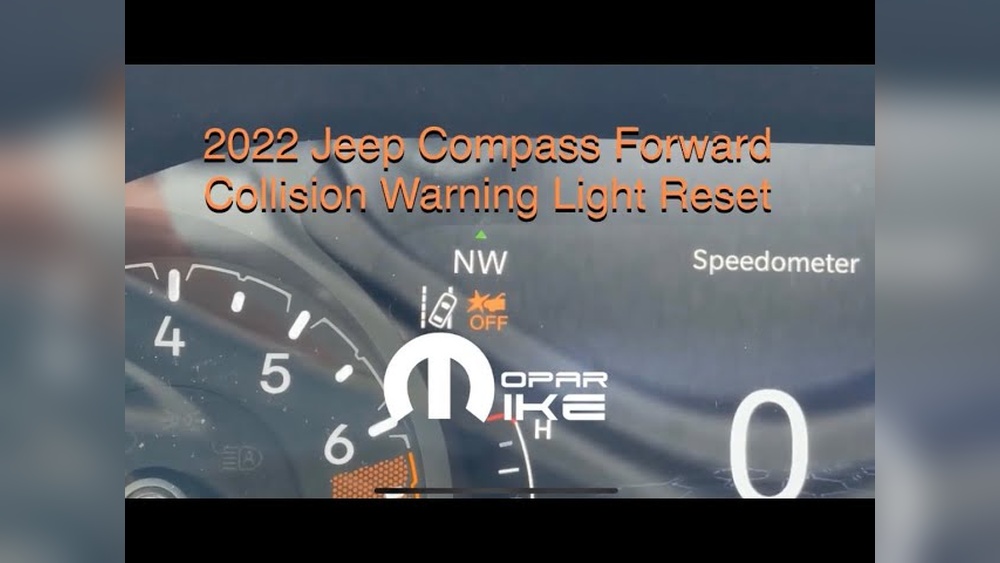
The Jeep Forward Collision Warning Light is an important alert on your dashboard. It signals the status of the forward collision warning system in your Jeep.
This system helps prevent accidents by detecting potential collisions ahead. Understanding what this warning light means keeps you safe and informed while driving.
Purpose Of The Warning Light
This warning light shows the condition of the forward collision warning system. It alerts you if the system detects a risk of hitting a vehicle or object in front.
The light also informs you if the system is turned off or not working properly. Its main role is to keep you aware of possible dangers on the road.
When The Light Comes On
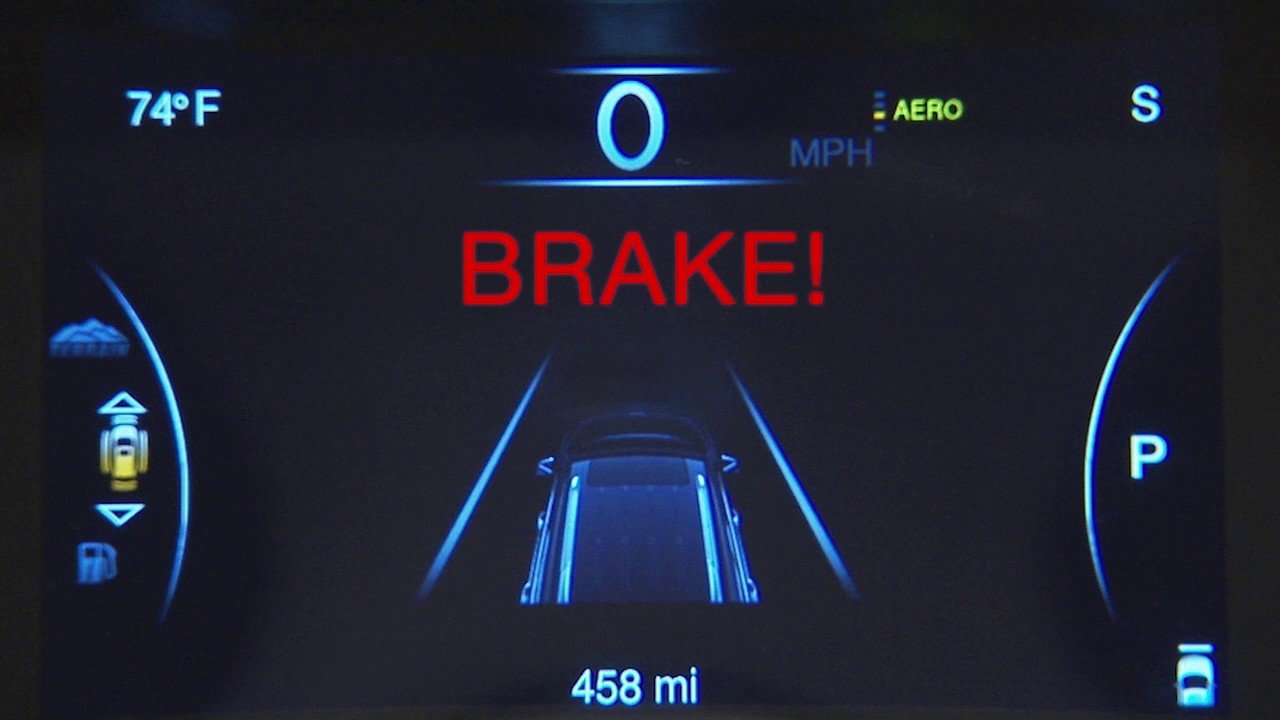
The light appears when the system senses a possible collision ahead. It flashes or stays on to warn you to slow down or stop.
The light can also come on if the system is disabled or has a fault. Dirt, weather, or sensor issues may cause the warning light to activate.
Safety Implications
This warning light means you should pay extra attention to the road. Ignoring it can increase the chance of a crash.
The forward collision warning system helps reduce accidents by alerting you early. If the light stays on, check the system or visit a service center for help.
Turning Off And Resetting The Warning Light
The Jeep Forward Collision Warning light alerts drivers to potential frontal collisions. Sometimes, drivers may want to turn off or reset this warning light.
This can be necessary after maintenance or if the system triggers false alerts. Understanding how to control this feature helps maintain safety and avoid distractions.
Start by turning on your Jeep’s ignition. Look for the touchscreen display on the dashboard.
Tap the vehicle icon to open the main menu. Select the “Settings” option from the list.
This area controls many of your Jeep’s features, including safety systems.
Adjusting Automatic Emergency Braking
Within the settings menu, find “Safety & Driving Assistance.” This section includes the Automatic Emergency Braking (AEB) controls. You can toggle AEB on or off here.
Choose between “Warning Only” or “Warning + Active Braking” modes. Adjusting these settings changes how the system reacts to potential hazards.
Checking Pedestrian Emergency Braking
Pedestrian Emergency Braking is a related safety feature. It helps prevent collisions with people crossing the road.
Ensure this setting is enabled if you want full protection. If disabled, the forward collision warning light may stay on.
This check ensures all safety functions work properly.
System Reset Steps
Resetting the warning light often clears minor errors. To reset, first toggle the Automatic Emergency Braking off and then back on.
Next, turn off the ignition and wait for 30 seconds. Restart the vehicle and check the warning light.
If it remains on, inspect sensors for dirt or damage. Cleaning sensors may restore normal function.
Common Causes Of Warning Light Activation
The Jeep Forward Collision Warning light alerts drivers about potential front-end collisions or system issues. This warning light can activate for various reasons, signaling the need to check the system.
Understanding common causes helps address the issue quickly and safely.
Dirty Or Obstructed Sensors
Sensors detect obstacles and help prevent collisions. Dirt, mud, snow, or salt can cover these sensors.
When covered, the sensors cannot work properly. This blockage often triggers the warning light.
Cleaning the sensors regularly keeps the system active and reliable.
Extreme Weather Effects
Heavy rain, snow, or fog reduce sensor visibility. These weather conditions block the sensors’ ability to scan the road.
The system may turn off automatically to avoid false alerts. The warning light stays on until weather improves and sensors work again.
Sensor Misalignment And Damage
Minor collisions or modifications can misalign sensors. A shifted sensor cannot detect objects accurately.
Damage to the sensor itself also causes warning light activation. Professional calibration or repair is needed to restore sensor function and turn off the warning light.

Maintaining And Troubleshooting Sensors
Maintaining and troubleshooting the Jeep Forward Collision Warning sensors ensures your safety features work properly. These sensors detect obstacles and warn you of potential collisions.
Dirt, misalignment, or calibration issues can cause the warning light to activate. Regular care keeps the system reliable and accurate.
Cleaning Radar And Camera Sensors
Keep radar and camera sensors clean for the system to work correctly. Dirt, mud, snow, and road salt block sensor views.
Use a soft cloth and mild cleaner to wipe sensors gently. Avoid harsh chemicals or abrasive materials that could damage them.
Clean sensors regularly, especially after bad weather or off-road trips.
Sensor Calibration Requirements
Sensors need proper alignment to detect objects accurately. Calibration may be necessary after front-end repairs or suspension changes.
Calibration resets the system to factory settings and restores precision. Some Jeep models allow basic recalibration via the touchscreen.
Complex calibration requires special tools and must be done by professionals.
When To Visit A Dealer
Visit a dealer if the warning light stays on after cleaning and recalibration attempts. Persistent alerts may indicate sensor damage or deeper system faults.
Dealers have diagnostic equipment to identify sensor problems quickly. They can perform professional calibration and repair to ensure your Forward Collision Warning system works safely.
Dealing With Persistent Warning Light Issues
Dealing with persistent Jeep Forward Collision Warning light issues can be frustrating. The light may stay on despite attempts to reset it.
Understanding common causes helps you manage these problems effectively. This section covers software glitches, environmental factors, and manual override options.
Software Glitches And Updates
The Forward Collision Warning system relies on software to operate correctly. Glitches or bugs can cause the warning light to stay on.
Jeep often releases software updates to fix these problems. Check your vehicle’s software version regularly.
Visit a Jeep dealer or use the Uconnect system to update. Updated software improves system reliability and reduces false warnings.
Environmental Factors To Monitor
Environmental conditions affect the Forward Collision Warning sensors. Mud, snow, or salt can cover the radar sensor or front camera.
This coverage blocks signals and triggers the warning light. Heavy rain or fog can also impair sensor performance.
Keep sensors clean and clear to avoid false alerts. Park your Jeep in a sheltered spot during bad weather.
This helps maintain sensor accuracy and system function.
Manual Override Options
Some Jeep models allow manual control of the Forward Collision Warning system. You can turn the system off or adjust warning settings via the touchscreen.
Navigate to Settings, then Safety & Driving Assistance. Toggle Automatic Emergency Braking or Forward Collision Warning on or off.
Use this option if the warning light persists without a clear cause. Remember, disabling the system reduces safety features.
Safety Tips When Warning Light Is On
The Jeep Forward Collision Warning light alerts drivers to potential front-end collisions. Seeing this warning light on means the system may be disabled or malfunctioning.
Staying safe during this time is critical. Following simple safety tips helps maintain control and avoid accidents.
Below are key tips to consider when the warning light is on.
Driving With Disabled System
Do not rely on the Jeep’s collision warning when the light is on. Stay alert and keep a safe distance from vehicles ahead.
Avoid distractions and focus fully on the road. Use your mirrors and check blind spots frequently.
Drive slower than usual to give yourself more reaction time. Treat the disabled system as a warning to increase caution.
Using Caution In Adverse Conditions
Weather can worsen the forward collision system’s performance. Fog, rain, and snow reduce sensor visibility and may trigger the warning light.
Slow down and increase following distance in these conditions. Use headlights and fog lights to improve your vision.
Avoid sudden moves or sharp turns. Be prepared to brake earlier than normal to prevent collisions.
Alternative Safety Measures
Rely on your own senses and driving skills when the system fails. Keep both hands on the steering wheel.
Scan the road ahead and behind regularly. Use cruise control cautiously or avoid it altogether.
Check tire pressure and brakes often to ensure proper vehicle control. Schedule a service check for your Jeep to fix the warning light problem promptly.
Why Did My Forward Collision Warning Light Come On?
The forward collision warning light comes on to alert you of a possible front collision or a system issue. Dirt, weather, or sensor misalignment can trigger it.
Check and clean sensors, adjust settings, or visit a dealer for recalibration to fix the warning light.
Is It Safe To Drive With The Forward Collision Warning Light On?
Driving with the forward collision warning light on is unsafe. It indicates a system issue or sensor blockage. Have your vehicle checked promptly.
How Do I Turn Off The Forward Collision Warning On My Jeep Compass?
To turn off the forward collision warning on your Jeep Compass, go to Settings, then Safety & Driving Assistance. Toggle off Automatic Emergency Braking or set it to Warning Only. Ensure pedestrian emergency braking is enabled or disabled as preferred.
Clean sensors if the warning light stays on.
How To Fix Service Forward Collision Warning?
To fix the service forward collision warning, clean sensors and camera thoroughly. Reset settings via your Jeep’s touchscreen under Safety & Driving Assistance.
If the light persists, have a dealership recalibrate or inspect sensors for damage. Avoid driving in severe weather until the system works properly.
Conclusion
The Jeep Forward Collision Warning light helps keep drivers safe on the road. It alerts you when a collision risk is near or if the system is off.
Simple steps can reset or adjust the warning through your Jeep's touchscreen.
Dirt, weather, or sensor issues may also trigger the light. Regular checks and cleaning help maintain proper function.
Staying aware of this warning supports safer driving every day.