The Jeep Cherokee Trailhawk is famous for its off-road skills and comfort on city roads. One reason is its smart 4 wheel drive system, which gives drivers better control in different conditions.
But many Trailhawk owners don’t use this system to its full potential. If you want to make your Trailhawk safer and more fun—whether you drive on icy streets, muddy trails, or rocky hills—understanding how to use each 4WD mode is a must.
This guide will show you exactly how the Trailhawk’s 4WD works, how to use each of its four main settings, and tips that will help you avoid common mistakes.
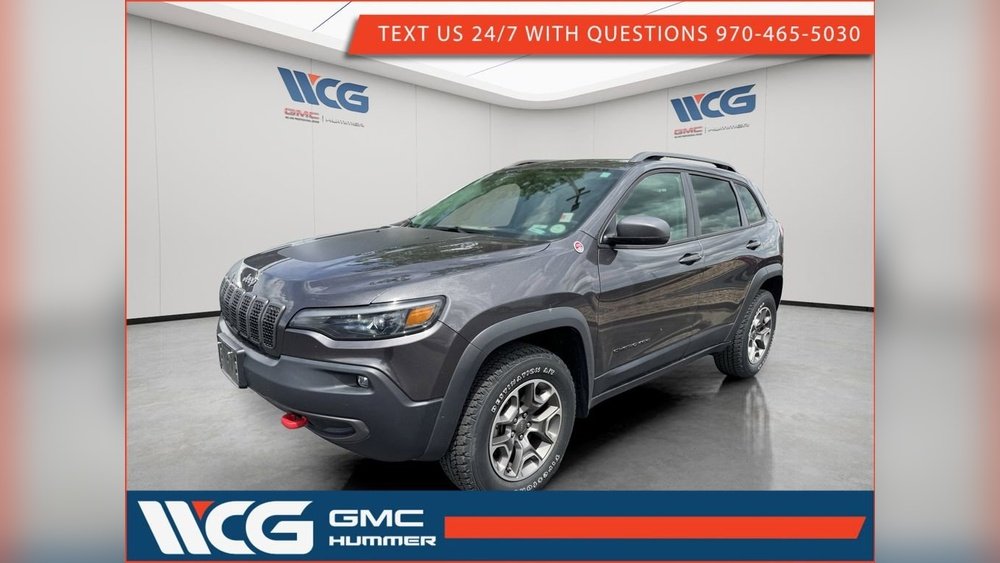
Understanding The Jeep Cherokee Trailhawk 4 Wheel Drive System
The Trailhawk uses the Jeep Active Drive Lock system. Unlike standard 4WD, this system is always active and adjusts automatically, but it also lets you choose special modes for different terrains. There are four main settings: Auto, Snow, Sport, and Sand/Mud. Each mode changes how power goes to the wheels, how the throttle and transmission respond, and even how much the wheels can slip.
A helpful way to see how these modes differ is to look at their main features:
| Mode | Best For | Main Advantage |
|---|---|---|
| Auto | Everyday driving | Automatic adjustment; balance of fuel and traction |
| Snow | Slippery, icy, or snowy roads | Reduces wheel spin; improves stability |
| Sport | Highway, dry pavement, fast driving | Sharper throttle; more torque to rear wheels |
| Sand/Mud | Off-road, soft or loose surfaces | Keeps wheels spinning to avoid getting stuck |
Knowing when and how to use each mode is key for safe, efficient driving.
How To Use Auto Mode
The Auto mode is the default setting for the Trailhawk. When you start your vehicle, it is usually in this mode unless you change it. Auto mode is designed for normal driving conditions like dry pavement or light rain.
When To Use Auto
- Daily commutes
- City and highway driving
- Light rain or dry roads
In Auto, the system sends power mainly to the front wheels to save fuel. If it senses the front wheels slipping, it quickly sends power to the rear wheels.
This change happens so fast that most drivers never notice it.
How To Activate
To use Auto mode, simply turn the Selec-Terrain knob to “Auto. ” There are no extra steps or settings needed.
Key Benefits
- No need to switch modes for changing weather
- Helps prevent tire wear by sending power only where needed
- Best fuel economy of all the 4WD modes
Non-obvious Insight
Some drivers think Auto mode is only for “easy” conditions, but it’s actually good for most situations. Even if you hit a wet patch or a gravel road, Auto can react faster than most humans.
How To Use Snow Mode
Snow mode is made for slick roads, ice, and deep snow. It changes how the transmission shifts and how much power goes to each wheel. The throttle also responds more gently to your foot, helping you avoid spinning the wheels.
When To Use Snow
- Icy streets
- Snow-covered roads or parking lots
- Slippery hills
In Snow mode, more power is sent to the rear wheels, and the traction control system becomes more sensitive. This helps you start moving without losing control, even if the surface is very slick.
How To Activate
Turn the Selec-Terrain knob to “Snow. ” You will see a light on the dashboard showing that Snow mode is active.
Key Benefits
- Better traction and control on slippery roads
- Softer throttle makes it easier to start from a stop
- Helps prevent the wheels from spinning, which can cause sliding
Practical Example
Imagine you’re leaving a parking lot after a winter storm. In Auto mode, you may notice some wheel slip as you try to move.
Switch to Snow mode, and you’ll likely feel the car grip the road more quickly, and you’ll have a smoother start.
Non-obvious Insight
Many drivers forget to switch back to Auto mode after the snow is gone. Driving in Snow mode on dry roads can reduce fuel efficiency and make the vehicle feel sluggish.
How To Use Sport Mode
Sport mode is for those times when you want a more exciting drive. It’s not for off-road or slippery conditions, but for dry roads and highways where you want faster response.
When To Use Sport
- Passing on the highway
- Entering a fast curve
- Driving on winding roads
Sport mode changes the transmission so it holds gears longer, and it sends more power to the rear wheels. The throttle becomes more sensitive, so you get quicker acceleration.
How To Activate
Turn the Selec-Terrain knob to “Sport. ” A dashboard light shows you are in Sport mode.
Key Benefits
- Faster acceleration
- Tighter, more “fun” steering feel
- More power to rear wheels for sporty driving
Data Comparison
Here is how Sport mode compares to Auto mode for acceleration and fuel use:
| Mode | 0-60 mph Acceleration (sec) | Approx. MPG (city/highway) |
|---|---|---|
| Auto | 7.8 | 20/27 |
| Sport | 7.3 | 18/24 |
As you can see, Sport mode shaves off a bit of time when speeding up, but uses more fuel.
Common Mistake
Don’t use Sport mode on wet or snowy roads. The quicker throttle and rear-bias can make the Trailhawk easier to lose control.
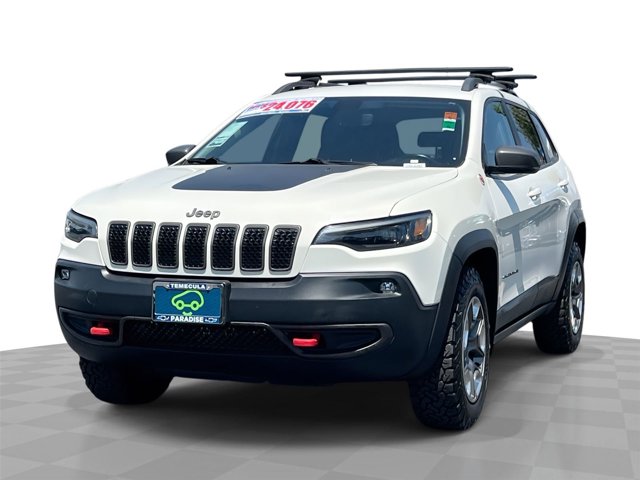
How To Use Sand/mud Mode
Sand/Mud mode is for real off-road adventures. If you’re planning to drive on beaches, muddy trails, or loose dirt, this is the setting to use.
When To Use Sand/mud
- Dirt or gravel trails
- Muddy forest roads
- Deep sand or loose surfaces
In this mode, the system lets the wheels spin more. This may sound wrong, but on soft surfaces, spinning a little helps you keep moving instead of getting stuck.
The transmission also shifts differently to keep the engine in its power band.
How To Activate
Turn the Selec-Terrain knob to “Sand/Mud. ” The dashboard will confirm the change.
Key Benefits
- Keeps you from getting stuck in soft or loose ground
- Allows for controlled wheel spin to keep momentum
- Adjusts traction control so you can power through mud or sand
Example
If you’re crossing a muddy trail and feel the car slowing down, Sand/Mud mode will let the wheels spin and “dig” for grip. In Auto or Snow mode, the system would cut power to prevent spinning, which can actually make you stuck.
Pro Tip
Before entering deep mud or sand, always check your tire pressure. Slightly lower pressure (within safe limits) can help the tires spread out, increasing grip.
Extra Features: Locking Rear Differential
The Trailhawk also offers a locking rear differential for the toughest spots. This feature forces both rear wheels to turn at the same speed, even if one is in the air or on ice.
When To Use
- Rock crawling
- Deep mud holes
- Uneven off-road surfaces
To activate, press the “Lock” button (usually near the Selec-Terrain knob) while in Sand/Mud mode and moving slowly.
Warning
Never use the locking rear differential on pavement it can damage the drivetrain.
Comparing All Four Modes
To help you choose the right mode quickly, here’s a summary:
| Mode | Best Surface | Main Focus | Fuel Efficiency |
|---|---|---|---|
| Auto | Pavement, light rain | Balanced driving | Best |
| Snow | Ice, snow | Traction, stability | Good |
| Sport | Dry roads | Performance | Lower |
| Sand/Mud | Off-road, loose | Momentum, wheel spin | Lowest |
Tips For Getting The Most Out Of Your 4 Wheel Drive System
- Change modes before you need them. For example, switch to Snow mode before you reach the icy part of the road.
- Don’t use off-road modes on dry pavement. This can wear out parts and reduce fuel economy.
- Practice in a safe area. Try each mode in a quiet parking lot or off-road park to understand how your Trailhawk feels.
- Watch your dashboard. Warnings or lights may tell you if a system is not working as expected.
- Remember your tires. Even the best 4WD system needs good tires for the conditions.

Common Mistakes To Avoid
- Using Snow or Sand/Mud mode on dry roads (hurts fuel economy and handling)
- Forgetting to return to Auto after bad weather
- Using Sport or Auto on muddy trails
- Not lowering tire pressure when driving in deep sand (within safe limits)
- Using the locking rear differential on pavement
Real-world Example: Trailhawk In Action
A Trailhawk owner in Colorado shared that during a surprise snowstorm, switching from Auto to Snow mode made a huge difference when climbing a steep hill. At first, the wheels spun and the car felt unstable.
After turning the knob to Snow, the Trailhawk moved up the hill smoothly, showing how quickly the system adapts.

Frequently Asked Questions
How Do I Switch Between 4wd Modes In My Trailhawk?
Turn the Selec-Terrain knob to your desired mode (Auto, Snow, Sport, Sand/Mud). You can usually change modes while driving at low speeds. The dashboard will show your current mode.
Can I Use 4wd Modes On The Highway?
Auto and Sport modes are safe for highway driving. Snow mode is okay if the road is icy, but avoid Sand/Mud mode on pavement—it’s meant for off-road use.
Does Using 4wd All The Time Hurt My Fuel Economy?
The Trailhawk’s system is mostly front-wheel drive in Auto mode, which helps fuel efficiency. Sport, Snow, and Sand/Mud modes use more fuel because they send more power to all wheels.
What If I Get Stuck Even With 4wd?
If you’re stuck, try Sand/Mud mode and gently rock the car back and forth. You can also use the locking rear differential if equipped. If you still can’t move, seek help and avoid spinning the wheels too much.
Where Can I Learn More About Jeep 4wd Systems?
Visit the official Jeep 4×4 Systems page for more technical info and videos.
Driving a Jeep Cherokee Trailhawk opens a world of adventure, but only if you use its 4 wheel drive system wisely.
By understanding each mode Auto, Snow, Sport, and Sand/Mud and knowing when to use them, you’ll get better performance, more safety, and have more fun on any road.
Always practice and get comfortable with the system before you face tough conditions. The more you know, the more your Trailhawk can do.


















