Updating the software in your Jeep Renegade can improve performance, fix bugs, and add new features. Modern cars rely on software for everything from navigation to engine management. If you own a Jeep Renegade, knowing how to update its software helps you get the best driving experience and avoid technical issues.
Many drivers believe software updates are only for computers or smartphones. But your car’s computer system also needs to be up-to-date.
The process might sound complicated, but following the right steps makes it straightforward. Let’s explore how to update your Jeep Renegade software, the benefits, and common mistakes to avoid.
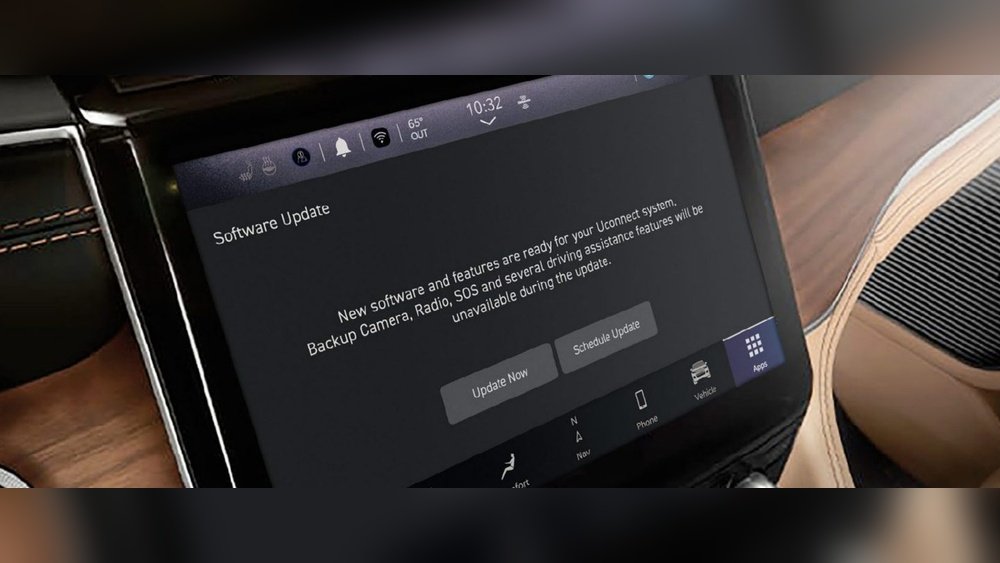
Why Update Jeep Renegade Software?
Keeping your vehicle’s software updated matters for several reasons:
- Bug fixes: Updates often solve glitches or errors.
- Security improvements: New updates help protect your car’s digital systems.
- Feature upgrades: Sometimes, new functions are added.
- Better compatibility: Updates ensure your system works well with smartphones and apps.
For example, an update might improve the responsiveness of your Uconnect system or solve Bluetooth connection issues. Outdated software can cause slowdowns, crashes, or even safety problems.
Types Of Software Updates
Your Jeep Renegade has several software components. Here’s a quick comparison:
| Component | Purpose | Update Method |
|---|---|---|
| Uconnect System | Controls media, navigation, phone | USB/Over-the-air |
| Engine Control Module (ECM) | Manages engine functions | Dealer-only |
| Transmission Control Module (TCM) | Controls gear shifts | Dealer-only |
Most owners can update the Uconnect system themselves. Updates for the ECM or TCM usually require a visit to your Jeep dealer.
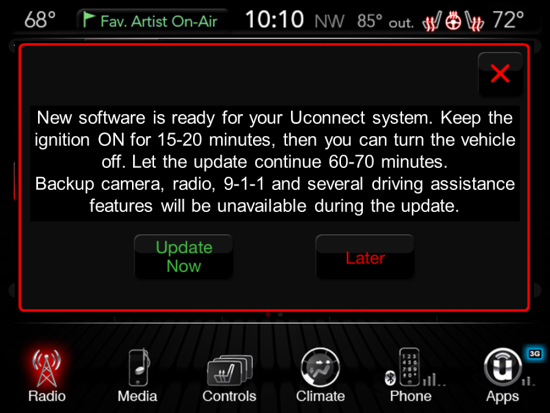
How To Check For Updates
Before updating, check if your vehicle actually needs a software update. Here’s how:
- Turn on your Uconnect system.
- Go to “Settings” and select “System Information.”
- Note the software version displayed.
- Visit the official Uconnect update page online.
- Enter your Jeep’s Vehicle Identification Number (VIN) to see available updates.
If your version matches the latest, no update is needed. If not, follow the next steps.
Steps To Update Jeep Renegade Software
Updating the Uconnect system is usually the most common and straightforward task for owners. Here’s how to do it yourself:
1. Download The Update
- Visit the official Uconnect update website.
- Enter your vehicle’s VIN.
- If an update is available, download the file to your computer.
Insight: Always use a trusted source for downloads. Never install updates from unofficial sites.
2. Prepare A Usb Drive
- Use a USB drive with at least 4GB of free space.
- Format it to FAT32 (not exFAT or NTFS).
- Copy the downloaded update file to the root of the USB drive.
3. Install In Your Vehicle
- Start your Jeep and keep it in “Park.”
- Insert the USB drive into the Uconnect USB port.
- Follow the on-screen prompts. The system will detect the update.
- Confirm you want to proceed. The update will begin.
This process can take 20–45 minutes. Do not turn off the ignition or remove the USB drive until it’s finished.
4. Confirm The Update
After the update, check the “System Information” screen again. The software version should now be the latest.
When To Visit The Dealer
If your Renegade has other issues (like engine trouble codes or shifting problems), it might need an ECM or TCM update. These updates require special equipment only available at authorized Jeep service centers.
What To Expect After Updating
After a successful update, you may notice smoother operation, better Bluetooth connections, or new menu options. Some updates may reset custom settings, so be ready to re-pair your phone or adjust preferences.
Here’s a summary of what can improve:
| Feature | Before Update | After Update |
|---|---|---|
| Bluetooth | Connection drops | Stable pairing |
| Navigation | Old maps | Latest routes |
| Voice Commands | Slow response | Faster, accurate |
Tip: After updating, check all your favorite features to make sure they work as expected.
Common Mistakes To Avoid
Many beginners make simple errors during software updates. Watch out for these:
- Using the wrong USB format: Always use FAT32, not NTFS or exFAT.
- Interrupting the update: Never turn off the car or remove the USB drive mid-update.
- Downloading from unofficial sites: This can cause system errors or even “brick” your unit.
- Skipping the VIN check: Not all updates are for every Jeep Renegade model year.
- Ignoring backup: Save your contacts and settings before you begin, as some updates reset preferences.

How Often Should You Update?
There’s no fixed schedule, but it’s wise to check for updates every 6–12 months. Also, check after buying a used Jeep Renegade, as the previous owner may have missed updates.
Some dealerships offer free software checks when you go in for regular service. Ask your service advisor about the latest updates for your vehicle.
Troubleshooting Software Update Problems
If you run into trouble:
- If the system freezes, try restarting the car.
- If the update fails, repeat the process with a freshly formatted USB drive.
- If the Uconnect system won’t turn on after an update, contact your dealer immediately.
Non-obvious tip: Sometimes, using a different brand of USB drive solves strange update errors. Stick to well-known brands for best results.
Frequently Asked Questions
How Do I Find My Jeep’s Vin?
The Vehicle Identification Number (VIN) is found on your dashboard, near the windshield, or inside the driver’s door frame. It’s also on your registration papers.
Can I Update The Jeep Renegade Software Using My Phone?
No. Most updates require a USB drive and a computer. Over-the-air updates are rare for older models, but newer Renegades may support them.
What If I See A “software Update Failed” Message?
Remove the USB drive, restart your Jeep, and try again. If it still fails, you may need to visit your dealer.
Do Software Updates Cost Money?
Updates for the Uconnect system are usually free if you do them yourself. Dealer updates for ECM or TCM may cost extra, depending on your warranty.
Where Can I Find Official Update Files?
You can get official updates at the Uconnect update page.
Updating your Jeep Renegade’s software keeps your vehicle safe, smooth, and enjoyable to drive. Follow the steps carefully, and check for updates regularly to get the most from your car’s technology.


















