Removing the hardtop from a Jeep is a task many owners face, especially when warmer weather calls for open-air driving. However, before lifting the top off, you must unplug the Jeep hardtop.
This step is crucial to prevent wire damage and ensure all electrical connections—like rear defroster and wiper—are safely disconnected. While it may seem simple, the process can be tricky for first-timers.
With the right approach, you can protect your Jeep’s systems and get ready for summer adventures.
Understanding The Jeep Hardtop Wiring
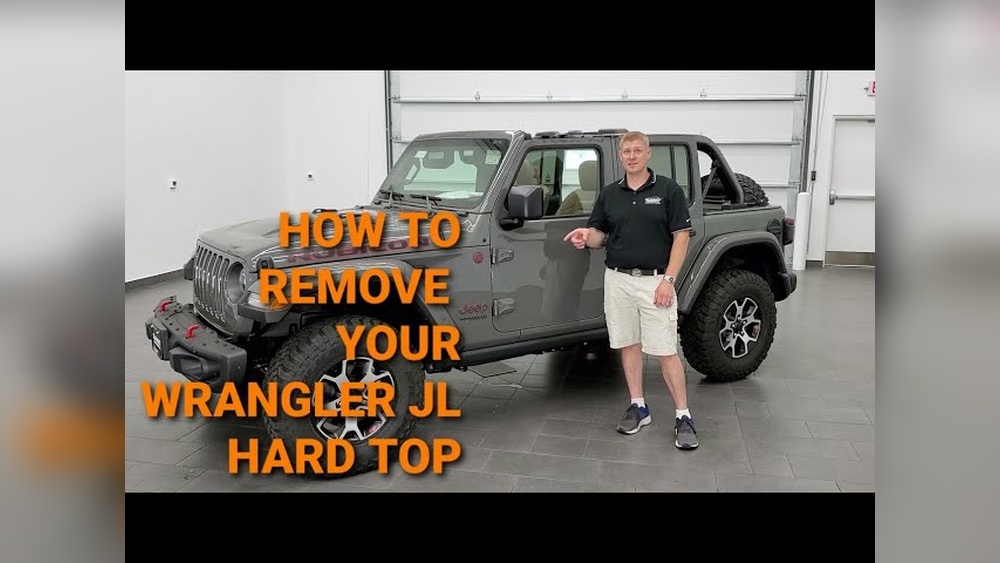
Jeep hardtops, particularly on the Wrangler and Gladiator models, include wiring for features such as the rear wiper, defroster, and sometimes even lighting. All these are connected through a plug, typically located near the rear driver’s side of the cargo area.
A common mistake is to overlook the wiring entirely. Pulling the top without unplugging these connectors can cause expensive damage.
In fact, Jeep’s official service manuals highlight unplugging as a required safety step.
Here’s a quick comparison of hardtop wiring for popular Jeep models:
| Jeep Model | Connector Location | Features Wired |
|---|---|---|
| Wrangler JK (2007-2018) | Rear left cargo area | Defroster, wiper, washer |
| Wrangler JL (2018+) | Rear left, under panel | Defroster, wiper, washer, camera (some trims) |
| Gladiator JT | Rear left cargo area | Defroster, wiper |
Knowing your model helps you locate and identify the correct plugs.
Tools And Preparation
Before you begin, make sure you have:
- Torx bit set (commonly T40 or T50 for Jeep hardtops)
- Ratchet or driver
- Clean towel (to protect surfaces)
- Second person (optional but helpful for lifting)
- Gloves (for a better grip)
Some newer models include a storage spot for the Torx tool in the glove box or center console.
Preparation tips:
- Park on a flat surface and set the parking brake.
- Open the tailgate fully for easy access.
- Remove any loose cargo or items from the rear area.
- Lower or remove the rear seats if you need extra room.

Step-by-step Guide To Unplugging The Hardtop
Follow these steps carefully to unplug your Jeep hardtop without damaging any components:
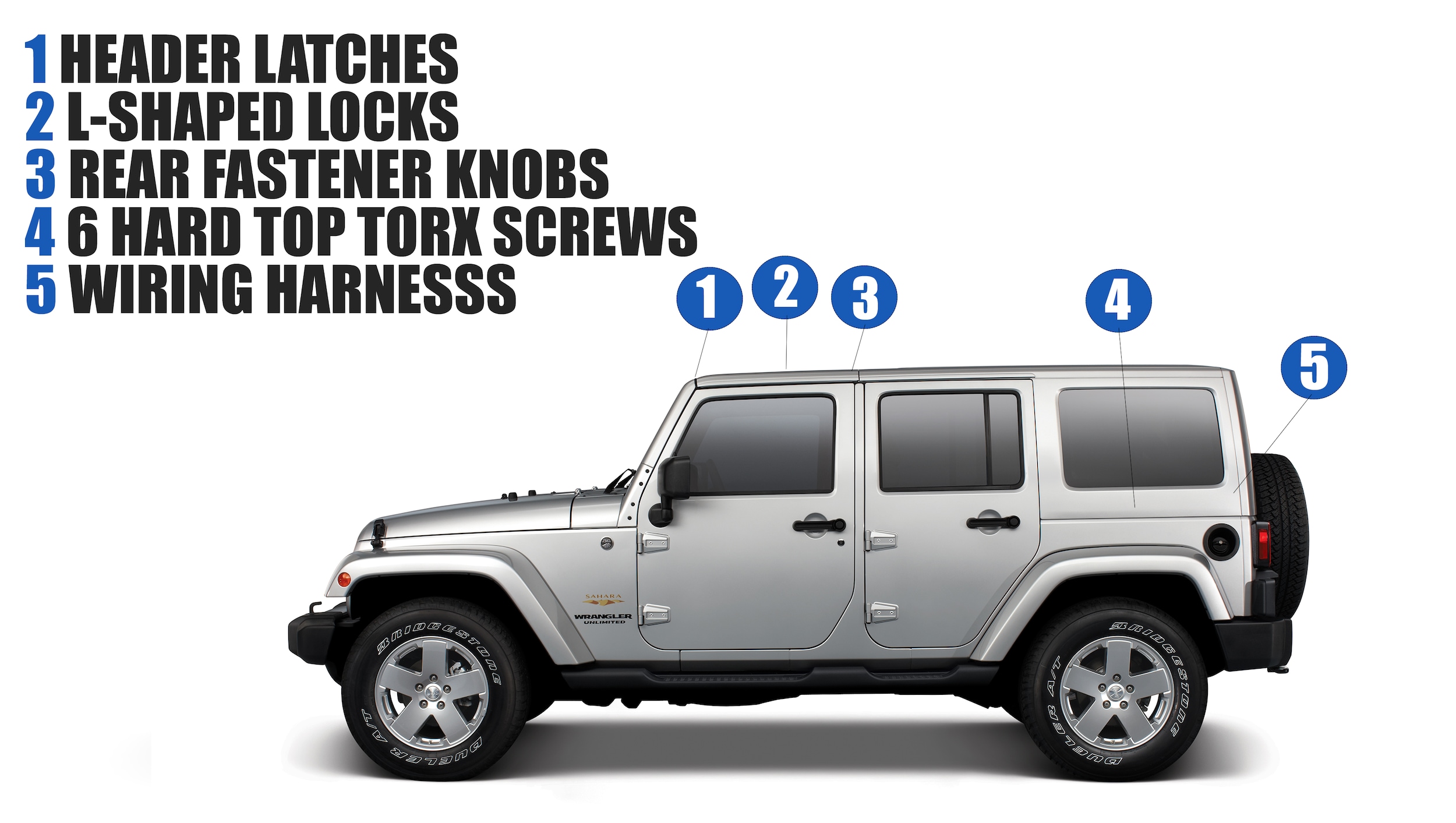
1. Locate The Wiring Harness
Open the tailgate and look at the driver’s side rear corner of the cargo area. You’ll see a bundle of wires leading up into the hardtop. The main connector is usually a black or gray plug attached to the body.
2. Disconnect The Main Plug
Find the locking tab on the connector. Press the tab firmly while gently pulling the plug apart.
Avoid pulling on the wires themselves. If the connector feels stuck, wiggle it slightly while maintaining pressure on the tab.
3. Unplug The Washer Hose
Most hardtops also have a washer fluid hose for the rear window. This is a small, flexible tube next to the wiring plug. Gently pull it off its fitting and tuck it aside.
4. Secure The Loose Connectors
Wrap the ends of the disconnected plug and hose in a clean towel or plastic bag to keep dirt and moisture out. You can use a zip tie or tape to hold them in place.
5. Double-check For Extra Connections
Some special edition Jeeps or newer models may have extra plugs for cameras or lights. Refer to your owner’s manual if you see more than one connector.
Here’s a quick reference for what you should find:
| Connection | Function | Action |
|---|---|---|
| Main wiring plug | Defroster, wiper | Unplug |
| Washer hose | Rear washer fluid | Detach |
| Camera plug (if present) | Backup camera | Unplug (if equipped) |
Lifting Off The Hardtop
With all electrical and washer connections unplugged, you’re ready to remove the top itself.
- Remove the freedom panels (front roof panels), if your Jeep has them, using the provided latches.
- Use the Torx bit to remove the bolts securing the hardtop to the body. There are usually 6-8 bolts depending on the model.
- With a helper, lift the hardtop straight up and backward, being careful not to scrape the Jeep’s paint.
- Place the hardtop on a soft surface or special hardtop cart.
Tip: Always store the hardtop upright and avoid setting it on rough concrete, which can scratch or crack the finish.
Common Mistakes To Avoid
Even experienced Jeep owners sometimes make errors that lead to problems:
- Forgetting to unplug: This can rip wires out of the harness or break connectors.
- Pulling on wires instead of the plug: This weakens the connection and may cause electrical failures.
- Not protecting connectors: Dirt and moisture can cause corrosion, leading to future electrical issues.
- Lifting alone: The hardtop is heavy and awkward; lifting without help risks injury and damage.
Reinstalling The Hardtop
When it’s time to put the hardtop back on:
- Align the top carefully to avoid pinching wires or hoses.
- Reconnect all plugs and hoses before tightening bolts.
- Test the rear wiper and defroster to ensure everything works.
If anything doesn’t operate as expected, double-check the connections for dirt or loose fitment.

When To Seek Professional Help
If you notice damaged connectors, broken wires, or if the plugs won’t come apart, visit a certified Jeep technician. For newer Jeeps with advanced wiring (like rear cameras), professional assistance ensures nothing is accidentally damaged.
More detailed service information is available from the official Jeep website.
Frequently Asked Questions
How Often Should I Remove My Jeep Hardtop?
Most owners remove the hardtop seasonally. Frequent removal is fine, but be gentle with the plugs to prevent wear.
Can I Drive With The Wiring Unplugged And Hardtop Off?
Yes, but make sure the connectors are protected from dust and water to avoid electrical issues.
Do All Jeep Hardtops Have The Same Connectors?
No. Connectors can vary by model and year.
Always check your owner’s manual or look at the connector shape before unplugging.
What If The Plug Won’t Come Apart?
Gently wiggle the connector while pressing the release tab. Do not force it.
If stuck, a small amount of dielectric grease may help, but never pry with tools.
Is It Safe To Remove The Hardtop Alone?
It is possible but not recommended. The hardtop is heavy and awkward.
Always ask for help to avoid damage or injury.
Unplugging your Jeep hardtop is a straightforward process if you follow these steps. Taking a few minutes to disconnect everything properly can save you from costly repairs and keep your Jeep in top condition for years to come.


















